Toyota Land Cruiser Prado (2023 year). Manual in english - page 7
 

  Index      Manuals     Toyota Land Cruiser Prado (2023 year). Manual in english


Search            copyright infringement  


Content      ..     5      6      7      8     ..


Toyota Land Cruiser Prado (2023 year). Manual in english - page 7


111

1

1-4. Theft deterrent system

Fo
r s

a

fe

ty a
n

d se
cu

rity

Engine immobilizer system

Vehicles without a smart entry
& start system 

The indicator light flashes after
the key has been removed from
the engine switch to indicate that
the system is operating.
The indicator light stops flashing
after the registered key has been
inserted into the engine switch to
indicate that the system has been
canceled.

Vehicles with a smart entry & start system 

The indicator light flashes after the engine switch has been turned off
to indicate that the system is operating.
The indicator light stops flashing after the engine switch has been
turned to ACCESSORY or IGNITION ON mode to indicate that the
system has been canceled.

System maintenance

The vehicle has a maintenance-free type engine immobilizer system.

Conditions that may cause the system to malfunction

If the grip portion of the key is in contact with a metallic object

If the key is in close proximity to or touching a key to the security system
(key with a built-in transponder chip) of another vehicle

The vehicle’s keys have built-in transponder chips that prevent
the engine from starting if a key has not been previously regis-
tered in the vehicle’s on-board computer.
Never leave the keys inside the vehicle when you leave the vehi-
cle.

This system is designed to help prevent vehicle theft but does not
guarantee absolute security against all vehicle thefts.

112

1-4. Theft deterrent system

NOTICE

To ensure the system operates correctly

Do not modify or remove the system. If modified or removed, the proper
operation of the system cannot be guaranteed.

113

1

1-4. Theft deterrent system

Fo
r s

a

fe

ty a
n

d se
cu

rity

Double locking system

Vehicles employing this system
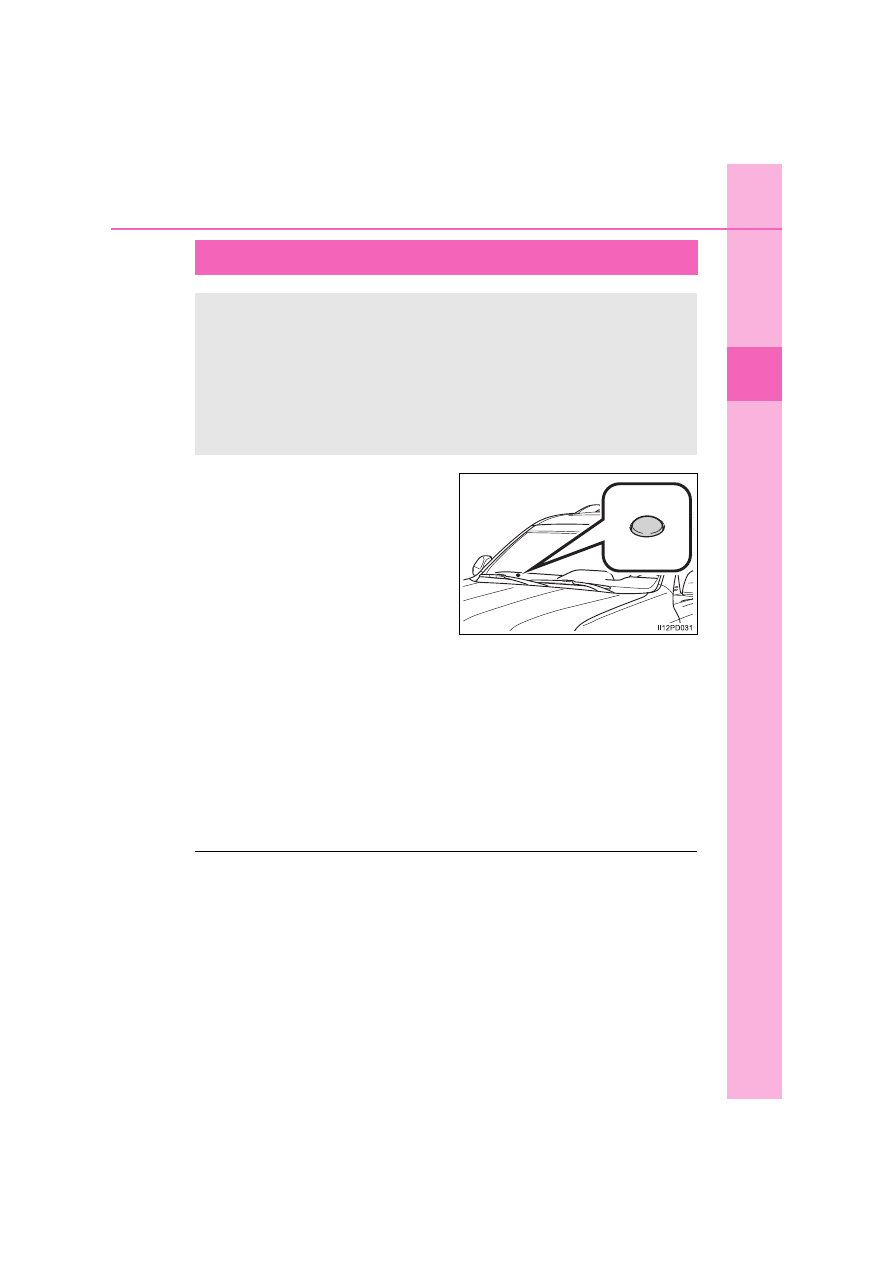
have labels on the window glass
of both front doors.

Turn the engine switch off, have all the passengers exit the vehicle
and ensure that all the doors are closed.
Using the entry function (vehicles with a smart entry & start system): 
Touch the sensor area on the front outside door handles twice within 5
seconds.
Using the wireless remote control:
Press 


twice within 5 seconds.

Using the entry function (vehicles with a smart entry & start system): 
Hold the outside door handle on the driver’s side.
Using the wireless remote control: Press 

.

: If equipped

Unauthorized access to the vehicle is prevented by disabling the
door unlocking function from both the interior and exterior of
the vehicle.

Setting the double locking system

Canceling the double locking system

WARNING

Double locking system precaution

Never activate the double locking system when there are people in the vehi-
cle because all the doors cannot be opened from inside the vehicle.

114

1-4. Theft deterrent system

Alarm

The alarm uses light and sound to give an alert when an intrusion is
detected.
The alarm is triggered in the following situations when the alarm is
set:

A locked door or glass hatch (if equipped) is unlocked or opened in
any way other than using the entry function or the wireless remote
control. (The doors will lock again automatically.)

The hood is opened.

The intrusion sensor detects something moving inside the vehicle.
(An intruder gets in the vehicle.) (if equipped)

The tilt sensor detects a change of vehicle inclination. (if equipped)

The quarter windows (5-door models) or back door window are bro-
ken. (if equipped)

Close the doors, glass hatch (if
equipped) and hood, and lock all
the doors using the entry function
or wireless remote control. The
system will be set automatically
after 30 seconds.

The indicator light changes from
being on to flashing when the sys-
tem is set.

: If equipped

The alarm

Setting the alarm system

115

1-4. Theft deterrent system

1

Fo
r s

a

fe

ty a
n

d se
cu

rity

Do one of the following to deactivate or stop the alarm.

Unlock the doors using the entry function or the wireless remote
control.

Start the engine. (The alarm will be deactivated or stopped after a
few seconds.)

System maintenance

The vehicle has a maintenance-free type alarm system.

Items to check before locking the vehicle

To prevent unexpected triggering of the alarm and vehicle theft, make sure of
the following.

Nobody is in the vehicle.

The windows and moon roof (if equipped) are closed before the alarm is set.

No valuables or other personal items are left in the vehicle.

Triggering of the alarm

The alarm may be triggered in the following situations:
(Stopping the alarm deactivates the alarm system.)

Deactivating or stopping the alarm

The doors are unlocked using the
mechanical key.

A person inside the vehicle opens a door
or hood.

116

1-4. Theft deterrent system

Alarm-operated door lock

In the following cases, depending on the situation, the door may automatically
lock to prevent improper entry into the vehicle:

When a person remaining in the vehicle unlocks the door and the alarm is
activated.

While the alarm is activated, a person remaining in the vehicle unlocks the
door.

When recharging or replacing the battery.

Customization

The alarm can be set to deactivate when the mechanical key is used to
unlock. 
(Customizable features: 

P. 769)

The battery is recharged or replaced
when the vehicle is locked. (

P. 727)

NOTICE

To ensure the system operates correctly

Do not modify or remove the system. If modified or removed, the proper
operation of the system cannot be guaranteed.

117

1-4. Theft deterrent system

1

Fo
r s

a

fe

ty a
n

d se
cu

rity

The intrusion sensor detects intruders or movement in the vehicle.

The tilt sensor detects changes in vehicle inclination, such as when
the vehicle is towed away.

This system is designed to deter and prevent vehicle theft but does
not guarantee absolute security against all intrusions.

Setting the intrusion sensor and tilt sensor

The intrusion sensor and tilt sensor will be set automatically when
the alarm is set. (

P. 114)

Canceling the intrusion sensor and tilt sensor

If you are leaving pets or other moving things inside the vehicle,
make sure to stop the intrusion sensor and tilt sensor before setting
the alarm, as they will respond to movement inside the vehicle.

Turn the engine switch off.

Press the intrusion sensor
and tilt sensor cancel switch.

When the system is canceled,
the indicator flashes rapidly.

Intrusion sensor and tilt sensor (if equipped)

1

2

118

1-4. Theft deterrent system

Canceling and automatic re-enabling of the intrusion sensor and tilt sen-
sor (if equipped)

The alarm will still be set even when the intrusion sensor and tilt sensor are
canceled.

After the intrusion sensor and tilt sensor are canceled, pressing the engine
switch or unlocking the doors using the entry function or wireless remote
control will re-enable the intrusion sensor and tilt sensor.

The intrusion sensor and tilt sensor will automatically be re-enabled when
the alarm system is deactivated.

Intrusion sensor detection considerations (if equipped)

The sensor may trigger the alarm in the following situations:

• The movement of people outside the vehicle

People or pets are in the vehicle.

A window or the moon roof (if equipped)
is open. 
In this case, the sensor may detect the
following:
• Wind or the movement of objects

such as leaves and insects inside the
vehicle

• Ultrasonic waves emitted from

devices such as the intrusion sensors
of other vehicles

Unstable items, such as dangling acces-
sories or clothes hanging on the coat
hooks, are in the vehicle.

119

1-4. Theft deterrent system

1

Fo
r s

a

fe

ty a
n

d se
cu

rity

The vehicle is inside an automatic or high-pressure car wash.

The vehicle experiences impacts, such as hail, lightning strikes, and other
kinds of repeated impacts or vibrations.

Tilt sensor detection considerations (if equipped)

The sensor may trigger the alarm in the following situations:

The vehicle is transported by a ferry, trailer, train, etc.

The vehicle is parked in a parking garage.

The vehicle is inside a car wash that moves the vehicle.

Any of the tires loses air pressure.

The vehicle is jacked up.

An earthquake occurs or the road caves in.

Cargo is loaded onto or unloaded from the roof luggage carrier.

The vehicle is parked in a place where
extreme vibrations or noises occur, such
as in a parking garage.

Ice or snow is removed from the vehicle,
causing the vehicle to receive repeated
impacts or vibrations.

120

1-4. Theft deterrent system

NOTICE

To ensure the intrusion sensor functions correctly (if equipped)

Installing accessories other than genuine Toyota parts or leaving objects
between the driver’s seat and front passenger’s seat may reduce the
detection performance.

The system responds to movement inside the vehicle, so it may respond
to small insects such as moths or flies

When the electronic key is near the vehicle, the intrusion sensor may stop
operating.

To ensure that the sensors operate
properly, do not touch or cover them.

Do not spray air fresheners or other
products directly into the sensor holes.

121

2

Instrument cluster

2.

Instrument cluster

Warning lights and 

indicators .........................122

Gauges and meters ...........131
Multi-information display 

(Type A)...........................135

Multi-information display 

(Type B)...........................139

Fuel consumption 

information.......................151

122

2. Instrument cluster

Warning lights and indicators

Vehicles with the multi-information display type A

The warning lights and indicators on the instrument cluster and
center panel inform the driver of the status of the vehicle’s vari-
ous systems.
For the purpose of explanation, the following illustrations dis-
play all warning lights and indicators illuminated.

123

2. Instrument cluster

2

In

st

rum

ent cl

ust
e

r

Vehicles with the multi-information display type B

The units used on the speedometer and some indicators may differ
depending on the target region.

124

2. Instrument cluster

Warning lights inform the driver of malfunctions in the indicated vehi-
cle’s systems.

Warning lights

*

1

(if equipped)

Master warning light 
(

P. 661)

*

1

Slip indicator (

P. 659)

*

1

Brake system warning 
light (

P. 657)

Open door warning light 
(

P. 660)

*

1

Charging system 
warning light (

P. 657)

Driver’s and front 
passenger’s seat belt 
reminder light (

P. 661)

*

1

Malfunction indicator 
lamp (

P. 658)

*

2

(if equipped)

Rear passengers’ seat 
belt reminder light 
(

P. 661)

*

1, 2

Low engine oil pressure 
warning light (

P. 657)

Low fuel level warning 
light (

P. 661)

*

2

(if equipped)

High coolant 
temperature warning 
light (

P. 657)

*

1

(if equipped)

Low engine oil level 
warning light (

P. 661)

*

1

SRS warning light 
(

P. 658)

*

1, 3

(if equipped)

Automatic transmission 
fluid temperature 
warning light (

P. 660)

*

1

ABS warning light 
(

P. 658)

*

1

(if equipped)

KDSS warning light 
(

P. 660)

*

1

Power steering system 
warning light (

P. 658)

*

1

(if equipped)

Fuel system warning 
light (

P. 660)

125

2. Instrument cluster

2

In

st

rum

ent cl

ust
e

r

*

1

(Flashes or 
illuminates)

(if equipped)

PCS warning light 
(

P. 659)

(green)

(if equipped)

Smart entry & start 
system indicator 
(

P. 665)

*

1, 4

(if equipped)

Toyota parking 
assist-sensor indicator 
(

P. 662)

(yellow)

(if equipped)

Smart entry & start 
system indicator
(

P. 665)

*

1

(if equipped)

LED headlight warning 
light (

P. 662)

(if equipped)

Low AdBlue™ level 
warning light (

P. 660)

*

1

(if equipped)

Tire pressure warning 
light (

P. 662)

*

1

(if equipped)

DPF system warning 
light (

P. 663)

(if equipped)

Low windshield washer 
fluid warning light 
(

P. 662)

Parking brake indicator
light (

P. 663)

*

1

(if equipped)

Automatic headlight 
leveling system warning 
light (

P. 662)

*

1, 2

(if equipped)

Brake Override System/
Drive-Start Control 
warning light (

P. 663)

*

1, 3

(if equipped)

Stop & Start cancel 
indicator (

P. 661)

(if equipped)

Go to service warning 
light (

P. 667)

*

2

(orange)

(if equipped)

LDA indicator (

P. 663)

(if equipped)

Engine oil maintenance 
indicator (

P. 667)

(yellow)

(if equipped)

Cruise control indicator
(

P. 659)

126

2. Instrument cluster

*

1

: These lights turn on when the engine switch is turned to the “ON” position

(vehicles without a smart entry & start system) or IGNITION ON mode
(vehicles with a smart entry & start system), to indicate that a system
check is being performed. They will turn off after the engine is started, or
after a few seconds. There may be a malfunction in a system if the lights
do not come on, or turn off. Have the vehicle inspected by any authorized
Toyota retailer or Toyota authorized repairer, or any reliable repairer.

*

2

: Vehicles with the multi-information display type B: This light illuminates on

the multi-information display.

*

3

: The light flashes to indicate a malfunction.

*

4

: This light illuminates on the center panel.


Content      ..     5      6      7      8     ..