Toyota 86 (2023 year). Manual in english - page 14
 

  Index      Toyota     Toyota 86 (2023 year). Manual in english


Search            copyright infringement  


Content      ..     12      13      14      15     ..


Toyota 86 (2023 year). Manual in english - page 14


221

4-5. EyeSight

4

Dr

iv

ing

Multimedia system screen

Operate the multimedia system 
screen to turn on/off Lane 
Departure Warning. (

P.400)

Multi-information display

Also you can turn on/off Lane 
Departure Warning using the 
meter operation switch. 
(

P.400)

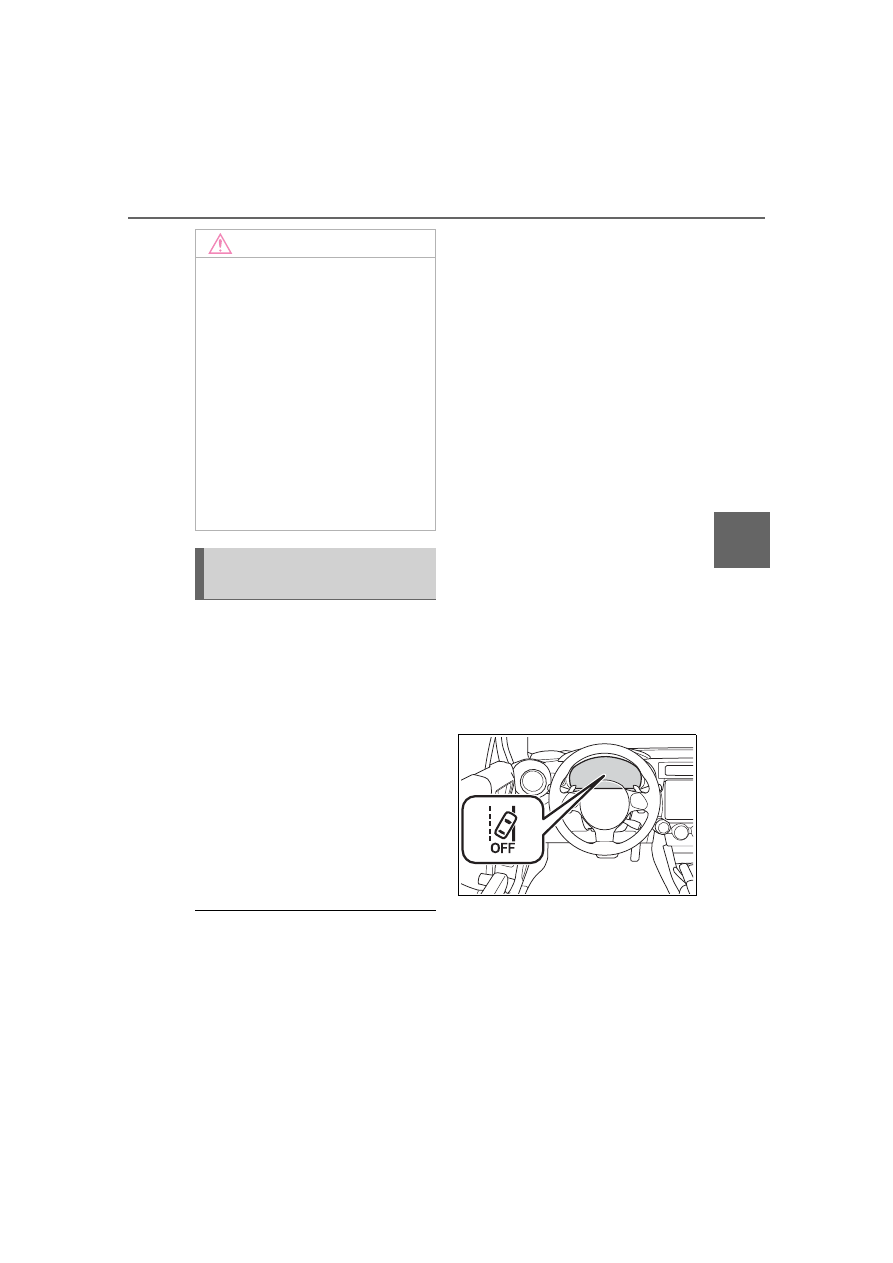
If Lane Departure Warning is 
turned off, the Lane Departure 
Warning OFF indicator illumi-
nates.

The on/off setting for Lane Depar-

ture Warning operates in coopera-

tion with Lane Sway Warning.

The on/off status of Lane Depar-

ture Warning is restored when you 

restart the engine.

Lane Departure Warning 
OFF indicator

This indicator illuminates when 
the engine switch is turned to 
ON, and then approximately 7 
seconds after the engine starts, 
it turns off or remains illuminated 
depending on the current status 
(on or off). It turns on when Lane 
Departure Warning and Lane 
Sway Warning are turned off. It 
also illuminates under the fol-
lowing conditions.

Pre-Collision Braking System 
is turned off during TRACK 
mode. (

P.189, 263)

TRAC and VSC system are 
off. (

P.263)

The EyeSight system has a 
malfunction. (

P.228)

The EyeSight system has 
stopped temporarily. 
(

P.229)

NOTICE

The vehicle has not returned to 

the inside of the lane after Lane 

Departure Warning has acti-

vated.

The lane is narrow.

It is difficult for the camera to 

detect lane markings.

• There are no lane markings or 

they are very worn.

• The lane markings are yellow.

• The lane markings are similar in 

color to the road surface.

• The lane markings are narrow.

Turning on/off Lane 
Departure Warning

222

4-5. EyeSight

*

: If equipped

Swaying detection is based on 

several minutes of prior driving 

data. Swaying will not be detected 

immediately after the vehicle 

starts to sway. In addition, the 

warning may continue for some 

time even after swaying stops.

Lane Sway Warning is just a func-

tion that warns the driver. When 

the driver is tired, not concentrat-

ing on the road or not paying ade-

quate attention to driving, be sure 

to take rest breaks as often as 

needed.

When the Lane Departure Warn-

ing OFF indicator is illuminated, 

Lane Sway Warning will not oper-

ate. (

P.223)

Multimedia system screen

Operate the multimedia system 

Lane Sway Warning

*

This function detects sway-
ing or drifting within a lane, 
and warns the driver. When 
Lane Sway Warning acti-
vates, an alert sounds 3 
short beeps and an pop-up 
display will be displayed.

This function activates 
when the vehicle speed 
exceeds approximately 37 
mph (60 km/h) and deacti-
vates when the vehicle 
speed falls below approxi-
mately 25 mph (40 km/h). 
The function will reactivate 
when the vehicle speed is 
increased to exceed approx-
imately 37 mph (60 km/h).

“Stay Alert”

A

WARNING

Lane Sway Warning will not oper-

ate in all conditions. It also will not 

automatically correct swaying. If 

the driver relies only on Lane 

Sway Warning to prevent the 

vehicle from swaying, an accident 

may occur.

NOTICE

Under the following conditions, 

Lane Sway Warning may not 

operate.

On a winding road

The vehicle speed changes 

greatly.

Immediately after a lane change

It is difficult for the EyeSight ste-

reo camera to detect lane mark-

ings.

• There are no lane markings or 

they are the very worn.

• The lane markings are yellow.

• The lane markings are similar in 

color to the road surface.

• The lane markings are narrow.

Turning on/off Lane Sway 
Warning

223

4-5. EyeSight

4

Dr

iv

ing

screen to turn on/off Lane Sway 
Warning. (

P.400)

Multi-information display

Also you can turn on/off Lane 
Sway Warning using the meter 
operation switch. (

P.400)

If Lane Sway Warning is turned 
off, the Lane Departure Warning 
OFF indicator illuminates.

The on/off setting for Lane Sway 

Warning operates in cooperation 

with Lane Departure Warning.

The on/off status of Lane Sway 

Warning is restored when you 

restart the engine.

Lane Departure Warning 
OFF indicator

This indicator illuminates when 
the engine switch is turned to 
ON, and then approximately 7 
seconds after the engine starts, 
it turns off or remains illuminated 
depending on the current status 
(on or off). It turns on when Lane 
Departure Warning and Lane 
Sway Warning are turned off. It 
also illuminates under the fol-
lowing conditions.

Pre-Collision Braking System 
is turned off during TRACK 
mode. (

P.189, 263)

TRAC and VSC system are 
off. (

P.263)

The EyeSight system has a 
malfunction. (

P.228)

The EyeSight system has 
stopped temporarily. 

(

P.229)

224

4-5. EyeSight

*

: If equipped

The Lead Vehicle Start Alert set-

ting can be turned on or off. 

(

P.400)

Under the following conditions, 

Lead Vehicle Start Alert may acti-

vate even when the vehicle in 

front has not started to move, or 

may not activate even after the 

vehicle in front has started to 

move:

• A motorcycle or similar object cuts 

in between your vehicle and the 

stopped vehicle in front.

• Weather or road conditions may 

interfere with the detection of the 

vehicle in front.

• The EyeSight stereo camera loses 

detection of the vehicle in front.

Under the following conditions, 

Lead Vehicle Start Alert will not 

activate.

• Pre-Collision Braking System is 

turned off during TRACK mode. 

(

P.189, 263)

• TRAC and VSC system are off. 

(

P.263)

• The EyeSight system has a mal-

function. (

P.228)

• The EyeSight system has stopped 

temporarily. (

P.229)

Lead Vehicle Start 

Alert

*

When the vehicle stopped in 
front starts to move, Lead 
Vehicle Start Alert notifies 
the driver by indicator on 
the meter display and notifi-
cation. When the vehicle in 
front remains stopped con-
tinuously (within a following 
distance of approximately 
32 ft (10 m) and the driver’s 
vehicle remains stopped for 
several seconds or longer), 
the system continues to 
detect the vehicle in front 
and this alarm activates if 
the vehicle in front 
advances approximately 10 
ft (3 m) or more while the 
driver’s vehicle remains sta-
tionary.

This function only activates 
when the shift lever is in the 
D, M or N position. When 
Lead Vehicle Start Alert acti-
vates, a notification sounds 
a two-tone beep and an 
pop-up display will be dis-
played.

Lead vehicle
10 ft (3 m) or more
“Vehicle Ahead Has 
Moved”

A

C

225

4-5. EyeSight

4

Dr

iv

ing

WARNING

Even after alerts are given audibly 

and through the display of an indi-

cator, be sure to carefully check 

the area surrounding the vehicle 

before pulling away. Relying 

solely on Lead Vehicle Start Alert 

may result in an accident.

226

4-5. EyeSight

List of alert/notification sounds

List of alert/notification sounds

Alert/notification 

sound

Status

Reference page

Single continuous 
beep

Pre-Collision Braking System:
Secondary Braking is active.

P.186

1 short beep and 1 
long beep

Adaptive Cruise Control or Con-
ventional Cruise Control is can-
celed automatically.

P.203, 213

Repeated short 
beeps

Pre-Collision Braking System:
First Braking is active.

P.186

Pre-Collision Braking System:
The following distance warning is 
active.

The “Obstacle Detected” warning 
from Adaptive Cruise Control is 
active.

P.206

Pre-Collision Throttle Manage-
ment is active.

P.215

3 short beeps

Lane Departure Warning is active.

P.220

Lane Sway Warning is active.

P.222

3 intermittent 
beeps, 1 short 
beep and 1 long 
beep

Pre-Collision Braking System:
Just before the automatic brake is 
slowly released by the system 
after the vehicle is stopped by the 
pre-collision braking.

P.186

Adaptive Cruise Control system:
Just before the automatic brake is 
released by the system after the 
vehicle is stopped by the Adaptive 
Cruise Control system. Adaptive 
Cruise Control system will stop the 
vehicle according to the lead vehi-
cle stops.

P.203

227

4-5. EyeSight

4

Dr

iv

ing

*

: The notification that indicates when a lead vehicle is detected or when it 

is no longer detected (Lead Vehicle Acquisition Sound), as well as Lead 
Vehicle Start Alert can be turned on or off.  (

P.400)

1 short beep

Either of the following occurs 
while Adaptive Cruise Control is 
activated.
• A vehicle in front is detected

*

.

• A vehicle in front is no longer 

detected

*

.

P.189

The cruise control mode (Adaptive 
Cruise Control/Conventional 
Cruise Control) is changed.

P.208

EyeSight is malfunctioning.

P.228

EyeSight operation is temporarily 
stopped.

P.229

Two-tone beep

Lead Vehicle Start Alert is active

*

.

P.224

Alert/notification 

sound

Status

Reference page

228

4-5. EyeSight

The alert sounds 1 short beep and 

 (yellow) blinks or illuminates. 

At the same time, the Pre-Collision Braking System OFF indicator 
and the Lane Departure Warning OFF indicator will illuminate. A 
message will also be displayed on the meter display.

If 

 (yellow) is illuminating or 

blinking, stop the vehicle in a safe 

location, turn off the engine and 

then restart it.

If the indicator continues illuminat-

ing or flashing even after the 

engine has been restarted, the 

EyeSight system has a malfunc-

tion. In this case, all EyeSight 

functions will be stopped. Normal 

driving will still be possible. How-

ever, contact a Toyota dealer for 

an inspection.

If 

 (yellow) illuminates or 

flashes, the Reverse Automatic 

Braking (RAB) system will not 

operate.

EyeSight malfunction and temporary stop

If a malfunction is detected in the EyeSight system, the indica-
tors in the instrument panel and the meter display inform the 
driver of the malfunction. Check the displayed contents and 
take the appropriate action.

Malfunction (including position/angle misalignment of 
stereo camera)

Warning message

Cause

Action

“EyeSight OFF Check 
Manual”

An EyeSight malfunc-
tion or position/angle 
misalignment of the ste-
reo camera has 
occurred.

Inspection and adjust-
ment is necessary. Con-
tact your Toyota dealer.

229

4-5. EyeSight

4

Dr

iv

ing

The alert will sound 1 short beep, and the EyeSight temporary stop 
indicator 

 (white), the Pre-Collision Braking System OFF indicator 

and the Lane Departure Warning OFF indicator will illuminate at the 
same time.
A message will also be displayed on the meter display. When the 
cause has been resolved, temporary stop will be canceled and the 
EyeSight system will automatically restart.

NOTICE

If both 

 (yellow) and the mal-

function indicator lamp illuminate 

at the same time while driving, 

have your vehicle 

checked/repaired by a Toyota 

dealer as soon as possible. Eye-

Sight cannot be used if there is an 

abnormality with the engine, etc.

Temporary stop

230

4-5. EyeSight

Warning message

Cause

Action

“EyeSight Disabled No 
Camera View”

It is difficult for the ste-
reo camera to detect 
objects in front.
• The windshield is dirty 

or fogged up.

• Poor weather condi-

tions

• Strong light from the 

front

Clean the windshield.

In poor weather con-
ditions or if there is 
strong light from the 
front, the EyeSight 
system will restart 
once you have driven 
your vehicle for a 
period of time and the 
conditions affecting 
the system have 
improved. If the sys-
tem does not restart, 
even after the condi-
tions have improved 
and a period of time 
has elapsed, contact 
your Toyota dealer for 
an inspection.

231

4-5. EyeSight

4

Dr

iv

ing

When 

 (white) is illuminated, 

no EyeSight functions can be 

used except for Conventional 

Cruise Control.

When 

 (white) is illuminated, 

the Reverse Automatic Braking 

(RAB) system may not operate.

“EyeSight Disabled 
Temp Range”

In low or high tempera-
tures

The system will restart 
once the temperature is 
within the operational 
range of the EyeSight 
system. If the system 
does not restart, even 
when the temperature 
inside the vehicle is 
within the operational 
range, contact your Toy-
ota dealer for an inspec-
tion.

“EyeSight Disabled 
Check Manual”

• The EyeSight system 

is starting up.

• The system has 

determined that the 
vehicle is extremely 
inclined.

• The Pre-Collision sec-

ondary braking has 
operated 3 times after 
the engine was 
started.

• The engine has 

stopped.

The system will restart 
once the cause has 
been resolved. At this 
time, it may take some 
time for the system to 
restart. If the system 
does not restart, even 
after the conditions 
have improved and a 
period of time has 
elapsed, contact your 
Toyota dealer for an 
inspection.

Warning message

Cause

Action

232

4-6. Using other driving systems

4-6.Using other driving systems

*

: If equipped

BSD/RCTA consists of the fol-
lowing functions.

To detect a vehicle in a blind 
spot on an adjacent lane or a 
vehicle approaching at high 
speed while driving the vehi-
cle (Blind Spot Detection)

To detect a vehicle approach-
ing from the right or left while 
reversing the vehicle (Rear 
Cross Traffic Alert)

The system uses radar sensors 
for the following features.

The BSD/RCTA radar sensor has 

been certified by the radio wave 

related laws of the U.S. and other 

FCC compliant countries and Can-

ada. When driving in other coun-

tries, certification of the country 

where the vehicle is driven must be 

obtained. For certification in the U.S. 

and other FCC compliant countries 

and Canada, refer to P.440.

Blind Spot Detection (BSD)

The system notifies the driver of 
the presence of vehicles in its 
blind spot.

If the system detects a vehicle 
in its blind spot, it warns the 
driver by illuminating the 
BSD/RCTA approach indica-
tor(s) on the outside mirror(s).

If the driver operates the turn 
signal lever in the direction 
where the BSD/RCTA 
approach indicator is illumi-
nating, the system warns the 

BSD/RCTA

*

The BSD/RCTA consists of 
rear corner radars with 
Blind Spot Detection, Lane 
Change Assist and Rear 
Cross Traffic Alert.

These functions of 
BSD/RCTA are the systems 
that detect objects and vehi-
cles to the rear and draw 
attention to the driver when 
changing a lane or when 
driving in reverse.

WARNING

The driver is responsible for driv-

ing safely. Always be sure to 

check the surroundings with your 

eyes when changing lanes or 

reversing the vehicle.

The system is designed to assist 

the driver in changing lanes or 

reversing safely by monitoring the 

rear and side areas of the vehicle. 

However, you cannot rely on this 

system alone in assuring the 

safety during a lane change or 

reversing. Overconfidence in this 

system could result in an accident 

and lead to serious injury or 

death. Since the system operation 

has various limitations, the flash-

ing or illumination of the 

BSD/RCTA approach indicator 

may be delayed or it may not 

operate at all even when a vehicle 

is present in a neighboring lane or 

approaching from either side.

The driver is responsible for pay-

ing attention to the rear and side 

areas of the vehicle.

System features

233

4-6. Using other driving systems

4

Dr

iv

ing

driver of dangers by flashing 
the BSD/RCTA approach indi-
cator.

Operating range

Lane Change Assist (LCA)

The system notifies the driver of 
vehicles approaching at a high 
speed in the neighboring lanes.

If the system detects a vehicle 
approaching at a high speed 
in the neighboring lanes, it 
warns the driver of dangers 
by illuminating the BSD/RCTA 
approach indicator(s) on the 
outside mirror(s).

If the driver operates the turn 
signal lever in the direction 
where the BSD/RCTA 
approach indicator is illumi-
nating, the system warns the 
driver of dangers by flashing 
the BSD/RCTA approach indi-
cator.

Operating range

Rear Cross Traffic Alert 
(RCTA)

The system notifies the driver of 
another vehicle approaching 
from either side when driving in 
reverse. This feature helps the 
driver check the rear and side 
areas of the vehicle when mov-
ing backward.
If the system detects a vehicle 
approaching from either side 
while moving backward, it warns 
the driver of dangers in the fol-
lowing way.

The BSD/RCTA approach 
indicator(s) on the outside 
mirror(s) flashes.

A warning buzzer sounds.

An icon appears on the multi-
media system screen.

A

A

234

4-6. Using other driving systems

Operating range

Limitations of the detectability 
of RCTA

Since the detectability of RCTA 
is limited, the RCTA may not 
operate properly in angled park-
ing.

Example 1

1

The detection range of the 
radar sensors

2

Area out of detection range 
of the radar sensors
Parked vehicle
Vehicle that may not be 
detected

Example 2

1

The detection range of the 
radar sensors
Vehicle that may be detected

The system may detect that a vehi-
cle 

 is passing in front of your 

vehicle. Always be sure to check the 

surroundings with your eyes when 

reversing the vehicle.

Operating conditions

The BSD/RCTA will operate 
when all of the following condi-
tions are met.

The engine switch is in ON.

The BSD/RCTA warning light 
and BSD/RCTA OFF indicator 
are turned off.

The vehicle is driven at 
speeds above 7 mph (12 
km/h) (except when revers-
ing).

The shift lever is in R. (RCTA 
only)

The BSD/RCTA will not operate 
in the following situations.

The BSD/RCTA OFF indicator 
appears.

WARNING

An approaching vehicle 

 may 

not be detected because the 

detection range is limited by the 
parked vehicle 

. Always be 

sure to check the surroundings 

with your eyes when reversing the 

vehicle.

A

A

System operation

C

235

4-6. Using other driving systems

4

Dr

iv

ing

The vehicle speed is below 6 
mph (10 km/h) even when the 
BSD/RCTA OFF indicator 
does not appear (except 
when reversing).

In the following cases, the 

BSD/RCTA will stop operating and 

the BSD/RCTA warning light will 

appear.

• When a malfunction occurs in the 

system, including the BSD/RCTA 

approach indicator

If the BSD/RCTA warning light 

appears, exercise proper caution. 

(

P.238)

In the following cases, the 

BSD/RCTA will temporarily stop 

operating (or may stop operating) 

and the BSD/RCTA OFF indicator 

will appear.

• When the radar sensor becomes 

significantly misaligned (If the ori-

entation of the radar sensor is 

shifted for any reason, readjust-

ment is required. Have the sensor 

adjusted at a Toyota dealer.)

• When a large amount of snow or 

ice sticks to the rear bumper sur-

face around the radar sensors

• When the vehicle is driven on a 

snow-covered road or in an envi-

ronment in which there are no 

objects around (such as in a des-

ert) for a prolonged period of time

• When the temperature around the 

radar sensors increases exces-

sively due to long driving on uphill 

grades in the summer, etc.

• When the temperature around the 

radar sensors becomes extremely 

low

• When the vehicle battery voltage 

lowers

• When the vehicle voltage exceeds 

the battery voltage rating

The BSD/RCTA will resume oper-

ation once these conditions are 

corrected, and the BSD/RCTA 

OFF indicator will disappear. How-

ever, if the BSD/RCTA OFF indi-

cator appears for a prolonged 

period of time, have the system 

inspected at a Toyota dealer as 

soon as possible.

The detectability of the radar sen-

sors is restricted. The BSD/RCTA 

detection may be impaired and 

the system may not operate prop-

erly under the following condi-

tions.

• When the rear bumper around the 

radar sensors is distorted

• When ice, snow or mud adheres 

to the rear bumper surface around 

the radar sensors

• When stickers, etc. are affixed on 

the areas of the radar sensors on 

the rear bumper

• During adverse weather condi-

tions such as rain, snow or fog

• When driving on wet roads such 

as snow-covered roads and 

through puddles

The radar sensors may not detect 

or may have difficulty detecting 

the following vehicles and objects.

• Small motorcycles, bicycles, 

pedestrians, stationary objects on 

the road or road side, etc.

• Vehicles with body shapes that 

the radar may not reflect (vehicles 

with lower body height such as a 

trailer with no cargo and sports 

cars)

• Vehicles that are not approaching 

your vehicle even though they are 

in the detection area (either on a 

neighboring lane to the rear or 

beside your vehicle when revers-

ing) (The system determines the 

presence of approaching vehicles 

based on data detected by the 

radar sensors.)

• Vehicles traveling at significantly 

different speeds

• Vehicles driving in parallel at 

almost the same speed as your 

vehicle for a prolonged time

• Oncoming vehicles

• Vehicles in a lane beyond the 

neighboring lane

• Vehicles travelling at a signifi-

cantly lower speed that you are 

236

4-6. Using other driving systems

trying to overtake

On a road with extremely narrow 

lanes, the system may detect 

vehicles driving in a lane next to 

the neighboring lane.

While the BSD/RCTA is active, 
the following item(s) will operate 
to alert the driver:

The BSD/RCTA approach 
indicator (when there are 
vehicles in the neighboring 
lanes).

The BSD/RCTA approach 
indicator and warning buzzer 
(when a vehicle is approach-
ing from the left or right side 
while your vehicle is revers-
ing)

BSD/RCTA approach indi-
cator

It is mounted on each side of the 
outside mirrors.
The indicator will illuminate 
when a vehicle approaching 
from behind is detected.
The indicator will flash to warn 
the driver of dangers under the 
following conditions.

While the indicator is illumi-
nating, if the turn signal lever 
is operated toward the side in 
which this indicator turned on

When reversing the vehicle 
while the system detects a 
vehicle approaching from 

either side

BSD/RCTA approach indica-
tor

BSD/RCTA approach indica-
tor dimming function

When the headlights are turned 
on, the brightness of the 
BSD/RCTA approach indicator 
will be reduced.

You may have difficulty seeing the 

BSD/RCTA approach indicator 

under the following conditions.

• When sunlight shines directly on it

• When the headlight beams from a 

vehicle traveling behind shines 

directly on it

While the illumination brightness 

control dial is in the fully upward 

position, even if the headlights are 

turned on, the brightness of the 

BSD/RCTA approach indicator will 

not be reduced. For details about 

the illumination brightness control 

dial, refer to P.91.

BSD/RCTA approach warn-
ing buzzer (only when 
reversing)

A warning buzzer sounds along 
with flashing of the BSD/RCTA 
approach indicator to warn the 
driver of dangers. The setting of 
the warning buzzer volume can 

BSD/RCTA approach indi-
cator/warning buzzer

A


Content      ..     12      13      14      15     ..