Toyota 86 (2023 year). Manual in english - page 13
205
4-5. EyeSight
4
Dr
iv
ing
cannot be used. This will not inter-
fere with ordinary driving. How-
ever, contact a Toyota dealer and
have the system inspected.
(
●
If the EyeSight operation has tem-
porarily stopped, the Pre-Collision
Braking System OFF indicator and
Lane Departure Warning OFF
indicator illuminate, and
(white) is displayed on the meter
display. (
●
When the operation of Adaptive
Cruise Control has been automati-
cally canceled, perform the Adap-
tive Cruise Control setting
operation again after the condition
that caused the cancellation has
been corrected. If the Adaptive
Cruise Control function cannot be
activated even after the condition
has been corrected, EyeSight
may be malfunctioning. This will
not interfere with ordinary driving.
However, contact a Toyota dealer
and have the system inspected.
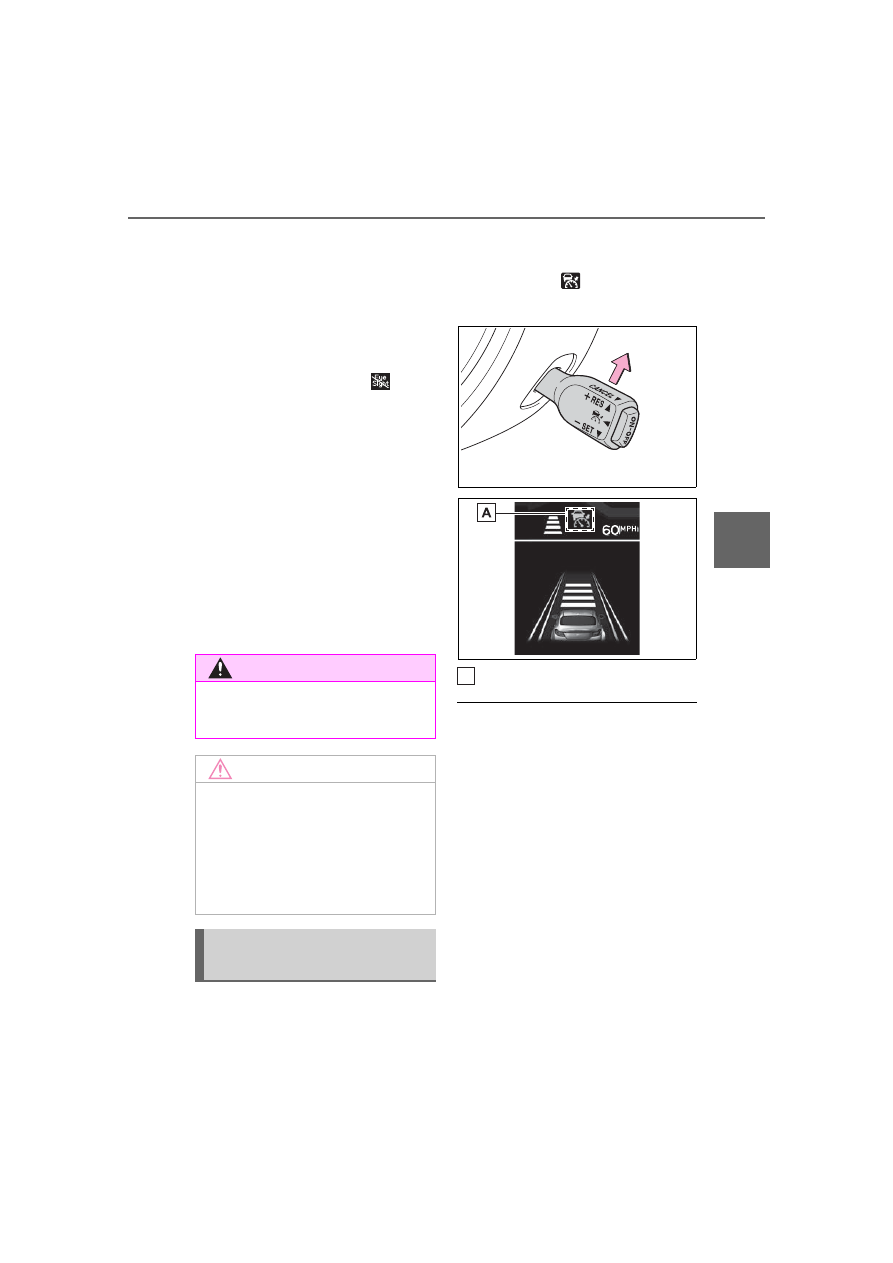
The previously set vehicle
speed is stored in memory. To
restore that vehicle speed, push
the cruise control switch to the
“+ RES” side.
changes from
white to green.
Green
●
The vehicle speed stored in mem-
ory is erased in the following cir-
cumstances:
• The cruise control is turned off by
pressing the “ON-OFF” switch.
• The VSC or the TRAC is acti-
vated.
• The cruise control mode was
switched from Adaptive Cruise
Control to Conventional Cruise
Control.
●
If there is no vehicle speed stored
in memory (previous vehicle
speed), the current vehicle speed
is set when the cruise control
switch is pushed to the “+RES”
side. (
WARNING
Do not use Adaptive Cruise Con-
trol on slippery roads. Doing so
may result in an accident.
NOTICE
When shifting the shift lever to the
N position, Adaptive Cruise Con-
trol will be automatically canceled.
Do not shift the lever to the N
position unless in an emergency.
Otherwise the engine brake may
not operate, which could cause an
accident.
Restoring the previously
set vehicle speed
A