Toyota 86 (2023 year). Manual in english - page 12
 

  Index      Toyota     Toyota 86 (2023 year). Manual in english


Search            copyright infringement  


Content      ..     10      11      12      13     ..


Toyota 86 (2023 year). Manual in english - page 12


189

4-5. EyeSight

4

Dr

iv

ing

Multimedia system screen

Operate the multimedia system 
screen to turn on/off Pre-Colli-
sion Braking System(including 
Pre-Collision Braking Assist). 
(

P.400)

Multi-information display

Also you can turn on/off 
Pre-Collision Braking System 
(including Pre-Collision Braking 
Assist) using the meter opera-
tion switch. (

P.400)

If Pre-Collision Braking System 
is turned off, the Pre-Collision 
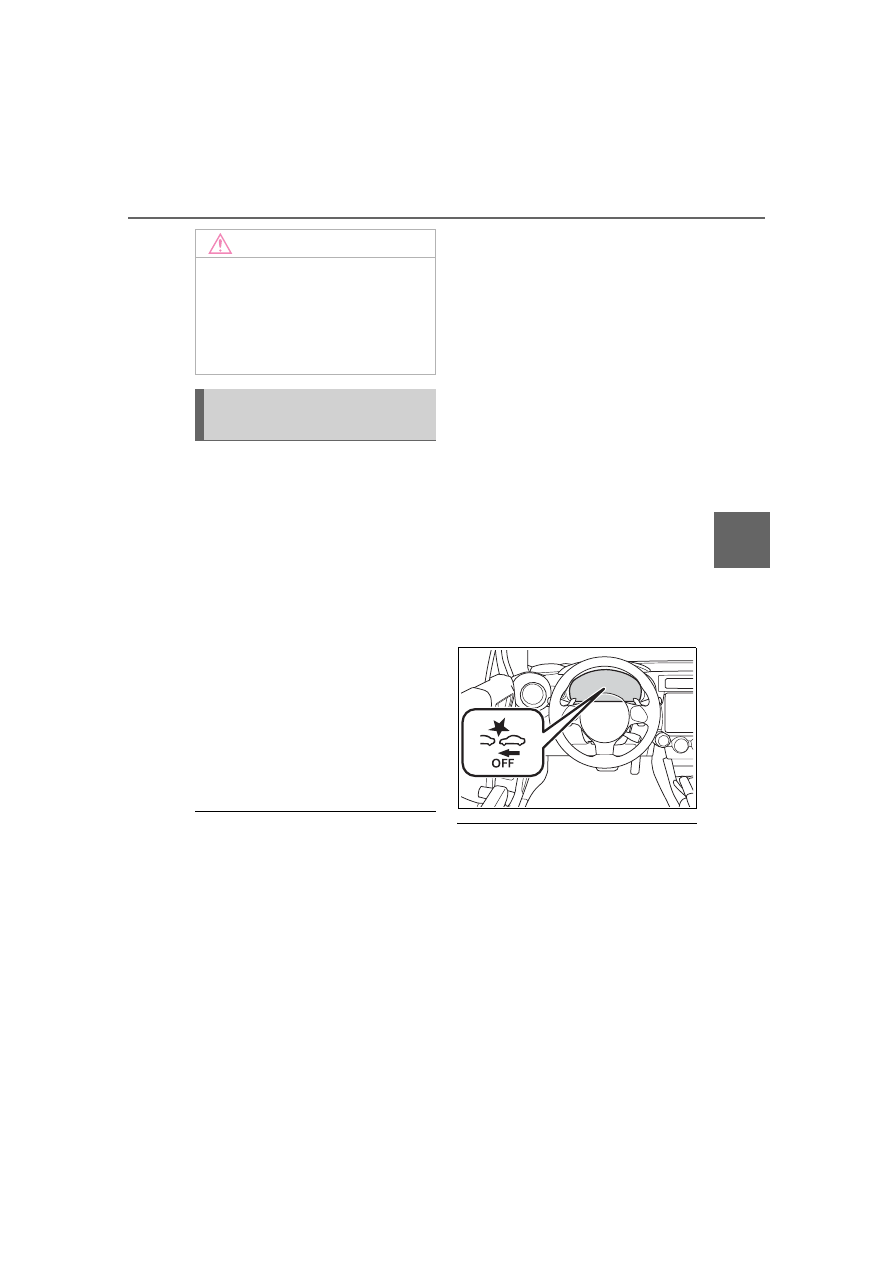
Braking System OFF indicator 
illuminates.

The on/off setting for Pre-Collision 

Braking System operates in coop-

eration with Pre-Collision Throttle 

Management.

Even when Pre-Collision Braking 

System is turned off, if the engine 

is turned off and then restarted, 

Pre-Collision Braking System will 

be turned on. The system default 

setting when the vehicle is 

restarted is on.

Pre-Collision Braking Sys-
tem OFF indicator

This indicator illuminates when 
the engine switch is turned to 
ON, and remains illuminated for 
approximately 7 seconds after 
the engine starts. It turns on 
when Pre-Collision Braking Sys-
tem and Pre-Collision Throttle 
Management are turned off. It 
also illuminates under the fol-
lowing conditions.

TRAC and VSC system are 
set to OFF. (

P.263)

The EyeSight system has a 
malfunction. (

P.228)

The EyeSight system has 
stopped temporarily. 
(

P.229)

When the Pre-Collision Braking 

System OFF indicator is turned on, 

Pre-Collision Braking System 

(including the Pre-Collision Braking 

Assist function) and Pre-Collision 

Throttle Management do not oper-

ate.

NOTICE

If the driver depresses the brake 

pedal while following distance 

warning is activated, the Pre-Col-

lision Braking Assist will not work. 

The vehicle decelerates with the 

normal braking force operated by 

the driver.

Turning on/off Pre-Colli-
sion Braking System

190

4-5. EyeSight

*

: If equipped

Adaptive Cruise Con-

trol

*

Adaptive Cruise Control is a 
driving support system 
intended to allow more com-
fortable driving on express-
ways, freeways and 
interstate highways. The 
stereo camera detects vehi-
cles in front that are driving 
in the same traffic lane, and 
your vehicle follows the 
vehicle in front (up to the 
maximum speed of the set 
vehicle speed). While fol-
lowing, your vehicle will 
automatically maintain a fol-
lowing distance that corre-
sponds to the speed of the 
vehicle in front. The vehicle 
is capable of being con-
trolled at a speed between 0 
mph (0 km/h) and approxi-
mately 90 mph (145 km/h). 
Please remember that you 
should not exceed posted 
speed limits.

WARNING

This system does not provide 

the driver with an automatic 

driving function that handles all 

traffic conditions.

Do not rely excessively on 

Adaptive Cruise Control. This 

system is not intended to assist 

in driving when the driver is not 

paying full attention to what is 

ahead of him/her due to distrac-

tions or a lack of concentration 

while driving, or under condi-

tions of poor visibility. It is not 

intended to prevent rear-end 

collisions.

Strive for safe driving at all 

times. Always maintain a safe 

following distance behind the 

vehicle in front of you, pay 

attention to your surroundings 

and the driving conditions, and 

operate the brake pedal and 

take other actions as necessary.

When using Adaptive Cruise 

Control, always set the speed 

according to the speed limit, 

traffic flow, road conditions, and 

other conditions.

Before using the system, per-

form a daily inspection and ver-

ify that there are no 

malfunctions of the tires or 

brakes.

Refer to the separate “Owner’s 

Warranty Information Booklet” or 

“Owner’s Manual Supple-

ment/Scheduled Maintenance 

Guide”.

When you do not want to use 

Adaptive Cruise Control, be 

sure to turn it off by pressing the 

“ON-OFF” switch. If the switch 

is left on, cruise control may be 

accidentally engaged, possibly 

resulting in an accident.

Before using Adaptive Cruise 

Control, be sure to fully verify 

the safety of the vehicle occu-

pants and the area around the 

vehicle. Never operate the 

cruise control from outside the 

vehicle.

191

4-5. EyeSight

4

Dr

iv

ing

WARNING

When the vehicle in front 

changes lanes, your vehicle will 

not follow. Always pay attention 

and take caution of the sur-

rounding traffic condition.

The system may not operate cor-

rectly under the conditions listed 

below. When these conditions 

occur, do not use Adaptive Cruise 

Control.

The tire pressure is not cor-
rect.

*1

The temporary spare tire is 
installed.

*1

Tires that are unevenly worn or 

tires with uneven wear patterns 
are installed.

*1

Tires that are the wrong size are 
installed.

*1

A flat tire has been fixed tempo-

rarily with a tire repair kit.

The suspension has been modi-

fied (including a genuine Toyota 

suspension that has been modi-

fied).

An object that obstructs the ste-

reo camera’s view is installed 

on the vehicle.

Tire chains are installed.

The headlights are dirty or they 

have snow and ice or dirt on 

them. (Objects are not correctly 

illuminated and are difficult to 

detect.)

The optical axes are not aligned 

correctly. (Objects are not cor-

rectly illuminated and are diffi-

cult to detect.)

The lights including headlights 

and fog lights have been modi-

fied.

Vehicle operation has become 

unstable due to an accident or 

malfunction.

The brake system warning light 
is illuminated in red.

*2

A heavy cargo is inside the 

vehicle.

The maximum number of occu-

pants is exceeded.

The meter is not operating prop-

erly; such as when the lights do 

not illuminate, the beeps do not 

sound, the display is different 
from when it is normal, etc.

*3

*1

:The wheels and tires have 

functions that are critically 
important. Be sure to use the 
correct ones. (

P.386)

*2

:If the brake system warning 

light (red) does not turn off, 
immediately pull the vehicle 
over in a safe place and con-
tact a Toyota dealer to have the 
system inspected.

*3

:For details about the meter, 

refer to P.88.

Adaptive Cruise Control is 

designed for use on expressways, 

freeways, toll roads, interstate 

highways and similar limited 

access roads. It is not intended to 

be used in city traffic. In the fol-

lowing conditions, do not use 

Adaptive Cruise Control. Doing so 

may result in an accident.

192

4-5. EyeSight

WARNING

Ordinary roads (roads other 

than those mentioned above)

• Depending on the driving envi-

ronment (complexity of roads 

and other factors), the system 

may not be able to perform as 

the traffic conditions require, 

and that may result in an acci-

dent.

Sharp curves or winding roads

Frozen roads, snow-covered 

roads or other slippery road sur-

faces

• The tires may spin, causing loss 

of control of the vehicle.

Traffic conditions when fre-

quent acceleration and deceler-

ation make it difficult to maintain 

the following distance

• It may not be possible for the 

system to perform as the traffic 

conditions require.

Steep downhill grades

• The set vehicle speed may be 

exceeded.

On a steep continuous downhill 

grade

• The brakes may overheat.

Roads and overpasses with 

repeated steep uphill and down-

hill grades

• Detection of the vehicle in front 

may be lost, or the road surface 

may be detected instead of the 

vehicle in front, making correct 

control impossible.

Entering a sharp curve/turn into 

an interchange or junction, or a 

service area, parking area, toll 

booth or other facilities

• Detection of the vehicle in front 

may not be possible.

There are changes in bright-

ness, such as at a tunnel 

entrance or exit.

193

4-5. EyeSight

4

Dr

iv

ing

WARNING

Visibility is poor due to sand, 

smoke or water vapor blowing in 

the wind, or the front vision is 

obscured due to water 

splashes, snow, dirt, water 

spray from road sprinklers or 

snow clearing sprinklers on the 

road, or dust stir up generated 

by the vehicle in front or oncom-

ing traffic.

• Detection of the vehicle in front 

may be lost, or water or other 

substances may be incorrectly 

detected instead, making cor-

rect control impossible.

In adverse weather, such as 

heavy snow or snowstorms

The windshield has become 

fogged, scratched or smeared, 

or snow, dirt, dust or frost has 

adhered to it, or it is otherwise 

affected. These will reduce the 

stereo camera’s field of view. 

Also, light is reflecting off the 

dirt, etc.

Water droplets from rain or the 

window washer, or dirt has not 

been fully wiped off the wind-

shield.

• It may not be possible to detect 

the vehicle in front, making cor-

rect control impossible.

The stereo camera’s field of 

view is obstructed.

The stereo camera may have diffi-

culty detecting the following 

objects or conditions. Operate the 

brake pedal and take other 

actions as necessary.

Vehicles at significantly different 

speeds (vehicles driving slowly, 

stopped or oncoming vehicles, 

etc.)

Vehicles cutting into your lane

Motorcycles, bicycles, pedestri-

ans and animals, etc.

Light is poor in the evening or 

early morning.

At night or in a tunnel without 

the headlights on

At night or in a tunnel when 

there is a vehicle in front that 

does not have its tail lights on

Strong light is coming from the 

front (sunlight or headlight high 

beams, etc.).

194

4-5. EyeSight

WARNING

Vehicles in front that have a rear 

aspect that is low, small or irreg-

ular (the system may recognize 

another part of the vehicle and 

will determine operation from 

that)

• An empty truck or trailer that 

has no tailgate or longbed

• Vehicles that have cargo pro-

truding from their back ends

• Non-standard shaped vehicles 

(vehicle transporters or vehi-

cles with a sidecar fitted, etc.)

• Vehicles that are low

Objects that are located close to 

the bumper of your vehicle

Detection of the vehicle in 

front by the EyeSight stereo 
camera

*

Under the following road condi-

tions or conditions of your vehi-

cle, detection of the vehicle in 

front may not be possible. Vehi-

cles in neighboring traffic lanes 

or roadside objects may also be 

incorrectly detected. Under con-

ditions such as these, do not 

use Adaptive Cruise Control. If 

cruise control is currently in use, 

operate the brake pedal and 

take other actions as necessary.

• Following begins from a short 

following distance, such as 

when the vehicle in front is a 

vehicle that cut into your lane.

• On curved roads, at the start 

and end of a curve and on 

roads with continuous curves 

(These conditions make it diffi-

cult for the system to detect 

vehicles because they are out-

side the detectable area.)

• On an on-ramp or off-ramp to a 

freeway, highway, or other 

restricted access road (Eye-

Sight Adaptive Cruise Control is 

not designed for use in this kind 

of driving environment.)

• In an urban or suburban envi-

ronment (Adaptive Cruise Con-

trol is not appropriate for use in 

these driving areas. Use Adap-

tive Cruise Control only on lim-

ited-access highways.)

195

4-5. EyeSight

4

Dr

iv

ing

WARNING

• The vehicle in front is not 

directly ahead of your vehicle 

and is shifted to one side.

• There is an obstacle on the side 

of the road.

• The relative speed difference 

compared to the vehicle in front 

is large.

• A vehicle cuts into your lane in 

front of you.

• The distance between vehicles 

is extremely short.

• Your vehicle is drifting within the 

lane.

• On a bumpy or unpaved road 

surface.

• On a road with extremely nar-

row lanes, such as when traffic 

restrictions are in effect or in 

areas where construction work 

is taking place.

• Normal driving has become 

unstable due to an accident or 

malfunction.

• Extremely heavy cargo is 

loaded in the rear seat or trunk 

of your vehicle.

There are limits to the situation 

judgment capabilities of the 

Adaptive Cruise Control system. 

Deceleration may not take place 

in time in the following situa-

tions. Apply the brake pedal to 

decelerate the vehicle if neces-

sary.

• The speed difference with the 

vehicle in front is too large or 

the vehicle in front decelerates 

unexpectedly.

• The decelerating vehicle in front 

unexpectedly slows down or 

suddenly brakes.

If the alert/notification sounds 

frequently, do not use Adaptive 

Cruise Control.

Even when the following dis-

tance is short, the “Obstacle 

Detected” warning may not acti-

vate in the following situations.

• The difference in speed with the 

vehicle in front is small. The two 

vehicles are traveling at almost 

the same speed.

• The vehicle in front is traveling 

faster than your vehicle. The fol-

lowing distance is gradually 

increasing.

• Another vehicle cuts into your 

lane very close to your vehicle.

• The vehicle in front decelerates 

suddenly.

• There are repeated uphill and 

downhill grades.

*

: The recognition status of the 

lead vehicle using the stereo 
camera can be confirmed by the 
illumination status of the lead 
vehicle indicator. (

P.196)

196

4-5. EyeSight

Setting Adaptive Cruise 
Control

1

Setting Adaptive Cruise Con-
trol to standby status

Press the “ON-OFF” switch. At this 
time, 

 (white) and the following 

distance setting indicator are dis-

played on the meter display.
The set vehicle speed display will 

read “- - - MPH (- - - km/h)”.

Adaptive Cruise Control indi-
cator
Set vehicle speed
Your vehicle indicator
Following distance setting 

NOTICE

After Adaptive Cruise Control 

has started, it maintains control 

continuously according to the 

behavior of the vehicle in front. 

When your vehicle comes to a 

stop because the vehicle in front 

has stopped, the automatic 

braking function will be can-

celed immediately after stop-

ping and the vehicle will start 

creeping forward gradually (at 

the same time 3 intermittent 

beeps, 1 short beep and 1 long 

beep will sound). Be sure to 

depress the brake pedal and 

stop the vehicle completely.

Note that the vehicle is not 

maintained at a standstill posi-

tion and will not automatically 

start moving from a standstill 

position.

Braking may not be sufficient 

depending on the following con-

ditions. Depress the brake 

pedal and decelerate as neces-

sary.

• Vehicle conditions (amount of 

load, number of occupants, etc.)

• Road conditions (grade, slip-

periness, shape, bumps, etc.)

• Vehicle maintenance condition 

(brake systems, tire wear, air 

pressure, temporary spare tire 

is being used, etc.)

• The brakes are cold. (For exam-

ple, just after the engine is 

started or the outside tempera-

ture is low.)

• For a short period of time when 

driving after the engine is 

started until the engine has 

warmed-up

• The brakes are overheated on 

downhill grades (braking perfor-

mance may be reduced).

• In rain or after washing the vehi-

cle (the brakes may become 

wet and braking performance 

may be reduced.)

How to use Adaptive 
Cruise Control

A

C

D

197

4-5. EyeSight

4

Dr

iv

ing

indicator
Following distance setting 
indicator (icon)

When the multi-information display 

is set to display content other than 

the driving support system informa-

tion display, the following distance 

setting indicator is shown as an 

icon.

To set the ready status: Adap-
tive Cruise Control can be acti-
vated when all of the following 
conditions are met and 
“READY” indicator is displayed 
on the meter display.
• Both the driver's door and the 

front passenger's door are 
closed.

• The driver’s seatbelt is fas-

tened.

• The shift lever is in the D or M 

position.

• The brake pedal is not 

depressed.

• EyeSight operation is not tem-

porarily stopped. 

 (white) is 

turned off. (

P.229)

• The road is not a steep slope.
• The steering wheel has not 

been turned significantly in 
either direction.

• The vehicle speed is between 

0 mph (0 km/h) and approxi-
mately 90 mph (145 km/h).

• Parking brake is released.
• The driving mode is set to 

normal mode or sport mode. 
(

P.258)

• Pre-Collision Braking System 

is not turned off during 
TRACK mode. (

P.189, 263)

• TRAC and VSC system are 

not set to off. (

P.263)

“READY” indicator

2

Setting Adaptive Cruise Con-
trol

Push the cruise control switch to 

the “- SET” side or the “+ RES” 

side.
Adaptive Cruise Control is activated 

and control starts, using the vehicle 

speed at the time when the switch 

was pushed as the set vehicle 

speed.
If no vehicle in front has been 

detected, the vehicle drives at the 

constant set vehicle speed.

When Adaptive Cruise Control 
is activated, “READY” indicator 
turns off, the set vehicle speed 
is displayed, and 

 changes 

A

198

4-5. EyeSight

from white to green.

Green

The set vehicle speed can be set 

between 20 mph (30 km/h) and 90 

mph (145 km/h).

If the vehicle speed is approxi-

mately 20 mph (30 km/h) or less 

when the vehicle speed is set, the 

set vehicle speed is set to 20 mph 

(30 km/h).

When driving on a curve, the vehi-

cle may not accelerate, or may 

decelerate, even if the set vehicle 

speed is higher than the current 

vehicle speed.

If 

 does not illuminate, even 

when the “ON-OFF” switch is 

pressed, Adaptive Cruise Control 

will not operate.

If 

 does not illuminate, even 

when the “ON-OFF” switch is 

pressed and this occurs fre-

quently, there may be a malfunc-

tion in the system. Contact a 

Toyota dealer and have the sys-

tem inspected.

When a vehicle in front is 

detected, a notification sounds 1 
short beep and the lead vehicle 
indicator will illuminate.
The vehicle follows the lead 
vehicle in front and maintains 
the selected following distance. 
At this time, the cruise speed is 
adjusted to and will not exceed 
the set vehicle speed. If the 
vehicle in front is no longer 
detected, a notification sounds 1 
short beep and the lead vehicle 
indicator turns off. While the 
driver accelerates the vehicle by 
depressing the accelerator 
pedal, 

 will turn from green to 

white. When acceleration has 
stopped, 

 will turn from white 

to green.

Lead vehicle indicator (icon)
Lead vehicle indicator

When the multi-information dis-

play is set to display content other 

than the driving support system 

information display, the lead vehi-

cle indicator is shown as an icon. 

(

P.93)

The notification sound (lead vehi-

cle acquisition sound) that occurs 

when a vehicle in front is detected 

or no longer detected while Adap-

WARNING

When using Adaptive Cruise Con-

trol, always set the speed accord-

ing to the speed limit, traffic flow, 

road conditions, and other condi-

tions.

A

A

199

4-5. EyeSight

4

Dr

iv

ing

tive Cruise Control is activated 

can be turned off by customiza-

tion. (

P.400)

Operation of Adaptive 
Cruise Control

When no vehicle in front is 
detected

The vehicle drives constantly and 
correspondingly to the set vehicle 
speed between 20 mph (30 km/h) 
and 90 mph (145 km/h).

When a vehicle in front is 
detected

The vehicle follows the lead vehicle 
in front, and will maintain the cho-
sen following distance (there are 
four settings), up to the set vehicle 
speed between 20 mph (30 km/h) 
and 90 mph (145 km/h).

If your vehicle no longer 
detects the vehicle in front

The vehicle gradually accelerates 
back to the set vehicle speed and 

will drive at that constant speed.
If a vehicle in front is detected while 
accelerating to the set vehicle 
speed, vehicle following will be 
started again.

When the brakes are applied by 

Adaptive Cruise Control, the vehi-

cle’s stop lights will illuminate.

Even if there is no lead vehicle 

present, on a downhill grade, the 

Adaptive Cruise Control’s auto-

matic brake may operate in order 

to maintain the set vehicle speed.

Some noises may be audible 

during automatic braking. This is 

caused by the braking control and 

does not indicate a malfunction.

To temporarily accelerate quickly, 

use the accelerator pedal. After 

accelerating, the vehicle will grad-

ually return to the set vehicle 

speed shown in the set vehicle 

speed display.

If the vehicle in front is no longer 

detected while your vehicle is still 

controlled by the automatic brak-

ing operation, the brake will be 

automatically released gradually. 

Depress the accelerator pedal if 

necessary.

The lead-vehicle following func-

tion has the following characteris-

tics:

• If the lead vehicle’s stop lights are 

detected, deceleration will start 

earlier than without detection.

• If the vehicle moves to the fast 

lane while traveling more than 

200

4-5. EyeSight

approximately 37 mph (60 km/h), 

the system starts acceleration to 

the set vehicle speed more quickly 

because it is linked with the turn 

signal.

• If the setting of driving lane is dif-

ferent from the actual driving 

direction, the vehicle may start to 

accelerate faster than usual when 

the driver signals a lane change to 

move from the passing lane to the 

driving lane. (

P.400)

Cruise control acceleration char-

acteristics can be set to one of 

four levels. (

P.400)

Increasing the set vehicle 
speed

Using the cruise control 
switch

Push to the “+ RES” side 
briefly.

Every time the switch is pushed, 
the set vehicle speed will increase 
in increments of 1 mph (1 km/h) 
increment.

Push to the “+ RES” side con-
tinuously.

While the switch is being pushed, 
the set vehicle speed will increase 
in increments of 5 mph (5 km/h).

When operating the switch, the 
set vehicle speed changes on 
the meter display.

Using the accelerator pedal

1

Depress the accelerator 
pedal to increase vehicle 
speed.

2

When the desired speed is 
reached, push the cruise 
control switch to the “- SET” 
side.

The speed at the time of pushing 

the switch will be set as the new set 

vehicle speed, and it appears on 

the meter display.

NOTICE

If the driver operates the brake 

pedal during automatic braking, 

the pedal may feel stiff; however, 

this is not a malfunction. By 

depressing the brake pedal fur-

ther you can apply more braking 

force. When the brake pedal is 

released it will return to its original 

condition.

201

4-5. EyeSight

4

Dr

iv

ing

Decreasing the set vehicle 
speed

Using the cruise control 
switch

Push to the “- SET” side 
briefly.

Every time the switch is pushed, 
the set vehicle speed will decrease 
in decrements of 1 mph (1 km/h) 
decrement.

Push to the “- SET” side con-

tinuously.

While the switch is being pushed, 
the set vehicle speed will decrease 
in decrements of 5 mph (5 km/h).

When operating the switch, the 
set vehicle speed changes on 
the meter display.

Using the brake pedal

1

Depress the brake pedal to 
decrease the vehicle speed.

Adaptive Cruise Control will be can-
celed and 

 (Adaptive Cruise 

Control indicator) changes from 

green to white.

2

When the desired speed is 
reached, push the cruise 
control switch to the “- SET” 
side.

The speed at the time of pushing 

the switch will be set as the new set 

vehicle speed, and it appears on 

the meter display.

Accelerating temporarily

Depress the accelerator pedal 
to accelerate temporarily.
When the accelerator pedal is 
released, the vehicle returns to 
the set vehicle speed.
When the driver accelerates the 
vehicle by depressing the accel-

NOTICE

When the vehicle is following 

the lead vehicle, the actual vehi-

cle speed is controlled accord-

ing to the lead vehicle. 

Therefore, if the cruise control 

switch is pushed to the “+ RES” 

side and set to a speed higher 

than the speed of the lead vehi-

cle, the vehicle will not acceler-

ate; it will maintain a safe 

following distance as the first 

priority. However, because 

doing so changed the set vehi-

cle speed, when the lead vehi-

cle is no longer detected (for 

example, if you change to a 

freeway lane with no vehicles in 

front), the vehicle will accelerate 

to that new set vehicle speed. 

Change the set vehicle speed 

while briefly checking the value 

shown in the set vehicle speed 

display on the meter display.

When the accelerator pedal is 

depressed with Adaptive Cruise 

Control on, automatic braking 

control and warnings by Adap-

tive Cruise Control will not 

occur. However, if there is a 

high risk of collision with an 

obstacle in front of the vehicle at 

this time, the warning and brak-

ing control of Pre-Collision 

Braking System may activate.

202

4-5. EyeSight

erator pedal while Adaptive 
Cruise Control is operating, 


turns white. When the accelera-
tion is completed, 

 returns to 

green.

Decelerating temporarily

Depress the brake pedal to 
decelerate temporarily. When 
the brake pedal is depressed, 
Adaptive Cruise Control will be 
canceled. 

 changes from 

green to white while the set 
vehicle speed remains dis-
played on the meter display.
Release the brake pedal and 
push the cruise control switch to 
the “+ RES” side to reset the set 
vehicle speed.

White

Changing the following dis-
tance from the vehicle in 
front

The following distance from the 
vehicle in front setting can be 
changed in 4 stages.

Each time the 

 (Following 

distance setting) switch is 
pressed, the distance from the 
vehicle in front changes.

The following distance changes 

corresponding with the vehicle 

speed. The faster the vehicle trav-

els, the greater the following dis-

tance.

Approximate guide to following 

distances

A

NOTICE

Ordinarily, while the vehicle is fol-

lowing the lead vehicle, accelera-

tion and deceleration are 

performed automatically in accor-

dance with the speed of the lead 

vehicle. However, when your 

vehicle approaches a lead vehi-

cle, for example if it is necessary 

to accelerate for a lane change or 

other reason, and if the vehicle in 

front suddenly decelerates, or if 

another vehicle cuts into your 

path, operate the accelerator 

pedal or brake pedal to accelerate 

or decelerate as appropriate for 

the existing conditions.

203

4-5. EyeSight

4

Dr

iv

ing

The following distance previously 

set is restored when you turn back 

on Adaptive Cruise Control by 

pressing the “ON-OFF” switch.

Canceling by driver opera-
tion

Any of the following operations 
will cancel Adaptive Cruise Con-
trol.

Depress the brake pedal.

 changes from green to white 

while the set vehicle speed remains 
displayed on the meter display.

White

Pull the cruise control switch 
to the “CANCEL” side.

 changes from green to white 

while the set vehicle speed remains 
displayed on the meter display.

Automatic cancellation by 
the system

When the Adaptive Cruise Con-
trol system brings your vehicle 
to a complete stop, 3 intermit-
tent beeps, 1 short beep and 1 
long beep will sound, and the 
Adaptive Cruise Control system 
will release control of your vehi-
cle.

Following 

distance 

indicator

When your 

vehicle 

speed is 

25 mph 

(40 km/h)

When your 

vehicle 

speed is 

60 mph 

(100 km/h)

Approx. 
100 ft (30 
m)

Approx. 
200 ft (60 
m)

Approx. 80 
ft (25 m)

Approx. 
160 ft (50 
m)

Approx. 65 
ft (20 m)

Approx. 
130 ft (40 
m)

Approx. 50 
ft (15 m)

Approx. 
100 ft (30 
m)

Canceling Adaptive 
Cruise Control

A

204

4-5. EyeSight

In the following cases, a notifica-
tion will sound 1 short beep and 
1 long beep and Adaptive 
Cruise Control is automatically 
canceled. 

 changes from 

green to white. Also, the Adap-
tive Cruise Control cancellation 
message is displayed on the 
multi-information display.

The grade of the road is very 
steep.

TRAC or VSC is activated.

The vehicle speed has 
exceeded approximately 100 
mph (160 km/h) while cruise 
control is activated.

The steering wheel is turned 
significantly in either direction.

The shift lever is moved to a 
position other than D or M.

• Adaptive Cruise Control can be 

resumed after the shift lever is 
returned to the D or M position.

Either the driver's door or the 
front passenger's door is 
opened.

The driver’s seatbelt is unfas-
tened.

The EyeSight system has a 

malfunction. ( 

 :yellow) 

(

P.228)

The EyeSight system has 
stopped temporarily. ( 


:white) (

P.229)

The Pre-Collision secondary 
braking is activated.

Parking brake is applied.

The engine revolutions 
approached the red zone.

The driving mode is set to 
snow mode. (

P.258)

Pre-Collision Braking System 
is turned off during TRACK 
mode. (

P.189, 263)

TRAC and VSC system are 
off. (

P.263)

The driving wheels spin on a 
slippery road.

If EyeSight is malfunctioning, 


(yellow) is displayed on the meter 

display, and the Pre-Collision 

Braking System OFF indicator and 

Lane Departure Warning OFF 

indicator illuminate. If this occurs, 

stop the vehicle in a safe location 

and then turn off the engine and 

restart it. If the indicators remain 

illuminated after restarting the 

engine, Adaptive Cruise Control 

NOTICE

When the vehicle has stopped, 

the automatic braking function will 

be gradually released and the 

vehicle will start creeping. Make 

sure to stop the vehicle com-

pletely by depressing the brake 

pedal after the vehicle has 

stopped.


Content      ..     10      11      12      13     ..