Subaru Solterra (2023 year). Manual in english - page 21
337
5-4. Using the driving support systems
5
Dri
vin
g
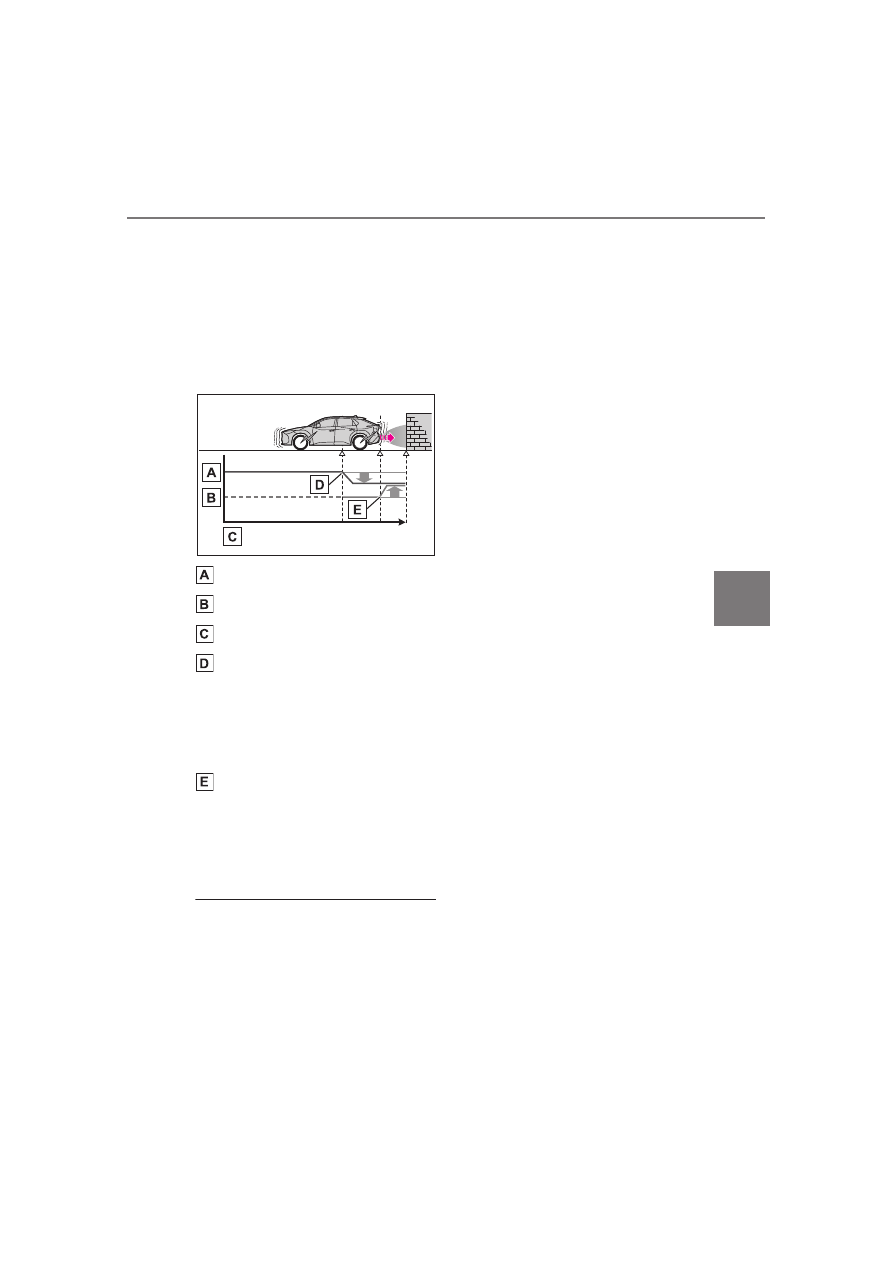
control begins operating
(System determines that pos-
sibility of collision with
detected object is high)
Figure 3 When EV system
output restriction control and
brake control operates
EV system output
Braking force
Time
EV system output restriction
control begins operating
(System determines that pos-
sibility of collision with
detected object is high)
Brake control begins operat-
ing (System determines that
possibility of collision with
detected object is extremely
high)
■
If the Parking Support Brake
has operated
If the vehicle is stopped due to oper-
ation of the Parking Support Brake,
the Parking Support Brake will be
disabled and the driving assist infor-
mation indicator will illuminate. If the
Parking Support Brake operates
unnecessarily, brake control can be
canceled by depressing the brake
pedal or waiting for approximately 2
seconds for it to automatically be
canceled. Then, the vehicle can be
operated by depressing the acceler-
ator pedal.
■
Re-enabling the Parking Sup-
port Brake
To re-enable the Parking Support
Brake when it has been disabled
due to operation of the Parking Sup-
port Brake, either enable the system
again (
P.335), or turn the power
switch off and then back to ON.
Additionally, if any of the following
conditions are met, the system will
be re-enabled automatically and the
driving assist information indicator
will turn off:
●
The P shift position is selected
●
The object is no longer detected in
the traveling direction of the vehi-
cle
●
The traveling direction of the vehi-
cle changes
*
*
: Except when the pedestrian rear
of the vehicle operated.
■
SUBARU Parking Assist buzzer
Regardless of whether the SUBARU
Parking Assist buzzer is enabled or
not, if the PKSB (Parking Support
Brake) system is enabled, the front
or rear sensors detect a static object
and brake control is performed, the
SUBARU Parking Assist buzzer will
sound to notify the driver of the
approximate distance to the object.
■
If a 12-volt battery terminal has
been disconnected and recon-
nected
The system needs to be initialized.
To initialize the system, drive the
vehicle straight ahead for 5 seconds
or more at a speed of approximately
22 mph (35 km/h) or more.