Seat Alhambra (2022 year). Manual in english - page 14
Operating modes
Store position
●
By pressing the
Store position
function but-
ton, the entered position is stored as a
Flag-
ged destination
in the
Destination mem-
ory
.
To save the stored position permanently as
a
flagged destination
, change the name of
the position in the
destination memory
.
Otherwise, the saved position is overwritten
when another flagged destination is saved.
●
Mark the
Flagged destination
in the
Destination memory
.
●
Press the
Store
function button.
The name can be changed in the following
input window. Press the
function button to
store the destination.
Destinations
and contacts
●
Select the desired function button.
Function buttons
Latest destinations
: View of destinations for which a
route has already been started.
Destination memory
: View of destinations stored
manually and from imported vCards
›››
Importing vCards (electronic business cards)
Favourites
: View of destinations stored as favour-
ites.
Function buttons
Contacts
: View contacts that have a stored ad-
dress (postal address).
Home address
Only one address or position can be stored
as the home address at any one time. The
stored home address can be edited or over-
written.
If a home address has already been stored,
route guidance will be started to the stored
home address.
If a home address has not yet been stored, an
address can be assigned as the home ad-
dress.
Assigning the home address for the first time:
Current position
: Press to store the vehicle's current
position as the home address.
Address
: Press to enter the home address manually.
Editing the home address:
The home address can be edited in the
Naviga-
tion settings
menu.
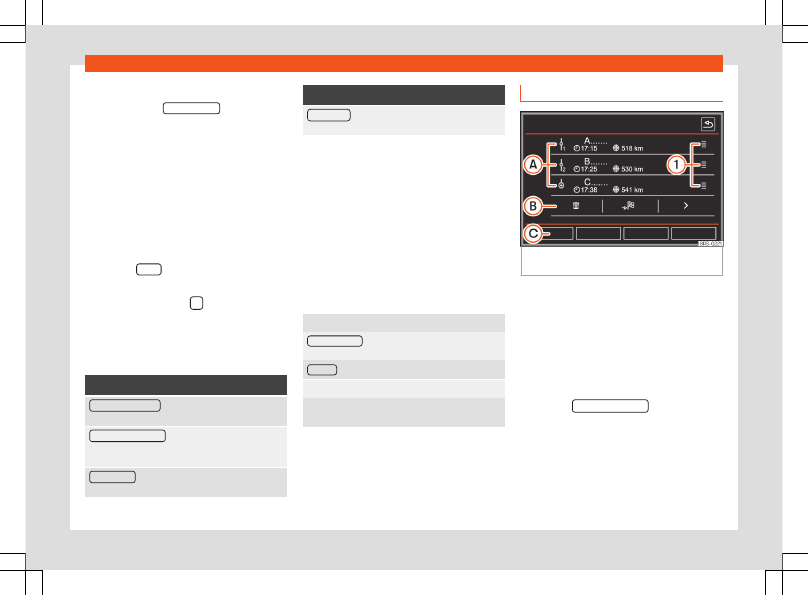
My route (route mode)
Fig. 215
Details of the route during route guid-
ance.
Several destinations can be defined in the
route mode. A trip with several destinations is
known as a “route”.
The “starting point” of a route is always the
current vehicle position determined by the In-
fotainment system. The “destination” is the
end point of a route. “Stopover destinations”
are driven to before the destination.
●
Press the
My destinations
function button
in the main
Navigation
menu.
●
Select the desired function button (
Edit
route
,
New route
or
Route mem.
).
»
219