Seat Alhambra (2022 year). Manual in english - page 12
Connectivity
Is Full Link blocked?
Fig. 183
Message on Infotainment system
screen.
If your vehicle does not have Full Link, you
can purchase it as an accessory at your
SEAT dealer
.
Requirements for Full Link
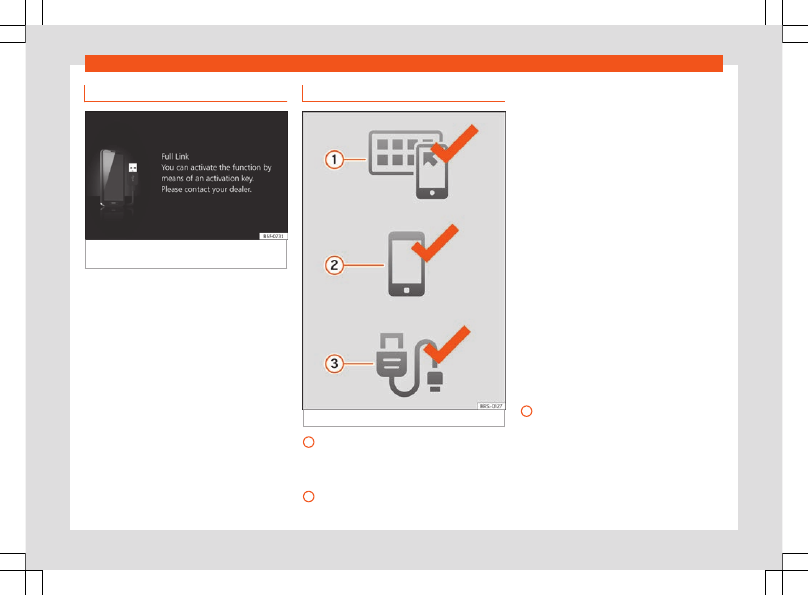
Fig. 184
Full Link Requirements
Full Link Activated
: If you do not have
Full Link in your vehicle you can acquire it
as an accessory at your Authorised Serv-
ice.
Compatible Phones
. Go to the Mirror-
Link®, Android Auto™ or Apple CarPlay™
1
2
websites to confirm whether your phone
is compatible with the system.
MirrorLink
–
Check smartphone compatibility:
www.mirrorlink.com/phones
–
MirrorLink® 1.1 or later
–
Some of the Apps certified by SEAT or
the CCC must be installed in the de-
vice.
Android Auto
–
Check smartphone compatibility. An-
droid Auto™: www.android.com/auto/
–
Android 6.0 or later
–
Install Android Auto™ App for earlier ver-
sions of Android 10.
Apple CarPlay
–
Check smartphone compatibility. Apple
CarPlay™:www.apple.com/ios/carplay
–
iPhone 5 or higher and iOS 7.1 or higher
–
Turn on the SIRI personal assistant (see
phone settings)
USB cable connecting car to phone
:
Use the approved USB cable supplied
with the phone.
3
187