Peugeot 308 (2024 year). Manual in english - page 5
 

  Index      Manuals     Peugeot 308 (2024 year). Manual in english


Search            copyright infringement  


Content      ..     3      4      5      6     ..


Peugeot 308 (2024 year). Manual in english - page 5


130

Driving

Off

►  Press 

1

: the cruise control information display 

disappears.

Malfunction

In the event of a malfunction, dashes are 

displayed flashing and then fixed instead of the 

speed setting.

Have it checked by a PEUGEOT dealer or a 

qualified workshop.

Drive Assist Plus

Only available on versions with automatic 

gearbox and drive selector.

This system automatically adjusts the speed 

and corrects the trajectory of the vehicle, using 

Adaptive cruise control with Stop&Go function in 

conjunction with Lane positioning assist.

These two functions must be activated and in 

operation.

For more information on 

Adaptive cruise 

control

 and 

Lane positioning assist

, refer to 

the corresponding sections.

The system assists the driver by acting 

on the steering, acceleration and braking 

within the physical limits and capacities of the 

vehicle. Certain road infrastructure elements 

or vehicles in the surroundings may not be 

properly seen or may be poorly interpreted by 

the camera and radar, resulting in an 

unexpected change in direction, a lack of 

steering correction and/or inappropriate 

management of acceleration or braking.

Primarily designed for driving on main 

roads and motorways, this system only 

works with moving vehicles driving in the 

same direction as your vehicle.

Selecting/Deselecting the 

system


ASSIST


►  Press this button successively until the Drive 

Assist Plus mode is displayed on the instrument 

panel.

►  After a few seconds, the Drive Assist Plus 

mode is selected. The Driving aids mini-view is 

displayed on the instrument panel.


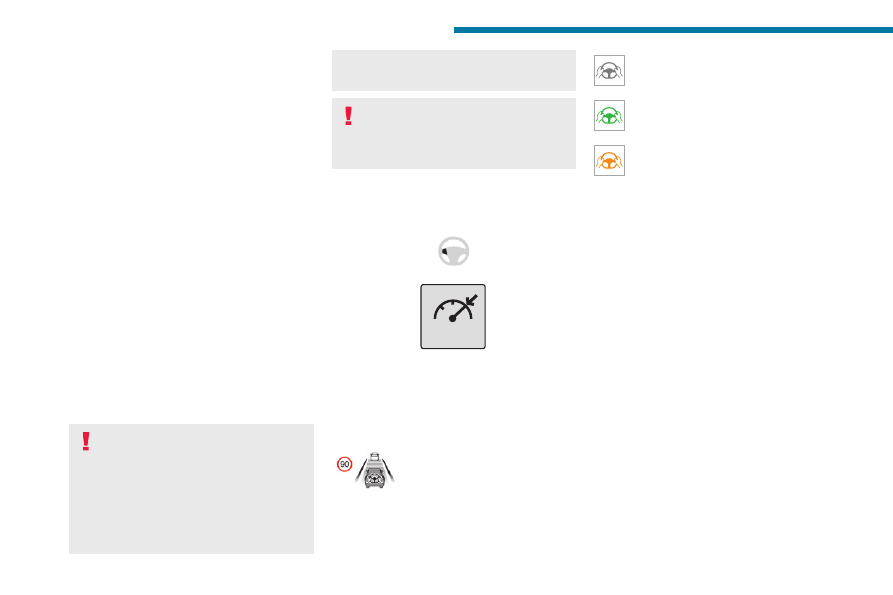
The colour of the symbols, representing the 

steering wheel and the side lines, depends on 

the operating state of the system:

(grey)

One or more operating conditions is not 

met; the system is paused.

(green)

All operating conditions are met; the 

system is active.

(orange)

System malfunction.

►  Press this button successively again until the 

OFF

 mode is displayed on the instrument panel. 

►  After a few seconds, the Drive Assist Plus 

mode is deselected. The Driving aids mini-view 

disappears.

Drive Assist 2.0

This system automatically regulates the speed 

and corrects the trajectory of the vehicle by 

combining the following functions:

–  Drive Assist Plus with Adaptive cruise control 

with Stop&Go function and Lane positioning 

assist.

–  Semi-automatic lane changing.

–  Speed setting advance recommendation.

For more information on these functions, refer to 

the corresponding sections.

The availability of the system depends on the 

country you are driving in.

This system is only to be used on eligible 

motorways and main roads.

131

Driving

6

Selecting/Deselecting the 

system

It is configured in the 

ADAS

 touch screen 

application.

►  Select the 

Functions

 tab, then select/

deselect 

Drive Assist

.

The system's status is saved when the ignition is 

switched off.

Adaptive cruise control

For more information, refer to the 

General recommendations on the use 

of driving and manoeuvring aids

 and the 

Specific recommendations on cruise 

control

.

This system automatically maintains the vehicle 

speed at a value set by the driver (speed 

setting), while respecting a safety distance from 

the vehicle in front (target vehicle) previously set 

by the driver. The system automatically manages 

the acceleration and deceleration of the vehicle.

With a manual gearbox, the system slows the 

vehicle down as far as a speed of 19 mph 

(30 km/h).

With the 

Stop & Go function

, the system 

manages braking until the vehicle comes to a 

complete stop and restarts the vehicle.

The brake lamps come on if the vehicle 

is slowed down by the system.

The system is not operational in the event of 

a brake lamp failure.


To do this, the system uses a camera fitted at 

the top of the windscreen and, depending on 

version, a radar fitted in the front bumper.

Primarily designed for driving on main 

roads and motorways, this system only 

works with moving vehicles driving in the 

same direction as your vehicle.

If the driver activates the direction 

indicator to overtake a slower vehicle, 

cruise control may temporarily reduce the 

distance to the target vehicle to facilitate 

overtaking, without exceeding the speed 

setting.

Steering-mounted controls


1.

Selection/deselection of cruise control only or 

Drive Assist Plus (depending on version)

2.

Switch on/pause cruise control at the 

previously saved speed setting

Confirmation of vehicle restart after automatic 

stop (version with Stop & Go function)

3.

Increase/Decrease the speed setting (if 

cruise control activated)

Activation of cruise control in progress (if 

cruise control deactivated)

Display and configuration of the inter-vehicle 

distance setting

4.

Activation of cruise control in progress

Use the speed suggested by the Road signs 

recognition function

For more information on the 

Road signs 

recognition

 function, refer to the corresponding 

section.

132

Driving

Information displayed on 

the instrument panel


5.

Cruise control activated (green)/paused 

(grey)

6.

Speed setting value

7.

Speed suggested by the Road signs 

recognition function

8.

Vehicle held stationary (version with 

Stop&Go function)

9.

Inter-vehicle distance setting

10.

Position of the vehicle detected by the 

system

Use

Selecting the system

►  With the engine running, press successively 

on 

1-ASSIST

 until cruise control mode is 

displayed on the instrument panel. 

►  After a few seconds, cruise control mode is 

selected. The Driving aids mini-view is displayed 

(grey) and cruise control is ready to be activated.

Switching on cruise control

With a manual gearbox, your speed must be 

between 19 and 112 mph (30 and 180 km/h).

With an automatic gearbox or a drive selector, 

your speed must be between 0 and 112 mph 

(0 and 180 km/h).

System activation is also subject to the following 

conditions:

–  Driver's door closed.

–  Driver's seat belt fastened.

–  Second gear or higher engaged on the manual 

gearbox.

– Mode 

D

 selected on the automatic gearbox.

–  Parking brake released.

–  If the vehicle is stationary, brake pedal 

depressed.

A message 

OK?

 is displayed if all activation 

conditions are met.

►  Press 

4-OK

: the current speed becomes the 

speed setting (minimum 19 mph (30 km/h)) and 

cruise control is immediately activated (green 

display).

Modifying the speed setting

To change the speed setting using the vehicle’s 

current speed:

►  For steps of +/- 1 mph (1 km/h), make 

successive short presses upwards/downwards 

on 

3

 to increase/decrease.

►  For steps of +/- 5 mph (5 km/h), press and 

hold upwards/downwards on 

3

 to increase/

decrease.

Prolonged pressing and holding 

upwards/downwards on 

3

 causes a rapid 

change in vehicle speed.

When the function is activated, the speed 

setting value can be changed using the speed 

suggested by the Road signs recognition 

function displayed on the instrument panel:

– 

When passing the sign:

►  Press 

4-OK

 to save the suggested speed. 

This value is then immediately shown as the new 

speed setting on the instrument panel.

– 

After passing the sign:

►  Press 

4-OK

. The message "

OK?

" is 

displayed to confirm the request to save.

►  Press 

4-OK

 again to save the suggested 

speed. The new speed setting value is displayed 

on the instrument panel.

Pausing/Resumption of cruise control

►  Press 

2-II>

 or depress the 

brake pedal

The symbol "

II>

" is displayed if all activation 

conditions are met. 

Cruise control may also have been paused:

–  automatically, if the electronic stability control 

(ESC) system is triggered.

–  by shifting to neutral or engaging reverse gear.

–  when the speed of the vehicle goes below 19 

mph (30 km/h) with a manual gearbox.

133

Driving

6

–  when a risk of engine stalling is detected with 

a manual gearbox.

–  by depressing the clutch pedal for more than 

10 seconds.

–  by using the electric parking brake.

–  by unfastening the seat belt.

–  by opening the driver's door.

►  Press 

2-II>

 or 

4-OK

 to reactivate cruise 

control.

With a manual gearbox, the driver should 

depress the accelerator pedal to move off, then, 

when above 19 mph (30 km/h), reactivate the 

system by pressing 

2-II>

 or 

4-OK

.

With an automatic gearbox or a drive selector, 

following braking that has brought the vehicle 

to a complete stop, if the traffic conditions do 

not allow the vehicle to begin moving again 

within 3 seconds of stopping, press 

2-II>

 or the 

accelerator pedal to move off.

Cruise control remains active after 

changing gear, regardless of the gearbox 

type.

When cruise control is paused and the 

driver tries to reactivate it, the message 

"

Activation not possible, conditions not 

met

" is temporarily displayed if reactivation is 

impossible (required conditions not met).

Changing the programmed speed setting 

with the Road signs recognition function

►  Press 

4-OK

 to accept the speed suggested 

by the function on the instrument panel, then 

press again to confirm.

If the selected speed is far from the 

current vehicle speed, a strong 

acceleration or deceleration is felt.

Changing the inter-vehicle distance

►  Press 

3

 to display the distance setting 

thresholds ("

Distant

", "

Normal

" or "

Close

"), 

then make successive short presses upwards/

downwards to select a threshold.

After a few seconds, the option is accepted and 

will be memorised when the ignition is switched 

off.

The driver must keep a sufficient safety distance 

from the vehicle in front.

Temporarily exceeding the speed setting

►  Depress the accelerator pedal. The system 

is suspended as long as the acceleration is 

maintained. When the accelerator pedal is 

released, the speed setting flashes while the 

current vehicle speed is above the speed setting.

Deselecting the system

►  Press successively on 

1-ASSIST

 until 

OFF


mode is displayed on the instrument panel. 

►  After a few seconds, cruise control mode 

is deselected. The Driving aids mini-view 

disappears.

Messages and alerts

The actual order of display of the 

messages or alerts may be different.

Cruise control selected, but 

cannot be activated.

All the operating conditions have 

not been met.

(grey)

Cruise control selected, awaiting 

confirmation for activation.

All the operating conditions are 

met.

(grey)

Cruise control paused, but 

cannot be reactivated.

All the operating conditions have 

not been met.

(grey)/(grey)

Cruise control paused, awaiting 

confirmation for reactivation.

All the operating conditions are 

met.

(grey)/(grey)

Cruise control active, vehicle 

detected.

(green)/(green)

134

Driving

Cruise control suspended, 

following brief acceleration by 

the driver.

(green)/(grey)

(orange)

"

Take back control

"

►  Brake or accelerate, depending on the 

context.

(red)

"

Take back control

"

► 

Take back control of the vehicle 

immediately

: the system cannot manage the 

current driving situation.

"

Activation refused, conditions 

unsuitable

"

The system refuses to activate cruise control, as 

the necessary conditions are not fulfilled.

Stop & Go function

The system has brought the 

vehicle to a complete stop.

(green)/(green)

Within 3 seconds of stopping, the vehicle 

gradually and automatically begins moving 

again.

Beyond 3 seconds of stopping, the driver must 

accelerate or press 

2-II>

 to move off.

If the driver takes no action after the 

vehicle has been stopped, the electric 

parking brake is applied automatically after 

about 5 minutes.

While the vehicle is immobilised, the 

following recommendations apply:

–  The driver should not leave the vehicle.

–  Do not open the boot.

–  Do not drop off or pick up passengers.

–  Do not engage reverse gear.

When restarting the vehicle, beware of 

cyclists, pedestrians or animals who are 

not taken into account by the system.

The driver must monitor their surroundings.

Operating limits

Cruise control operates by day and night, in dry 

weather or moderate rainfall.

Certain situations cannot be managed by the 

system and require driver intervention.

Cases not taken into account by the system:

–  Pedestrians, cyclists, animals.

–  Stationary vehicles (e.g. traffic jams, 

breakdown).


–  Vehicles crossing your lane.

–  Vehicles driving in the opposite direction.

Situations where the driver must suspend the 

system:


–  Vehicles in a tight bend.

–  When approaching a roundabout.


–  When following a narrow vehicle.

Reactivate the system when conditions allow.

Situations in which the driver is prompted to 

immediately resume control:

–  Excessively sharp deceleration by the vehicle 

in front of you.


–  When a vehicle cuts in sharply between your 

vehicle and the one in front.

Some vehicles on the road may be 

poorly perceived or interpreted by the 

camera and/or the radar (e.g. truck), which 

135

Driving

6

can lead to an incorrect evaluation of 

distances and result in inappropriate 

acceleration or braking of the vehicle.

Pay particular attention:

–  When motorcycles are present and 

when there are vehicles staggered across the 

traffic lane.

–  When entering a tunnel or crossing a 

bridge.

If any of the following malfunctions 

occurs, do not use the system:

–  Following an impact on the windscreen 

close to the camera or on the front bumper.

–  If a brake lamp is not working.

If the vehicle has undergone any of the 

following modifications, do not use the 

system:

–  Carrying long objects on roof bars.

– Towing.

–  Front end of the vehicle modified (for 

example by adding long-range headlamps or 

painting the front bumper).

–  Obstructed radar and/or camera.

Malfunction

In the event of a malfunction, dashes are 

displayed (orange) instead of the speed setting.

This warning lamp comes on, 

accompanied by a message and an 

audible signal, to confirm the malfunction.

Have it checked by a PEUGEOT dealer or a 

qualified workshop.

Lane positioning assist

For more information, refer to the 

General recommendations on the use 

of driving and manoeuvring aids

.


The system identifies the edges of the traffic lane 

and steers the vehicle to keep it inside this lane 

and maintain the lateral position chosen by the 

driver.

To do this, the system uses a camera placed on 

the upper part of the windscreen.

This system is particularly suited to driving on 

motorways and main roads.

Activation/Deactivation

The Lane positioning assist system is 

automatically activated, after selecting Drive 

Assist Plus mode.

For more information on the 

Drive Assist Plus


system, refer to the corresponding section.

The selection is confirmed by the display of the 

symbols on the instrument panel, representing 

the steering wheel and the side lines.

The colour of the symbols depends on the 

operating state of the system:

(grey)

One or more operating conditions is not 

met; the system is paused.

(green)

All operating conditions are met; the 

system is active.

(orange)

System malfunction.

If the driver no longer wishes to use the system 

for some time, they can deactivate it by pressing 

the 

ASSIST

 button again (confirmed by the 

Driving aids mini-view disappearing from the 

instrument panel).

The system status is saved when the 

ignition is switched off.

Operating conditions

–  Adaptive cruise control active.

–  ESC system operational.

–  ASR system activated.

–  No trailer detected.

–  No 'space-saver' spare wheel in use.

–  Vehicle not subject to strong lateral 

acceleration.

136

Driving

–  Direction indicators off upon activation of the 

system.

Regulation

The driver must hold the steering wheel 

properly.

When regulation is activated, the symbols are 

displayed in green: with small steering inputs, 

the system steers the vehicle and keeps it in the 

position chosen by the driver in the traffic lane. 

This position is not necessarily the centre of the 

lane.

The driver can feel movements in the steering 

wheel.

At any time, the driver can change the position of 

the vehicle by intervening on the steering wheel 

and maintaining the position until the system has 

taken it into account. If the chosen position is too 

off-centre, an automatic re-centering manoeuvre 

can occur. The system adjusts to the newly 

defined position.

Pausing/Suspending the 

system

The driver must act promptly if they 

believe that the traffic conditions or the 

state of the road surface require their 

intervention, by moving the steering wheel to 

temporarily suspend system operation. Any 

action on the brake pedal that causes the 

Adaptive cruise control system to be paused 

will also cause the system to be paused.

If the system detects that the driver is not 

holding the wheel firmly enough, it 

triggers a series of gradual alerts and then 

deactivates itself if there is no response from 

the driver.

If the function is suspended due to the 

prolonged release of the force holding 

the steering wheel, the system must be 

reactivated by pressing the 

ASSIST

 button 

again.

Automatic suspension

Suspension of the system is accompanied by a 

specific audible signal.

–  Triggering of the ESC system.

–  Insufficient lane detection. In this case, the 

Lane keeping assist function can take over, 

and the system will reactivate itself once the 

operating conditions are met again.

Paused by the driver

–  Travelling outside the lane limits.

–  Too tight a grip on the steering wheel or 

dynamic action on the steering wheel.

–  Action on the brake pedal (resulting in a pause 

until cruise control is reactivated) or accelerator 

pedal (suspension for as long as the pedal is 

depressed).

–  Pausing of the Adaptive cruise control system.

–  Deactivation of the ASR system.

Driving situations and related alerts

The tables below describe the displays associated with the main driving situations. The actual order of display of these alerts may be different.

Steering wheel-mounted 

controls

Symbols

Comments

ASSIST or II>


(grey)/(grey)

Cruise control paused.

Drive Assist Plus switched off.

137

Driving

6

Steering wheel-mounted 

controls

Symbols

Comments

ASSIST or OK


(green) /(green)

Cruise control on.

Drive Assist Plus switched off.

ASSIST


(green)/(green)

Drive Assist Plus activated.

Lane positioning assist operates normally (presence of steering wheel 

correction).

II>


(grey) /(grey)

Drive Assist Plus paused by the driver.

ASSIST or OK


(green)/(grey)

Drive Assist Plus on standby.

All the operating conditions for lane positioning assist have not been met.

ASSIST or II>


(grey)/(grey)

Drive Assist Plus suspended.

Cruise control and lane positioning assist are suspended.

Messages

Driving situations

"

Keep your hands on the steering wheel

"

(framed in blue)

Prolonged driving without holding the steering wheel, holding it improperly or 

without applying any force.

"

Hold steering wheel

"

(framed in orange)

Actual or imminent loss of lane positioning assist.

138

Driving

Messages

Driving situations

"

Hold steering wheel

"

(framed in red)

Simultaneous loss of cruise control and lane positioning assist.

Operating limits

The system may issue an alert when the 

vehicle is travelling on a long, straight 

road with smooth road surface even if the 

driver thinks they are holding the steering 

wheel correctly.

The system may not operate or may produce 

unsuitable corrections to the steering in the 

following situations:

–  Wearing thick gloves (with Drive Assist 2.0).

–  Poor visibility (insufficient road lighting, 

snowfall, rain, fog).

–  Dazzle (headlamps of an oncoming vehicle, 

low sun, reflections on a wet road surface, 

leaving a tunnel, alternating light and shade).

–  Windscreen area in front of the camera 

dirty, misted up, frost-covered, snow-covered, 

damaged or covered by a sticker.

–  Lane markings eroded, partially hidden (snow, 

mud) or multiple (roadworks, surface joints).

–  Travelling in a tight bend.

–  Winding roads.

–  Road surface repairs.

Risk of undesirable operation

The system should be deactivated in the 

following situations:

–  When changing a wheel or working near a 

wheel.

–  Towing or with a bicycle carrier on a towing 

device, especially with trailer not plugged in or 

not approved.

–  Adverse weather conditions.

–  Road with low grip (risk of aquaplaning, 

snow, ice).

–  Road works and toll areas.

–  Driving on racing circuits.

–  Driving on a rolling road.

Malfunction

In the event of a malfunction, the 

Service warning lamp comes on 

and this (orange) symbol appears on the 

instrument panel, accompanied by the display of 

a message and an audible signal.

Have it checked by a PEUGEOT dealer or a 

qualified workshop.

Semi-automatic lane 

changing

(with Drive Assist 2.0)

For more information, refer to the 

General recommendations on the use 

of driving and manoeuvring aids

.

This system assists the driver in changing lanes.

To do this, it uses the camera located at the top 

of the windscreen, the radar located at the front 

and the four angle radars fitted in the bumpers.

The steering wheel is equipped with a 

hands-on detection system to avoid 

distraction on the part of the driver.

For more information on the 

Hands-on 

detection

, refer to the corresponding section.

The system cannot in any circumstances 

replace the need for vigilance on the part 

of the driver. The driver remains responsible 

for their driving by monitoring their 

surroundings and keeping their hands on the 

steering wheel.

The driver must act promptly if they believe 

that the traffic conditions or the state of the 

139

Driving

6

road surface require their intervention, by 

moving the steering wheel to temporarily 

suspend system operation.

Any intervention on the brake pedal or the 

accelerator pedal that causes the adaptive 

cruise control to be paused or suspended will 

also cause the system to deactivate.

Selecting the system

Two options:

–  Either when the vehicle is already driving on 

an eligible road, the driver selects the system by 

activating the Drive Assist 2.0 system.

–  Or when the driver is already using Drive 

Assist Plus, the vehicle suggests selecting the 

system upon arriving at an eligible road by 

pressing the 

OK

 button.

Activation/Deactivation


►  Activate the direction indicator on the side 

corresponding to the lane change, whether or 

not passing the resistance point of the lighting 

control stalk.

The driver can regain control of the vehicle at 

any time:

–  by deactivating the direction indicator if the 

vehicle has not yet crossed the line.

–  by firmly holding the steering wheel.

–  by acting on the pedals.

For more information on the 

Direction 

indicators

, refer to the corresponding section.

Operating conditions

–  Eligible roads: roads with separate 

carriageways with prohibited access for 

pedestrians and cyclists.

–  The line separating the lanes must be clear 

enough to be identified by the system.

–  The position and speed of other vehicles must 

enable the system to safely change lanes.

–  Drive Assist 2.0 activated.

–  Lane positioning assist activated.

–  Vehicle speed between 43 and 112 mph (70 

and 180 km/h).

Authorised lane change 

request

When operating the direction indicator, if the 

necessary conditions are met, the message 

"

OK?

" is displayed on the instrument panel.


►  After checking the surroundings, press 

2-OK

 to confirm the start of the lane change 

manoeuvre.

The message "

Stay attentive

" is displayed as a 

reminder that the driver is still responsible for the 

manoeuvre.


The system then proceeds with the vehicle’s 

lane change.

Once the manoeuvre has been carried out, the 

system is automatically deactivated and the lane 

positioning assist takes over.

If the direction indicator has been set beyond the 

point of resistance, the driver must pull it back.

140

Driving

The driver must hold the steering wheel 

correctly.

As soon as the semi-automatic lane change 

begins, the system directs the vehicle to the 

target lane by small actions on the steering to 

position it in the destination lane.

You can feel the steering wheel moving.

Interrupting the lane change

It is possible that while changing lane, the 

necessary conditions for the operation of the 

system may no longer be met.


If this occurs before one of the wheels has 

crossed the line separating the two lanes, the 

system automatically returns the vehicle to 

its original lane (confirmed by the display of 

a manoeuvre cancellation message on the 

instrument panel and an audible signal). The 

system is then automatically deactivated.


If this occurs when the lane change has 

started, the system prompts the driver to 

immediately retake control of the vehicle 

(confirmed by the display of a message on the 

instrument panel and an audible signal), and the 

system is automatically deactivated.

Refused lane change 

request

When operating the direction indicator or 

pressing 

2-OK

, if the necessary conditions 

are not met, the lines appear in orange on the 

instrument panel.


The system keeps the vehicle in the original 

lane. The system is deactivated and the semi-

automatic lane change is not carried out.

Messages and alerts

The actual order of display of the messages or alerts may be different.

Display

Comments


(grey)/(continuous grey)/(grey)

System awaiting selection.

141

Driving

6

Display

Comments


(grey)/(continuous green)/(green)

System selection request.


(green)/(continuous green)/(green)

System selected.


(green)/(broken green)/(green)

Confirmation request for a lane change manoeuvre.


(green)/(broken green)/(green)

Lane change manoeuvre in progress.


(green)/(continuous orange)/(green)

Refused lane change manoeuvre when operating the direction indicator or pressing 

2-OK

.

142

Driving

(orange)

Lane change interrupted: Stay in the 

lane

The system cannot manage the current driving 

situation.

Brake, accelerate or use the steering wheel, 

depending on the context.

(blue)

"Lane change canceled

"

Continuation of the systems: Lane positioning 

assist and Adaptive cruise control.

or

Interruption at the initiative of the driver.

(red)

"

Take back control

"

The system cannot manage the current driving 

situation.

Brake, accelerate or use the steering wheel, 

depending on the context.

Operating limits

The system should only be used on driving lane.

The system may not work in the following 

situations:

–  Wearing thick gloves.

–  Poor visibility (insufficient road lighting, 

snowfall, rain, fog).

–  Dazzle (headlamps of an oncoming vehicle, 

low sun, reflections on a wet road surface, 

leaving a tunnel, alternating light and shade).

–  Windscreen area in front of the camera 

dirty, misted up, frost-covered, snow-covered, 

damaged or covered by a sticker.

–  Lane markings eroded, partially hidden (snow, 

mud) or multiple (roadworks, surface joints).

–  Travelling in a tight bend.

–  Winding roads.

–  Road surface repairs.

The system must not be activated in the 

following situations:

–  When changing a wheel or working near a 

wheel.

–  Towing or with a bicycle carrier on a towing 

device, especially with trailer not plugged in or 

not approved.

–  Adverse weather conditions.

–  Road with low grip (risk of aquaplaning, 

snow, ice).

–  Unusual configuration such as road works 

areas, toll areas and emergency lanes.

–  Driving on racing circuits.

–  Driving on a rolling road.

If the system detects that the driver is not 

holding the steering wheel firmly enough, 

it triggers a series of gradual alerts and then 

deactivates itself if there is no response from 

the driver.

Malfunction

In the event of a malfunction, this warning 

lamp lights up on the instrument panel, 

accompanied by the display of a message and 

an audible signal.

Have it checked by a PEUGEOT dealer or a 

qualified workshop.

Active Safety Brake with 

Collision Risk Alert and 

Intelligent emergency 

braking assistance

For more information, refer to the 

General recommendations on the use 

of driving and manoeuvring aids

.


This system:

–  warns the driver that their vehicle is at risk of 

collision with the preceding vehicle, a pedestrian 

or a cyclist.

–  reduces the vehicle's speed to avoid a 

collision or to limit its severity.

Below a speed of 19 mph (30 km/h), 

automatic emergency braking may slow 

down the vehicle to a complete stop.

Otherwise, for versions with camera only, the 

speed may be reduced by a maximum of 16 

mph (25 km/h).

For versions with camera and radar, the 

speed reduction may be extended to 31 mph 

143

Driving

6

(50 km/h), if both sensors are able to detect 

the thread.

The system also takes motorcyclists into 

account.

It may also react on animals. Animals 

(especially animals smaller than 0.5 m) 

and objects on the road are not necessarily 

detected.

This system includes three functions:

–  Collision Risk Alert.

–  Intelligent emergency braking assistance 

(iEBA).

–  Active Safety Brake (automatic emergency 

braking).


The vehicle has a multifunction camera located 

at the top of the windscreen and, depending on 

version, a radar located in the front bumper.

This system does not replace the need 

for driver vigilance.

This system is designed to assist the driver 

and improve road safety.

It is the driver's responsibility to continuously 

monitor traffic conditions in accordance with 

applicable driving regulations.

As soon as the system detects a 

potential collision, it prepares the braking 

circuit. This may cause a slight noise and a 

slight sensation of deceleration.

Operating conditions and 

limits

Vehicle moving forward without trailer.

Brake system operational.

ASR system activated.

Seat belts fastened for all passengers.

Stabilised speed on roads with no or low 

curvature.

This warning lamp lights up on the 

instrument panel without any additional 

message, to indicate that the automatic braking 

system is not available.

This is a normal behavior indicating that a 

condition is not fulfilled and which does not 

request the support of a workshop.

In any situations with ignition on where automatic 

braking presents a risk, deactivating the system 

via the driving aids touch screen application is 

recommended, for instance:

–  Carrying long objects on roof bars.

–  Using an automatic car wash.

–  Performing any maintenance (e.g. changing a 

wheel, working inside the engine compartment).

–  Placing the vehicle on a rolling bench in a 

workshop.

–  Towing the vehicle.

–  Following a damage of the windscreen close 

to the detection camera.

The system is automatically deactivated 

if:

–  A spare wheel with a too small diameter is 

detected.

–  A fault with the brake pedal switch or with 

the right or left brake lamp is detected.

–  A fault in the sensors, in the electronic or in 

the brake system is detected.

–  A trailer is detected by the equipped vehicle 

hitch (with an electrical connection plug).

–  A severe crash (e.g. with airbag 

deployment) is detected.

In case the detection is degraded or 

temporarily unavailable by environment 

conditions, then a driver indication is not 

displayed (because a driver action is not 

requested).

It can be dangerous to drive if the brake 

lamps are not in perfect working order.

The driver must not overload the vehicle 

(keep within the GVW and GTW limits 

and load height limits for roof bars).

144

Driving

Collision Risk Alert

This function warns the driver if there is a risk 

of collision with the preceding vehicle, or with a 

pedestrian or cyclist.

Modifying the alert trigger threshold

The trigger threshold determines the sensitivity 

with which the function warns of the risk of 

collision.

►  In the 

ADAS

 touch screen application, 

select 

Functions>Automatic Braking 

System

.

►  Select one of the 3 preset 

thresholds: "

Far

", "

Medium

" or "

Near

".

The selected threshold is memorised when the 

ignition is switched off.

Operation

Depending on the collision risk detected by the 

system and the alert trigger threshold chosen 

by the driver, different levels of alert may be 

triggered and displayed on the instrument panel.

The system takes into account the vehicle 

dynamics, the difference speed of the own 

vehicle and the object identified for the 

collision risk, and the operation of the vehicle 

(e.g. actions on the pedals, steering wheel) to 

trigger the alert at the most relevant moment.

(orange)

Level 1

: visual alert only, warning that the 

preceding vehicle is very close.

The message "

Vehicle close

" is displayed.

(red)

Level 2

: visual and audible alert, warning 

that a collision is imminent.

The message "

Brake!

" is displayed.

Level 3

: a micro-braking may be given, 

confirming the risk of collision (optional).

While approaching a vehicle too quickly, 

the level 2 alert may be displayed 

directly.

Important:

 the level 1 alert depends on the 

trigger threshold selected. It reacts only on 

moving vehicles. It is disabled automatically 

at lower speed.

It is possible that collision warnings are 

not given, are given too late or seem 

unjustified.

The driver must always stay in control of the 

vehicle and be prepared to react at any time 

to avoid an accident.

If you select 

"Far"

 in the touch screen, 

then the system warns sooner. This 

increases the safety but increases also the 

amount of alerts, if the legal safety distance is 

not kept.

To reduce the alert occurrence, you can 

change the setting to either of the other two.

Intelligent emergency 

braking assistance (iEBA)

This function increases vehicle deceleration 

if the driver does not brake enough to avoid a 

collision.

This assistance is only provided if the driver 

presses the brake pedal.

Active Safety Brake


This function, also called "automatic emergency 

braking", intervenes after the acoustic alert if the 

driver does not operate the brake pedal quickly 

enough.

The system aims at reducing the speed of 

impact or avoiding a collision if the driver fails to 

react.

145

Driving

6

Below a speed of 19 mph (30 km/h), 

automatic emergency braking may slow 

down the vehicle to a complete stop.

Otherwise, for versions with camera only, the 

speed may be reduced by a maximum of 16 

mph (25 km/h).

For versions with camera and radar, the 

speed reduction may be extended to 31 mph 

(50 km/h), if both sensors are able to detect 

the thread.

Operation

The system operates subject to the following 

conditions:

–  The vehicle's speed does not exceed 50 mph 

(80 km/h), when a pedestrian or a cyclist is 

detected.

–  The vehicle's speed does not exceed 50 mph 

(80 km/h), when a stationary vehicle is detected.

–  The vehicle's speed is between 6 mph and 

53 mph (10 km/h and 85 km/h) (versions with 

camera only) or 87 mph (140 km/h) (versions 

with camera and radar) when a moving vehicle 

is detected.

This warning lamp flashes (for 

approximately 10 seconds) as soon as 

the function applies the vehicle’s brakes.

During the flashing time, the function is not 

available.

With an automatic gearbox or drive selector, in 

the event of automatic emergency braking, keep 

the brake pedal depressed, also after a complete 

stop is reached, to prevent the vehicle from 

rolling away.

With a manual gearbox, in the event of automatic 

emergency braking bringing the vehicle to a 

complete stop, the engine may stall.

The driver can override the automatic 

emergency braking at any time by 

strongly turning the steering wheel (evasive 

manoeuver) and/or by firmly pressing the 

accelerator pedal.

The brake pedal may feel hard and 

vibrate slightly while the function is 

operating.

If the vehicle comes to a complete stop, 

automatic braking is maintained for 1 to 

2 seconds.

Turning scenarios

Crossing road with another vehicle


The system may operate when the vehicle is 

turning and detects another vehicle, on the 

adjacent lane, approaching from the opposite 

direction if:

–  The corresponding direction indicator is 

activated.

–  Then the vehicle is about to cross the path of 

another vehicle.

–  The vehicle speed is between 3 and 12 mph 

(5 and 20 km/h).

–  A collision on the side of the other vehicle is 

probable.

Crossing road with a pedestrian


The system may operate when the vehicle 

is turning left or right and detects a crossing 

pedestrian if:

–  The pedestrian is crossing in front of the 

vehicle.

–  The pedestrian can clearly be detected by the 

sensors.

–  The scenery is detectable by the sensors (e.g. 

brightness, contrast vs background).

146

Driving

–  The vehicle speed is between 3 and 15 mph 

(5 and 25 km/h).

Deactivation/Activation

By default, the system is automatically activated 

at every engine start.

It is configured in the 

ADAS

 touch screen 

application.

Deactivation of the system is signalled by 

the illumination of this warning lamp, 

accompanied by the display of a message.

The system cannot be deactivated above 

10 km/h.

Malfunction

This warning lamp lights up on the 

instrument panel with the message 

"

Driving Assistance Sensor blind: Clean 

sensor, see User Manual

" if the sensor is 

masked.

This is a normal behavior, which does not 

request the support of a qualified workshop.

In this case, stop the vehicle and verify if the 

front camera or the front radar is covered by dirt, 

mud, sand, snow, ice or anything preventing the 

sensing.

The system is operational again after the 

detection field has been cleaned.

In the event of a malfunction, this warning 

lamp lights up on the instrument panel, 

accompanied by the display of a message and 

an audible signal.

Have it checked by a PEUGEOT dealer or a 

qualified workshop.

If these warning lamps come on 

after the engine has been switched 

off and then restarted, contact a PEUGEOT 

dealer or a qualified workshop to have the 

system checked.

These warning lamps light up on 

the instrument panel and/or in the 

warning lamp display for seat belts and front 

passenger airbag to indicate that the driver's 

and/or front passenger's seat belt is not fastened 

(depending on version). The automatic braking 

system is deactivated until the seat belts are 

fastened.

Distraction detection

For more information, refer to the 

General recommendations on the use 

of driving and manoeuvring aids

.

The function comprises the "Driver Attention 

Warning" system combined with the "Driver 

Attention Warning by Camera" system.

These systems are in no way designed 

to keep the driver awake or to prevent 

the driver from falling asleep at the wheel. 

It is the driver’s responsibility to stop if feeling 

tired.

Take a break if you are feeling tired or at least 

every 2 hours.

Driver Attention Warning

The system triggers an alert when it 

detects that the driver has not taken a 

break after two hours of driving at a speed above 

43 mph (70 km/h).

This alert is issued via the display of a message 

encouraging the driver to take a break, 

accompanied by an audible signal.

If the driver does not follow this advice, the alert 

is repeated hourly until the vehicle is stopped.

The system resets itself if one of the following 

conditions is met:

–  With the engine running, the vehicle has been 

stationary for more than 15 minutes.

–  The ignition has been switched off for a few 

minutes.

–  The driver's seat belt is unfastened and their 

door is opened.

As soon as the speed of the vehicle 

drops below 43 mph (70 km/h), the 

system goes into standby.

Driving time starts being counted again once 

the speed reaches above 43 mph (70 km/h).

147

Driving

6

Driver Attention Warning by 

Camera


The system assesses the driver's level of 

alertness, fatigue and distraction by 

identifying trajectory changes in relation to the 

lane markings.

To do this, the system uses a camera, placed on 

the upper part of the windscreen.

This system is particularly suited to fast roads 

(speed higher than 43 mph (70 km/h)).

The system may perform a learning 

procedure for up to 30 minutes after the 

start of the monitoring.

During this period, the driver's individual 

driving behaviour is analysed and no alert is 

given.

At a first alert level, the driver is warned by 

the message "

Caution!

", accompanied by an 

audible signal.

After three first-level alerts, the system triggers 

a further alert with the message "

Driving at 

risk: Take a break

", accompanied by a more 

pronounced audible signal.

In certain driving conditions (poor road 

surface or strong winds), the system may 

give alerts independent of the driver's level of 

vigilance.

The following situations may interfere 

with the operation of the system or 

prevent it from working:

–  Lane positioning assist is active.

–  poor visibility (e.g. inadequate street 

lighting, heavy rain, thick fog, snowfall).

–  dazzle (e.g. headlamps of an oncoming 

vehicle, low sun, reflections on a damp road, 

leaving a tunnel, alternating shade and light).

–  windscreen area located in front of the 

camera (e.g. dirty, misted, frost-covered, 

snow-covered, damaged or masked by a 

sticker).

–  lane markings absent, worn, hidden 

(e.g. snow, mud, dead leaves) or multiple 

(roadworks).

–  close to the vehicle ahead (lane markings 

not detected).

–  roads that are narrow, winding.

Deactivation/Activation

By default, the function is automatically activated 

at every engine start.

The settings are changed via the 

ADAS


touch screen application.

or

Direct access to the 

Shortcuts for driving aids

.

Deactivation is confirmed by the 

illumination of this indicator lamp on the 

instrument panel.

Malfunction

In the event of a malfunction, this warning 

lamp lights up on the instrument panel, 

accompanied by the display of a message and 

an audible signal.

Have it checked by a PEUGEOT dealer or a 

qualified workshop.

This warning lamp lights up on the 

instrument panel with the message 

"

Driving Assistance Sensor blind: Clean 

sensor, see User Manual

" if the sensor is 

masked.

This is a normal behavior, which does not 

request the support of a qualified workshop.

In this case, stop the vehicle and verify if the 

front camera is covered by dirt, mud, sand, 

snow, ice or anything preventing the sensing.

The system is operational again after the 

detection field has been cleaned.

148

Driving

Lane keeping assist

For more information, refer to the 

General recommendations on the use 

of driving and manoeuvring aids

.

The system corrects the vehicle's trajectory by 

alerting the driver as soon as it detects a risk of 

involuntary lane departure or crossing of a verge 

or hard shoulder (depending on version).

To do this, the system uses a camera, placed on 

the upper part of the windscreen, identifying the 

lane markings on the ground and the side of the 

road (depending on version).

This system is particularly useful on 

motorways and main roads.


Operating conditions

–  Vehicle speed between 43 and 112 mph (70 

and 180 km/h).

–  Road marked with a central dividing line.

–  Steering wheel held with both hands.

–  Direction indicators off upon activation of the 

system.

–  ESC system activated and operational.

The system helps the driver only if there 

is a risk of the vehicle unintentionally 

wandering from the lane it is being driven in. It 

does not manage the safe driving distance, 

vehicle speed or braking.

The driver must hold the steering wheel with 

both hands so that they can maintain control 

when the conditions no longer allow the 

system to intervene (e.g. in the event that 

the central dividing line marking on the road 

surface disappears).

Operation

As soon as the system identifies a risk of 

involuntarily crossing one of the lane markings 

detected on the ground or a lane boundary 

(e.g. grass verge), it performs the trajectory 

correction necessary to restore the vehicle to its 

original lane.

The driver will notice a turning movement of the 

steering wheel.

This warning lamp flashes during 

trajectory correction.

The driver can prevent the correction by 

firmly holding the steering wheel 

(e.g. during an emergency manoeuvre).

The correction is interrupted immediately if 

the direction indicators are operated.

While the direction indicators are activated and 

for a few seconds after switching them off, the 

system considers that a change of trajectory is 

intentional and no correction is triggered during 

this period.

Driving situations and related alerts

The table below describes the alerts and messages displayed in different driving situations.

The actual order of display of these alerts may be different.

Function status

Display

Comments

OFF


Function deactivated.

149

Driving

6

Function status

Display

Comments

ON

None.

System active, conditions not met:

–  Speed below 40 mph (65 km/h).

–  No lane marking recognised.

–  ESC operation triggered.

–  "Sporty" driving.

ON


Automatic deactivation/standby of the function (e.g. detection of a trailer, use of the 

"space-saver" type spare wheel supplied with the vehicle, failure).

ON

None.

Lane marking detected.

Speed above 40 mph (65 km/h).

ON


The system corrects the trajectory on the side where the risk of line crossing is detected. 

The driver's hands are on the steering wheel. 

ON


"

Hold the steering 

wheel

" or "

Stay in lane

(depending on version)

If, while correcting the trajectory, the system determines that the correction will not be 

enough and that a solid line will be crossed: the driver is warned that they must provide 

additional trajectory adjustment.

If the steering wheel is not held properly, an audible warning sounds, accompanied by 

a message, until the trajectory correction is completed or the driver has grasped the 

steering wheel correctly.

The duration of audible warnings will increase if multiple corrections are performed 

in quick succession. The warning will become continuous, persisting until the driver 

responds.

Operating limits

The system goes into standby automatically in 

the following cases:

–  ESC deactivated or operation triggered.

–  Speed below 40 mph (65 km/h) or greater 

than 112 mph (180 km/h).

–  Electrical connection to a trailer.

–  Use of a "space-saver" spare wheel detected 

(as detection is not immediate, deactivation of 

the system is recommended).

–  Dynamic driving style detected, pressure on 

the brake or accelerator pedal.

–  Driving over lane markings.

–  Activation of the direction indicators.

–  Crossing the inside line on a bend.

–  Driving on a tight bend.

–  Inactivity by the driver detected during 

correction.

–  Narrow lane detected.

150

Driving

The following situations may interfere 

with the operation of the system or 

prevent it from working:

–  Insufficient contrast between the road 

surface and the verge or hard shoulder 

(e.g. shade).

–  Lane markings worn, hidden (e.g. snow, 

mud) or multiple (e.g. roadworks).

–  Close proximity to the vehicle in front (lane 

markings may not be detected).

–  Roads that are narrow, winding.

Risk of undesirable operation

The system should be deactivated in the 

following situations:

–  When changing a wheel or working near a 

wheel.

–  Towing or with a bicycle carrier on a towing 

device, especially with trailer not plugged in or 

not approved.

–  Road in poor condition, unstable or with very 

poor grip (risk of aquaplaning, snow, ice).

–  Adverse weather conditions.

–  Driving on racing circuits.

–  Driving on a rolling road.

Deactivation/Activation

By default, the system is automatically activated 

at every engine start.

It is configured in the 

ADAS

 touch screen 

application.

or

Direct access to the 

Shortcuts for driving aids

.

Deactivation is confirmed by the 

illumination of this indicator lamp on the 

instrument panel.

Malfunction

In the event of a malfunction, 

these warning lamps light up on 

the instrument panel, accompanied by the 

display of a message and an audible signal.

Have it checked by a PEUGEOT dealer or a 

qualified workshop.

This warning lamp lights up on the 

instrument panel with the message 

"

Driving Assistance Sensor blind: Clean 

sensor, see User Manual

" if the sensor is 

masked.

This is a normal behavior, which does not 

request the support of a qualified workshop.

In this case, stop the vehicle and verify if the 

front camera is covered by dirt, mud, sand, 

snow, ice or anything preventing the sensing.

The system is operational again after the 

detection field has been cleaned.

Long-distance blind spot 

monitoring

For more information, refer to the 

General recommendations on the use 

of driving and manoeuvring aids

.


This system warns the driver of vehicles 

approaching rapidly from the rear in adjacent 

lanes (up to around 75 m) and of the presence of 

a vehicle in the blind spots of their vehicle, using 

corner radars located in the rear bumper.

This system takes into account vehicles 

such as cars, lorries and motorcycles by 

monitoring the blind spots or areas hidden 

from the driver's field of vision.


A warning lamp appears in the door mirror on the 

side in question:

– 

Fixed

, immediately when another vehicle is in 

the blind spot or is approaching in an adjacent 

lane.

151

Driving

6

– 

Flashing

, after about 1 second when the 

direction indicator is used.

Activation/Deactivation

It is configured in the 

ADAS

 touch screen 

application.

When starting the vehicle, the warning lamp 

comes on in each mirror to indicate that the 

system is activated.

The status of the system is memorised when the 

ignition is switched off.

The system is automatically deactivated 

when towing with a towing device 

approved by PEUGEOT.

Operating conditions

–  All vehicles are moving in the same direction 

and in adjacent lanes.

–  When overtaking a vehicle, the speed 

difference is less than 9 mph (15 km/h).

–  Traffic is flowing normally.

–  Overtaking a vehicle over a certain period of 

time and the vehicle being overtaken remains in 

the blind spot.

Operating limits

No alert is triggered in the following conditions:

–  presence of stationary objects (e.g. parked 

vehicles, safety rails, lampposts, signs).

–  vehicles travelling in the opposite direction.

–  if the rear bumper is damaged.

It is possible that warnings are not given, 

are given too late or seem unjustified.

This system does not replace the need for 

vigilance on the part of the driver. Always 

check in the mirrors and look over your 

shoulders before changing lanes to avoid an 

accident.

If the rear bumper is to be repainted, contact 

a PEUGEOT dealer or a qualified workshop; 

certain types of paint could interfere with the 

operation of the radars.

Malfunction

If the event of a malfunction, this warning 

lamp lights up on the instrument panel, 

accompanied by the display of a message.

Have it checked by a PEUGEOT dealer or a 

qualified workshop.

The system may be temporarily disturbed 

by certain weather conditions (e.g. heavy 

rain, hail or extreme temperature changes).

In particular, driving on a wet road or going 

from a dry to a wet area can cause false 

alerts (e.g. presence of a cloud of water 

droplets in the blind spot interpreted as a 

vehicle).

In bad or wintry weather, ensure that 

the radars are not covered by mud, ice or 

snow.

Take care not to cover the warning zone in 

the door mirrors, or the detection zones on 

the rear bumper, with adhesive labels or 

other objects; they may hamper the correct 

operation of the system.

Parking sensors

For more information, refer to the 

General recommendations on the use 

of driving and manoeuvring aids

.


This system detects and signals the proximity of 

obstacles (e.g. pedestrian, vehicle, tree, barrier) 

using sensors located in the bumper.

Rear parking sensors

System startup is available under the following 

conditions:

–  when reverse gear is engaged.

–  when the vehicle is moving backwards 

(e.g. downhill, in neutral).

It is indicated by an audible confirmation signal 

and a display indication.

If an obstacle is detected as soon as the 

reverse gear is engaged, an audible 

152

Driving

detection signal is given directly instead of the 

audible confirmation signal.

If no audible signal is given, the display 

indication is not shown or a warning message 

appears, the system has a failure.

Audible assistance


The system signals the presence of obstacles 

which are both within the sensors’ detection zone 

and in the vehicle path defined by the direction of 

the steering wheel.


Depending on version, in the example shown, 

only the obstacles present in the shaded area 

will be signalled by the audible assistance.

The proximity information is given by an 

intermittent audible signal, the frequency of 

which increases as the vehicle approaches the 

obstacle.

When the distance between the vehicle and 

the obstacle becomes less than about thirty 

centimetres, the audible signal becomes 

continuous.

The sound emitted by the speaker (right or 

left) indicates the side on which the obstacle is 

located.

The audible signal is automatically suspended 

when the vehicle is stationary for a few seconds.

The audible signal is automatically restored 

when the vehicle is moving again or if the 

obstacle approaches the vehicle.

Adjusting the audible detection signal

Pressing this button opens the 

window for adjusting the volume 

of the audible signal.

Pressing this button mutes/unmutes 

the audible signal.

Visual assistance


This supplements the audible signal, without 

taking account of the vehicle's trajectory, by 

displaying bars on the screen whose location 

represents the distance between the obstacle 

and the vehicle (white: more distant, orange: 

close, red: very close).

When the obstacle is very close, the "

Danger

symbol is displayed on the screen.

Closing the system display window

Pressing this button closes the 

system display window.

This warning lamp flashes during obstacle 

detection on the instrument panel.

Muting the audible assistance / 

Closing the visual assistance

If the audible detection signal is muted or 

the system display window is closed by the 

driver during the obstacle detection, only 

the warning lamp continues to flash on the 

instrument panel.

Front parking sensors

Supplementing the rear parking sensors, the 

front parking sensors are triggered when an 

obstacle is detected in front and the speed of the 

vehicle is below 6 mph (10 km/h).

Front parking sensor operation is suspended if 

the vehicle stops for more than three seconds in 

forward gear, if an obstacle is no longer detected 

or the vehicle speed exceeds 6 mph (10 km/h).

The sound emitted by the speaker (front 

or rear) locates the obstacle relative to 

the vehicle, whether in front of or behind it on 

its path.

153

Driving

6

Deactivation/Activation

(Depending on country of sale)

By default, the audible signal is automatically 

activated at each time the reverse gear is 

engaged.

The system cannot be deactivated. 

Depending on version, using the centre console 

button and/or in the 

ADAS

 application on the 

touch screen.


►  Press this button to activate or deactivate the 

audible signal.

The indicator lamp is lit when the audible signal 

is deactivated.

You can start the system manually and 

activate/deactivate the audible signal in 

the 

ADAS

 touch screen application.


The rear parking sensors are deactivated 

automatically if a trailer or bicycle carrier 

is connected to a towing device installed in 

accordance with the Manufacturer's 

recommendations.

In this case, the outline of a trailer is displayed 

at the rear of the image of the vehicle.

When starting the vehicle, the graphic 

and audible aids are only available after 

the touch screen has started up.

Operating limits

If the boot is heavily loaded, the vehicle may tilt, 

affecting distance measurements.

In case of a gearbox failure, the system is not 

active, when the reverse gear is engaged.

Malfunction

In the event of a malfunction, this warning 

lamp lights up on the instrument panel, 

accompanied by the display of a message and 

an audible signal (short beep).

In the event of a malfunction, this 

indicator lamp flashes for approximately 

10 seconds when reverse gear is engaged.

Have it checked by a PEUGEOT dealer or a 

qualified workshop.

This warning lamp lights up on the 

instrument panel with the message 

"

Parking Assistance Sensor blind: Clean 

sensor, see User Manual

" if the sensor is 

masked.

This is a normal behavior, which does not 

request the support of a qualified workshop.

In this case, stop the vehicle and verify if the 

front and/or rear sensors are covered by dirt, 

mud, sand, snow, ice or anything preventing the 

sensing.

The system is operational again after the 

detection field has been cleaned.

Visiopark 1

For more information, refer to the 

General recommendations on the use 

of driving and manoeuvring aids

.

When reverse gear is engaged, with the engine 

running, this system displays views of the 

vehicle's close surroundings on the touch screen 

using a camera located at the rear of the vehicle.

154

Driving


The screen is divided into 3 parts with a side 

menu, a contextual view and a view from above 

the vehicle in its close surroundings.

The parking sensors supplement the information 

in the view from above the vehicle.

Different contextual views are available:

–  Automatic zoom view.

–  Standard view.

–  Panoramic view.

Depending on the context, the system chooses 

the best view to display (standard or automatic 

zoom).

The view type can be changed at any time 

during the manoeuvre.

The system status is not saved when the ignition 

is switched off.

Operating principle


Using the camera, the vehicle's close 

surroundings are recorded during low speed 

manoeuvres.

An image from above the vehicle in its close 

surroundings is created in real time (on the side 

of the screen), as the vehicle progresses.

This view makes it easier to align the vehicle 

when parking and to perceive nearby obstacles. 

It is automatically deleted if the vehicle remains 

stationary for too long.

An additional jet is fitted above the 

number plate to clean the reversing 

camera (depending on version).

Settings

In the side menu:

This window allows to adjust the volume 

of the audible signal.

This button allows to mute/unmute the 

audible signal.

This button allows to trig the camera 

washing (depending on equipment).

Activation/Deactivation

To activate the camera, engage reverse gear.

The system is deactivated:

–  when changing out of reverse gear.

–  by pressing the cross in the top left-hand 

corner of the touch screen.

Automatic zoom view


The rear camera records the vehicle's 

surroundings during the manoeuvre in order to 

create a view from above the rear of the vehicle 

in its close surroundings, allowing the vehicle to 

be manoeuvred around nearby obstacles.

Using the sensors located on the rear bumper, 

the automatic zoom view is displayed when 

approaching an obstacle at the red line (less 

than 30 cm) during the manoeuvre.

This view is only available automatically.

155

Driving

6

Obstacles may appear further away than 

they actually are.

It is important to monitor the sides of the 

vehicle during the manoeuvre, using the 

mirrors.

Parking sensors also provide additional 

information about the area around the vehicle.

Standard view


The area behind the vehicle is displayed on the 

screen.

The blue lines 

1

 represent the width of your 

vehicle, with the mirrors unfolded; their direction 

changes according to the position of the steering 

wheel.

The red line 

2

 represents a distance of 30 cm 

from the rear bumper; the two blue lines 

3

 and 

4


represent 1 m and 2 m, respectively.

This view is available automatically or by 

selection in the side menu.

Panoramic view


The panoramic view allows you to leave, in 

reverse, a parking space by anticipating the 

arrival of vehicles, pedestrians or cyclists.

This view is not recommended for carrying out a 

complete manoeuvre.

This view is only available by selection in the 

side menu.

Visiopark 3

For more information, refer to the 

General recommendations on the use 

of driving and manoeuvring aids

.

This system allows you to view your vehicle's 

close surroundings on the touch screen using 

cameras, located at the front and rear of the 

vehicle, as well as under the door mirrors.


The screen is divided into 4 parts with two side 

menus, a contextual view and a view from above 

the vehicle in its close surroundings.

The parking sensors supplement the information 

in the view from above the vehicle.

Depending on the view angle chosen in the 

left-hand side menu, the system provides 

specific visual assistance in particular driving 

conditions, such as entering a blind intersection 

or manoeuvring in areas with reduced visibility.

Different contextual views are available for the 

rear or for the front:

–  Automatic zoom view.

–  Standard view.

–  Panoramic view.

Depending on the context, the system chooses 

the best view to display (standard or automatic 

zoom).

The view type can be changed at any time 

during the manoeuvre.

The system status is not saved when the ignition 

is switched off.

156

Driving

Operating principle

Reconstructed view

The cameras are activated and a reconstruction 

of a view from above your vehicle in its close 

surroundings is displayed on the touch screen.

Live view


The front, rear and side views automatically 

appear in the view from above the vehicle.

It is also possible to display any live view by 

selecting the corresponding zone.

The front view can be selected in forward gear 

up to 10 mph (16 km/h).

Installing the very cold climate screen 

can alter the image transmitted by the 

front camera.

An additional jet is fitted above the 

number plate to clean the reversing 

camera (depending on version).

Settings

In the side menu:

This window allows to adjust the volume 

of the audible signal.

This button allows to mute/unmute the 

audible signal.

This button allows to trig the camera 

washing (depending on equipment).

Activation/Deactivation

Automatic

With the rear camera, engine running and 

vehicle stationary, rear vision is displayed 

automatically if reverse gear is engaged.

With the front camera, engine running and speed 

below 10 mph (16 km/h), rear vision is displayed 

automatically if a gear is engaged.

Manual

►  In the 

ADAS

 touch screen application, 

select 

Functions>Panoramic Camera

The system is deactivated:

–  automatically for the rear, when changing out 

of reverse gear.

–  automatically for the front, above 

approximately 10 mph (16 km/h).

–  by pressing the cross in the top left-hand 

corner of the touch screen.

Automatic zoom view


The front or rear camera records the 

surroundings during the manoeuvre to create 

a front or rear view from above the vehicle in 

its close surroundings, making it possible to 

manoeuvre the vehicle around the surrounding 

obstacles.

Using the sensors located on the front or rear 

bumper, the automatic zoom view is displayed 

when approaching an obstacle at the red line 

(less than 30 cm) during the manoeuvre.

This view is only available automatically.

Depending on version, it can be activated/

deactivated in the 

ADAS

 application of the touch 

screen.

Obstacles may appear further away than 

they actually are.

It is important to monitor the sides of the 

vehicle during the manoeuvre, using the 

mirrors.

Parking sensors also provide additional 

information about the area around the vehicle.

157

Driving

6

Standard view


Depending on the context, the area behind or in 

front of your vehicle is displayed on the screen.

The blue lines (at the rear)/orange lines (at the 

front) 

1

 represent the width of your vehicle, with 

the mirrors unfolded; their direction changes 

according to the position of the steering wheel.

The red line 

2

 represents a distance of 30 cm 

from the rear or front bumper; the two blue lines 

(at the rear)/orange lines (at the front) 

3

 and 

4

 represent 1 m and 2 m respectively.

This view is available automatically or by 

selection in the left-hand side menu.

Panoramic view


The rear or front panoramic view allows you to 

leave a parking space by anticipating the arrival 

of vehicles, pedestrians or cyclists.

This view is not recommended for carrying out a 

complete manoeuvre.

This view is only available by selection in the left-

hand side menu.

Side views

The left-hand/right-hand side view allows you to 

view the surroundings of each side of the vehicle 

(e.g. pavement, low wall, other vehicle parked 

next to it).


►  Select the relevant view in the view from 

above the vehicle.

The selected area turns yellow and the side view 

appears in the middle of the screen.

This view is not recommended for carrying out a 

complete manoeuvre.

Rear cross traffic alert

For more information, refer to the 

General recommendations on the use 

of driving and manoeuvring aids

.


When engaging reverse gear with the engine 

running, or when reversing at up to 6 mph 

(10 km/h), this system warns of approaching 

obstacles (e.g. pedestrian, cyclist, vehicle, truck, 

motorcycle) in the rear blind spots of the vehicle, 

using the radars installed in the bumper.

The system detects obstacles moving more than 

2 mph (3 km/h) at a maximum distance of 40 m.

The system operates in addition to the Parking 

sensors, Visiopark 1 or Visiopark 3 functions 

(depending on version).

For more information about the 

Parking 

sensors

Visiopark 1

 or 

Visiopark 3

 functions, 

refer to the corresponding sections.

The driver must monitor their 

surroundings before and during the 

whole manoeuvre. Drive slowly and carefully 

in reverse gear in case of reduced or no 

visibility.

158

Driving

Operating principle


When an approaching obstacle is detected, the 

symbol 

1

 or 

2

 flashes on the touch screen, in the 

Parking sensors view or in the various contextual 

views of the Visiopark 1 or Visiopark 3 functions 

(depending on version).

The symbol is complemented by an audible 

signal when the vehicle is reversing.

An obstacle is approaching in the 

blind spot on the rear right-hand/

left-hand side or on both sides of the vehicle.

In the event of a malfunction of these visual 

display functions, the touch screen, or if the 

driver deactivates the views of these functions 

on the touch screen, detection of an approaching 

obstacle is still indicated by the audible signal 

when the vehicle is reversing.

Activation/Deactivation

It is configured in the 

ADAS

 touch screen 

application.

The system's status is saved when the ignition is 

switched off.

Operating limits

The system may not work in the following cases:

–  Towing a trailer.

–  Using a bicycle carrier on a towing device.

–  Extreme temperature changes.

–  Damaged rear bumper.

–  Accumulation or projection of external 

elements (e.g. mud, frost, snow), stickers 

application.

It is possible that warnings are not given, 

are given too late or seem unjustified. 

Consequently, always stay in control of your 

vehicle and be prepared to react at any time 

to avoid an accident.

In the event of repainting the rear 

bumper, consult the PEUGEOT dealer or 

a qualified workshop; certain types of paint 

could interfere with the operation of the 

radars.

Malfunction

In the event of a malfunction when engaging 

reverse gear, during reversing or when the driver 

attempts to activate the system, a message 

appears on the instrument panel, accompanied 

by an audible signal.

Have it checked by a PEUGEOT dealer or a 

qualified workshop.

This message appears on the instrument panel 

"

Parking Assistance Sensor blind: Clean 

sensor, see User Manual

" if the sensor is 

masked.

This is a normal behavior, which does not 

request the support of a qualified workshop.

In this case, stop the vehicle and verify if the 

corner radars, the reversing camera and/or 

parking rear sensors are covered by dirt, mud, 

sand, snow, ice or anything preventing the 

sensing.

The system is operational again after the 

detection field has been cleaned.


Peugeot & TotalEnergies,
a partnership in performance!

For more than 25 years of partnership, TotalEnergies and Peugeot have 
pushed the limits of performance in sports competition with historic 
victories, in endurance races or in rallies. Today, the two brands continue 
their shared motorsport adventure by setting out to conquer the 
24 Hours of Le Mans and the FIA   World Endurance Championship in the 
Hybrid  Hypercar  category.  So  many  challenges  for  which  Peugeot 
exclusively recommends high-tech Quartz lubricants for the protection 
of  its  engines  throughout  their  life.  In  the  same  way,  TotalEnergies 
equips Peugeot vehicles with Quartz lubricants from their fi rst fi lling in 
the factory through to the authorised servicing dealer network to 
guarantee them optimal day-to-day operation. Peugeot & TotalEnergies: 
offi  cial partners in performance!

Keep your engine younger for longer!

Quartz Ineo Xtra First 0W-20

 is a very high-performance lubricant 

resulting from the joint work of the Peugeot and TotalEnergies R&D 
teams.  Its  innovative  technology  extends  your  engine’s  life  while 
achieving signifi cant fuel savings and thus limiting CO

2

 emissions. The 

product is now available in new packaging* made of 50% recycled 
material and which is 100% recyclable.

* 1L & 5L produced in Europe


160

Practical information

Compatibility of fuels


Petrol fuels conforming to the EN228 standard 

containing up to 5% and 10% ethanol 

respectively.


Diesel fuels conforming to the EN590, EN16734 

and EN16709 standards and containing up to 

7%, 10%, 20% and 30% fatty acid methyl ester 

respectively. The use of B20 or B30 fuels, even 

occasionally, imposes special maintenance 

conditions referred to as "Arduous conditions".


Paraffinic Diesel fuel conforming to the EN15940 

standard.

The use of any other type of (bio) fuel 

(e.g. pure or diluted vegetable or animal 

oils, domestic fuel) is strictly prohibited - risk 

of damaging the engine and fuel system!

The only fuel additives authorised for use 

are those that meet the B715001 (Petrol) 

or B715000 (Diesel) standards.

Diesel at low temperature

At temperatures below 0 °C (+32 °F), the 

formation of paraffins in summer-type Diesel 

fuels could prevent the engine from operating 

correctly. In these temperature conditions, use 

winter-type Diesel fuel and keep the fuel tank 

more than 50 % full.

At temperatures below -15 °C (+5 °F) to avoid 

problems starting, it is best to park the vehicle 

under shelter (heated garage).

Travelling abroad

Certain fuels could damage your vehicle’s 

engine.

In certain countries, the use of a particular 

fuel may be required (specific octane rating, 

specific trade name, etc.) to ensure correct 

operation of the engine.

For all additional information, consult a dealer.

Refuelling

Fuel tank capacity: approximately 52 

litres (Petrol, Diesel or Hybrid) or 40 litres 

(Rechargeable hybrid).

Reserve level: approximately 6 litres.

Low fuel level

When the low fuel level is reached, this 

warning lamp lights up on the instrument 

panel, accompanied by the display of a message 

and an audible signal. When it first comes on, 

about 6 litres

 of fuel remain.

Until sufficient fuel is added, this warning lamp 

appears every time the ignition is switched on, 

accompanied by the message and the audible 

signal. When driving, this message and audible 

signal are repeated with increasing frequency as 

the fuel level drops towards 

0

.

You must refuel as soon as possible to avoid 

running out of fuel.

For more information on 

Running out of fuel 

(Diesel)

, refer to the corresponding section.

A small arrow by the warning lamp 

indicates which side of the vehicle the 

fuel filler flap is located on.

Stop & Start / e-Auto mode

Never refuel with the engine in STOP 

mode or in stand-by; you must switch off the 

ignition.

Refuelling

Any addition of fuel must be in quantities of at 

least 10 litres, in order to be registered by the 

fuel gauge.

Opening the filler flap may create a noise caused 

by an inrush of air. This vacuum is entirely 

normal, resulting from the sealing of the fuel 

system.

To refuel in complete safety:

► 

Always switch off the engine.


161

Practical information

7


►  To open the filler flap, press the flap opening 

button for more than 2 seconds or, with the 

vehicle unlocked, press the rear of the filler flap 

(depending on version).

Rechargeable hybrid vehicles

After pressing the button on the 

dashboard, the filler flap may not open for 

several minutes. A sound is emitted when the 

filler flap opens.

If the flap becomes stuck, press and hold 

the button on the dashboard for more than 

3 seconds.

►  Select a pump that delivers the correct fuel 

type for the vehicle's engine (see a reminder 

label on the inside of the filler flap).


►  Turn the filler cap to the left, remove it 

and place it on its support on the filler flap 

(depending on version).

►  Insert the filler nozzle and push it in as far as 

possible before starting to refuel (to minimise the 

risk of splashing).

►  Fill the tank.

Do not continue after the nozzle’s third cut-

out. Doing so may cause malfunctions.

►  Put the filler cap back in place and turn it to 

the right (depending on version).

►  Push the fuel filler flap to close it.

The vehicle is fitted with a catalytic converter, 

which helps to reduce the level of harmful 

emissions in the exhaust gases.

For petrol engines, you must use unleaded 

fuel.

The filler neck is narrower, allowing only 

unleaded petrol nozzles to be inserted.

If you have put in the wrong fuel for 

the vehicle, you must have the fuel 

tank drained and filled with the correct fuel 

before starting the engine.

Misfuel prevention (Diesel)

(Depending on country of sale.)

This mechanical device prevents filling the tank 

of a Diesel vehicle with petrol.

Located in the filler neck, the misfuel prevention 

device is visible when the filler cap is removed.

Operation


When a petrol filler nozzle is introduced into the 

fuel filler neck of a Diesel vehicle, it comes into 

contact with the flap. The system remains closed 

and prevents filling.

Do not persist but introduce a Diesel type 

filler nozzle.

The misfuel prevention device does not 

prevent filling with a jerrycan, regardless 

of the fuel type.

Travelling abroad

As Diesel fuel pump nozzles may be 

different in other countries, the presence 

of the misfuel prevention device may make 

refuelling impossible.

Before travelling abroad, it is advisable to 

check with a PEUGEOT dealer if the vehicle 

is suitable for the distribution equipment of the 

countries visited.


Content      ..     3      4      5      6     ..