Hyundai Tucson Plug-in Hybrid (2024 year). Manual in english - page 18
Driver Assistance System
7-114
Camera settings
ONX4PH072020N
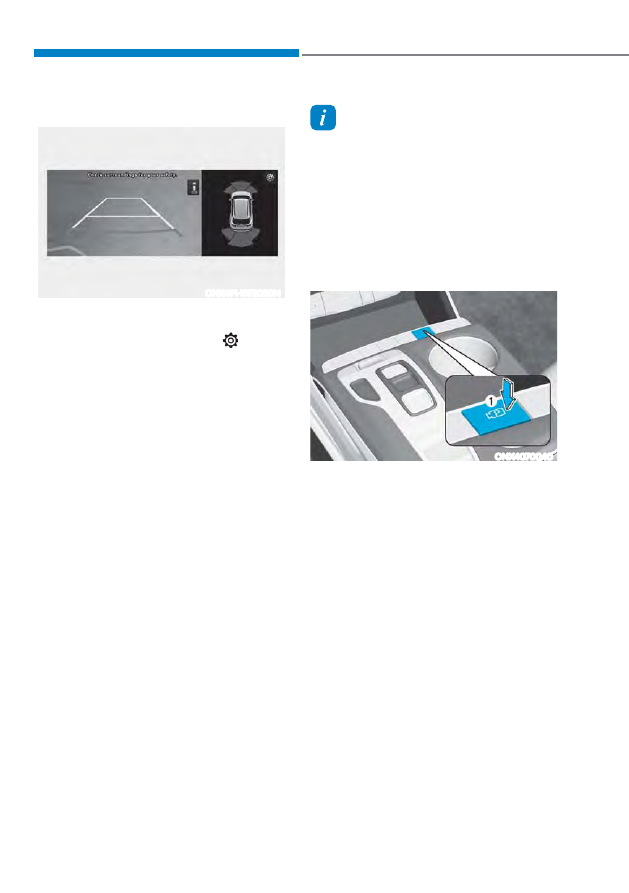
To change the settings of Rear View
0RQLWRUVœ'LVSOD\&RQWHQWVŔRUœ'LVSOD\
6HWWLQJVŔSUHVVWKHVHWXSLFRQ
( ) on
the screen while Rear View Monitor is
RSHUDWLQJRUJRWRœ6HWXSƟ9HKLFOHƟ
'ULYHU$VVLVWDQFHƟ3DUNLQJ6DIHW\Ɵ
&DPHUD6HWWLQJVŔIURPWKH6HWWLQJVPHQX
in the infotainment system when the
engine is on.
ś ,Iœ'LVSOD\&RQWHQWVŔLVVHOHFWHG\RX
can change settings for ‘Extended
5HDU9LHZ0RQLWRUŔRUœ5HDU9LHZ
3DUNLQJ*XLGDQFHŔ
ś ,Iœ'LVSOD\6HWWLQJVŔLVVHOHFWHG\RX
FDQFKDQJHWKHVFUHHQŔVEULJKWQHVV
and contrast.
Extended Rear View Monitor
,Iœ([WHQGHG5HDU9LHZ0RQLWRUŔLV
selected, the rear view maintains on the
screen when parking.
Rear View Parking Guidance
,Iœ5HDU9LHZ3DUNLQJ*XLGDQFHŔLV
selected, the parking guideline appears
when the rear view and rear top view is
displayed.
Information
ś
The rear view horizontal guideline
shows the distance of about 1.6 ft. (0.5
m), 3.3 ft. (1 m) and 7.6 ft. (2.3 m) from
the vehicle.
ś
The rear top view horizontal guideline
shows the distance of about 1 ft. (0.3 m)
and 4.9 ft. (1.5 m) from the vehicle.
Rear View Monitor Operation
Operating button
ONX4070040
Parking/View button
Press the Parking/View button (1) to turn
on Rear View Monitor.
Press the button again to turn off the
function.
Rear view
The rear view appears on the screen
when parking.
Turns on if:
ś
You shift the gear to R (Reverse).
ś
You press the Parking/View button (1)
while the gear is in P (Park).
Turns off if:
ś
You press the Parking/View button (1)
again while the gear is in P (Park) with
the rear view on the screen.
ś
You shift the gear from R (Reverse) to
P (Park)