Hyundai Elantra Hybrid (2024 year). Manual in english - page 14
Driver Assistance System
7-108
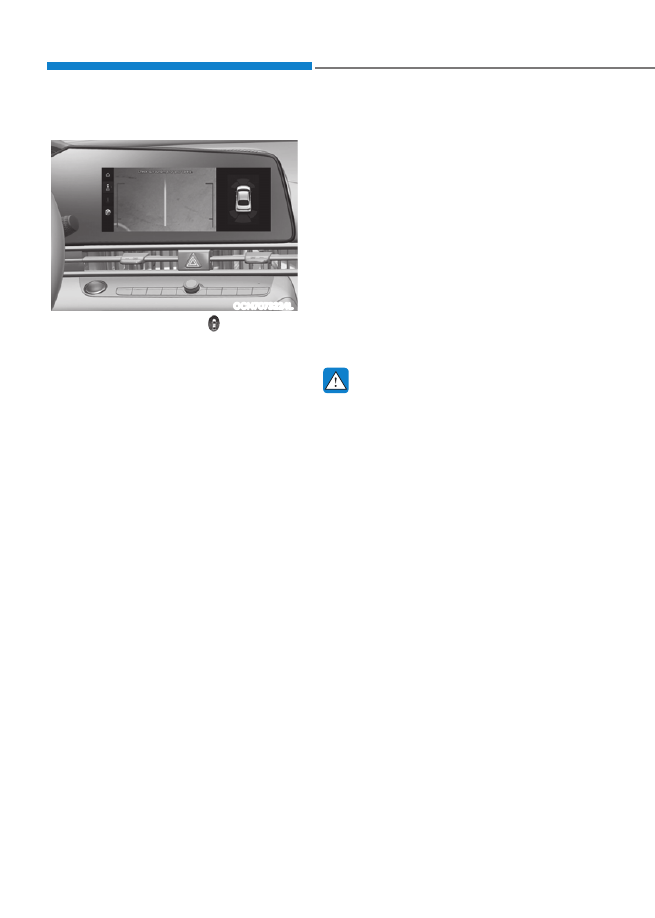
Rear top view
OCN7073224L
When you touch the icon ( ), the top
view is displayed on the screen and
shows the distance from the vehicle in
the back of your vehicle while parking.
Extended Rear View Monitor
Extended Rear View Monitor function
maintains showing the rear view when
the gear is R (Reverse), N (Neutral) or D
(Drive).
Operating conditions
The gear is in P (Park), N (Neutral) or D
(Drive), and vehicle speed is 6 mph (10
km/h) or less.
Off conditions
•
When vehicle speed is above 6 mph
(10 km/h), the rear view will turn off.
•
Shift the gear to P (Park), the rear view
will turn off.
•
Press the Parking/View button (1), the
rear view will turn off.
Rear View Monitor
Malfunctionand Limitations
Rear View Monitor malfunction
When Rear View Monitor is not working
properly, or the screen flickers, or the
camera image does not display properly,
have the vehicle inspected by an
authorized HYUNDAI dealer.
Limitations of the Rear View Monitor
When the vehicle is stopped for a long
time in winter or when the vehicle is
parked in an indoor parking lot, the
exhaust fumes may temporarily blur the
image.
WARNING
•
The rear view camera does not
cover the complete area behind the
vehicle. The driver should always
check the rear area directly through
the inside and side view mirror
before parking or backing up.
•
The image shown on the screen may
differ from the actual distance of the
object. Make sure to directly check
the vehicle's surroundings for safety.
•
Always keep the rear view camera
lens clean. If the lens is covered with
foreign material, it may adversely
affect camera performance and
Rear View Monitor may not operate
properly. However, do not use
chemical solvents such as strong
detergents containing high alkaline
or volatile organic solvents (gasoline,
acetone etc.). This may damage the
camera lens.