Hyundai Santa Fe (2023 year). Manual in english - page 17
Driver assistance system
5(9
(56(3
$5.,1* &2//,6,21ǘ$92,'$1&( $66,67 ǣ3&$Ǥ ǣ,)
(48,33('Ǥ
Reverse Parking Collision-Avoidance
Parking Collision-Avoidance
Assist will warn the driver or will
Assist Settings
assist with braking to help reduce the
Parking Safety
possibility of collision with a pedestrian
or an object when backing up.
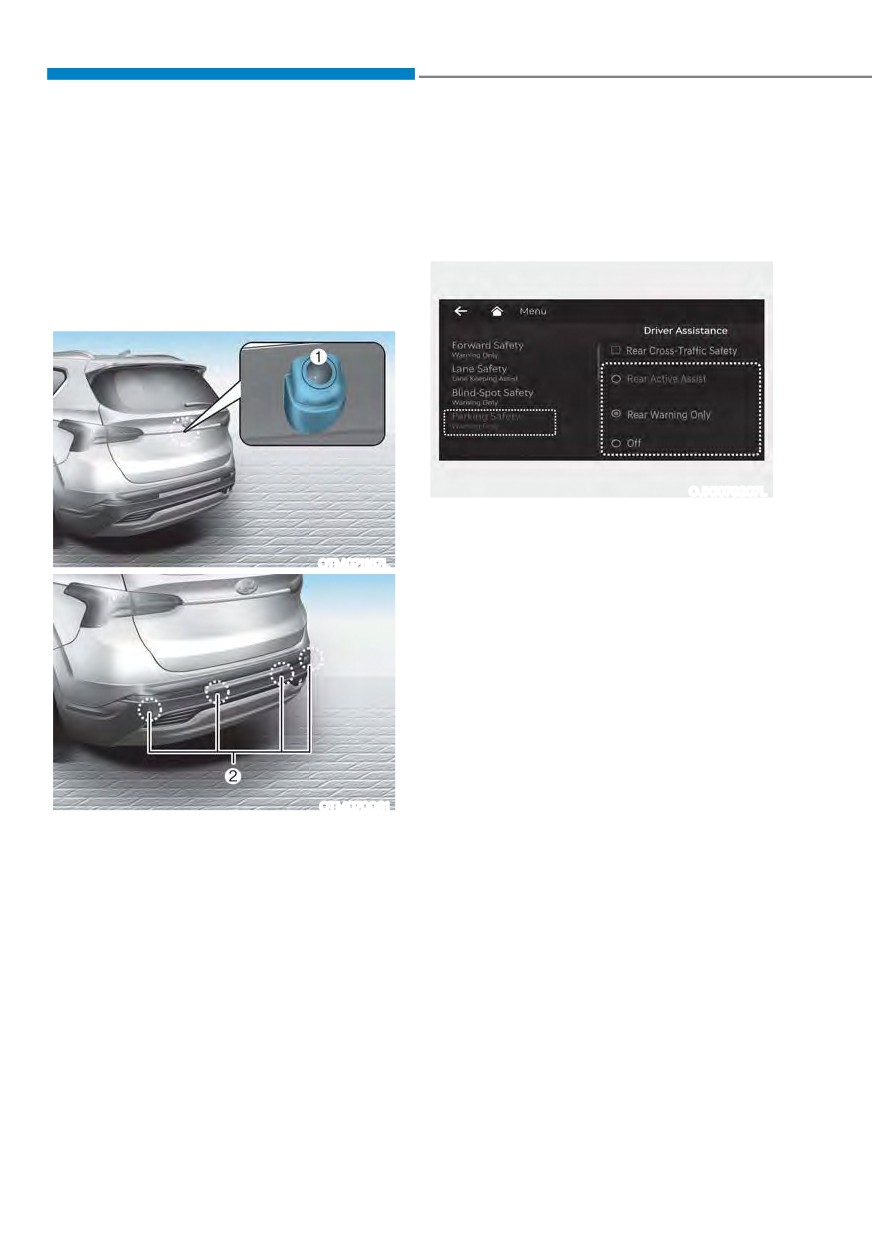
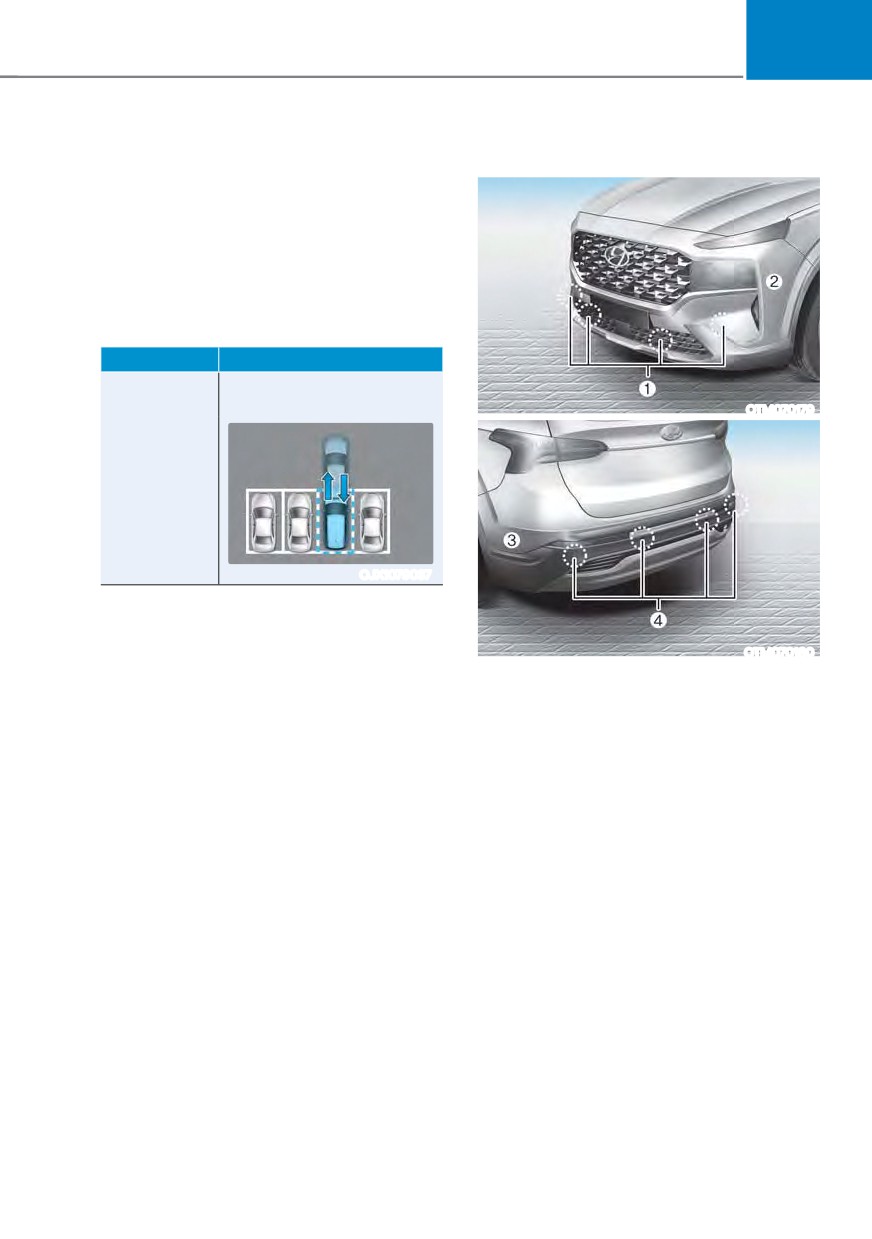
Detecting sensors
OJX1079207L
With the engine on, select or deselect
œ'ULYHU $VVLVWDQFH Ɵ 3DUNLQJ 6DIHW\Ŕ IURP
the Settings menu to set whether or not
OTM071167L
to use each function.
-
,I œ5HDU $FWLYH $VVLVWŔ RU œ$FWLYH UHDU
DVVLVWŔ LV VHOHFWHG 5HYHUVH 3DUNLQJ
Collision-Avoidance Assist will warn
the driver and assist with braking
when a collision with a pedestrian or
an object is imminent.
-
,I œ5HDU :DUQLQJ 2QO\Ŕ RU œ5HDU
ZDUQLQJ RQO\Ŕ LV VHOHFWHG 5HYHUVH
Parking Collision-Avoidance Assist will
warn the driver when a collision with
OTM070081
a pedestrian or an object is imminent.
[1] : Rear view camera,
Braking will not be assisted.
[2] : Rear ultrasonic sensors
-
,I œ2IIŔ LV VHOHFWHG
5HYHUVH 3DUNLQJ
Refer to the picture above for the
Collision-Avoidance Assist will turn
detailed location of the detecting
off.
sensors.
7-116
07
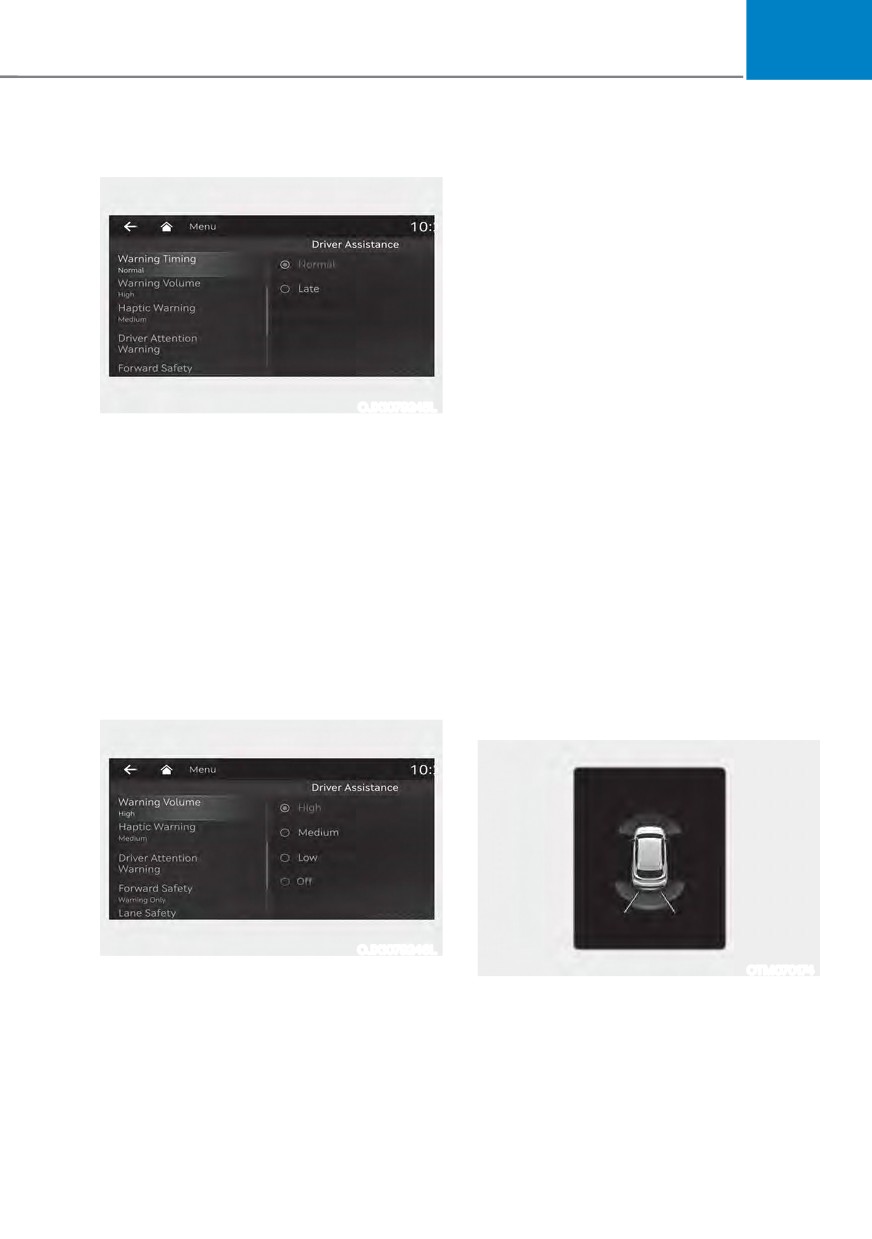
Warning Timing
Parking Collision-Avoidance
Assist Operation
Operating conditions
,I œ5HDU $FWLYH $VVLVWŔ RU œ5HDU :DUQLQJ
2QO\Ŕ LV VHW IURP WKH 6HWWLQJV PHQX
Reverse Parking Collision-Avoidance
Assist will be in the ready status when
the following conditions are satisfied:
- The liftgate is closed
- The gear is shifted to R (Reverse)
- Vehicle speed is below 6 mph (10
OJX1079245L
km/h)
With the engine on, select ‘Driver
- Reverse Parking Collision-Avoidance
$VVLVWDQFH Ɵ :DUQLQJ 7LPLQJŔ IURP WKH
Assist components such as the rear
Settings menu to change the initial
view camera and the rear ultrasonic
warning activation time for Reverse
sensors are in normal conditions
Parking Collision-Avoidance Assist.
When the vehicle is first delivered,
When Reverse Parking Collision-
:DUQLQJ 7LPLQJ LV VHW WR œ1RUPDOŔ ,I
Avoidance Assist activates, a line
'Normal' feels sensitive, change the
appears behind the vehicle image in the
settings to Late.
instrument cluster.
If you change the Warning Timing, the
Reverse Parking Collision-Avoidance
warning time of other Driver Assistance
Assist operates only once after the gear
systems may change.
is shifted to R (Reverse). To reactivate
Reverse Parking Collision-Avoidance
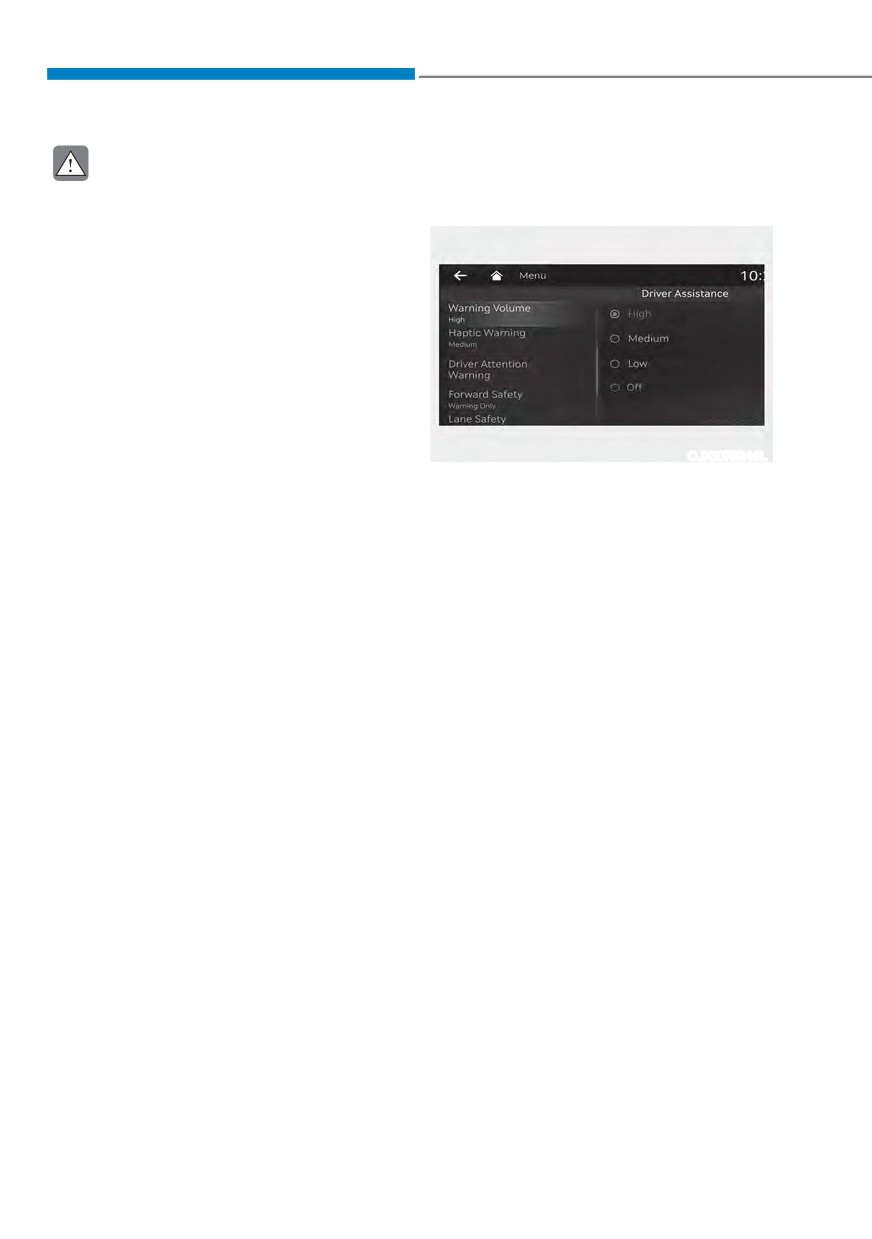
Warning Volume
Assist, shift the gear from another gear
to R (Reverse).
OJX1079246L
With the engine on, select ‘Driver
OTM070174
$VVLVWDQFH Ɵ :DUQLQJ 9ROXPHŔ IURP WKH
Settings menu to change the Warning
9ROXPH WR œ+LJKŔ œ0HGLXPŔ RU œ/RZŔ IRU
Reverse Parking Collision-Avoidance
Assist.
If you change the Warning Volume,
the Warning Volume of other Driver
Assistance systems may change.
7-117
Driver assistance system
Rear Active Assist
Rear Warning Only
ś
If Reverse Parking Collision-Avoidance
ś If Reverse Parking Collision-Avoidance
Assist detects a risk of collision with a
Assist detects a risk of collision with a
pedestrian or an object, the function
pedestrian or an object, the function
will warn the driver with an audible
will warn the driver with an audible
warning and warning message on the
warning and warning message on the
cluster. When Rear View Monitor is
cluster. When Rear View Monitor is
operating, a warning will appear on
operating, a warning will appear on
the infotainment system screen.
the infotainment system screen.
ś
If Reverse Parking Collision-Avoidance
ś
,I œ5HDU :DUQLQJ 2QO\Ŕ LV VHOHFWHG
Assist detects an imminent collision
braking will not be assisted.
with a pedestrian or an object behind
ś The warning will turn off when the
the vehicle, the function will assist
gear is shifted to P (Park), N (Neutral)
you with braking. The driver needs to
or D (Drive).
pay attention as the brake assist will
end within 2 seconds. The driver must
Parking Collision-Avoidance
immediately depress the brake pedal
Assist Malfunction and
and check vehicle surroundings.
Limitations
ś
Brake control will end when:
Parking Collision-Avoidance Assist
- The gear is shifted to P (Park) or D
malfunction
(Drive).
- The driver depresses the brake
pedal with sufficient power
- Braking assist has last for
approximately 2 seconds
ś
The warning will turn off when:
- The driver shifts the gear to P (Park),
N (Neutral), or D (Drive)
ś
The brake control may not operate
properly depending on the status of
ESC (Electronic Stability Control).
OTM070173L
There will only be a warning when:
When Reverse Parking Collision-
- The ESC (Electronic Stability
Avoidance Assist or other related systems
Control) warning light is on
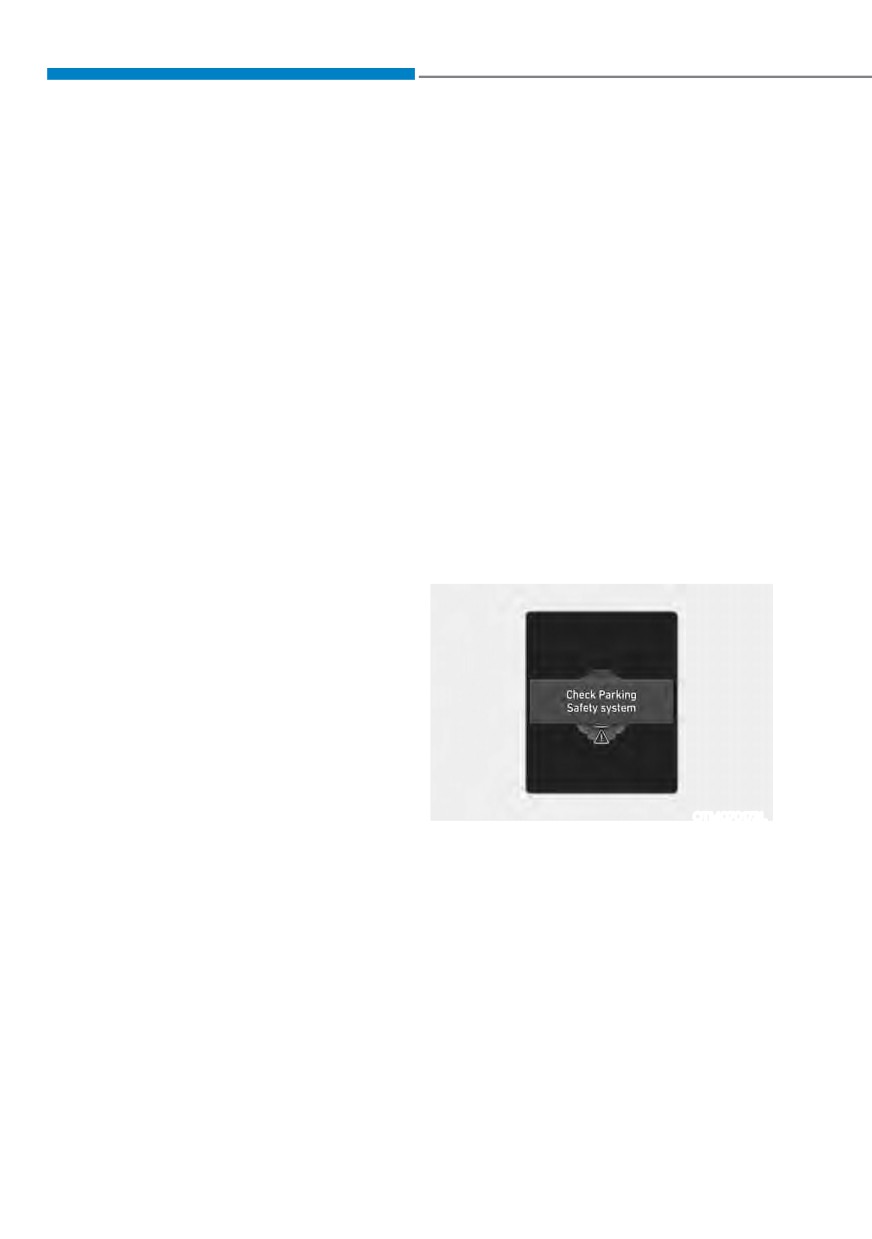
are not working properly, the ‘Check
- ESC (Electronic Stability Control) is
3DUNLQJ 6DIHW\ V\VWHPŔ ZDUQLQJ PHVVDJH
engaged in a different function
will appear on the cluster, and Reverse
Parking Collision-Avoidance Assist will
turn off automatically. Have the vehicle
be inspected by an authorized HYUNDAI
dealer.
7-118
07
Parking Collision-Avoidance Assist
Rear view camera
Rear ultrasonic
sensor
disabled
OTM070219L
OTM070176L
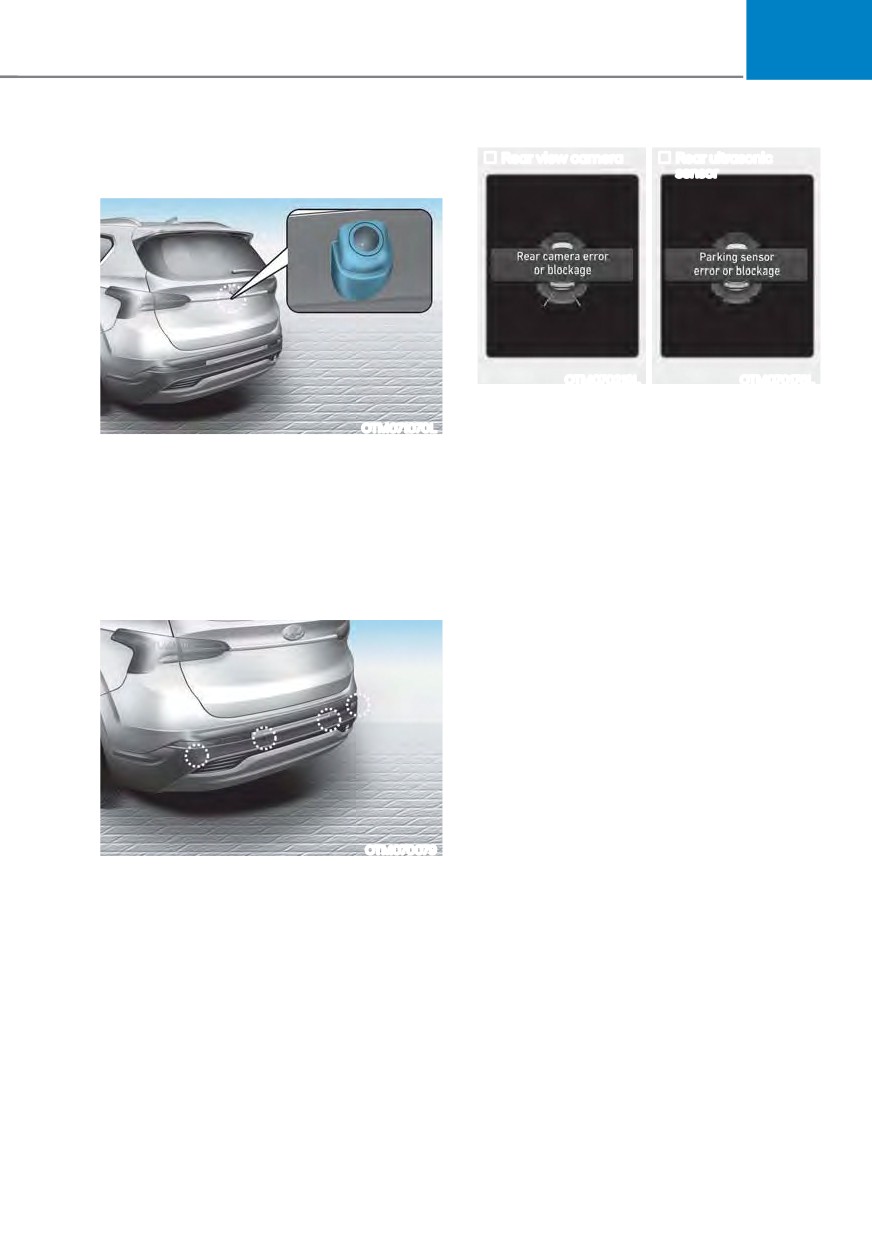
7KH œ5HDU FDPHUD HUURU RU EORFNDJHŔ
OTM071070L
RU œ3DUNLQJ VHQVRU HUURU RU EORFNDJHŔ
warning message will appear on the
The rear view camera is used as a
cluster if the following situations occur:
detecting sensor to detect pedestrians. If
the camera lens is covered with foreign
- The rear view camera is covered with
material, such as snow or rain, it may
foreign material, such as snow or rain,
adversely affect camera performance
etc.
and Reverse Parking Collision-Avoidance
- There is inclement weather, such as
Assist may not operate normally. Always
heavy snow, heavy rain, etc.
keep the camera lens clean.
If this occurs, Reverse Parking Collision-
Avoidance Assist may turn off or may not
operate properly. Check whether the rear
view camera and rear ultrasonic sensors
are clean.
OTM070079
The rear ultrasonic sensors are located
inside the rear bumper to detect objects
in the rear area. If the sensors are
covered with foreign material, such as
snow or rain, it may adversely affect
sensor performance and Reverse Parking
Collision-Avoidance Assist may not
operate normally. Always keep the rear
bumper clean.
7-119
Driver assistance system
Limitations of Parking Collision-
ś
The pedestrian is near the rear edge of
Avoidance Assist
the vehicle
Reverse Parking Collision-Avoidance
ś
The pedestrian is not standing upright
Assist may not assist braking or warn
ś
The pedestrian is either very short or
the driver even if there are pedestrians
very tall for Reverse Parking Collision-
or objects under the following
Avoidance Assist to detect
circumstances:
ś
The pedestrian or cyclist is wearing
ś
Any non-factory equipment or
clothing that easily blends into the
accessory is installed
background, making it difficult to
ś
Your vehicle is unstable due to an
detect
accident or other causes
ś
The pedestrian is wearing clothing
ś
Bumper height or rear ultrasonic
that does not reflect ultrasonic waves
sensor installation has been modified
well
ś
Rear view camera or rear ultrasonic
ś
Size, thickness, height, or shape of
sensor(s) is damaged
the object does not reflect ultrasonic
waves well (for example, pole, bush,
ś
Rear view camera or the rear
curbs, carts, edge of a wall, etc.)
ultrasonic sensor(s) is stained with
foreign material, such as snow, dirt,
ś
The pedestrian or the object is moving
etc.
ś
The pedestrian or the object is very
ś
Rear view camera is obscured by a
close to the rear of the vehicle
light source or by inclement weather,
ś
A wall is behind the pedestrian or the
such as heavy rain, fog, snow, etc.
object
ś
The surrounding is very bright or very
ś
The object is not located at the rear
dark
center of your vehicle
ś
Outside temperature is very high or
ś
The object is not parallel to the rear
very low
bumper
ś
The wind is either strong (above
ś
The road is slippery or inclined
12 mph (20 km/h)) or blowing
ś
The driver backs up the vehicle
perpendicular to the rear bumper
immediately after shifting to R
ś
Objects generating excessive
(Reverse)
noise, such as vehicle horns, loud
ś
The driver accelerates or circles the
motorcycle engines or truck air
vehicle
brakes, are near your vehicle
ś
An ultrasonic sensor with similar
frequency is near your vehicle
ś
There is ground height difference
between the vehicle and the
pedestrian
ś
The image of the pedestrian in the
rear view camera is indistinguishable
from the background
7-120
07
Reverse Parking Collision-Avoidance
WARNING
Assist may unnecessarily warn the driver
or assist with braking even if there are
Take the following precautions when
no pedestrians or objects under the
using Reverse Parking Collision-
following circumstances:
Avoidance Assist:
ś
Any non-factory equipment or
ś
Always exercise extreme caution
accessory is installed
while driving. The driver is
responsible for braking and for safe
ś
Your vehicle is unstable due to an
driving.
accident or other causes
ś
Always pay attention to road and
ś
Bumper height or rear ultrasonic
traffic conditions while driving,
sensor installation has been modified
whether or not there is a warning.
ś
Your vehicle height is low or high
ś
Always look around your vehicle to
due to heavy loads, abnormal tire
make sure there are no pedestrians
pressure, etc.
or objects before moving the vehicle.
ś
Rear view camera or the rear
ś
The performance of Reverse Parking
ultrasonic sensor(s) is stained with
Collision-Avoidance Assist may
foreign material, such as snow, dirt,
vary under certain conditions. If
etc.
vehicle speed is above 2 mph (4
ś
The pattern on the road is mistaken
km/h), the function will provide
for a pedestrian
collision avoidance assist only when
ś
There is shadow or light reflecting on
pedestrians are detected. Always
the ground
look around and pay attention when
backing up your vehicle.
ś
Pedestrians or objects are around the
path of the vehicle
ś
Some objects may not be detected
by the rear ultrasonic sensors due
ś
Objects generating excessive
to the objects distance, size or
noise, such as vehicle horns, loud
material, all of which can limit the
motorcycle engines or truck air
effectiveness of the sensor.
brakes, are near your vehicle
ś
Reverse Parking Collision-Avoidance
ś
Your vehicle is backing towards a
Assist may not operate properly
narrow passage or parking space
or may operate unnecessarily
ś
Your vehicle is backing towards an
depending on the road conditions
uneven road surface, such as an
and the surroundings.
unpaved road, gravel, bump, gradient,
ś
Do not solely rely on Reverse Parking
etc.
Collision-Avoidance Assist. Doing
ś
A trailer or carrier is installed on the
so may lead to vehicle damage or
rear of your vehicle
injuries.
ś
An ultrasonic sensor with similar
frequency is near your vehicle
7-121
Driver assistance system
CAUTION
CAUTION
ś
Noise may be heard when sudden
Take the following precautions to
braking occurs to avoid a collision.
maintain optimal performance of the
detecting sensors:
ś
If any other warning sound such
as the seat belt warning chime is
ś
Always keep the rear view camera
already generated, Reverse Parking
and rear ultrasonic sensors clean.
Collision-Avoidance Assist warning
ś
Do not use any cleanser containing
may not sound.
acid or alkaline detergents when
ś
Reverse Parking Collision-Avoidance
cleaning the rear view camera lens.
Assist may not work properly if the
Use only a mild soap or neutral
bumper has been damaged, replaced
detergent, and rinse thoroughly with
or repaired.
water.
ś
Reverse Parking Collision-Avoidance
ś
Do not spray the rear view camera or
Assist may not operate normally if
the rear ultrasonic sensors or their
interfered by strong electromagnetic
surrounding area directly with a
waves.
high pressure washer. It may cause
the rear view camera or the rear
ś
Playing the vehicle audio system at
ultrasonic sensors to malfunction.
high volume may prevent passengers
from hearing Reverse Parking
ś
Do not apply objects, such as a
Collision-Avoidance Assist warning
bumper sticker or a bumper guard,
sounds.
near the rear view camera or rear
ultrasonic sensors or apply paint to
ś
Turn off Reverse Parking Collision-
the bumper. Doing so may adversely
Avoidance Assist when towing a
affect the performance of Reverse
trailer. If towing and moving in
Parking Collision-Avoidance Assist.
reverse, Reverse Parking Collision-
Avoidance Assist will activate as it
ś
Never disassemble or strike the rear
detects the trailer.
view camera or the rear ultrasonic
sensors components.
ś
Do not strike or pry the rear view
camera or the rear ultrasonic
sensors. Reverse Parking Collision-
Avoidance Assist may not operate
properly if the rear view camera
or the rear ultrasonic sensor(s)
is forcibly moved out of proper
alignment. Have the vehicle be
inspected by an authorized HYUNDAI
dealer.
Information
Reverse Parking Collision-Avoidance
Assist can detect a pedestrian or an object
when:
ś A pedestrian is standing behind the
vehicle
ś A large obstacle, such as a vehicle,
is parked in the rear center of your
7-122
07
vehicle
5(027
( 60$57 3
$5.,1*
Detecting sensors
$66,67 ǣ563$Ǥ ǣ,) (48,33('Ǥ
Remote Smart Parking Assist uses
vehicle sensors to help the driver park
and exit parking spaces remotely from
outside the vehicle by controlling the
steering wheel, vehicle speed and
gearshifts.
Function
Description
Remotely moving forward
or in reverse
OTM070179
Remote
Forward/
Backward
OJX1079037
ś Remote Forward/Backward function
helps the driver move the vehicle
forward or in reverse from outside the
OTM070180
vehicle using the smart key.
[1] : Front ultrasonic sensors,
ś When Remote Smart Parking Assist
[2] : Front side ultrasonic sensors,
operates, Surround View Monitor and
[3] : Rear side ultrasonic sensors,
Parking Distance Warning will also
[4] : Rear ultrasonic sensors
operate. For more details, refer to
“Surround View Monitor (SVM) and
Refer to the picture above for the
“Parking Distance Warning (PDW)”
detailed location of the detecting
sections in chapter 7.
sensors.
7-123
Driver assistance system
Remote Smart Parking Assist
CAUTION
Settings
Take the following precautions to
Settings features
maintain optimal performance of the
detecting sensors:
ś
Never disassemble the detecting
sensor or sensor assembly, or apply
any impact on it.
ś
If the detecting sensor have been
replaced or repaired, have your
vehicle inspected by an authorized
HYUNDAI dealer.
ś
Remote Smart Parking Assist
may malfunction if the vehicle
bumper height or ultrasonic sensor
OJX1079246L
installation has been modified
Warning Volume
or damaged. Any non-factory
installed equipment or accessories
With the engine on, select ‘Driver
may also interfere with the sensor
$VVLVWDQFH Ɵ :DUQLQJ 9ROXPHŔ IURP WKH
performance.
Settings menu to change the Warning
9ROXPH WR œ+LJKŔ œ0HGLXPŔ RU œ/RZŔ IRU
ś
When the ultrasonic sensor is frozen
Remote Smart Parking Assist.
or stained with snow, dirt, or water,
the sensor may be not operate until
If you change the Warning Volume,
the stains are removed using a soft
the Warning Volume of other Driver
cloth.
Assistance systems may change.
ś
Do not push, scratch or strike the
ultrasonic sensor. Sensor damage
could occur.
ś
Do not spray the ultrasonic sensors
or its surrounding area directly with
a high pressure washer.
7-124
07
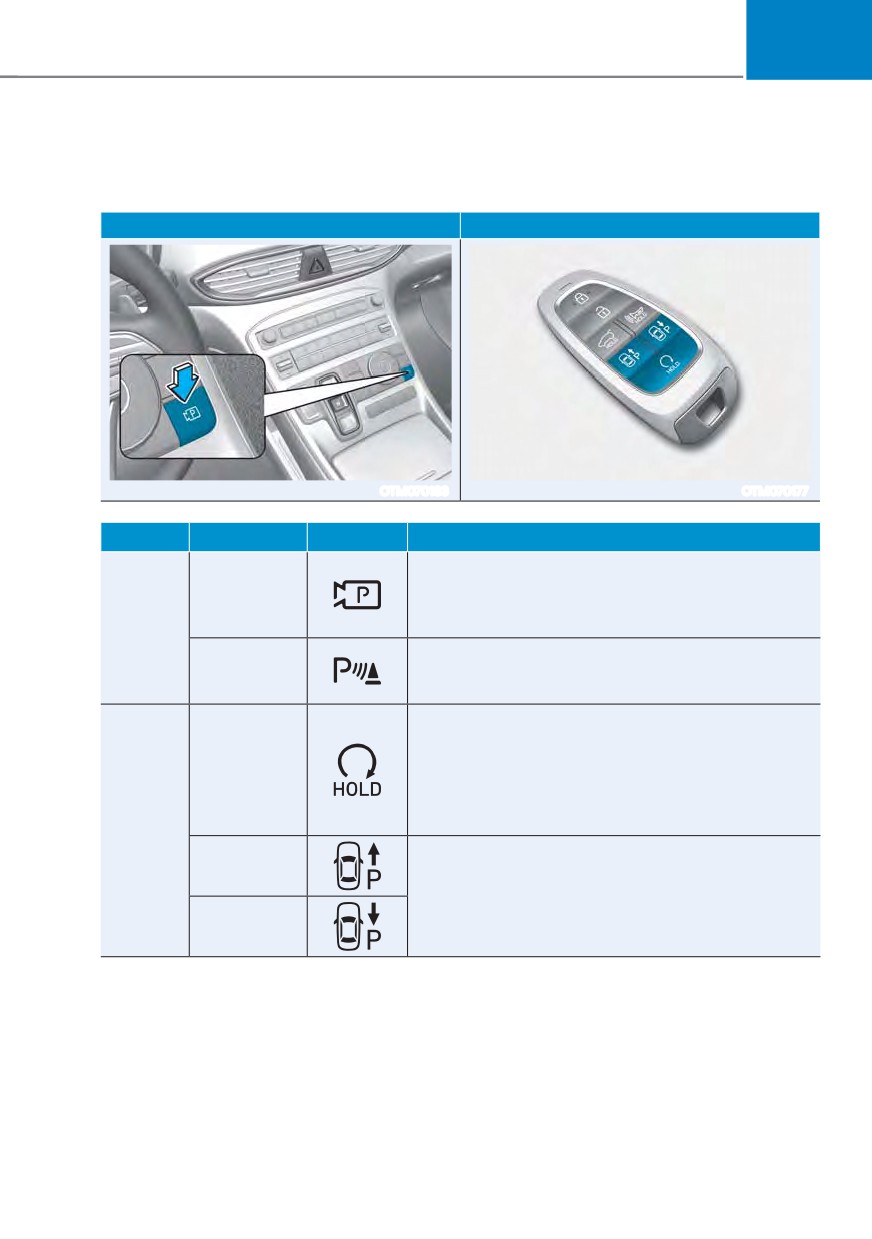
Remote Smart Parking Assist Operation
Remote Smart Parking Assist button
Parking/View button
Smart key
OTM070183
OTM070177
Location
Name
Symbol
Description
ś Press and hold the Parking/View button to
Parking/View
turn on Remote Smart Parking Assist. Also,
button
Forward/Reverse Parking Distance warning will
Inside
automatically turn on.
vehicle
ś Press the Parking Safety button while Remote
Parking
Smart Parking Assist is operating to end function
Safety button
operation.
ś Press the Remote Start button after the door is
locked with the engine off to start the engine
Remote Start
remotely.
button
ś Press the Remote Start button while Remote
Forward/Backward function is operating to end
Smart
function operation.
key
Forward
button
ś When using the Remote Forward/Backward
function, the vehicle moves in the direction of the
Backward
button while the button is pressed.
button
7-125
Driver assistance system
Remote Operation
Operating order
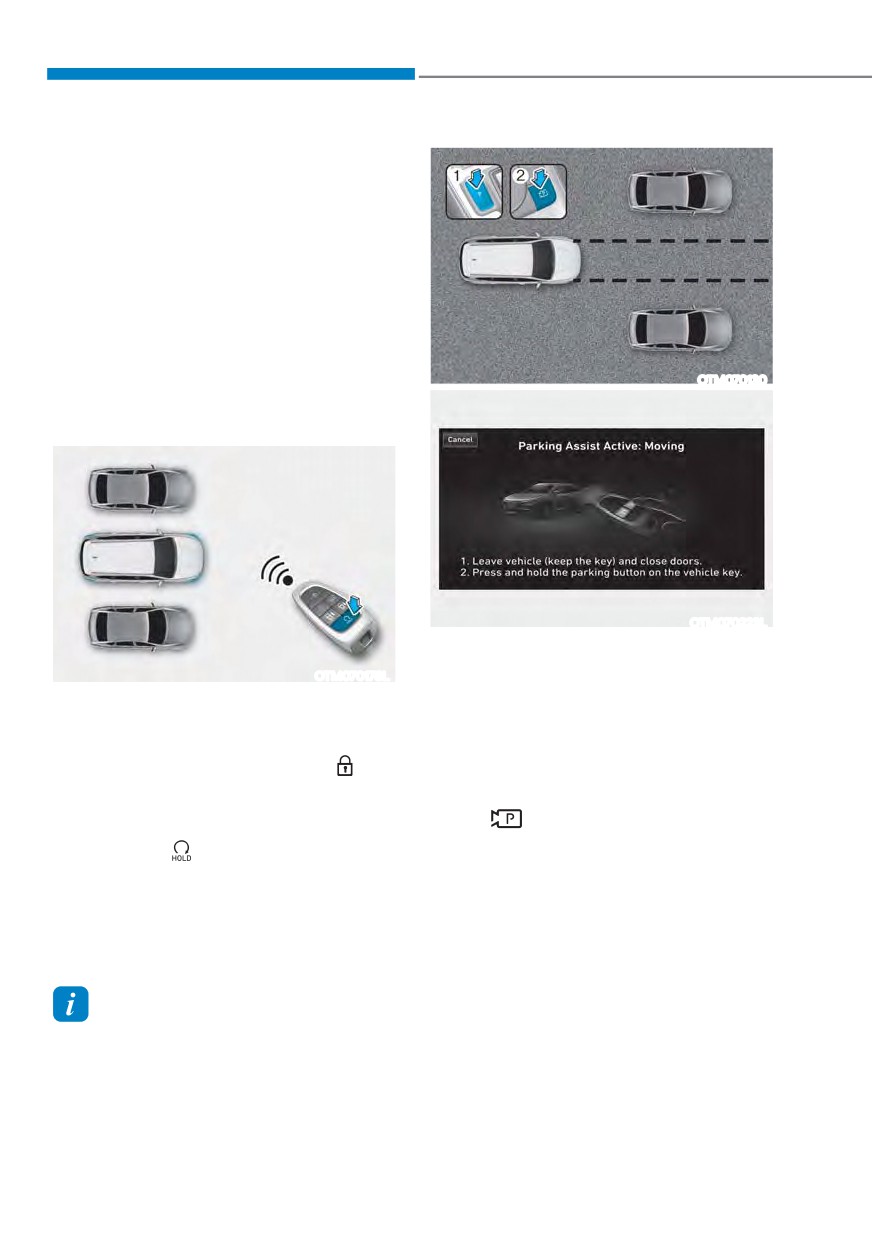
Remote Forward/Backward operates in
the following order:
1. Getting ready to remotely move
forward and in reverse
2. Remotely moving forward and in
reverse
1. Getting ready to remotely move forward
and in reverse
OTM070130
There are two ways to operate Remote
Forward/Backward function.
OTM070223L
Method (2) Using the function with
engine on
OTM070178L
(1) Park the vehicle in front of the
Method (1) Using the function with
space where you want to use
engine off
Remote Forward/Backward
(1) Within a certain range from the
function, and shift the gear to P
vehicle press the door lock (
)
(Park).
button on the smart key and lock
(2) Press and hold the Parking/View
all doors.
(
) button to turn on Smart
(2) Press and hold the Remote Start
Parking Assist. A message ‘Under
button (
) within 4 seconds until
5HPRWH &RQWUROŔ ZLOO DSSHDU RQ WKH
the engine starts.
infotainment system screen.
(3) Get out of the vehicle with the
ś For more details on remotely
smart key and close all doors.
starting the engine, refer to
“Remote Start” section in chapter 6.
ś 'Agree' must be selected on the
infotainment system screen and the
Information
infotainment system has to operate
If the vehicle is remotely started that has
properly to use Remote Forward/
been parked in cold weather for a long
Backward function.
time, the operation of Remote Forward/
Backward function may be delayed
depending on the engine condition.
7-126
07
2. Remotely moving forward and in
(4) When the driver gets in the vehicle
reverse
with the smart key, a message
will appear informing the driver
Remote Forward/Backward
function is complete on the
infotainment system screen and
the engine will remain on.
In addition, when the Remote Start
(
) button is pressed on the smart
key from outside the vehicle, a
message will appear informing the
driver Remote Entry/Exit Parking
function is complete and the
OTM070084L
engine will turn off.
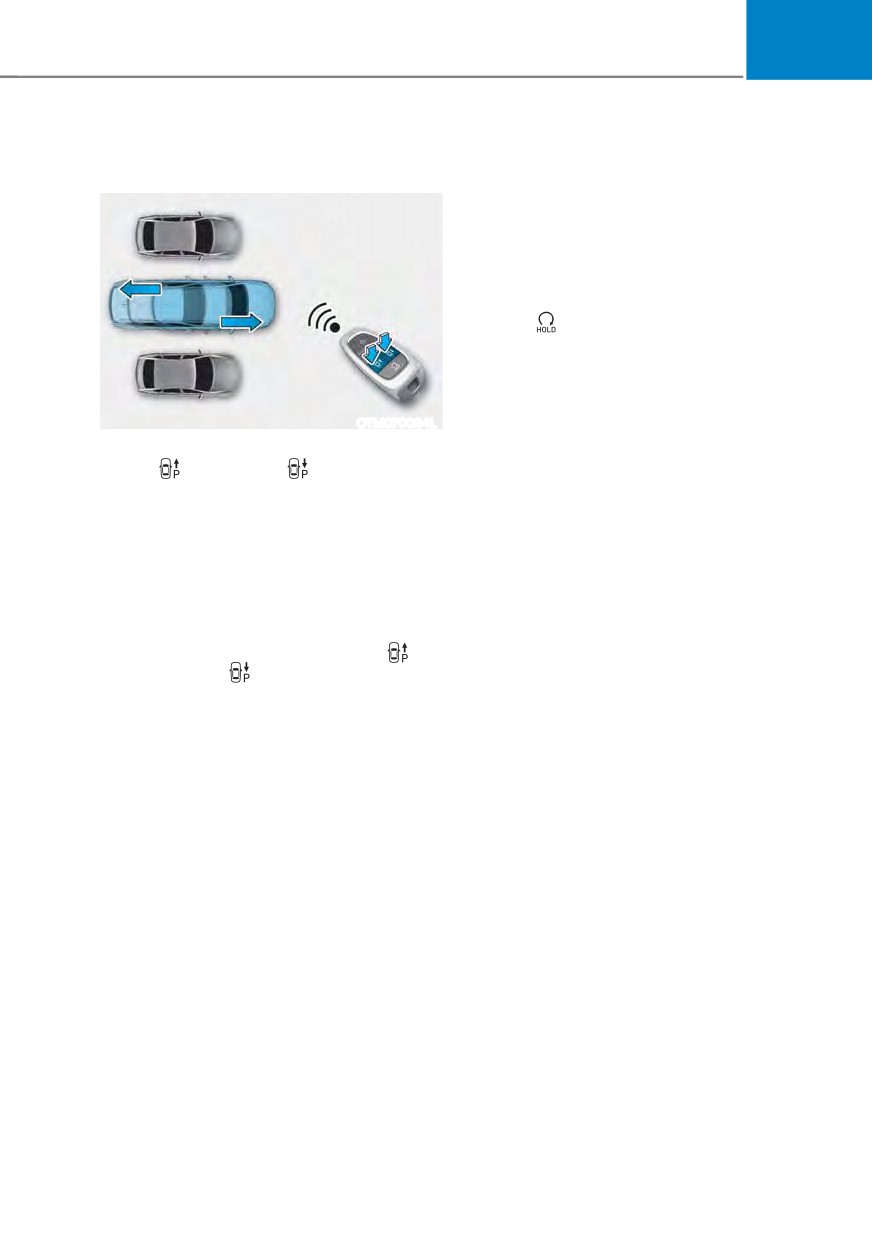
(1) Press and hold one of the Forward
(
) or Reverse (
) button on the
ś Check that all smart keys are
smart key. Remote Smart Parking
outside the vehicle when using
Assist will automatically control
Remote Forward/Backward
the steering wheel, vehicle speed
function.
and gearshift. The vehicle will
ś Remote Forward/Backward
move in the direction of the button
function will operate only when the
pressed.
smart key is within 13 ft. (4 m) from
(2) While Remote Forward/Backward
the vehicle. If there is no vehicle
function is operating, if the you do
movement even when the Forward
not hold down the Forward (
) or
or Reverse button is pressed on the
Reverse (
) button, the vehicle
smart key, check the distance to the
will stop and function control
vehicle and press the button again.
will pause. The function will start
ś The detecting range of the smart
operating again when the button is
key may vary depending on the
pressed and held again.
surroundings that are affected by
(3) When the vehicle reaches the
radio waves such as transmission
target location, release the smart
tower, broadcast station, etc.
key Forward or Backward button.
ś When remotely moving forward
using method (1), it is recognized
as an exit situation, and the
vehicle moves 13 ft. (4 m) to
check for pedestrians, animals or
objects around the vehicle. After
confirmation, the steering wheel
is controlled according to the
condition ahead.
7-127

Driver assistance system
ś When remotely moving forward
Remote Operation function operation
using method (2), it is recognized
status
as a parking situation, and will
immediately control the steering
Hazard
Operation
wheel according to the condition
Smart key LED
warning
status
ahead to assist with entering the
light
parking space and aligning the
Green LED
vehicle. However, performance
Under
continuously
-
may reduce depending on the
control
blinks
pedestrians, animals, shape of
Red LED
objects, location, for example,
Pause
continuously
Blinks
around the vehicle.
blinks
ś For moving remotely in reverse,
Red LED
both method (1) and (2) aligns the
Blinks 3
illuminates for
steering wheel first, and then will
Off
times and
4 seconds and
only move the vehicle straight.
turns off
then turns off
ś When remotely moving forward or
Green LED
in reverse is completed, the vehicle
Blinks 1
illuminates for
will automatically shift to P (Park)
Complete
time and
4 seconds and
and engage EPB (Electronic Parking
turns off
then turns off
Brake).
à Operation status by the hazard
warning light may not be applicable
CAUTION
based on the regulation of your
country.
ś
When using Remote Remote
Forward/Backward function, make
à If the smart key is not within the
sure that all passengers have gotten
operating range from the vehicle
out of the vehicle.
(approximately 13 ft. (4 m)), the
smart key LED will not illuminate or
ś
If the vehicle’s battery is discharged
blink. Use the smart key within the
or Remote Smart Parking Assist
operating range.
malfunctions when parked in a
narrow parking space, Remote
Forward/Backward function will not
operate. Always park your vehicle in
a space wide enough for you to get in
or out of your vehicle.
ś
Please note that depending on the
parking space, you may not be able
to exit from the space you have
entered by using Remote Forward/
Backward function.
ś
After parking, the surrounding may
change due to the movement of
surrounding vehicles. If this occurs,
Remote Forward/Backward function
may not operate.
ś
Before leaving the vehicle, close
windows and sunroofs, and make
sure the engine is off before locking
the doors.
7-128
07
How to turn off Remote Forward/
ś The vehicle moves 22 ft. (7 m)
Backward function while operating
while the smart key is pressed with
Remote Forward/Backward function
ś Press the Parking/View (
) button
(maximum travel distance per button
while the infotainment system screen
press)
guides the driver using method 2.
ś Shift the gear except to P (Park)
When Remote Forward/Backward
while the infotainment system screen
function is paused, the vehicle will stop.
guides the driver using method 2.
If the condition that made the function
ś Press the Parking Safety (
) button
to pause disappears, the function may
RU VHOHFW œ&DQFHOŔ RQ WKH LQIRWDLQPHQW
operate again.
system screen.
ś Press the Remote Start (
) button
The function will cancel in the
on the smart key while the vehicle
following conditions when:
is being controlled by RRemote
ś
The steering wheel is steered
Forward/Backward function. Remote
ś
The gear is shifted while the vehicle is
Forward/Backward function will turn
moving
off. At this time, the engine will turn
off.
ś
Operating EPB while the vehicle is
moving
ś Get on the vehicle with the smart key.
Remote Forward/Backward function
ś
The engine hood is open
will turn off. At this time, the engine
ś
The brake pedal or accelerator pedal
will remain on.
is depressed when all the doors are
closed
The function will pause in the
ś
The smart key is outside the vehicle
following conditions when:
when the brake pedal is depressed
ś There is a pedestrian, animal or object
while the driver's door is open
in the direction the vehicle is moving
ś
Rapid acceleration occurs
ś The door or liftgate is open
ś
Vehicle skid occurs
ś The Forward (
) or Reverse (
)
ś
The wheel is stuck by an obstacle and
button is not continuously pressed
cannot move
ś Simultaneously pressing multiple
ś
There are pedestrians, animals or
buttons on a smart key
objects at the front and rear of the
ś The smart key is not operated within
vehicle at the same time
13 ft. (4 m) from the vehicle
ś Button of another smart key is pressed
in addition to the operating smart key
ś Blind-Spot Collision-Avoidance
Assist or Rear Cross-Traffic Collision-
Avoidance Assist operates while the
vehicle is being controlled in the
reverse direction.
7-129
Driver assistance system
ś Approximately 3 minutes and 50
Remote Smart Parking Assist
seconds have past after Remote
Malfunction and Limitations
Forward/Backward function has
Remote Smart Parking Assist
started to operate
malfunction
ś The slope of the road exceeds the
operational range
ś The function is paused for more than
1 minute
ś The total travel distance of the vehicle
has exceeded 45 ft. (14 m) after
Remote Entry/Exit Parking function
operation
ś The steering wheel, gearshift, braking,
and drive controls are not working
normally
OTM070222L
ś There is a problem with the smart key
or the smart key battery is low
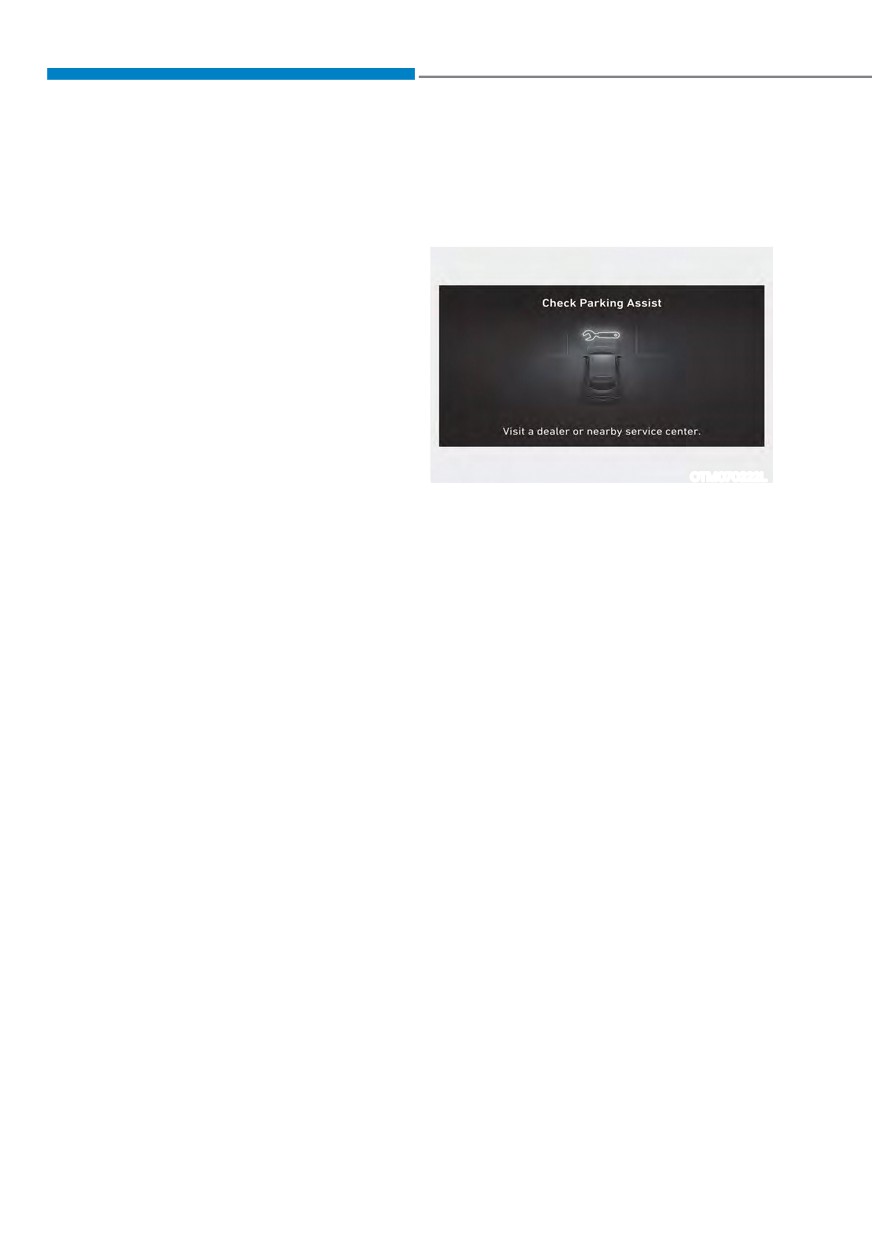
Remote Smart Parking Assist check
ś ABS, TCS or ESC system operates due
When Remote Smart Parking Assist is
to slippery road conditions
not working properly, the ‘Check Parking
$VVLVWŔ ZDUQLQJ PHVVDJH ZLOO DSSHDU RQ
ś The alarm of the Theft Alarm System
the infotainment system screen. If the
sounds
message appears, stop using Remote
Smart Parking Assist, and have the
When Remote Forward/Backward
vehicle be inspected by an authorized
function is canceled, the vehicle will
HYUNDAI dealer.
automatically stop, shift the gear to
P (Park) and engage EPB (Electronic
Parking Brake).
7-130
07
Limitations of Remote Smart Parking
Assist
In the following circumstances, function
performance to park or exit the vehicle
may be limited, there may be a risk of
collision, or Remote Smart Parking Assist
may turn off. Park or exit the vehicle
manually if necessary.
ś
An object is attached to the steering
wheel
OJX1079200L
ś
The vehicle is installed with a snow
chain, spare tire or different size
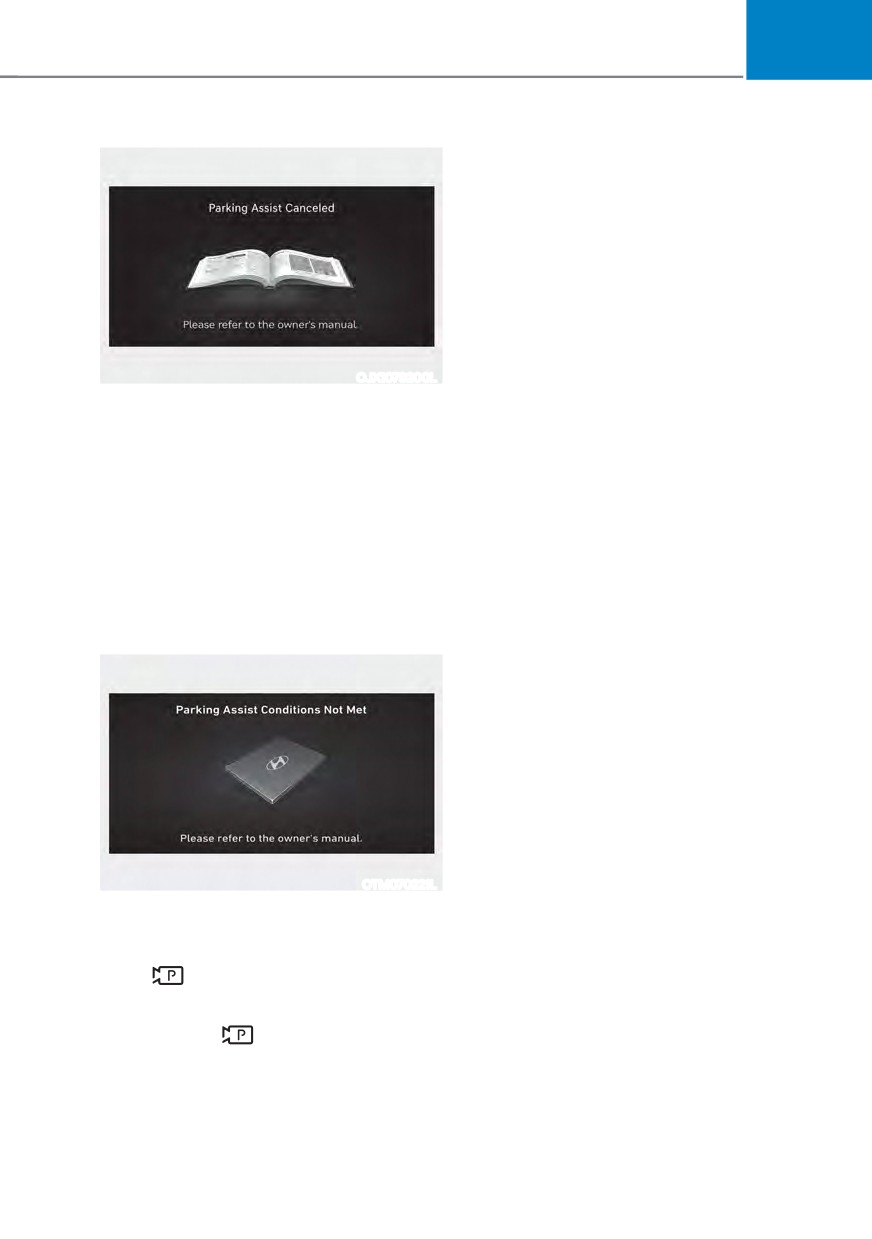
Remote Smart Parking Assist canceled
wheel
When Remote Parking Assist is
ś
Tire pressure is lower or higher than
operating, the function can be canceled,
DQG WKH œ3DUNLQJ $VVLVW &DQFHOHGŔ
the standard tire pressure
warning message may appear regardless
ś
Your vehicle is loaded with cargo
of the parking order. Other messages
longer or wider than your vehicle or a
may appear depending on the situations.
trailer is connected to your vehicle
Follow the instructions provided on
ś
There is a problem with the wheel
the infotainment system screen while
alignment
parking your vehicle with Remote
ś
Your vehicle is leaned severely to one
Parking Assist. Always look around and
side
pay attention when using the function.
ś
Your vehicle is equipped with a trailer
hitch
ś
The license plate is installed
differently from the original location
ś
There is a person, animal or object
above or below the ultrasonic sensor
when Remote Smart Parking Assist is
activated
ś
The parking space is curved or
diagonal
ś
There is an obstacle such as a person,
OTM070221L
animal or object (trash can, bicycle,
Remote Smart Parking Assist standby
motorcycle, shopping cart, narrow
pillar etc.) near the parking space
When ‘Parking Assist Conditions Not
0HWŔ PHVVDJH DSSHDUV ZKHQ 3DUNLQJ
View (
) button has been pressed and
held, Remote Smart Parking Assist is in
standby. After a while, press and hold the
Parking/View (
) button again to see if
the function works.
The message appears even when the
smart key's battery is low. Check the
smart key battery level.
7-131
Driver assistance system
ś
There is a circular pillar or narrow
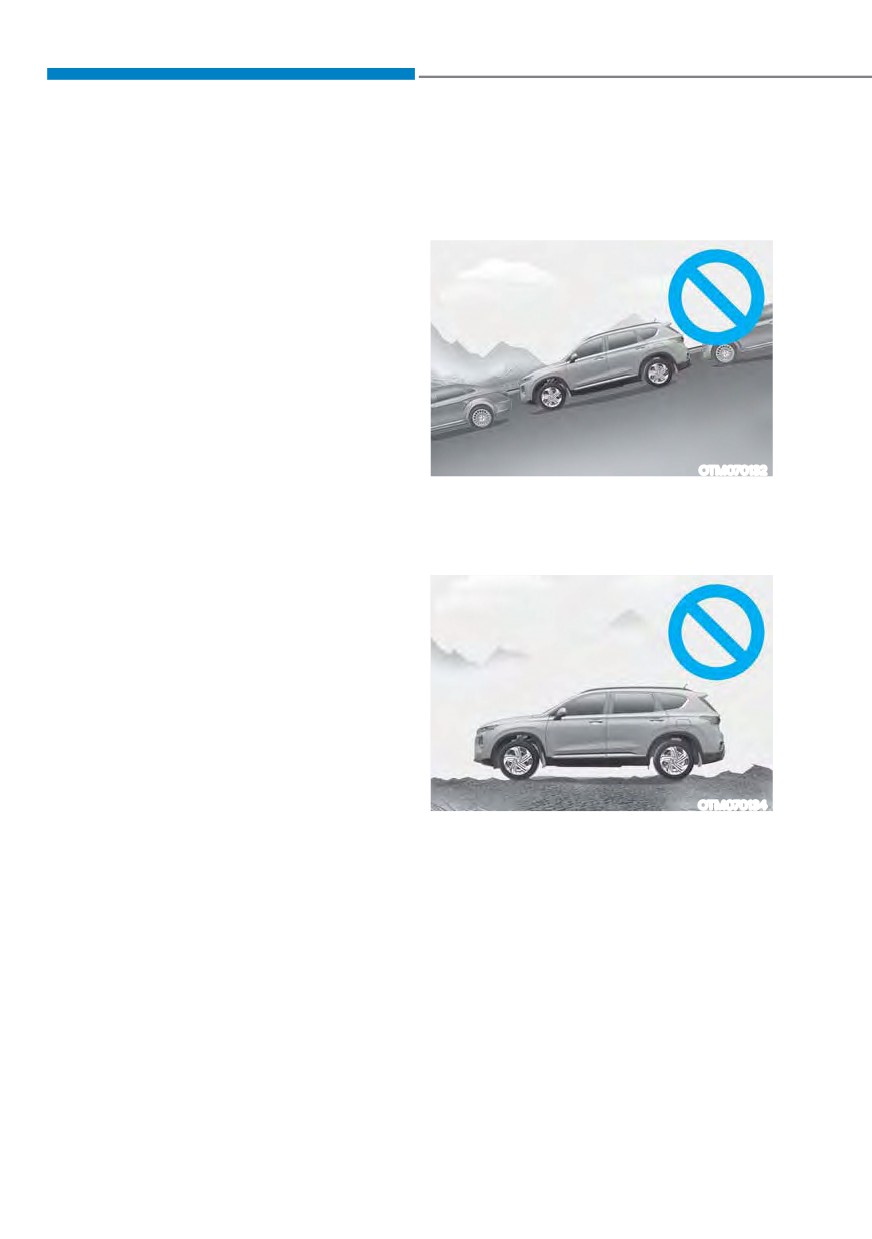
Remote Smart Parking Assist may not
pillar, or a pillar surrounded by objects
operate normally under the following
such as fire extinguisher, etc., near the
circumstances:
parking space
ś
Parking on inclines
ś
The road surface is bumpy (curbstone,
speed bump, etc.)
ś
The road is slippery
ś
The parking space is near a vehicle
with higher ground clearance or big,
such as a truck, etc.
ś
The parking space is Inclined
ś
There is heavy wind
ś
Operating Remote Smart Parking
Assist on uneven roads, gravel roads,
bushes, etc.
OTM070132
ś
The performance of the ultrasonic
Park manually when parking on
sensor is affected by extremely hot or
inclines.
cold weather
ś
The ultrasonic sensor is covered with
ś
Parking on uneven road
snow or water
ś
An object that generates ultrasonic
waves is nearby
ś
A wireless device with a transmission
function operates near the ultrasonic
sensors
ś
Your vehicle is affected by another
YHKLFOHŔV 3DUNLQJ 'LVWDQFH :DUQLQJ
ś
The sensor is mounted or positioned
incorrectly by an impact to the
bumper
OTM070134
ś
When the ultrasonic sensor cannot
Remote Smart Parking Assist may
detect the following objects:
cancel when the vehicle slips, or
- Sharp or slim objects, such as ropes,
the vehicle cannot move due to
chains or small poles
road conditions such as pebbles or
fragmented stones.
- Objects smaller than 40 in. (100 cm)
in length and narrower than 6 in. (14
cm) in diameter
- Objects which tend to absorb
sensor frequency, such as clothes,
spongy material or snow
7-132
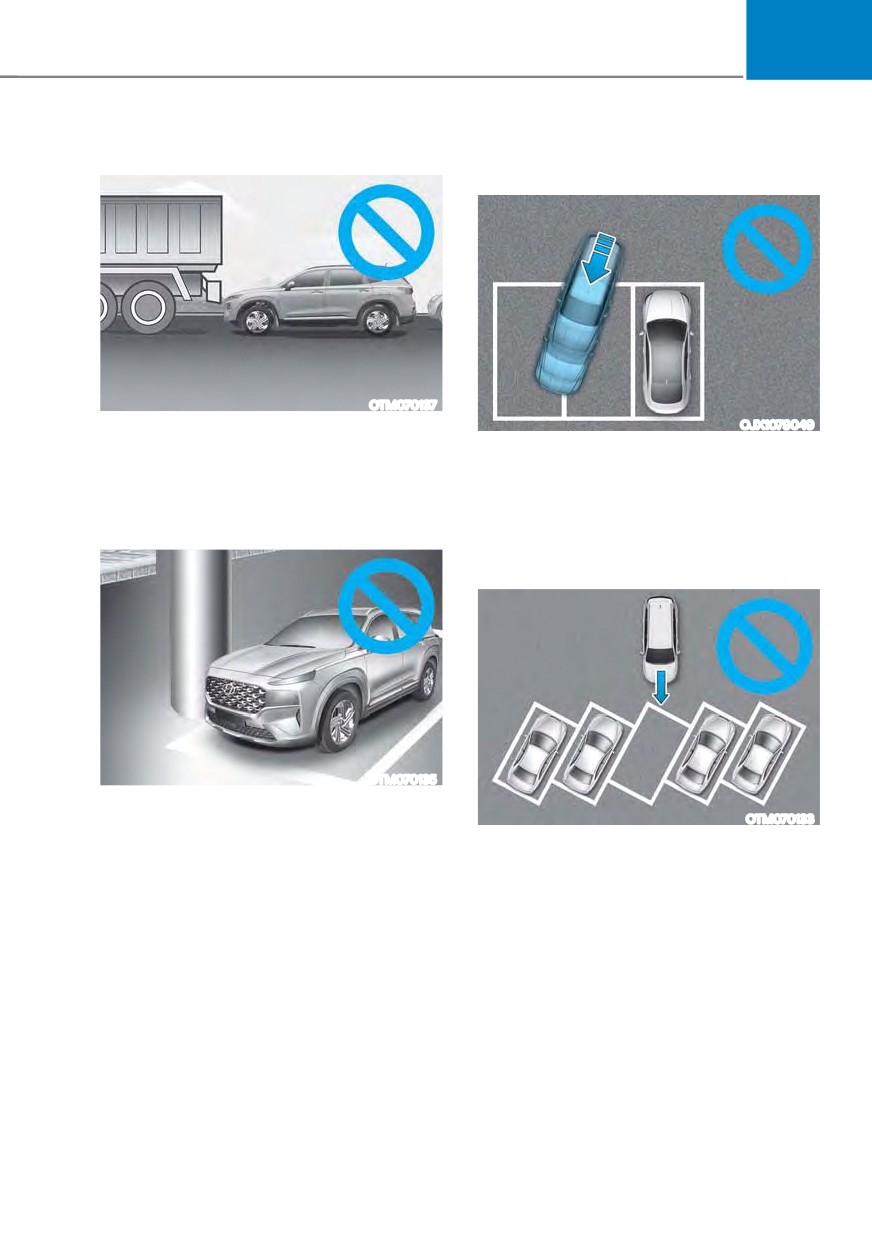
07
ś Parking behind a truck
ś Parking in a parking space with a
vehicle on one side only
OTM070137
OJX1079049
Do not use Remote Smart Parking
Assist around vehicles with higher
If Remote Smart Parking Assist is
ground clearance, such as a bus,
used, when parking in a parking space
truck, etc. It may lead to an accident.
with a vehicle only on one side, your
vehicle may cross the parking line to
ś Parking near a pillar
avoid the parked vehicle.
ś Parking diagonal
OTM070135
Remote Smart Parking Assist
OTM070133
performance may reduce when there
is a pillar or pillar surrounded by
Remote Smart Parking Assist does not
objects such as a fire extinguisher
provide diagonal parking. Even if your
near the parking space.
vehicle was able to enter the parking
space, do not use Remote Smart
Parking Assist because the function
cannot operate normally.
7-133
Driver assistance system
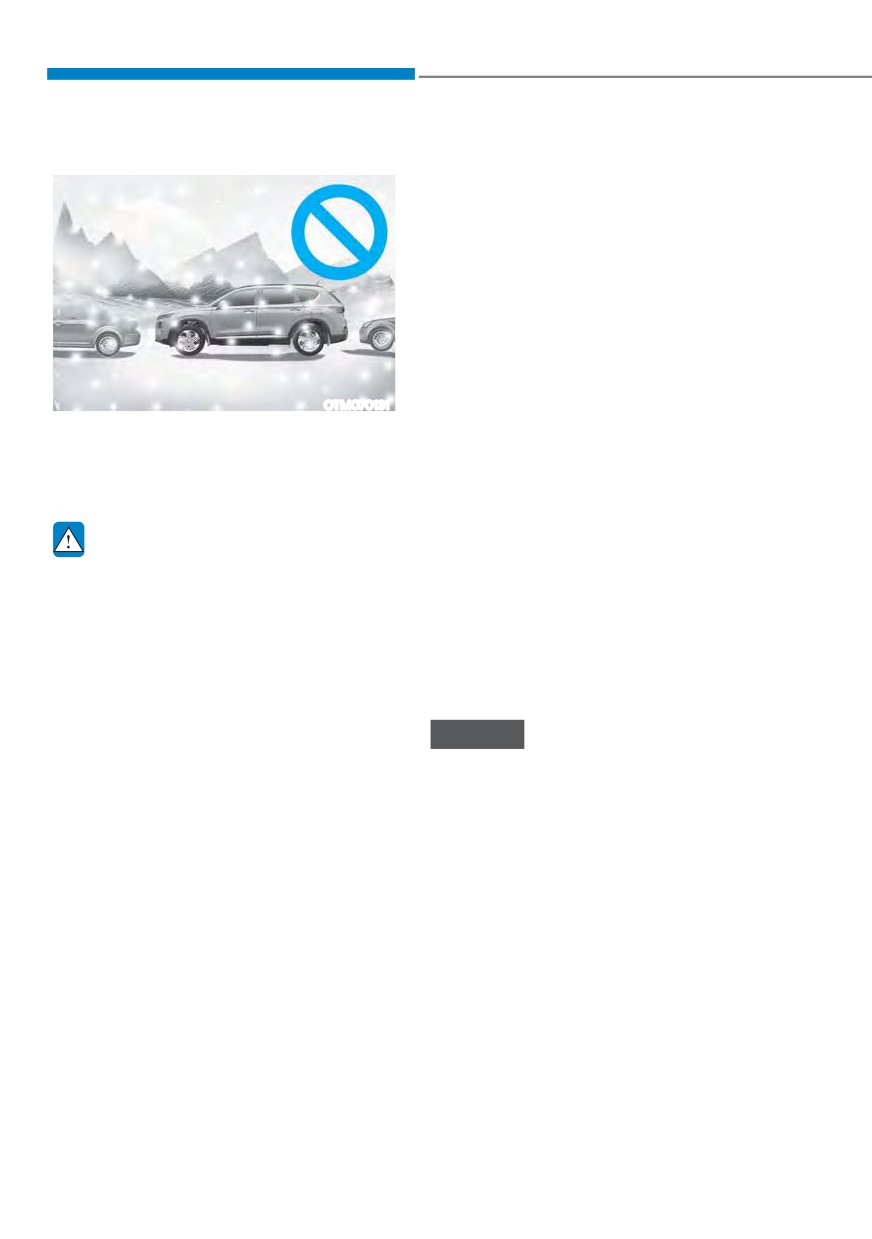
ś Parking in snow
ś
Do not use Remote Smart Parking
Assist when under the influence of
alcohol.
ś
Do not let children or other people to
use the smart key.
ś
If Remote Smart Parking Assist is
used continuously for a long period,
it may adversely affect function
performance.
ś
Remote Smart Parking Assist may not
operate normally if the vehicle needs
wheel alignment adjustment such
OTM070131
as when the vehicle tilts to one side.
Snow may interfere with sensor
Have the vehicle be checked by an
operation, or Remote Smart Parking
authorized HYUNDAI dealer.
Assist may cancel if the road is
ś
Noise may be heard when braking
slippery while parking.
occurs by Remote Smart Parking
Assist or when the brake pedal is
depressed by the driver.
WARNING
ś
Remote Smart Parking Assist may
Take the following precautions when
suddenly apply the brake to avoid
using Remote Smart Parking Assist:
collision.
ś The driver is responsible for safe
ś
Use Remote Smart Parking Assist
parking and exit when using Remote
only in a parking space that is large
Smart Parking Assist. Make sure
enough for the vehicle to move
there are no pedestrians, animals
safely.
or objects around the vehicle when
using Remote Smart Parking Assist.
NOTICE
ś When using Remote Smart Parking
Assist, stay out of the way in the
ś If the 3rd stage warning (continuous
direction the vehicle moves for your
beep) of the Forward/Reverse
safety.
Parking Distance Warning sounds
ś Always check surroundings when
while Remote Smart Parking
using Remote Smart Parking Assist.
Assist is operating, it means the
You may collide with pedestrians,
obstacle detected is close to your
animals, or objects if they are near
vehicle. At this time, Remote Smart
the sensor or are in the sensor’s blind
Parking Assist will temporarily stop
spot area.
operating. Make sure there are no
pedestrians, animals, or objects
ś A collision may occur if a pedestrian,
around your vehicle.
animal, or object suddenly appears
while Remote Smart Parking Assist is
ś Depending on brake operation, the
operating.
stop lights may come on while the
vehicle is moving.
7-134
07
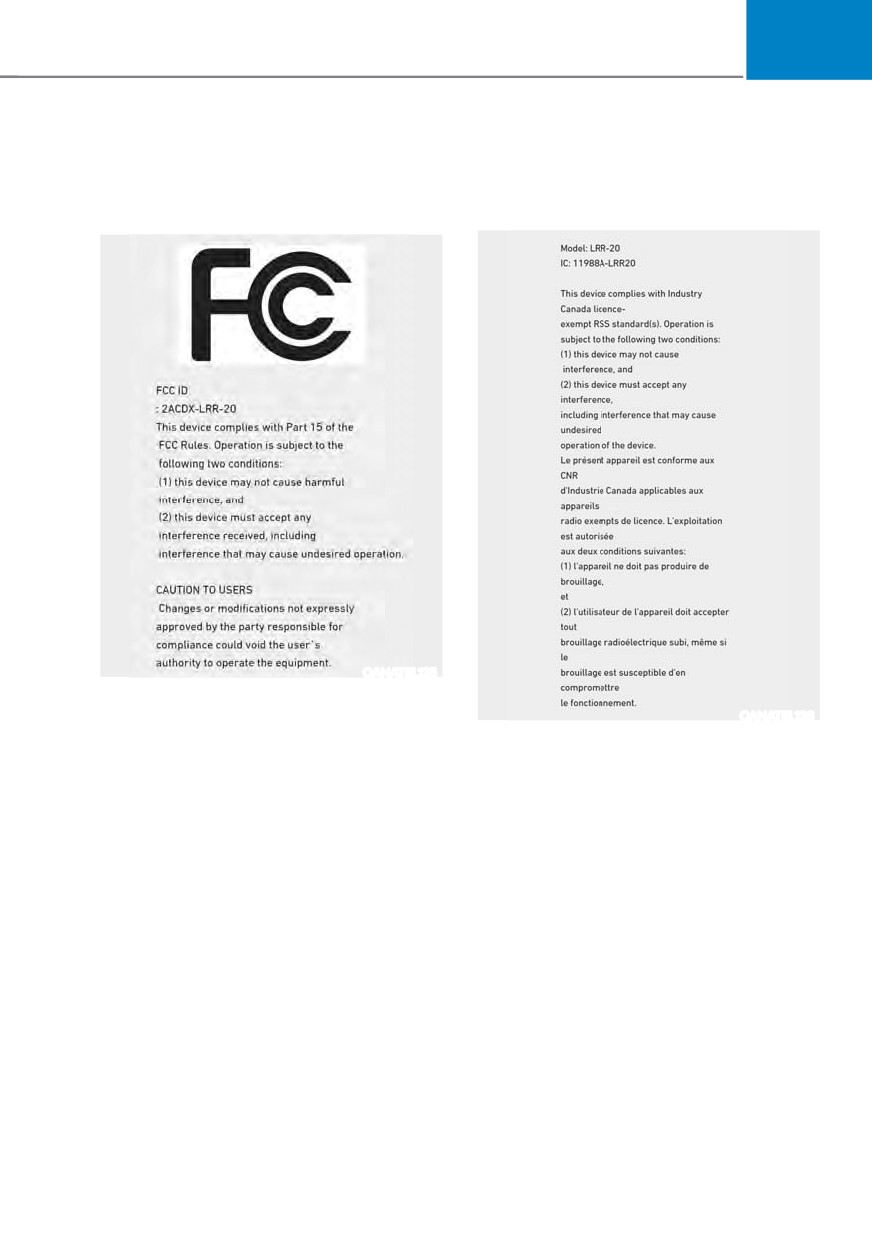
'(&/$5$7,21 2) &21)250,7<
The radio frequency components complies:
Front radar
- For USA
- For Canada
OANATEL125
OANATEL126
7-135
Driver assistance system
Rear corner radar
- For USA
- For Canada
OANATEL002
OANATEL003
OANATEL114
7-136
8. Emergency situations
Hazard warning flasher
8-2
In case of an emergency while driving
8-2
If the engine stalls while driving
8-2
If the engine stalls at a crossroad or crossing
8-2
If you have a flat tire while driving
8-3
If the engine will not start
8-3
Jump starting
8-4
If the engine overheats
8-7
Tire Pressure Monitoring System (TPMS)
8-9
Check tire pressure
8-9
Tire pressure monitoring system
8-10
Low tire pressure warning light
8-11
Low tire pressure position and tire pressure telltale
8-11
TPMS malfunction indicator
8-12
Changing a tire with TPMS
8-12
If you have a flat tire (with spare tire)
8-14
Jack and tools
8-14
Removing and storing the spare tire
8-14
Changing tires
8-16
Jack label
8-21
If you have a flat tire (with Tire Mobility Kit)
8-22
Introduction
8-22
Notes on the safe use of the Tire Mobility Kit
8-23
Components of the Tire Mobility Kit
8-24
Using the Tire Mobility Kit
8-25
How to adjust tire pressure
8-28
Towing
8-29
Towing service
8-29
8
Emergency situations
HAZARD WARNING
IN CASE OF AN EMERGENCY
FLASHER
WHILE DRIVING
If the engine stalls while driving
ś Reduce your speed gradually, keeping
a straight line. Move cautiously off the
road to a safe place.
ś Turn on your hazard warning flasher.
ś Try to start the engine again. If your
vehicle will not start, contact an
authorized HYUNDAI dealer or seek
other qualified assistance.
OTM080001
If the engine stalls at a crossroad
The hazard warning flasher serves as
or crossing
a warning to other drivers to exercise
extreme caution when approaching,
If the engine stalls at a crossroads or
overtaking, or passing your vehicle.
crossing, if safe to do so, shift the gear to
N (Neutral) and then push the vehicle to
It should be used whenever emergency
a safe location.
repairs are being made or when the
vehicle is stopped near the edge of a
roadway.
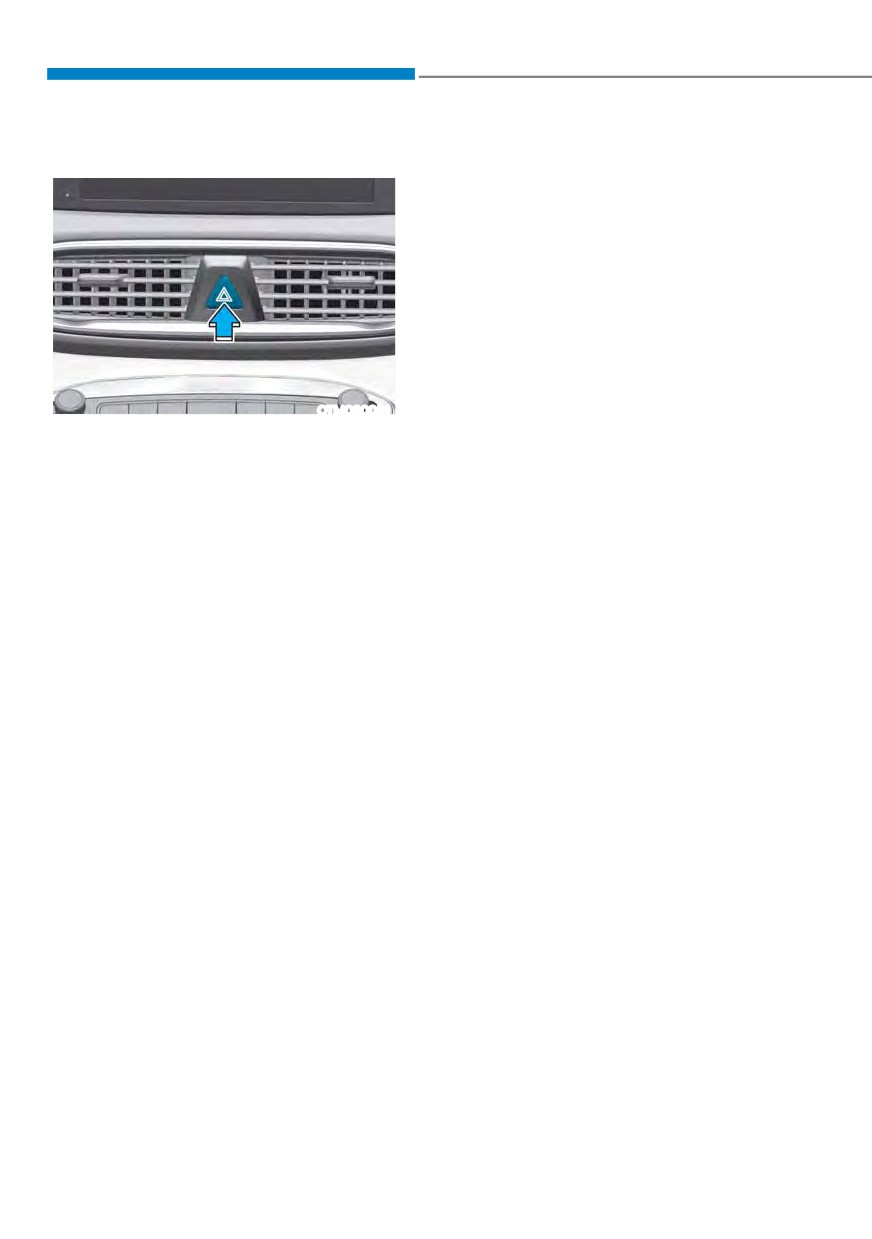
To turn the hazard warning flasher on
or off, press the hazard warning flasher
button with the Engine Start/Stop button
in any position. The hazard warning
flasher button is located in the center
fascia panel. All turn signal lights will
flash simultaneously.
ś The hazard warning flasher operates
regardless of whether your vehicle is
running or not.
ś The turn signals do not work when the
hazard flasher is on.
8-2
08
IF THE ENGINE WILL NOT
If you have a flat tire while
START
driving
ś Be sure to shift the gear to N (Neutral)
If a tire goes flat while you are driving:
or P (Park). The engine starts only
when the gear is in N (Neutral) or P
ś
Take your foot off the accelerator
(Park).
pedal and let the vehicle slow down
while driving straight ahead. Do not
ś Turn on the interior light. If the light
apply the brakes immediately or
dims or goes out when you operate
attempt to pull off the road as this
the starter, the battery is drained.
may cause loss of vehicle control
See instructions for “Jump Starting”
resulting in an accident. When the
provided in this chapter.
vehicle has slowed to such a speed
ś Check the fuel level and add fuel if
that it is safe to do so, brake carefully
necessary.
and pull off the road. Drive off the
road as far as possible and park on
If the vehicle still does not start, call
an authorized HYUNDAI dealer for
firm, level ground. If you are on a
divided highway, do not park in the
assistance.
median area between the two traffic
lanes.
NOTICE
ś
When the vehicle is stopped, press the
Push or pull starting the vehicle may
hazard warning flasher button, shift
cause the catalytic converter to
the gear to P (Park), apply the parking
overload which can lead to damage to
brake, and press the Engine Start/Stop
the emission control system.
button to the OFF position.
ś
Have all passengers get out of the
vehicle. Be sure they all get out on the
side of the vehicle that is away from
traffic.
ś
When changing a flat tire, follow the
instructions provided later in this
chapter.
8-3
Emergency situations
JUMP STARTING
Jump starting can be dangerous if done
If acid gets into your eyes, flush your
incorrectly. Follow the jump starting
eyes with clean water for at least 15
procedure in this section to avoid serious
minutes and get immediate medical
injury or damage to your vehicle. If in
attention. If acid gets on your skin,
doubt about how to properly jump start
thoroughly wash the area. If you feel
your vehicle, we strongly recommend
pain or a burning sensation, get medical
that you have a service technician or
attention immediately.
towing service do it for you.
ś
When lifting a plastic-cased battery,
excessive pressure on the case may
cause battery acid to leak. Lift with a
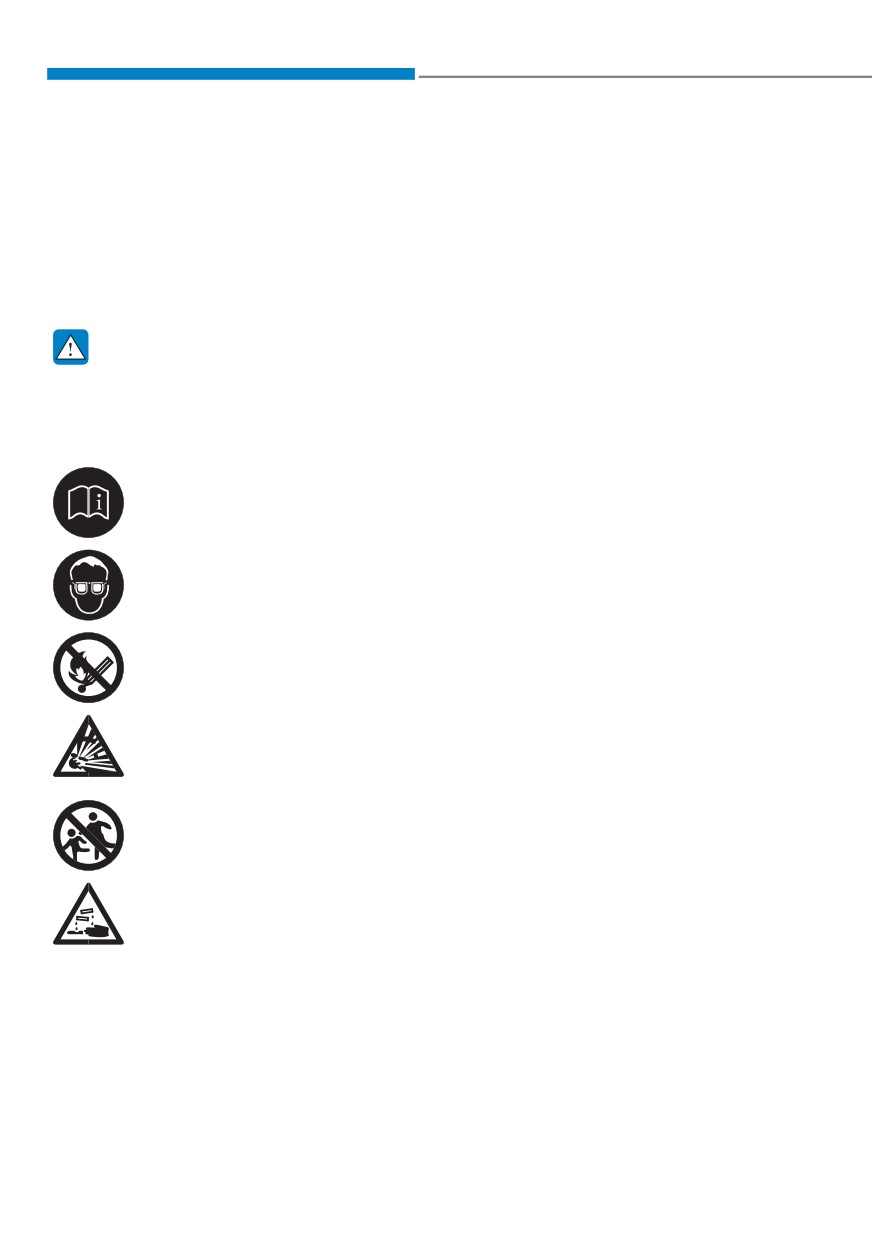
WARNING
battery carrier or with your hands on
To prevent SERIOUS INJURY or DEATH
opposite corners.
to you or bystanders, always follow
ś
Do not attempt to jump start your
these precautions when working near
vehicle if your battery is frozen.
or handling the battery:
ś
NEVER attempt to recharge the
Always read and follow
battery when the vehicle’s battery
instructions carefully when
cables are connected to the battery.
handling a battery.
ś
The electrical ignition system works
with high voltage.
Wear eye protection designed
NEVER touch these components
to protect the eyes from acid
with the engine running or when the
splashes.
Engine Start/Stop button is in the ON
position.
Keep all flames, sparks, or
smoking materials away from
the battery.
Hydrogen is always present
in battery cells, is highly
combustible, and may explode
if ignited.
Keep batteries out of reach of
children.
Batteries contain sulfuric acid
which is highly corrosive. Do
not allow acid to contact your
eyes, skin or clothing.
8-4
08
Jump starting procedure
1. Position the vehicles close enough
that the jumper cables will reach, but
do not allow the vehicles to touch.
2. Avoid fans or any moving parts in the
engine compartment at all times, even
when the vehicles are turned off.
3. Turn off all electrical devices such as
radios, lights, air conditioning, etc.
Put the vehicles in P (Park) and set the
parking brake. Turn both vehicles OFF.
OTM080021
4. Open the engine hood.
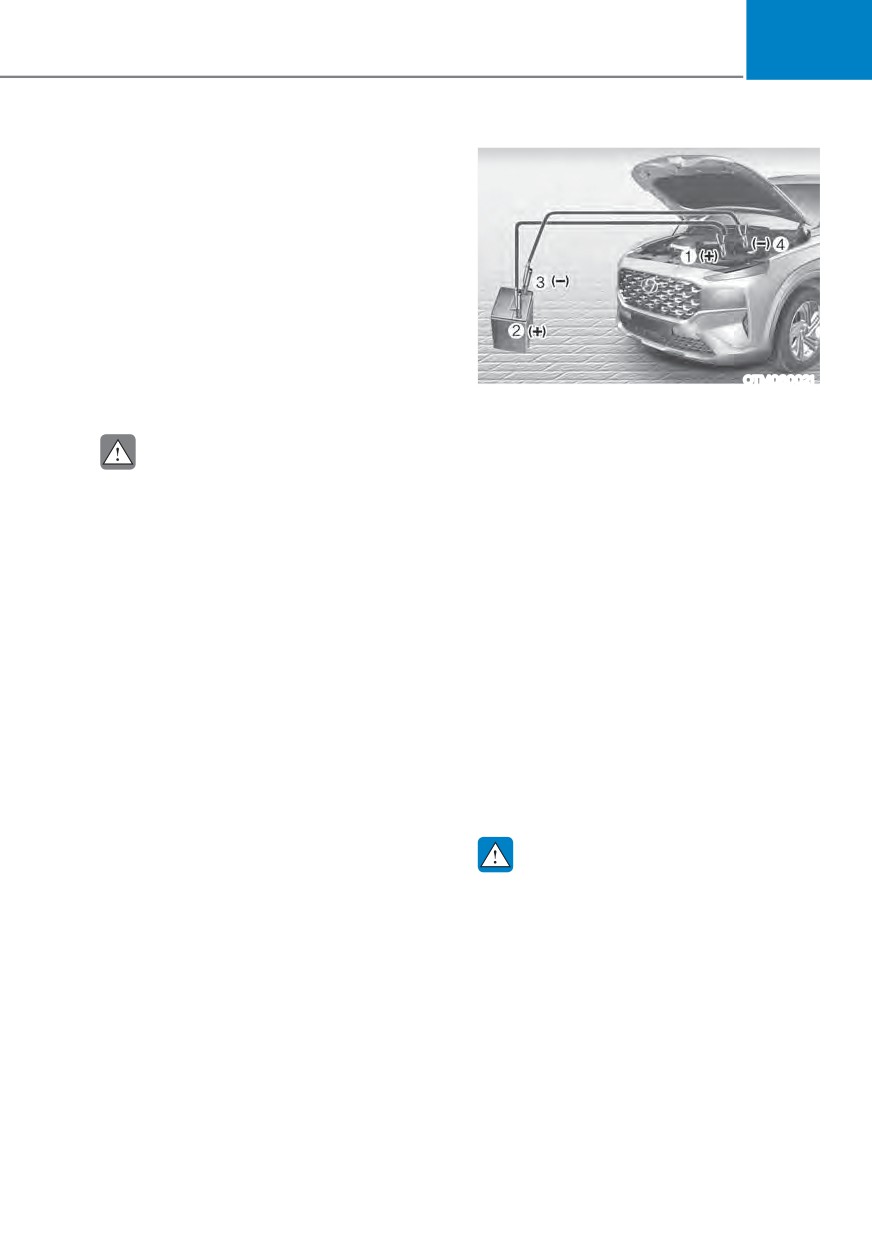
5. Connect the jumper cables in
the exact sequence shown in the
illustration. First connect one jumper
CAUTION
cable to the red, positive (+) jumper
Before jump starting, make sure to
terminal of your vehicle (1).
correctly identify the positive (+) and
6. Connect the other end of the jumper
negative (-) terminals to avoid reverse
cable to the red, positive (+) battery/
polarity connections.
jumper terminal of the assisting
vehicle (2).
7. Connect the second jumper cable to
the black, negative (-) battery/jumper
terminal of the assisting vehicle (3).
8. Connect the other end of the second
jumper cable to the black, negative (-)
chassis ground of your vehicle (4).
Do not allow the jumper cables to
contact anything except the correct
battery or jumper terminals or the
correct ground. Do not lean over the
battery when making connections.
WARNING
Do not connect the jumper cable to
the negative (-) jumper terminal of the
discharged battery. A spark could cause
the battery to explode and lead to a
personal injury or vehicle damage.
8-5
Emergency situations
9. Start the engine of the assisting
Information
vehicle and let it run at approximately
2,000 rpm for a few minutes. Then
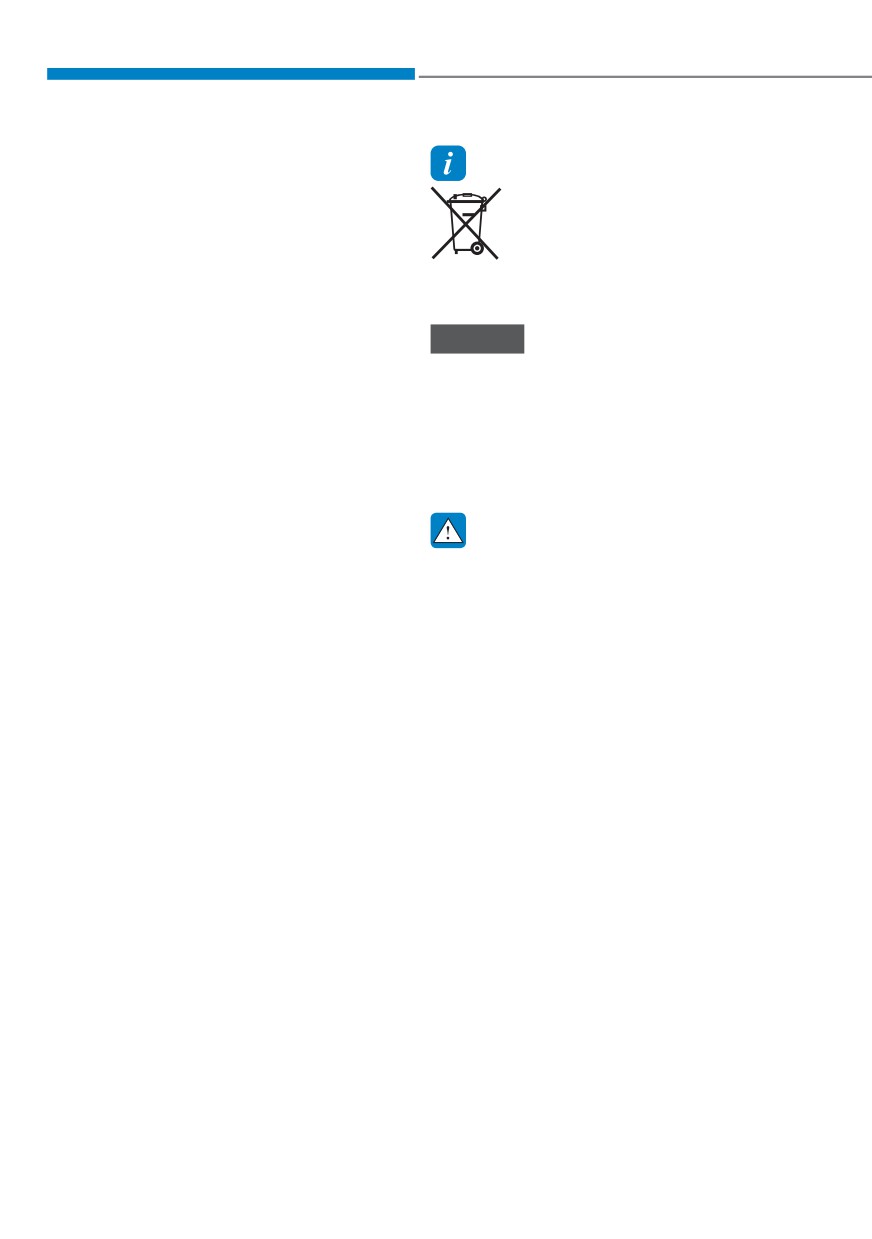
An inappropriately disposed
start your vehicle.
battery can be harmful to
the environment and human
10. Keep your vehicle operating for at
health. Dispose of the battery
least 30 minutes at idle or driving to
according to your local law(s) or
assure your battery receives enough
regulations.
charge to be able to start on its
own after the vehicle is shut off. A
completely discharged battery may
NOTICE
require as long as 60 minutes runtime
To prevent damage to your vehicle:
to fully recharge it. If the vehicle is run
ś Only use a 12-volt power supply
for less, the vehicle may not restart.
(battery or jumper system) to jump
If your vehicle will not start after a few
start your vehicle.
attempts, it probably requires service.
ś Do not attempt to jump start your
In this event please seek qualified
vehicle by push-starting.
assistance. If the cause of your battery
discharging is not apparent, have your
vehicle checked by an authorized
WARNING
HYUNDAI dealer.
While jump starting your vehicle, avoid
the positive (+) and negative (-) cables
Disconnect the jumper cables in the
to come in contact. A spark could cause
exact reverse order you connected them:
personal injury.
1. Disconnect the jumper cable from the
black, negative (-) chassis ground of
your vehicle (4).
2. Disconnect the other end of the
jumper cable from the black, negative
(-) battery/chassis ground of the
assisting vehicle (3).
3. Disconnect the second jumper cable
from the red, positive (+) battery/
jumper terminal of the assisting
vehicle (2).
4. Disconnect the other end of the
jumper cable from the red, positive (+)
jumper terminal of your vehicle (1).
8-6
08
IF THE ENGINE OVERHEATS
If your temperature gauge indicates
4. Check for coolant leaking from the
overheating, you experience a loss of
radiator, hoses or under the vehicle. (If
power, or hear loud pinging or knocking,
the air conditioning had been in use, it
the engine may be overheating. If this
is normal for cold water to be draining
happens, you should:
from it when you stop.)
1. Pull off the road and stop as soon as it
5. If engine coolant is leaking out, stop
is safe to do so.
the engine immediately and call the
nearest authorized HYUNDAI dealer
2. Shift the gear to P (Park) and set the
parking brake. If the air conditioning is
for assistance.
ON, turn it OFF.
3. If engine coolant is running out under
WARNING
the vehicle or steam is coming out
Never remove the engine
from the hood, stop the engine. Do
coolant cap and/or water-
not open the hood until the coolant
cooled intercooler coolant
has stopped running or the steaming
cap or the drain plug while the
has stopped. If there is no visible
engine and radiator are hot.
loss of engine coolant and no steam,
leave the engine running and check
Hot coolant and steam may blow out
to be sure the engine cooling fan is
under pressure, causing serious injury.
operating. If the fan is not running,
Turn the engine off and wait until the
turn the engine off.
engine cools down. Use extreme care
when removing the coolant cap. Wrap
a thick towel around it, and turn it
WARNING
counterclockwise slowly to the first
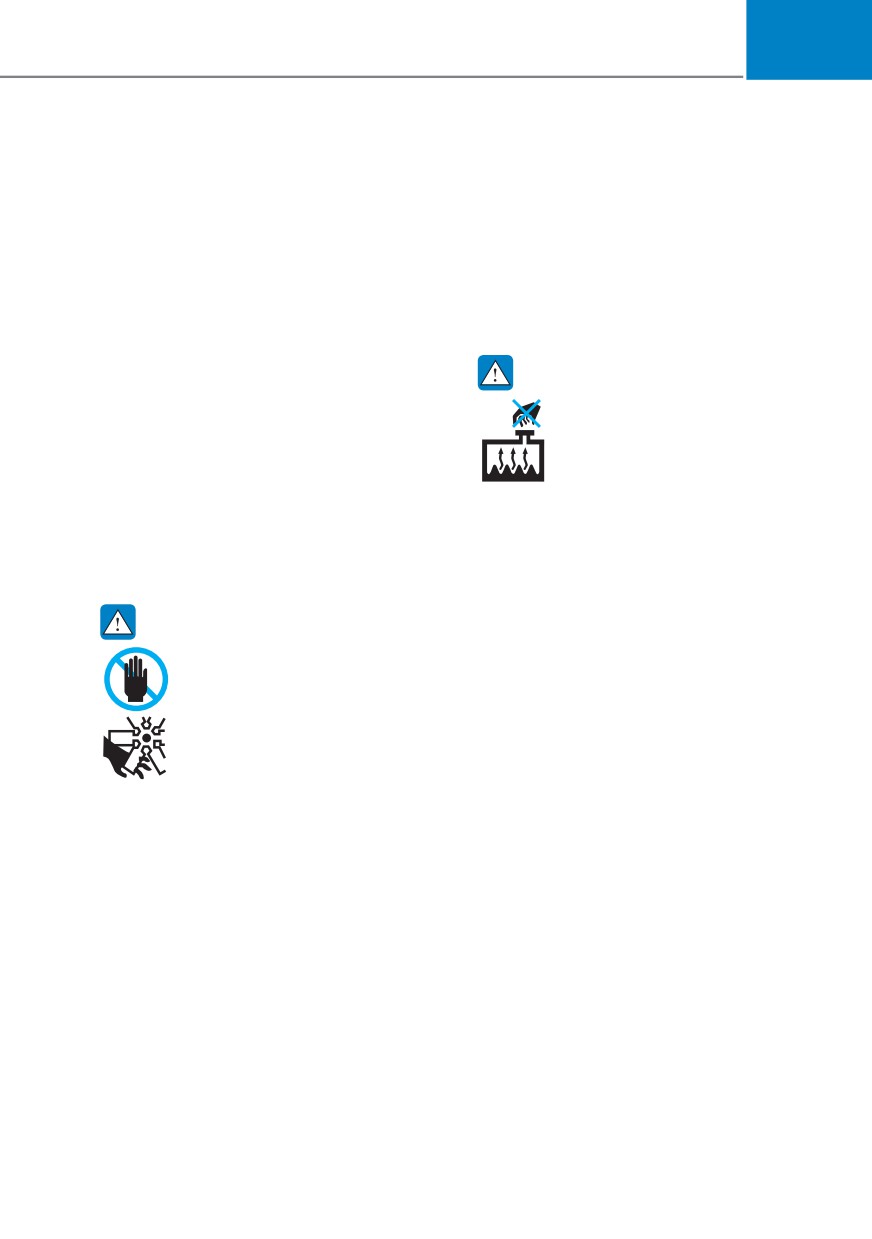
While the engine is running,
stop. Step back while the pressure is
keep hands, clothing and tools
released from the cooling system. When
away from the moving parts
you are sure all the pressure has been
such as the cooling fan and
released, press down on the cap, using
drive belt to prevent serious
a thick towel, and continue turning
injury.
counterclockwise to remove it.
8-7
Emergency situations
6. If you cannot find the cause of the
CAUTION
overheating, wait until the engine
temperature has returned to normal.
ś Serious loss of coolant indicates
Then, if coolant has been lost,
a leak in the cooling system and
carefully add coolant to the reservoir
have the system be checked by an
to bring the fluid level in the reservoir
authorized HYUNDAI dealer.
up to the halfway mark.
ś When the engine overheats from
7. Proceed with caution, keeping alert
low engine coolant, suddenly adding
for further signs of overheating. If
engine coolant may cause cracks
overheating happens again, call
in the engine. To prevent damage,
an authorized HYUNDAI dealer for
add engine coolant slowly in small
assistance.
quantities. It may require several
refilling cycles to properly fill the
engine cooling system. If necessary,
an authorized HYUNDAI dealer
should be consulted to perform this
task.
8-8
08
7,5( 35(6685( 021,725,1* 6<67(0 ǣ7306Ǥ
Check tire pressure
OTM080002
OTM080005L
ś
You can check the tire pressure in the
Warning mode on the cluster.
Refer to the “LCD Display Modes” in
chapter 4.
ś
Tire pressure is displayed after a few
minutes of driving after initial engine
start up.
ś
If tire pressure is not displayed when
the vehicle is stopped, “Drive to
OTM080027L
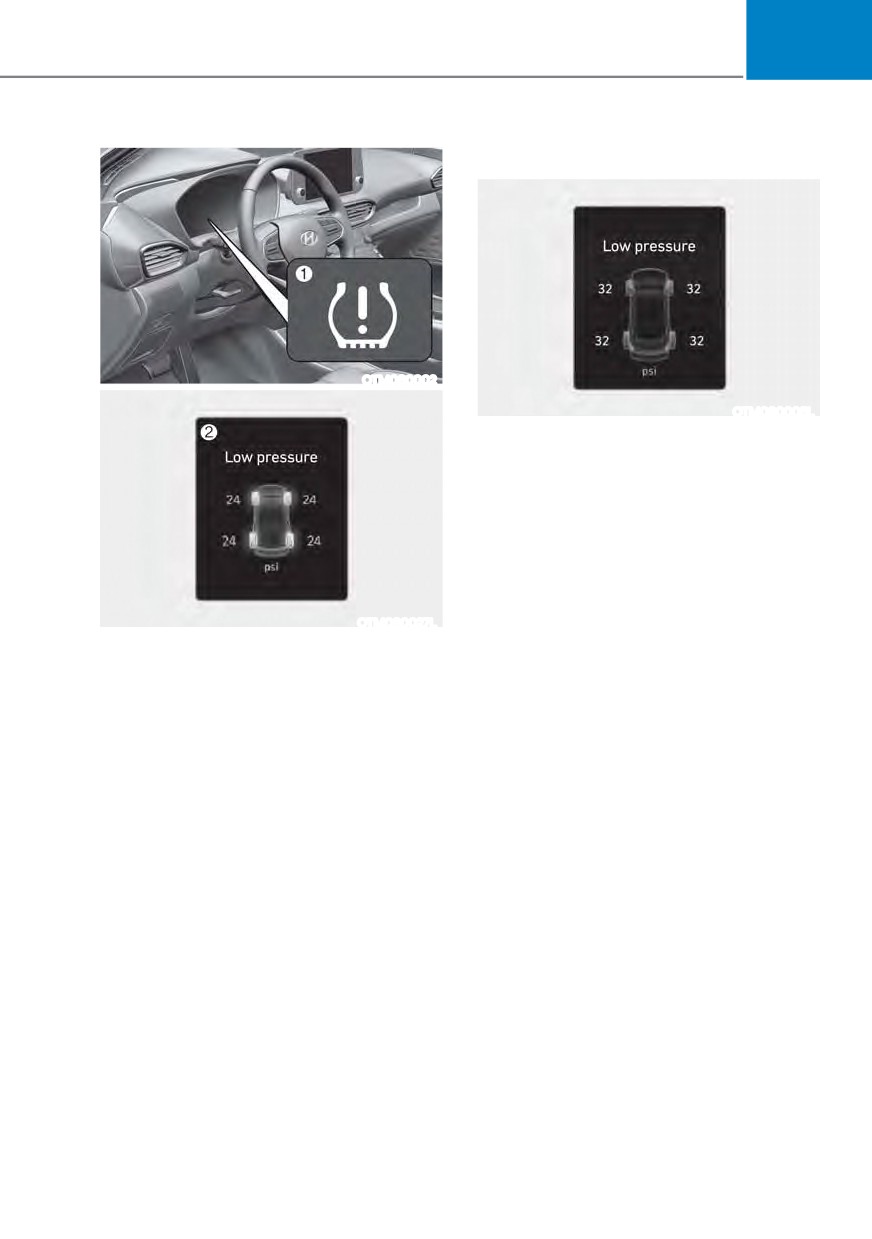
display” message will appear. After
(1) Low Tire Pressure Telltale/TPMS
driving, check the tire pressure.
Malfunction Indicator
ś
The displayed tire pressure values may
(2) Low Tire Pressure Position Telltale
differ from those measured with a tire
and Tire Pressure Telltale (Shown on
pressure gauge.
the LCD display)
ś
You can change the tire pressure unit
in the User Settings mode on the
instrument cluster.
- psi, kpa, bar (Refer to “LCD Modes”
in chapter 4).
8-9
Emergency situations
Tire pressure monitoring system
Your vehicle has also been equipped with
a TPMS malfunction indicator to indicate
when the system is not operating
WARNING
properly. The TPMS malfunction
indicator is combined with the low
Over-inflation or under-inflation can
tire pressure telltale. When the system
reduce tire life, adversely affect vehicle
detects a malfunction, the telltale will
handling, and lead to sudden tire failure
flash for approximately one minute and
that may cause loss of vehicle control
then remain continuously illuminated.
resulting in an accident.
This sequence will continue upon
subsequent vehicle start-ups as long as
Each tire, including the spare (if
the malfunction exists.
provided), should be checked monthly
when cold and inflated to the inflation
When the malfunction indicator is
illuminated, the system may not be able
pressure recommended by the vehicle
manufacturer on the vehicle placard
to detect or signal low tire pressure as
intended. TPMS malfunctions may occur
or tire inflation pressure label. (If your
vehicle has tires of a different size than
for a variety of reasons, including the
installation of replacement or alternate
the size indicated on the vehicle placard
or tire inflation pressure label, you should
tires or wheels on the vehicle that
prevent the TPMS from functioning
determine the proper tire inflation
pressure for those tires.)
properly.
As an added safety feature, your
Always check the TPMS malfunction
telltale after replacing one or more tires
vehicle has been equipped with a tire
pressure monitoring system (TPMS)
or wheels on your vehicle to ensure that
the replacement or alternate tires and
that illuminates a low tire pressure
telltale when one or more of your tires is
wheels allow the TPMS to continue to
function properly.
significantly under-inflated. Accordingly,
when the low tire pressure telltale
illuminates, you should stop and check
NOTICE
your tires as soon as possible, and inflate
If any of the below happens, have
them to the proper pressure. Driving on
the system checked by an authorized
a significantly under-inflated tire causes
HYUNDAI dealer.
the tire to overheat and can lead to tire
failure.
1. The Low Tire Pressure Telltale/ TPMS
Malfunction Indicator does not
Under-inflation also reduces fuel
illuminate for 3 seconds when the
efficiency and tire tread life, and may
Engine Start/Stop button is pressed
affect the vehicle’s handling and
to the ON position or when the
stopping ability.
engine is running.
Please note that the TPMS is not a
2. The TPMS Malfunction Indicator
substitute for proper tire maintenance,
remains illuminated after blinking for
and it is the driver’s responsibility to
approximately 1 minute.
maintain correct tire pressure, even if
under-inflation has not reached the level
3. The Low Tire Pressure Position
to trigger illumination of the TPMS low
Telltale remains illuminated.
tire pressure telltale.
8-10