Hyundai Santa Fe (2019 year). Instruction - part 28
Driving your vehicle
OTM058105
OTM058106R
OTM058107R
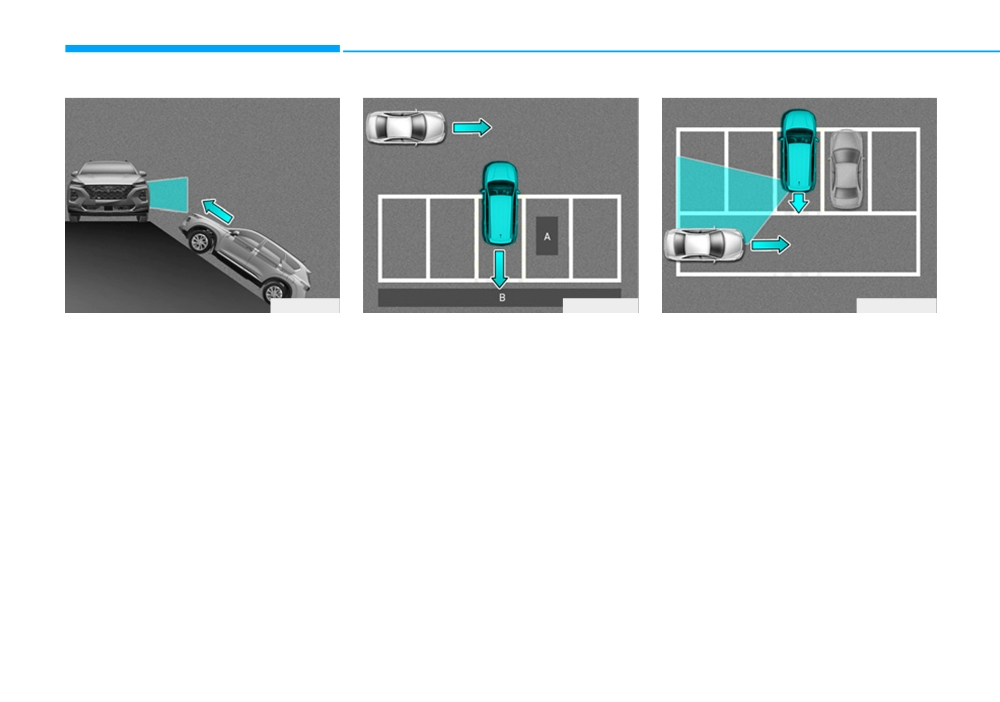
• When the vehicle is on/near a
[A] : Structure, [B] : Wall
• When the vehicle is parked rear-
slope
• Pulling into the parking space
ward
The system may not operate proper-
where there is a structure
If the vehicle is parked rearward and
ly when the vehicle is on/near a
The system may not operate proper-
the sensor detects the another vehi-
slope.
ly when pulling in the vehicle to the
cle in the rear area of the parking
In certain instances, the system may
parking space where there is a struc-
space, the system can warn or con-
not detect the vehicle approaching
ture at the back or side of your vehi-
trol braking. Always pay attention to
from the rear left/right and the warn-
cle.
the parking space whilst driving.
ing or brake may not operate proper-
In certain instances, when backing
ly.
into the parking space, the system
Always pay attention to your sur-
may not detect the vehicle moving in
rounding whilst driving.
front of your vehicle. In this case, the
warning or brake may not operate
properly.
Always pay attention to the parking
space whilst driving.
5-144
LANE KEEPING ASSIST (LKA) SYSTEM (IF EQUIPPED)
WARNING
•
The operation of the LKA sys-
tem can be cancelled or not
The Lane Keeping Assist (LKA)
work properly according to
system is not a substitute for safe
road condition and surround-
driving practices, but a conven-
ings. Always be cautious
ience function. It is the responsi-
when driving.
bility of the driver to always be
•
Do not disassemble the LKA
aware of the surrounding and
system camera temporarily to
steer the vehicle.
tint the window or attach any
types of coatings and acces-
sories. If you disassemble the
OTM058029
WARNING
camera and assemble it again,
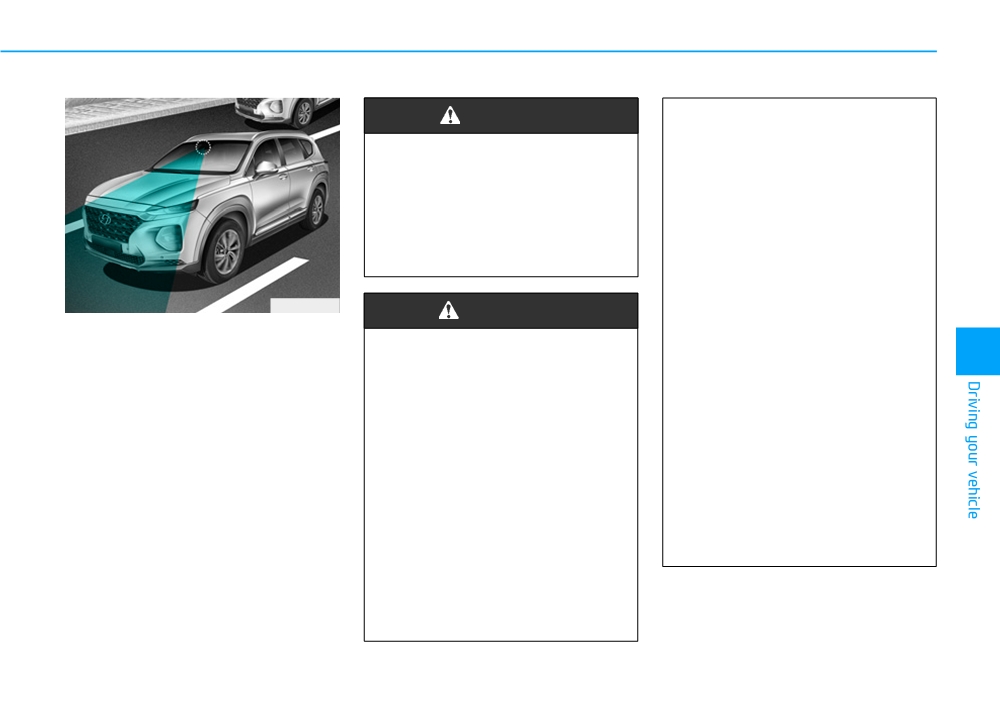
The Lane Keeping Assist (LKA) sys-
we recommend that you take
tem with a camera at the front wind-
Take the following precautions
your vehicle to a HYUNDAI
5
screen, helps detect lane markers
when using the Lane Keeping
authorised repairer and have
and road edge on the road, and
Assist (LKA) system:
the system checked for cali-
assists the driver's steering to help
bration.
• Do not steer the steering
keep the vehicle between lanes.
wheel suddenly when the
•
When you replace the wind-
When the system detects the vehicle
steering wheel is being assist-
screen glass, LKA system
straying from its land
(or road), it
ed by the system.
camera or related parts of the
alerts the driver with a visual and
• LKA system helps to prevent
steering wheel, we recom-
audible warning, whilst applying a
mend that you take your vehi-
the driver from moving out of
counter-steering torque, trying to
the lane unintentionally by
cle to a HYUNDAI authorised
prevent the vehicle from moving out
repairer and have the system
assisting the driver's steering.
of its land (or road).
However, the driver should
checked for calibration.
not solely rely on the system
but always pay attention on
the steering wheel to stay in
the lane.
5-145
Driving your vehicle
LKA operation
•
The system detects lane
•
The steering wheel is not con-
markers (or road edge) and
tinuously controlled so if the
■ Type A
controls the steering wheel by
vehicle speed is at a higher
a camera, therefore, if the lane
rate when leaving a lane (or
markers (or road edge) are
road edge) the vehicle may
hard to detect, the system
not be controlled by the sys-
may not work properly.
tem. The driver must always
follow the speed limit when
Please refer to "Limitations of
the system".
using the system.
•
If you attach objects to the
•
Do not remove or damage the
steering wheel, the system
related parts of LKA system.
may not assist steering or the
•
You may not hear a warning
hands off alarm may not work
OTM058042R
sound of LKA system because
properly.
■ Type B
of excessive audio sound.
•
When you tow a trailer, make
•
Do not place objects on the
sure that you turn off the LKA
dashboard that reflects light
system.
such as mirrors, white paper,
etc. The system may malfunc-
tion if the sunlight is reflected.
•
Always have your hands on
the steering wheel whilst the
LKA system is activated. If
you continue to drive with
your hands off the steering
OTM058043R
wheel after the "Keep hands
on steering wheel" warning
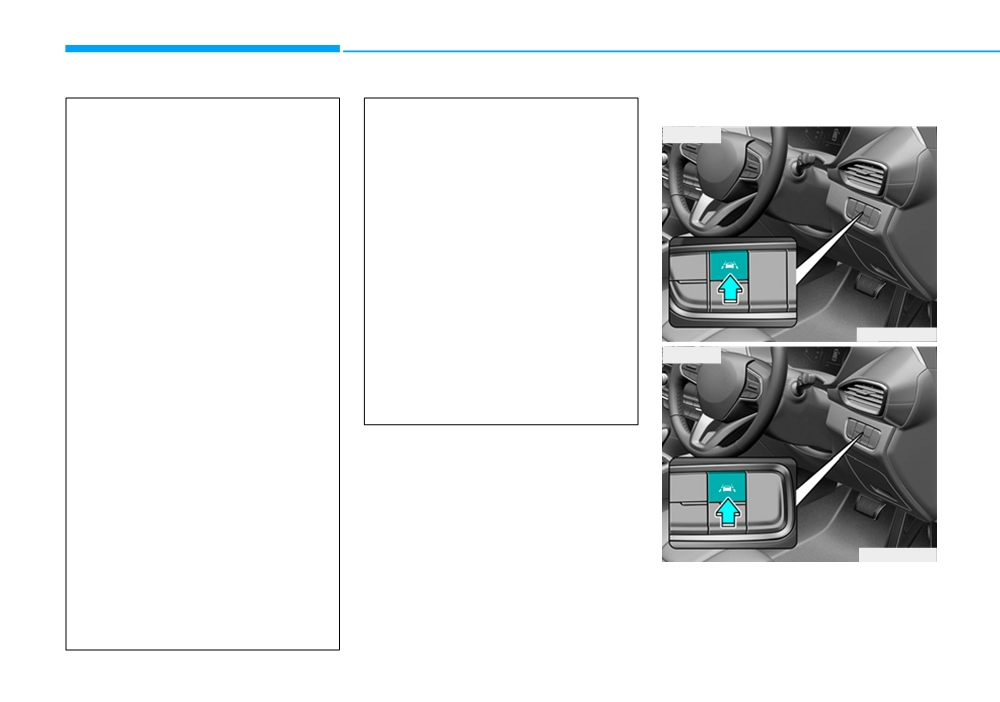
To activate/deactivate the LKA sys-
message appears, the system
tem:
will stop control the steering
wheel.
5-146
With the ignition switch in the ON
LKA activation
i
Information
position, press the LKA system but-
ton located on the instrument panel
The LKA automatically activates
at the lower right hand side of the
upon placing the Engine Start/Stop
driver.
button to the ON position. The switch
indicator will be on and the indicator
The indicator in the cluster display
in the cluster display will initially illu-
will initially illuminate white. This indi-
minate white. The driver can deacti-
cates the LKA system is in the
vate the LKA by pushing LKA switch
READY but NOT ENABLED state.
located on the instrument panel on the
lower right hand side of the driver or
Note that the vehicle
LDW selecting from the User Settings
speed must be at least
Mode on the LCD display.
approximately
37 mph
OTM058064R
(60 km/h) to ENABLE the
5
•
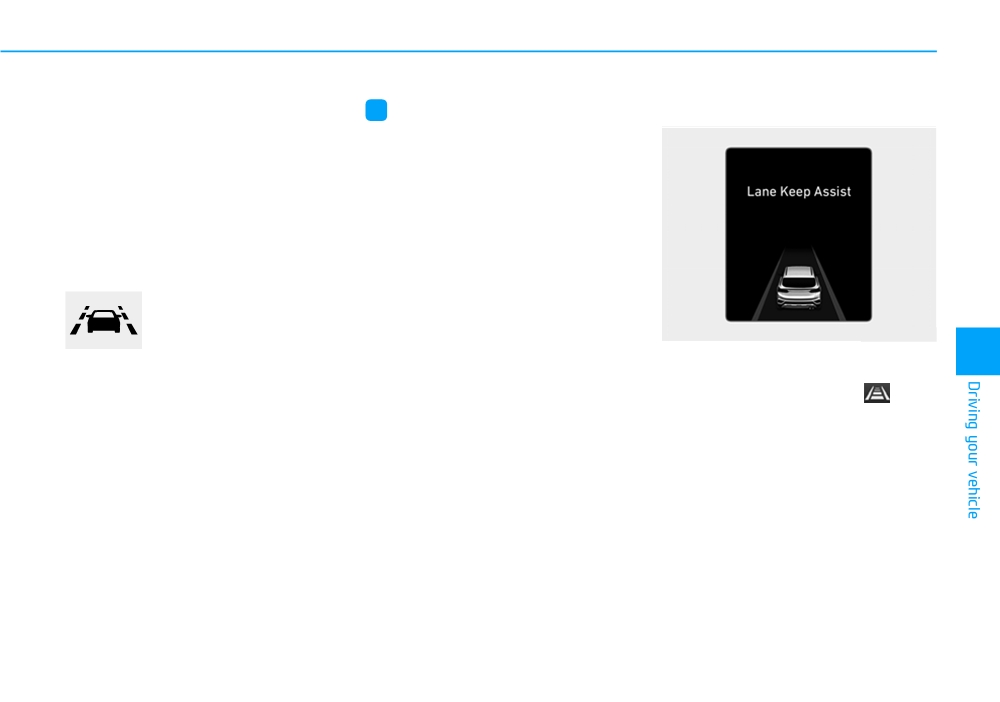
To see the LKA system screen on
LKA system. The indicator in the
the LCD display in the cluster,
cluster display will illuminate green.
select ASSIST mode
(
). For
The colour of indicator will change
more details, refer to "LCD Display
depending on the condition of LKA
Modes" in chapter 3.
system.
•
After LKA is activated, if lane mark-
- White : Sensor does not detect
er is detected, vehicle speed is
lane markers or vehicle
over 37 mph (60 km/h) and all the
speed is under 37 mph (60
activation conditions are satisfied,
km/h).
a green LKA indicator will change
to green and the steering wheel
- Green : Sensor detects lane mark-
will be controlled.
ers and the system is able
to control vehicle steering.
5-147
Driving your vehicle
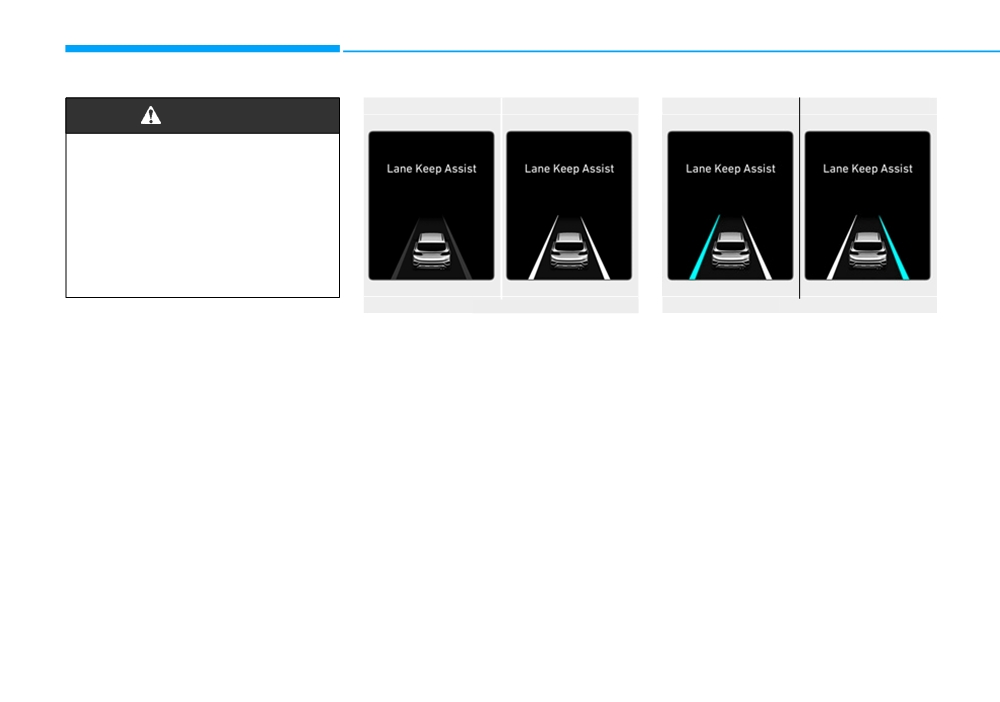
■ Lane marker undetected
■ Lane marker detected
■ Left lane marker
■ Right lane marker
WARNING
The Lane Keeping Assist (LKA)
system is a system to prevent
the driver from leaving the lane
(or road edge). However, the
driver should not solely rely on
the system but always check
the road conditions when driv-
ing.
OTM058064R/OTM058065R
OTM058066R/OTM058067R
•
If vehicle speed is over 37 mph (60
A visual warning appears on the
km/h) and the system detects lane
cluster LCD display. Either the left
markers, the colour changes from
lane marker or the right lane marker
gray to white.
in the cluster LCD display will blink
depending on which direction the
•
If the system detects the left lane
vehicle is veering.
marker, the left lane marker colour
will change from gray to white.
•
If the system detects the right lane
marker, the right lane marker colour
will change from gray to white.
•
If your vehicle speed exceeds 37
mph (60 km/h) and the LKA sys-
tem button is ON, the system is
enabled. If your vehicle departs
from the projected lane in front of
you, the LKA system operates as
follows:
5-148
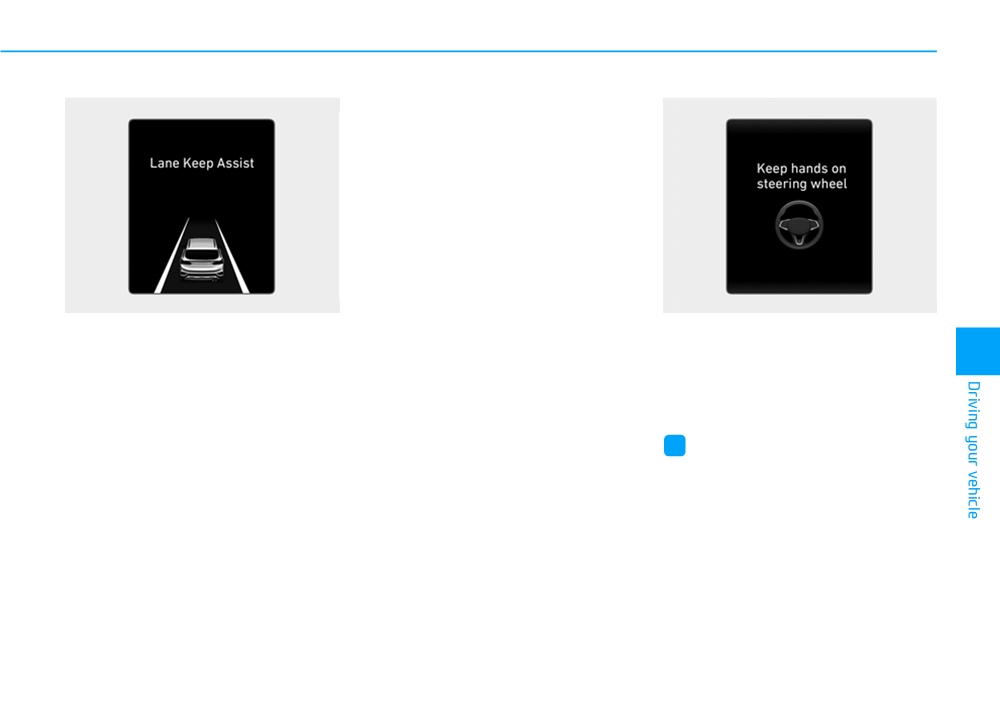
■ Lane Keeping Assist is enabled
When lanes
(or road edge) are
detected and all the conditions to
activate the LKA system are satis-
fied, a LKA system indicator light will
change from white to green. This
indicates that the LKA system is in
the ENABLED state and the steering
wheel will be able to be controlled.
OTM058065R
OIK057119L
• The LKA system will control the
Keep hands on steering wheel
vehicle's steering to prevent the
If the driver takes their hands off the
5
vehicle from crossing the lane
steering wheel for several seconds
maker in below conditions.
whilst the LKA system is activated,
- Vehicle speed is over 37 mph (60
the system will warn the driver.
km/h)
- The system detects both lanes
i
Information
(or road edge)
If the steering wheel is held very light-
- When driving, the vehicle is locat-
ly the message may still appear
ed between both lanes normally.
because the LKA system may not
- The steering wheel is not turned
recognise that the driver has their
suddenly.
hands on the wheel.
5-149
Driving your vehicle
WARNING
WARNING
The warning message may
• The driver is responsible for
appear late according to road
accurate steering.
conditions. Therefore, always
• Turn off the system and drive
have your hands on the steering
the vehicle in following situa-
wheel whilst driving.
tions.
- In bad weather
- In poor road condition
- When the steering wheel
OIK058120R
needs to be controlled by the
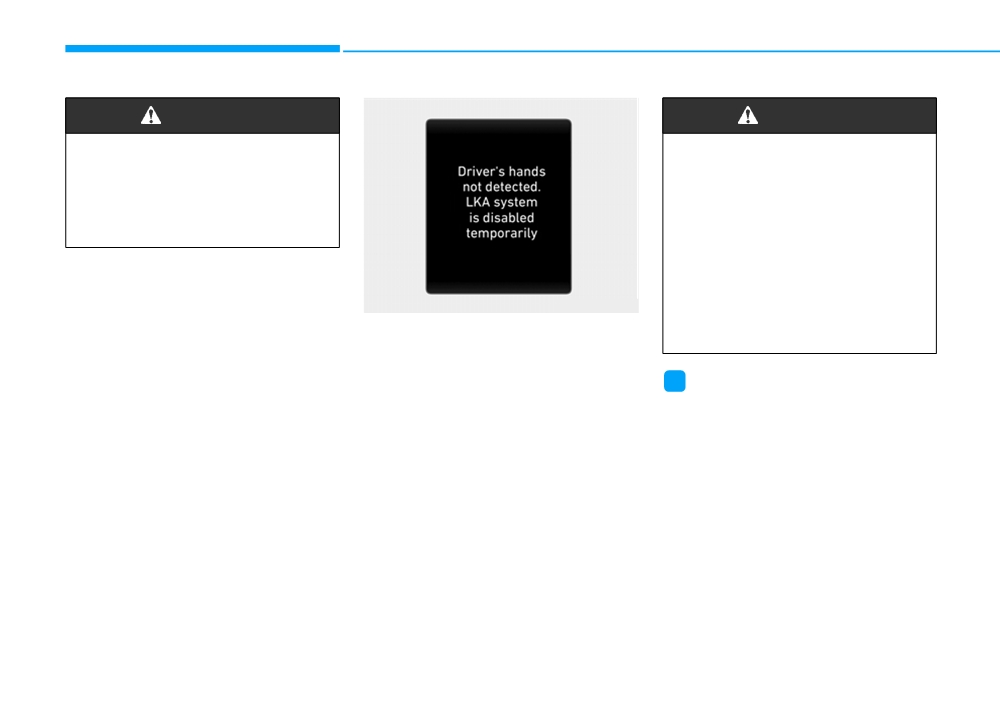
Driver's hands not detected.
driver frequently.
LKA system is disabled
temporarily
If the driver still does not have their
i
Information
hands on the steering wheel after the
• Even though the steering is assisted
message "Keep hands on steering
by the system, the driver may con-
wheel", the system will not control
trol the steering wheel.
the steering wheel and warn the driv-
• The steering wheel may feel heavier
er only when the driver crosses the
when the steering wheel is assisted
lane marker (or road edge).
by the system than when it is not.
However, if the driver has their hands
on the steering wheel again, the sys-
tem will start controlling the steering
wheel.
5-150
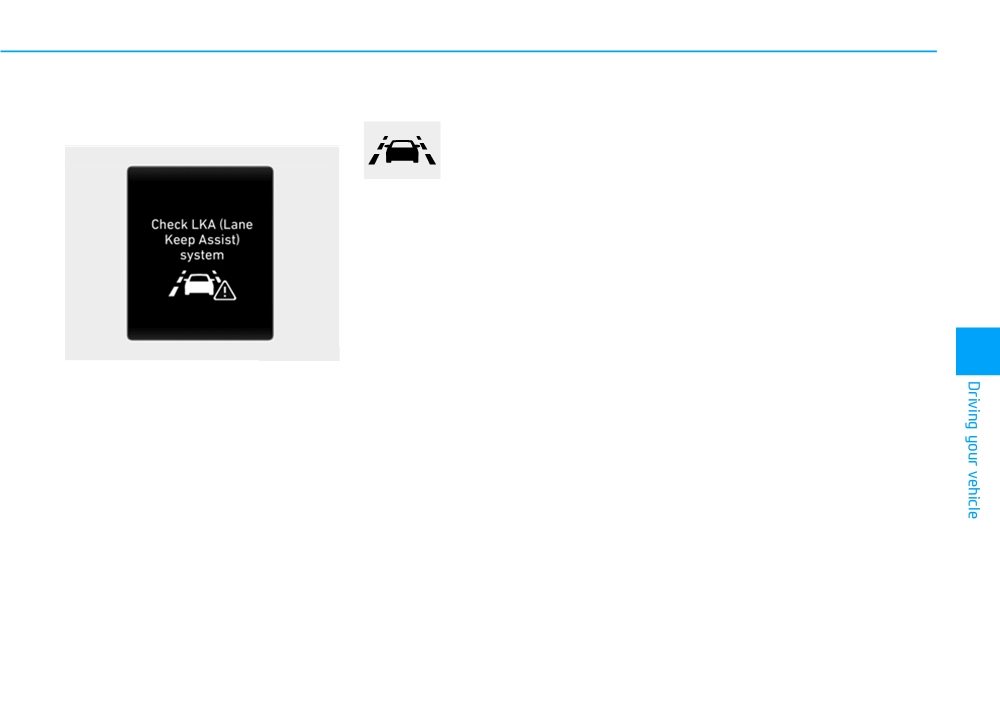
Warning light and message
LKA system failure indicator
The LKA system will not be in the
ENABLED state and the steering
Check LKA system
The LKA system failure
wheel will not be assisted when:
indicator (yellow) will illu-
minate if the LKA system
•
The turn signal is turned on before
is not working properly.
changing a lane. If you change
We recommend that the
lanes without the turn signal on,
system be checked by a
the steering wheel might be con-
HYUNDAI authorised
trolled.
repairer.
•
The vehicle is not driven in the mid-
dle of the lane when the system is
turned on or right after changing a
When there is a problem with the
lane.
system do one of the following:
•
ESC (Electronic Stability Control) or
• Turn the system on after turning
OIK058121R
the engine off and on again.
VSM (Vehicle Stability Management)
5
is activated.
• Check if the ignition switch is in the
If there is a problem with the system
•
The vehicle is driven on a sharp
ON position.
a message will appear for a few sec-
curve.
onds. If the problem continues the
• Check if the system is affected by
•
Vehicle speed is below 34 mph (55
LKA system failure indicator will illu-
the weather. (e.g. fog, heavy rain,
km/h) and over
112 mph (180
minate.
etc.)
km/h).
• Check if there is foreign matter on
•
The vehicle makes sharp lane
the camera lens.
changes.
•
The steering will not be assisted
If the problem is not solved, we rec-
when you across the lane (or road
ommend that the system be checked
edge) fast.
by a HYUNDAI authorised repairer.
•
The steering will not be assisted
when you brake suddenly.
•
The vehicle brakes suddenly.
•
Only one lane marker is detected.
5-151
Driving your vehicle
• The steering will not be assisted
•
There are markings on the road
• There are crosswalk signs or other
when the lane (or road width) is
surface that look like a lane marker
symbols on the road.
very wide or narrow.
that is inadvertently being detected
• The lane marker (or road edge) in
• There are more than two lane mark-
by the camera.
a tunnel is stained with oil, etc.
ers such as a construction area.
•
The lane marker is indistinct or
• The lane suddenly disappears
damaged.
• The vehicle is driven on a steep
such as at the intersection.
incline.
•
The lane marker (or road edge) is
merged or divided. (e.g. tollgate)
• The steering wheel is turned sud-
When external condition is inter-
denly.
•
The lane number increases or
vened
decreases or the lane marker are
•
The brightness outside changes
Limitations of the System
crossing complicatedly.
suddenly such as when entering or
•
There are more than two lane
The LKA system may operate pre-
exiting a tunnel, or when passing
markers on the road in front of you.
maturely even if the vehicle does not
under a bridge.
depart from the intended lane, OR,
•
The lane marker is very thick or
•
The brightness outside is too low
the LKA system may not assist your
thin.
such as when the headlamps are
steering or warn you if the vehicle
•
The lane (or road width) is very
not on at night or the vehicle is
leaves the intended lane under the
wide or narrow.
going through a tunnel.
following circumstances:
•
The lane marker (or road edge)
•
There is a boundary structure in
ahead are not visible due to rain,
the roadway such as a concrete
When the lane and road condi-
snow, water on the road, damaged
barrier, guardrail and reflector post
tions are poor
or stained road surface, or other
that is inadvertently being detected
• It is difficult to distinguish the lane
factors.
by the camera.
marker (or road edge) from the
•
The shadow is on the lane marker
•
When light coming from a street
road surface or the lane marker (or
(or road edge) by a median strip,
light or an oncoming vehicle is
road edge) is faded or not clearly
trees, etc.
reflected on a wet road surface
marked.
such as a puddle in the road.
•
The lanes are incomplete or the
• It is difficult to distinguish the
area is in a construction zone.
•
The field of view in front is
colour of the lane marker from the
obstructed by sun glare.
road.
5-152
•
There is not enough distance
LKA system function change
Lane Departure Warning (LDW)
between you and the vehicle in
The driver can change LKA to the
LDW system alerts the driver with a
front to be able to detect the lane
Lane Departure Warning (LDW) sys-
visual warning and a warning alarm
marker (or road edge) or the vehi-
tem or change the LKA system mode
when the system detects the vehicle
cle ahead is driving on the lane
from the LCD display. Go to the
departing the lane. The steering
marker (or road edge).
"User Settings → Driver assistance
wheel will not be controlled.
•
Road surface is not evenness.
→ Lane safety → LKA (Lane keeping
•
Driving on a steep grade, over a
assist)/LDW (Lane departure warn-
Off
hill, or when driving on a curved
ing)/Off".
If you select "Off", the LKA system is
road.
The system is automatically set to
deactivated.
•
The adverse road conditions cause
Lane Keeping Assist(LKA) if a func-
excessive vehicle vibrations whilst
tion is not selected.
driving.
•
The surrounding of the inside rear
5
Lane Keeping Assist (LKA)
view mirror temperature is high
This mode guides the driver to help
due to direct sunlight, etc.
keep the vehicle within the lanes. It
rarely controls the steering wheel,
When front visibility is poor
when the vehicle drives well inside
the lanes. However, it starts to con-
• The windscreen or the LKA cam-
trol the steering wheel, when the
era lens is blocked with dirt or
vehicle is about to deviate out of the
debris.
lane.
• The windscreen glass is fogged
up; a clear view of the road is
obstructed.
• Placing objects on the dashboard,
etc.
• The sensor cannot detect the lane
(or road edge) because of fog,
heavy rain or snow.
5-153
Driving your vehicle
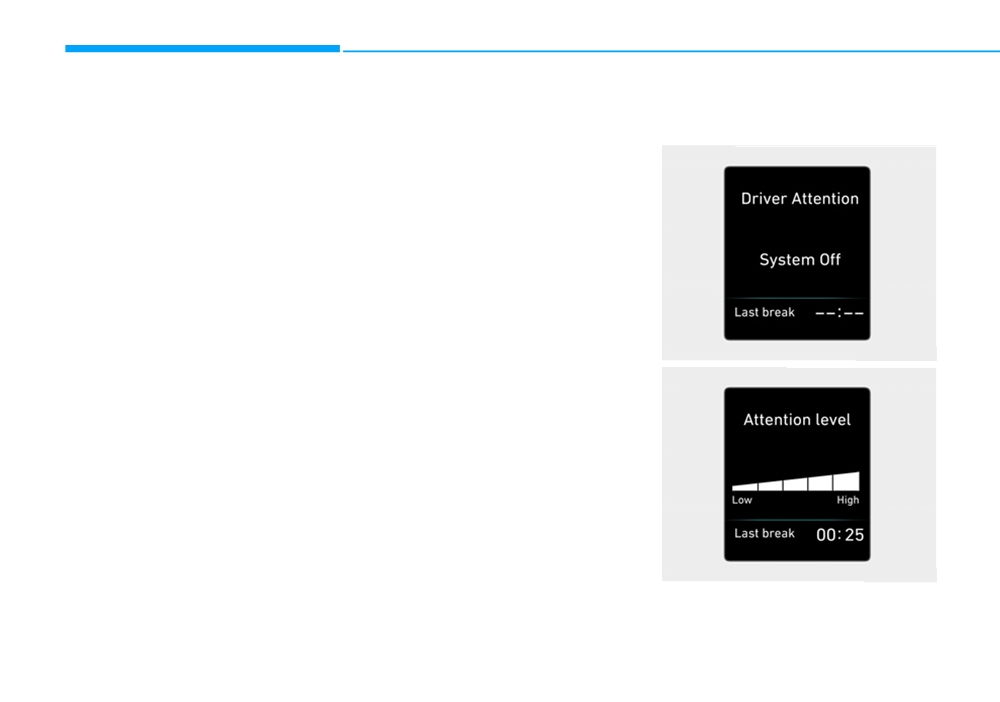
DRIVER ATTENTION WARNING (DAW) SYSTEM (IF EQUIPPED)
The Driver Attention Warning (DAW)
•
The driver can select the Driver
Display of the driver's attention
system displays the condition of the
Attention Warning (DAW) system
level
driver's fatigue level and inattentive
mode.
■ System off
driving practices.
- Off : The Driver Attention Warning
(DAW) system is deactivated.
System setting and activation
- Normal Sensitivity
: The Driver
Attention Warning (DAW) system
System setting
alerts the driver of his/her fatigue
• The Driver Attention Warning
level or inattentive driving prac-
(DAW) system is set to be in the
tices.
ON position, when your vehicle is
- High Sensitivity
: The Driver
first delivered to you from the fac-
Attention Warning (DAW) system
tory.
alerts the driver of his/her fatigue
• To turn ON the Driver Attention
level or inattentive driving prac-
OIK057129L
Warning (DAW) system, turn on
tices faster than Normal mode.
■ Attentive driving
the engine, and then select "User
•
The set-up of the Driver Attention
Settings
→ Driver assistance →
Warning
(DAW) system will be
DAW (Driver attention warning) →
maintained, as selected, when the
High
Sensitivity/Normal
engine is re-started.
Sensitivity" on the LCD display.
OIK057130L
5-154
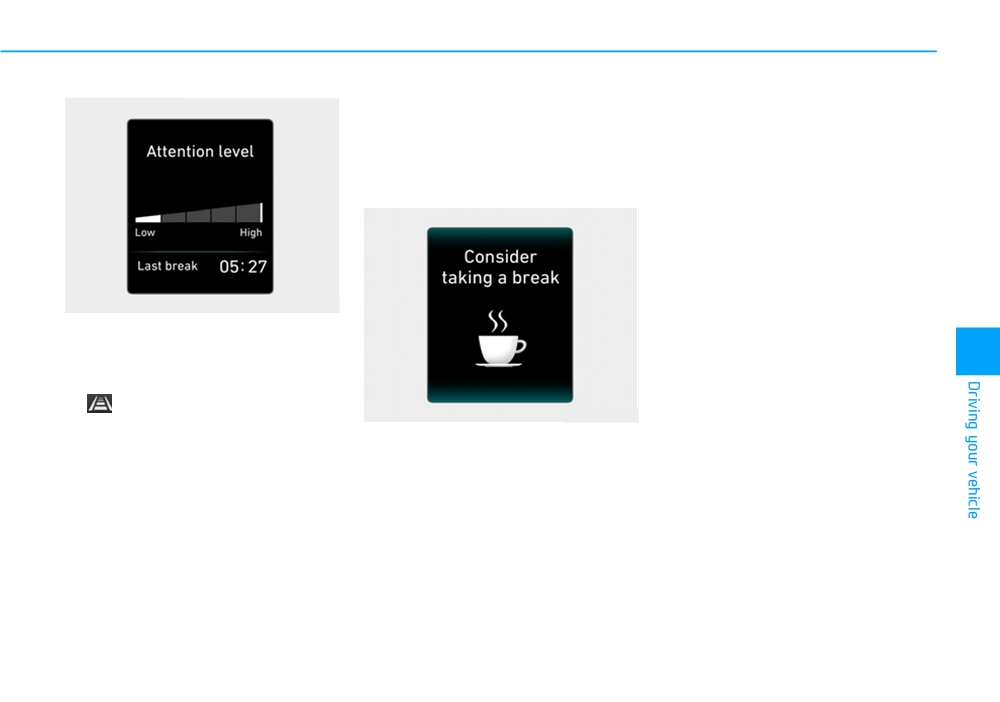
■ Inattentive driving
• When the driver turns on the sys-
Resetting the system
tem whilst driving, it displays 'Last
•
The last break time is set to 00:00
Break time' and level.
and the driver's attention level is
set to 5 (very attentive) when the
Take a break
driver resets the Driver Attention
Warning (DAW) system.
•
The Driver Attention Warning
(DAW) system resets the last
break time to 00:00 and the driver's
attention level to 5 in the following
situations.
OIK057131L
- The engine is turned OFF.
•
The driver can monitor their driving
- The driver unfastens the seat belt
conditions on the LCD display.
5
and then opens the driver's door.
The DAW screen will appear when
- The vehicle is stopped for more
you select the ASSIST mode tab
than 10 minutes.
(
) on the LCD display if the sys-
OPDE056063
tem is activated.
(For more
•
The Driver Attention Warning
details, refer to "LCD Display
•
The "Consider taking a break"
(DAW) system operates again,
Modes" in chapter 3.)
message appears on the LCD dis-
when the driver restarts driving.
play and a warning sounds in order
•
The driver's attention level is dis-
to suggest the driver to take a
played on the scale of 1 to 5. The
break, when the driver’s attention
lower the level is, the more inatten-
level is below 1.
tive the driver is.
•
The Driver Attention Warning
•
The level decreases when the driv-
(DAW) system does not suggest
er does not take a break for a cer-
the driver to take a break, when the
tain period of time.
total driving time is shorter than 10
•
The level increases when the driv-
minutes.
er attentively drives for a certain
period of time.
5-155
Driving your vehicle
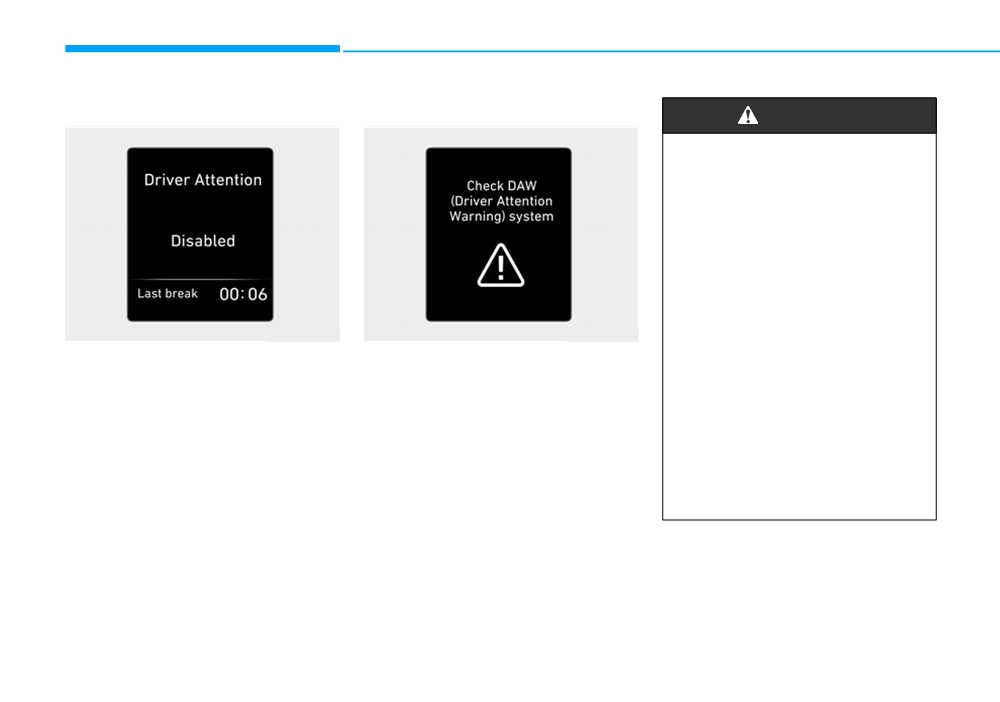
System standby
System malfunction
WARNING
•
The Driver Attention Warning
(DAW) system is not a substi-
tute for safe driving practices,
but a convenience function
only. It is the responsibility of
the driver to always drive cau-
tiously to prevent unexpected
and sudden situations from
occurring. Pay attention to the
road conditions at all times.
OIK057133L
OIK058134R
•
The system may suggest a
break according to the dri-
The Driver Attention Warning (DAW)
Check Driver Attention Warning
ver's driving pattern or habits
system enters the ready status and
(DAW) system
even if the driver doesn't feel
displays the 'Disabled' screen in the
When the "Check Driver Attention
fatigue.
following situations.
Warning
(DAW) system" warning
•
The driver, who feels fatigued,
- The camera does not detect the
message appears, the system is not
should take a break, even
lane.
working properly. In this case, we rec-
though there is no break sug-
ommend that you have the vehicle
- Driving speed remains under
37
gestion by the Driver Attention
inspected by a HYUNDAI authorised
mph (60 km/h) or over 112 mph
Warning (DAW) system.
repairer.
(180 km/h).
5-156
NOTICE
• Do not disassemble the camera
•
Forward drivability of the
temporarily for tinted window or
vehicle is severely under-
The Driver Attention Warning
attaching any types of coatings
mined (possibly due to wide
(DAW) system utilizes the camera
and accessories. If you disas-
variation in tyre pressures,
sensor on the front windscreen for
semble a camera and assemble
uneven tyre wear-out, toe-
its operation. To keep the camera
it again, we recommend that you
in/toe-out alignment).
sensor in the best condition, you
take your vehicle to a HYUNDAI
should observe the followings:
•
The vehicle drives on a curvy
authorised repairer and have the
road.
•
NEVER install any accessories
system checked for calibration.
or stickers on the front wind-
•
The vehicle drives through a
screen, nor tint the front wind-
windy area.
CAUTION
screen.
•
The vehicle drives on a
bumpy road.
•
NEVER locate any reflective
The Driver Attention Warning
objects (i.e. white paper, mirror)
(DAW) system may not properly
•
The vehicle is controlled by
5
over the dashboard. Any light
operate with limited alerting in
the following driving assist
reflection may cause a malfunc-
the following situations:
systems:
tion of the Driver Attention
- Lane Keeping Assist (LKA)
• The lane detection perform-
Warning (DAW) system.
ance is limited.
(For more
system
•
Pay extreme caution to keep the
information, refer to "Lane
- Forward Collision-Avoidance
camera sensor out of water.
Keeping Assist (LKA) system"
Assist (FCA) system
•
NEVER disassemble the camera
in this chapter.)
- Smart Cruise Control (SCC)
assembly, nor apply any impact
• The vehicle is violently driven
system
on the camera assembly.
or is abruptly turned for
obstacle avoidance (e.g. con-
struction area, other vehicles,
CAUTION
fallen objects, bumpy road).
Playing the vehicle audio sys-
tem at high volume may offset
the Driver Attention Warning
(DAW) system warning sounds.
5-157
Driving your vehicle
SPEED LIMIT CONTROL SYSTEM (IF EQUIPPED)
Speed Limit Control operation
Speed limit control switch
To set speed limit
You can set the speed limit when you
do not want to drive over a specific
speed.
If you drive over the preset speed
limit, the warning system operates
(set speed limit will blink and chime
will sound) until the vehicle speed
returns within the speed limit.
i
Information
Whilst speed limit control is in opera-
OTM058160L
OTM058037L
tion, the cruise control system cannot
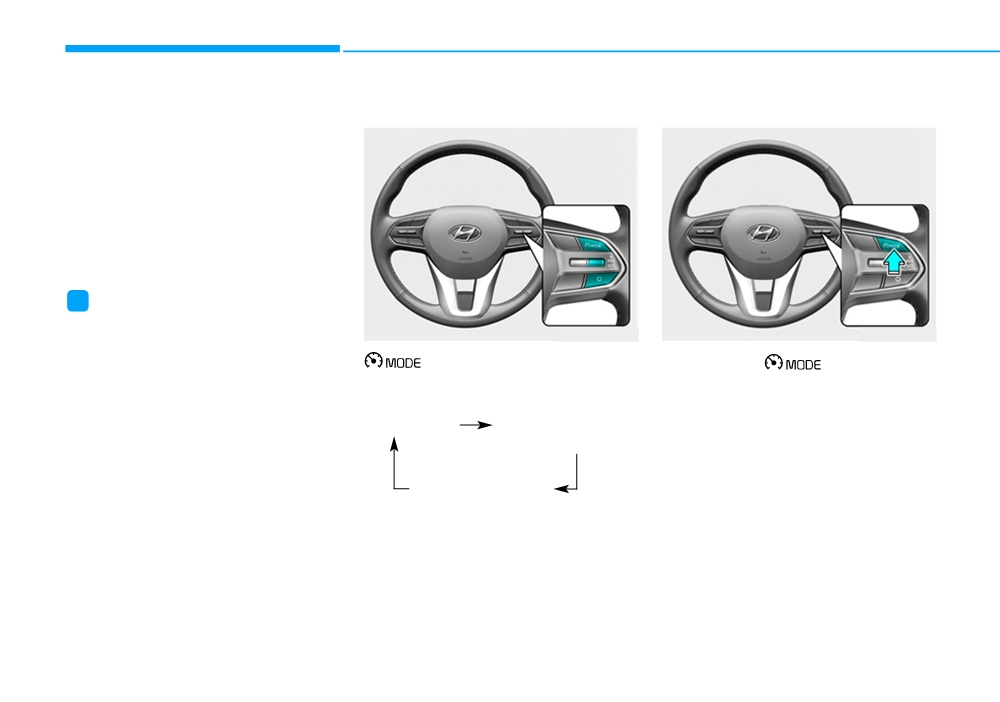
: Changes mode between
be activated.
1. Press the
button to turn
cruise control system and
the system on. The speed limit
speed limit control system.
indicator in the instrument cluster
will illuminate.
System off
Cruise Control /
Smart Cruise Control
Speed Limit Control
RES+: Resumes or increases speed
limit control speed.
SET-: Sets or decreases speed limit
control speed.
O (Cancel): Cancels set speed limit.
5-158
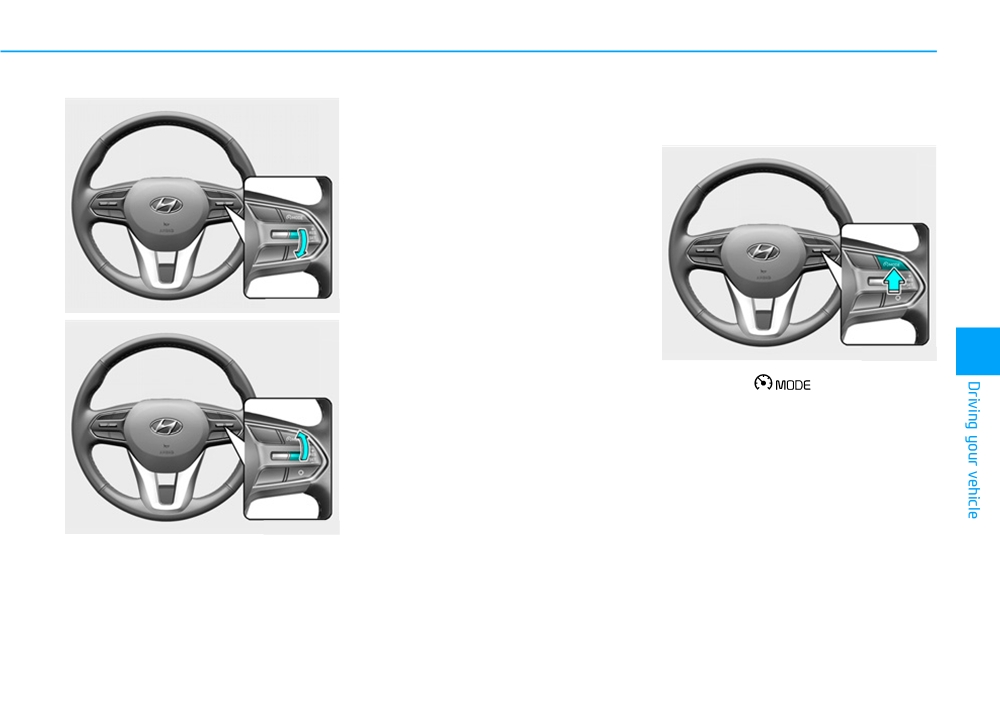
3. • Push the toggle switch up
To turn off the speed limit con-
(RES+) or down
(SET-), and
trol, do one of the following:
release it at the desired speed.
• Push the toggle switch up
(RES+) or down (SET-) and hold
it. The speed will increase or
decrease by 3 mph (5 km/h).
The set speed limit will display on the
instrument cluster.
If you would like to drive over the pre-
set speed limit when you depress the
OTM058145L
accelerator pedal less than approxi-
mately 50%, the vehicle speed will
maintain within speed limit.
OTM058037L
5
However if you depress the acceler-
•
Press the
button.
ator pedal more than approximately
70%, you can drive over the speed
•
If you press O
(cancel) button
limit. Then the set speed limit will
once, the set speed limit will can-
blink and chime will sound until you
cel, but it will not turn the system
return the vehicle speed within the
off. If you wish to resume the speed
speed limit.
limit, push the +RES or SET- tog-
gle switch on your steering wheel
to your desired speed.
OTM058146L
2. Push the toggle switch down
(SET-).
5-159
Driving your vehicle
INTELLIGENT SPEED LIMIT WARNING (ISLW) SYSTEM (IF EQUIPPED)
WARNING
•
Do not arbitrarily disassemble
the camera assembly, nor
•
Inteligent
Speed Limit
apply any impact on the cam-
Warning
(ISLW) system is
era assembly.
only a supplemental system
•
Do not disassemble camera
and is not always able to cor-
temporarily for tinted window
rectly display speed limits
or attaching any types of coat-
and overtaking restrictions.
ings and accessories. If you
•
The driver still holds the
disassemble a camera and
responsibility not to exceed
assemble it again, take your
the maximum speed limit.
vehicle to a HYUNDAI autho-
OTM058029
rised repairer and have the
•
Do not install any accessories
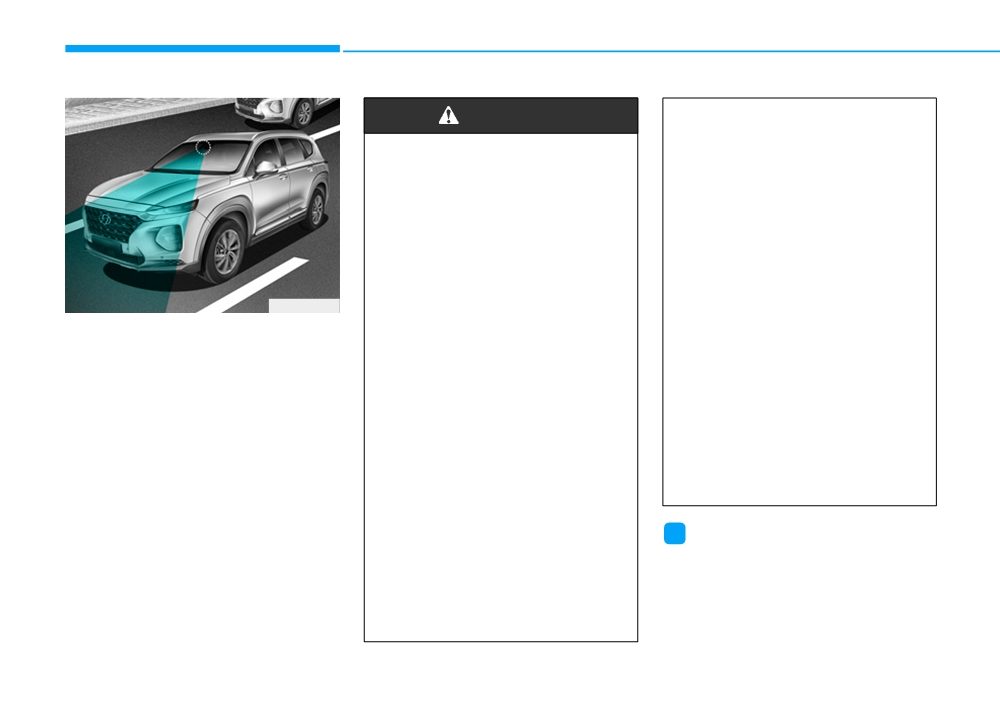
The ISLW displays the speed limit
system checked to need a cal-
and stickers. Do not tint the
information and overtaking restric-
ibration.
front windscreen, especially
tion of current road and detail condi-
near the rearview mirror.
•
Do not locate any reflective
tional through the instrument cluster
objects (i.e. white paper, mir-
and the navigation. The ISLW reads
•
The ISLW detects the traffic
ror) over the dashboard. Any
the traffic signs through the camera,
signs through the camera to
light reflection may cause a
which is attached on the upper part
display the speed limit infor-
malfunction system.
of the inner front windscreen.
mation.
•
The system is not available in
The ISLW also utilises the navigation
Therefore, the ISLW may not
all countries.
and vehicle information to display the
properly operate, when it is
speed limit information.
hard to detect the traffic signs.
For further details, please
i
Information
refer to the "Limitations of the
system".
We recommend that you have the sys-
tem checked by a HYUNDAI autho-
•
Pay extreme caution to keep
rised repairer when:
the camera sensor out of
water.
• The windscreen glass is replaced.
• The camera or related parts are
repaired or removed.
5-160