Honda Pilot (2024 year). Manual in english - page 17
549
uu
When Driving
u
Tire Pressure Monitoring System (TPMS) with Tire Fill Assist
Driving
To select the tire pressure monitor, please follow
the following steps using the buttons on the
steering wheel.
1.
Set the power mode to ON.
2.
Press the
(home) button.
3.
Roll the left selector wheel until you see the
tire pressure screen.
To select the tire pressure monitor, set the
power mode to ON, and roll the right selector
wheel until you see the tire pressure screen.
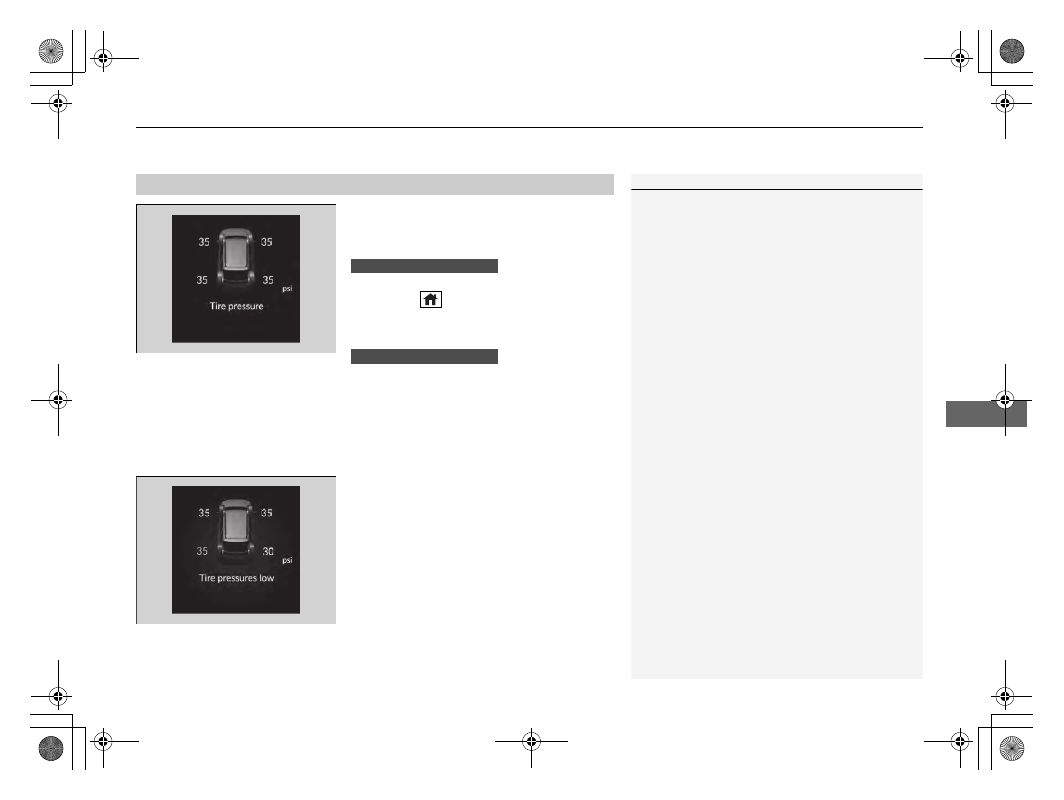
The pressure for each tire is displayed in psi.
Tire pressures low
is displayed when a tire
has significantly low pressure. The specific tire
is displayed on the screen.
■
Tire Pressure Monitor
1
The pressure displayed on the driver information
interface can be slightly different from the actual
pressure as measured by a gauge. If there is a
significant difference between the two values, or if
the Low Tire Pressure/TPMS indicator and the
message on the driver information interface do not
go off after you have inflated the tire to the specified
pressure, have the system checked by a dealer.
Tire pressure monitor system problem
may
appear if you drive with the spare tire, or there is a
problem with the TPMS.
The system checks each tire’s position on the vehicle
each time the power mode is set to ON. “--” is
displayed when the vehicle has not yet identified the
location each sensor or when there is a problem. To
allow the vehicle to identify the sensor locations,
drive at a speed of more than 25 mph (40 km/h) until
each tire pressure is displayed.
If the pressure display does not update even after
driving for one minute or if “--” is displayed for each
wheel with an amber tire icon, have your vehicle
checked by a dealer.
Models with A-type meter
Models with B-type meter