Fiat Ulysse (2022 year). Manual in english - page 17
260
Connect Radio
Call in progress
(short press): access
telephone menu.
Telephone
(long press): reject an incoming call,
end call; when no call is in progress, access
telephone menu.
Radio
(rotate): automatic search for the
previous/next station.
Media
(rotate): previous/next track, move
through a list.
Short press
: confirm a selection; if nothing
selected, access presets.
Radio
: display the list of stations.
Media
: display the list of tracks.
Radio
(press and hold): update the list of
detected stations.
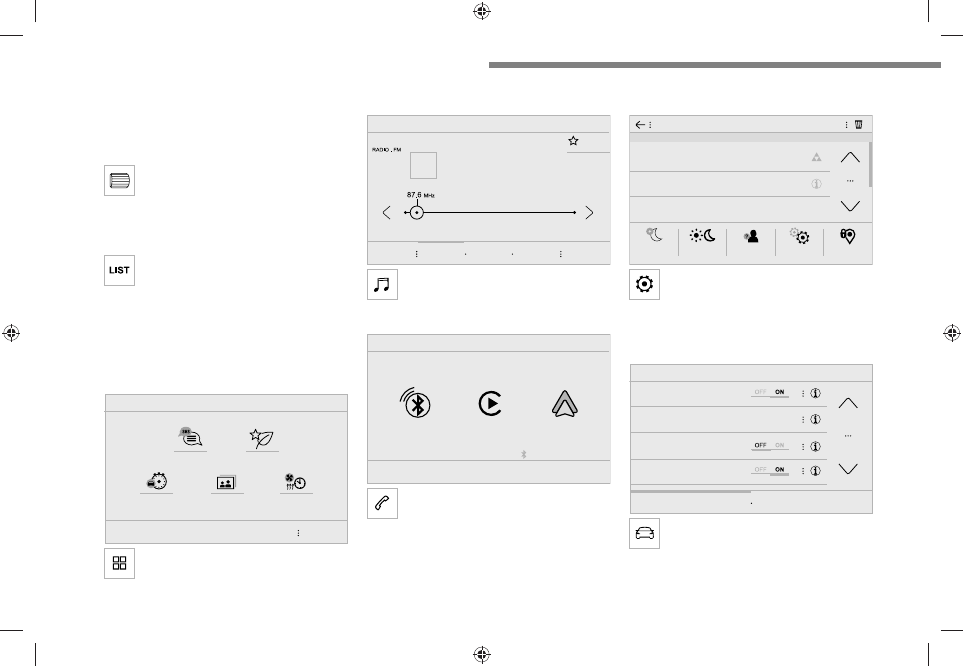
Menus
Applications
Access configurable equipment.
Radio Media
Select an audio source or radio station.
Telephone
Connect a mobile phone via Bluetooth
®
.
Run certain applications from a
smartphone connected via CarPlay
®
or Android
Auto.
Settings
Configure a personal profile and/or
configure the sound (balance, ambience,
etc.) and the display (language, units, date, time,
etc.).
Driving
Activate, deactivate or configure certain
vehicle functions.
14/02/2022 15:34:07