Kia Sorento (2024 year). Manual in english - page 14
 

  Index      Kia     Kia Sorento (2024 year). Manual in english


Search            copyright infringement  


Content      ..     12      13      14      15     ..


Kia Sorento (2024 year). Manual in english - page 14


163

5

5

Driving your vehicle

Highway Driving Assist (HDA)

message will appear and an audible 
warning will sound in stages.
• First stage: Warning message
• Second stage: Warning message

(red steering wheel) and audible
warning

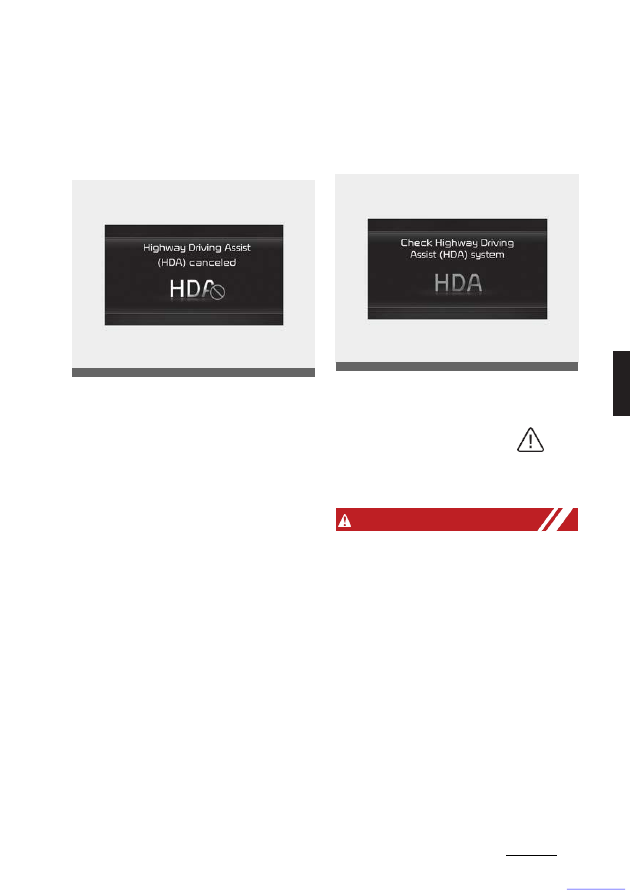
If the driver still does not have their hands
on the steering wheel after the hands-off
warning, the 'Highway Driv

-

ing Assist

(HDA) canceled' warning mes

-

sage will

appear.

Highway Driving Assist standby

When the Smart Cruise Control is tem

-

porarily canceled while Highway Driving 
Assist is operating, Highway Driving 
Assist will be in the standby state. At this 
time, Lane Following Assist will operate 
normally.

Highway Driving Assist Malfunc

-

tion and Limitations

Highway Driving Assist malfunc

-

tion

When Highway Driving Assist is not 
working properly, the 'Check Highway 
Driving Assist (HDA) system' warning

message will appear, and the (

)

warning light will appear on the cluster. 
Have the function inspected by an 
authorized Kia dealer.

W ARNING

• The driver is responsible for con

-

trolling the vehicle for safe driving.

• Always have your hands on the steer

-

ing wheel while driving.

• Highway Driving Assist is a supple

-

mental function that assists the driver 
in driving the vehicle and is not a
complete autonomous driving system. 
Always check road conditions, and if 
necessary, take appropriate actions to 
drive safely.

• Always have your eyes on the road, 

and it is the responsibility of the driver 
to avoid violating traffic laws. The 
vehicle manufacturer is not responsi

-

ble for any traffic violation or acci

-

dents caused by the driver.

OMQ4050219L

OMQ4050220L

CarManuals2.com

Driving your vehicle

164

CarManuals2.com

5

Highway Driving Assist (HDA)

• Highway Driving Assist may not be 

able to recognize all traffic situations. 
The function may not detect possible 
collisions due to Limitations. Always be
aware of the Limitations. Obstacles 
such as vehicles, motorcycles, bicy

-

cles, pedestrians, guardrails, toll gate, 
unspecified objects, structures, etc. 
that may collide with the vehicle may 
not be detected.

• Highway Driving Assist will turn off 

automatically under the following sit

-

uations:

- Driving on roads that the function 

does not operate, such as a rest 
area, intersection, junction, etc.

- The navigation does not operate 

properly such as when the naviga

-

tion is being updated or restarted

• Highway Driving Assist may inadver

-

tently operate or turn off depending
on road conditions (navigation infor

-

mation) and surroundings.

• Lane Following Assist function may be 

temporarily disabled when the front 
view camera cannot detect lanes 
properly or the hands-off warning is 
on.

• You may not hear the warning sound 

of Highway Driving Assist if the sur

-

rounding is noisy.

• If the vehicle is driven at high speed 

above a certain speed at a curve, your 
vehicle may drive to one side or may 
depart from the driving lane.

• When you are towing a trailer or 

another vehicle, we recommend that 
Highway Driving Assist is turned off 
due to safety reasons.

• The hands–off warning message may 

appear early or late depending on how
the steering wheel is held or road

conditions. Always have your hands 
on the steering wheel while driving.

• For your safety, please read the 

owner's manual before using the 
Highway Driving Assist.

• Highway Driving Assist will not oper

-

ate when the engine is started, or 
when the detecting sensors or naviga

-

tion is being initialized.

Limitations of Highway Driving 
Assist

Highway Driving Assist and Highway 
Lane Change function may not operate 
normally, or may not operate under the 
following circumstances:
• The map information and the actual 

road is different because the naviga

-

tion is not updated

• The map information and the actual 

road is different because of real-time 
GPS data or map information error

• The infotainment system is over

-

loaded by simultaneously performing 
functions such as route search, video 
playback, voice recognition, etc.

• GPS signals are blocked in areas

such as a tunnel

• The driver goes off course or the route

to the destination is changed or 
canceled by resetting the navigation 
(including TPEG change)

• The vehicle enters a service station or 

rest area

• Android Auto or Car Play is operating

The navigation cannot detect the cur

-

rent vehicle position (ex: elevated 
roads including overpass adjacent to 
general roads or nearby roads exist in
a parallel way)

165

5

5

Driving your vehicle

Rear Cross-Traffic Collision-Avoidance Assist (RCCA)

NOTICE

For more details on the limitations of the 
front view camera and front radar, refer to
"Forward Collision-Avoidance Assist 
(FCA) (Sensor fusion) (if equipped)" on 
page 5-74.

This device complies with Indus

-

try Canada licence-exempt RSS
standard(s).

Operation is subject to the following 
conditions:

1. This device may not cause interfer

-

ence, and

2. This device must accept any interfer

-

ence, including interference that may 
cause undesired operation of the 
device.

3. Changes or modifications not 

expressly approved by the party 
responsible for compliance could void 
the user's authority to operate the 
device.

Rear Cross-Traffic Collision-
Avoidance Assist (RCCA) (if
equipped)

Rear Cross-Traffic Collision-Avoidance 
Assist is designed to help detect vehicles 
approaching from the left and right side 
while your vehicle is reversing, and warn 
the driver that a collision is imminent with 
a warning message and an audible 
warning. Also, braking is assisted to help 
prevent collision.

A.

: Rear Cross-Traffic Collision Warning 

operating range

B.

: Rear Cross-Traffic Collision-Avoid

-

ance Assist operating range

CAUTION

The time of warning may vary depend

-

ing on vehicle speed of the approaching 
vehicle.

NOTICE

In the following text, Rear Cross-Traffic 
Collision Assist will be referred as Rear 
Cross-Traffic Collision-Avoidance Assist.

OMQ4050263

CarManuals2.com

Driving your vehicle

166

5

Rear Cross-Traffic Collision-Avoidance Assist (RCCA)

Detecting sensor

Rear corner radar

Refer to the picture above for the detailed
location of the detecting sensor.

NOTICE

For more details on the precautions of 
the rear corner radar, refer to "Blind- Spot
Collision-Avoidance Assist (BCA) (if 
equipped)" on page 5-95.

Rear Cross-Traffic Collision-
Avoidance Assist Settings

Rear Cross-Traffic Safety

With the ENGINE START/STOP button
in the ON position, select 'Driver
Assistance

→ Parking Safety → Rear Cross-Traffic

Safety' from the Settings menu to turn 
on Rear Cross-Traffic Collision-Avoid

-

ance Assist and deselect to turn off the 
function.

W ARNING

When the engine is restarted, Rear 
Cross-Traffic Collision-Avoidance Assist 
will always turn on. However, if 'Off' is 
selected after the engine is restarted, the 
driver should always be aware of the 
surroundings and drive safely.

NOTICE

Settings for Rear Cross-Traffic Collision-
Avoidance Assist include Rear Cross-
Traffic Collision Warning and Rear
Cross-Traffic Collision-Avoidance Assist.

Warning Timing

With the ENGINE START/STOP button
in the ON position, select 'Driver
Assistance

→ Warning Timing' from the Settings 

menu to change the initial warning acti

-

vation time for Rear Cross-Traffic Colli

-

sion-Avoidance Assist.

When the vehicle is first delivered, Warn

-

ing Timing is set to 'Normal'. If you 
change the Warning Timing, the warning 
time of other Driver Assistance systems 
may change.

OMQ4A042598

OMQ4AH050341

OMQ4AH050334

CarManuals2.com

167

5

5

Driving your vehicle

Rear Cross-Traffic Collision-Avoidance Assist (RCCA)

Warning Methods

You can adjust the Warning Methods 
with the ignition switch or ENGINE 
START/ STOP button in the ON
position.
• Warning Volume : Select 'User Set

-

tings

→ Driver Assistance → Warning 

Volume' on the LCD display or 'Set

-

tings

→ Vehicle → Driver Assistance

→ Warning Methods → Warning vol

-

ume' on the Infotainment system.
Even if '0' or 'Off' is selected, the func

-

tion's Warning Volume will not turn off
but the volume will sound as '1' or
'Low'.

• Steering Wheel Vibration Warning: 

Select 'User Settings

→ Driver Assis

-

tance

→ Haptic warning' on the LCD 

display or 'Settings

→ Vehicle →

Driver Assistance

→ Warning Methods

→ Haptic warning' on the Infotain

-

ment system.

NOTICE

• Ensure that warning sound you have

set may apply to the warning volume
of other driver assistance systems.

• Warning Methods will maintain its last

setting even if the vehicle is restarted.

• With the Warning Volume in '0' or 

'Off', if you turn off Steering Wheel 
Vibration Warning, the Warning Vol

-

ume will be activated with volume '2' 
or 'Medium'.

• With the Steering Wheel Vibration 

Warning off, if you adjust the Warning 
Volume to '0' or 'Off', the Steering 
Wheel Vibration Warning will be acti

-

vated.

• The setting menu may not be avail

-

able for your vehicle depending on 
the vehicle features and specifica

-

tions.

• Descriptions of each driver assistance 

system may be slightly different from 
the owner's manual after updating the 
software of your infotainment system. 
In this case, scan the QR code in the 
infotainment system manual to
access the web manual for checking 
the changes.

• Depending on your update, the menu 

may be displayed as Warning Sound 
or Warning Methods.

Rear Cross-Traffic Collision-
Avoidance Assist Operation

Warning and control

Rear Cross-Traffic Collision-Avoidance 
Assist will warn and control the vehicle 
depending on collision level: 'Collision 
Warning', 'Emergency Braking' and

OMQ4A052388

OMQ4041606

CarManuals2.com

Driving your vehicle

168

5

Rear Cross-Traffic Collision-Avoidance Assist (RCCA)

'Stopping vehicle and ending brake con

-

trol'.

Collision Warning

• To warn the driver of an approaching

vehicle from the rear left/right side of
your vehicle, the warning light on the

side view mirror will blink and a warn

-

ing will appear on the cluster. At the 
same time, an audible warning will 
sound and the steering wheel will 
vibrate. If the Rear View Monitor is 
operating, a warning will also appear 
on the infotainment system screen.

• The function will operate when all the 

following conditions are satisfied:

- The gear is changed to R

(Reverse)

- Vehicle speed is below 8 km/h (5 

mph)

- The approaching vehicle is within 

approximately 25 m (82 ft.) from the
left and right side of your vehi

-

cle

- The speed of the vehicle approach

-

ing from the left and right is above 5
km/h (3 mph)

NOTICE

If the operating conditions are satisfied, 
there will be a warning whenever the 
vehicle approaches from the left or right 
side even though your vehicle speed is 0 
km/h (0 mph).

Emergency Braking

OMQ4A051098

OMQ4050309L

OMQ4AH050162

OMQ4050098L

CarManuals2.com

169

5

5

Driving your vehicle

Rear Cross-Traffic Collision-Avoidance Assist (RCCA)

• To warn the driver of an approaching 

vehicle from the rear left/right side of 
your vehicle, the warning light on the 
side view mirror will blink and a warn

-

ing message will appear on the clus

-

ter. At the same time, an audible 
warning will sound and the steering 
wheel will vibrate. If the Rear View 
Monitor is operating, a warning will also
appear on the infotainment sys

-

tem

screen.

• The function will operate when all the 

following conditions are satisfied:

- The gear is changed to R

(Reverse)

- Vehicle speed is below 8 km/h (5 

mph)

- The approaching vehicle is within 

approximately 1.5 m (5 ft.) from the 
left and right side of your vehicle

- The speed of the vehicle approach

-

ing from the left and right is above 5
km/h (3 mph)

• Emergency braking will be assisted to

help prevent collision with approach

-

ing vehicles from the left and right.

NOTICE

Brake control will end when:
• The approaching vehicle is out of the 

detecting range

• The approaching vehicle passes 

behind your vehicle

• The approaching vehicle does not 

drive toward your vehicle

• The approaching vehicle speed slows 

down

• The driver depresses the brake pedal 

with sufficient power

Stopping vehicle and ending 
brake control

• When the vehicle is stopped due to 

emergency braking, the 'Drive care

-

fully' warning message will appear on 
the cluster.

• For your safety, the driver should 

depress the brake pedal immediately 
and check the surroundings.

OMQ4A051385N

OMQ4AH050162

OMQ4040504L

CarManuals2.com

Driving your vehicle

170

5

Rear Cross-Traffic Collision-Avoidance Assist (RCCA)

• Brake control will end after the vehicle

is stopped by emergency braking for
approximately 2 seconds.

• During emergency braking, braking 

control by the function will automati

-

cally cancel when the driver exces

-

sively depresses the brake pedal.

W ARNING

Take the following precautions when 
using Rear Cross-Traffic Collision-Avoid

-

ance Assist:
• For your safety, change the Settings 

after parking the vehicle at a safe 
location.

• If any other function's warning mes

-

sage is displayed or audible warning 
is generated, Rear Cross-Traffic 
Safety function's warning message 
may not be displayed and audible 
warning may not be generated.

• You may not hear the warning sound

of Rear Cross-Traffic Collision-Avoid

-

ance Assist if the surrounding is noisy.

• Rear Cross-Traffic Collision-Avoid

-

ance Assist may not operate if the 
driver applies the brake pedal to avoid 
collision.

• During Rear Cross-Traffic Safety 

Function Operation, the vehicle may 
stop suddenly injuring passengers 
and shifting loose objects. Always 
have the seat belt on and keep loose 
objects secured.

• Even if there is a problem with Rear 

Cross-Traffic Collision-Avoidance 
Assist, the vehicle's basic braking per

-

formance will operate normally.

• Rear Cross-Traffic Collision-Avoid

-

ance Assist may warn the driver late or
may not warn the driver depending on
the road and driving conditions.

• Rear Cross-Traffic Collision-Avoid

-

ance Assist does not operate in all sit

-

uations or cannot avoid all collisions.

• During emergency braking, braking 

control by the function will automati

-

cally cancel when the driver exces

-

sively depresses the accelerator 
pedal.

• The driver should hold the responsi

-

bility to control the vehicle. Do not 
solely depend on Rear Cross-Traffic 
Collision-Avoidance Assist. Rather, 
maintain a safe braking distance, and 
if necessary, depress the brake pedal 
to reduce driving speed or to stop the 
vehicle.

• Never deliberately operate Rear 

Cross-Traffic Collision-Avoidance 
Assist on people, animal, objects, etc. 
It may cause serious injury or death.

CAUTION

The brake control may not operate 
properly depending on the status of ESC 
(Electronic Stability Control).

There will only be a warning when:
• The ESC (Electronic Stability

Control) warning light is on

• ESC (Electronic Stability Control)

is engaged in a different function

NOTICE

CarManuals2.com

• If the function assists you with brak

-

ing, the driver must immediately 
depress the brake pedal and check 
vehicle surroundings.

• Brake control will end when the driver

depresses the brake pedal with suffi

-

cient power.

• After

changing

the

gear

to

R

(Reverse), braking control will operate

171

5

5

Driving your vehicle

Rear Cross-Traffic Collision-Avoidance Assist (RCCA)

once for left and right vehicle 
approach.

Rear Cross-Traffic Collision-
Avoidance Assist Malfunction 
and Limitations

Rear Cross-Traffic Collision-
Avoidance Assist malfunction

When Rear Cross-Traffic Collision-
Avoidance Assist is not working prop

-

erly, the 'Check Rear Cross-Traffic
Safety system' warning message will 
appear on the cluster, and the function 
will turn off automatically or the function 
will be limited. Have the function 
inspected by an authorized Kia dealer.

When the side view mirror warning light 
is not working properly, the 'Check side

view mirror warning light' warning mes

-

sage will appear on the cluster. Have the
function inspected by an authorized Kia
dealer.

Rear Cross-Traffic Collision-
Avoidance Assist disabled

When the rear bumper around the rear 
corner radar or rear sensor is covered 
with foreign material, such as snow or 
rain, or installing a trailer or carrier, it can 
reduce the detecting performance and 
temporarily limit or disable Rear Cross-
Traffic Collision-Avoidance Assist.

If this occurs, the 'Rear Cross-Traffic 
Safety Function disabled. Radar blocked' 
warning message will appear on the 
cluster.

The function will operate normally when 
such foreign material or trailer, etc. is 
removed.

If the function does not operate normally 
after it is removed, have the function 
inspected by an authorized Kia dealer.

NOTICE

• Even though the warning message 

does not appear on the cluster, Rear 
Cross-Traffic Collision-Avoidance 
Assist may not operate properly.

OMQ4050290L

OMQ4050291L

OMQ4050292L

CarManuals2.com

Driving your vehicle

172

5

Rear Cross-Traffic Collision-Avoidance Assist (RCCA)

• Rear Cross-Traffic Collision-Avoid

-

ance Assist may not operate properly 
in an area (for example: open terrain), 
where any substance are not detected 
after turning ON the engine.

CAUTION

Turn off Rear Cross-Traffic Collision-
Avoidance Assist to install a trailer, car

-

rier, etc., or remove the trailer, carrier, 
etc. to use Rear Cross-Traffic Collision-
Avoidance Assist.

Limitations of Rear Cross-Traffic 
Collision-Avoidance Assist

Rear Cross-Traffic Collision-Avoidance 
Assist may not operate normally, or the 
function may operate unexpectedly 
under the following circumstances:
• Departing from where trees or grass 

are overgrown

• Departing from where roads are wet

Speed of the approaching vehicle is
fast or slow

Braking control may not work, driver's 
attention is required in the following cir

-

cumstances:
• The vehicle severely vibrates while

driving over a bumpy road, uneven
road or concrete patch

• Driving on a slippery surface due to

snow, water puddle, ice, etc.

• The tire pressure is low or a tire is

damaged

• The brake is reworked

NOTICE

For more details on the limitations of the 
rear corner radar, refer to "Blind-Spot 
Collision-Avoidance Assist (BCA) (if 
equipped)" on page 5-95.

W ARNING

• Driving near a vehicle or structure

[A]: Structure
Rear Cross-Traffic Collision-Avoid

-

ance Assist may be limited when driv

-

ing near a vehicle or structure, and 
may not detect the vehicle approach

-

ing from the left or right. If this occurs, 
the function may not warn the driver or
control the brakes when necessary.

Always check your surroundings while 
backing up.

• When the vehicle is in a complex 

parking environment

Rear Cross-Traffic Collision-Avoid

-

ance Assist may detect vehicles which 
are parking or pulling out near your 
vehicle (for example: a vehicle leaving

OMQ4H052636

OMQ4H052637

CarManuals2.com

173

5

5

Driving your vehicle

Rear Cross-Traffic Collision-Avoidance Assist (RCCA)

beside your vehicle, a vehicle parking 
or pulling out in the rear area, a vehi

-

cle approaching your vehicle making
a turn, etc.). If this occurs, the function 
may unnecessarily warn the driver 
and control the brake.

Always check your surroundings while 
backing up.

• When the vehicle is parked diagonally

[A]: Vehicle
Rear Cross-Traffic Collision-Avoid

-

ance Assist may be limited when 
backing up diagonally, and may not 
detect the vehicle approaching from 
the left or right. If this occurs, the 
function may not warn the driver or 
control the brakes when necessary.

Always check your surroundings while 
backing up.

• When the vehicle is on or near a slope

Rear Cross-Traffic Collision-Avoid

-

ance Assist may be limited when the 
vehicle is on a uphill or downhill slope, 
or near it, and may not detect the 
vehicle approaching from the left or 
right. If this occurs, the function may 
not warn the driver or control the 
brakes when necessary.

Always check your surroundings while 
backing up.

W ARNING

• Pulling into the parking space where 

there is a structure

[A]: Structure, [B]: Wall
Rear Cross-Traffic Collision-Avoid

-

ance Assist may detect vehicles pass

-

OMQ4H052638

OMQ4H052033

OMQ4H052639

CarManuals2.com

Driving your vehicle

174

5

Rear Cross-Traffic Collision-Avoidance Assist (RCCA)

ing by in front of you when parking 
backwards into a parking space with a
wall or structure in the rear or side 
area. If this occurs, the function may 
unnecessarily warn the driver and 
control the brake.

Always check your surroundings while 
backing up.

• When the vehicle is parked rearward

Rear Cross-Traffic Collision-Avoid

-

ance Assist may detect vehicles pass

-

ing by behind you when parking 
backwards into a parking space. If this 
occurs, the function may unnecessar

-

ily warn the driver and control the 
brake.

Always check your surroundings while 
backing up.

W ARNING

• When you are towing a trailer or 

another vehicle, we recommend that 
Rear Cross-Traffic Collision-Avoid

-

ance Assist is turned off due to safety 
reasons.

• Rear Cross-Traffic Collision-Avoid

-

ance Assist may not operate normally 
if interfered by strong electromag

-

netic waves.

• Rear Cross-Traffic Collision-Avoid

-

ance Assist may not operate for 
approximately 3 seconds after the 
vehicle is started, or the rear corner 
radars are initialized.

This device complies with Indus

-

try Canada licence-exempt RSS
standard(s).

Operation is subject to the following 
conditions:

1. This device may not cause interfer

-

ence, and

2. This device must accept any interfer

-

ence, including interference that may 
cause undesired operation of the 
device.

OMQ4H052640

CarManuals2.com

175

5

5

Driving your vehicle

Reverse Parking Collision-Avoidance Assist (PCA)

Reverse Parking Collision-
Avoidance Assist (PCA) (if
equipped)

Reverse Parking Collision-Avoidance 
Assist may warn the driver or may assist 
with braking to help reduce the possibil

-

ity of collision with a pedestrian or an 
object when backing up.

Detecting sensor

Wide-rear view camera

Rear ultrasonic sensors

Refer to the picture above for the 
detailed location of the detecting sen

-

sors.

CAUTION

Take the following precautions to main

-

tain optimal performance of the detect

-

ing sensors:
• Always keep the rear view camera 

and rear ultrasonic sensors clean.

• Do not use any cleanser containing 

acid or alkaline detergents when 
cleaning the rear view camera lens. 
Use only a mild soap or neutral deter

-

gent, and rinse thoroughly with water.

• Never disassemble or apply impact on

the rear view camera or the rear ultra

-

sonic sensors components.

• Do not apply unnecessary force on

the rear view camera or the rear ultra

-

sonic sensors. Reverse Parking Colli

-

sion-Avoidance Assist may not
operate properly if the rear view cam

-

era or the rear ultrasonic sensor(s) is 
forcibly moved out of proper align

-

ment. Have the vehicle inspected by 
an authorized Kia dealer.

• Do not spray the rear view camera or 

the rear ultrasonic sensors or their 
surrounding area directly with a high 
pressure washer. It may cause the 
rear view camera or the rear ultra

-

sonic sensors to malfunction.

• Reverse Parking Collision-Avoidance 

Assist may not work properly if the 
bumper has been damaged, replaced 
or repaired.

• Do not apply objects, such as 

abumper sticker or a bumper guard, 
near the rear view camera or rear 
ultrasonic sensors or apply paint to 
the bumper. Doing so may adversely 
affect the performance of Reverse 
Parking Collision-Avoidance Assist.

• Reverse Parking Collision-Avoidance 

Assist may not operate normally if

OMQ4A042594

OMQ4A042045

CarManuals2.com

Driving your vehicle

176

5

Reverse Parking Collision-Avoidance Assist (PCA)

interfered by strong electromagnetic 
waves.

Reverse Parking Distance Warn

-

ing Settings

Parking Safety

With the ENGINE START/STOP button
in the ON position, select or deselect 
'Driver Assistance

→ Parking Safety' 

from the Settings menu to set whether or
not to use each function.
• If 'Rear Active Assist' is selected, the 

function will warn the driver and assist 
with braking when a collision with a
pedestrian or an object is imminent.

• If 'Rear Warning Only' is selected, the 

function will warn the driver when a
collision with a pedestrian or an object 
is imminent. Braking will not be 
assisted.

• If 'Off' is selected, the function will 

turn off.

Warning Timing

With the ENGINE START/STOP button
in the ON position, select 'Driver
Assistance

→ Warning Timing' from the Settings 

menu to change the initial warning acti

-

vation time for Forward Collision-Avoid

-

ance Assist.
When the vehicle is first delivered, Warn

-

ing Timing is set to 'Normal'.

If you change the Warning Timing, the 
warning time of other Driver Assistance 
systems may change.

Warning Methods

OMQ4AH050348

OMQ4AH050334

OMQ4A052388

CarManuals2.com

177

5

5

Driving your vehicle

Reverse Parking Collision-Avoidance Assist (PCA)

You can adjust the Warning Methods 
with the ignition switch or ENGINE 
START/ STOP button in the ON
position.
• Warning Volume : Select 'User Set

-

tings

→ Driver Assistance → Warning 

Volume' on the LCD display or 'Set

-

tings

→ Vehicle → Driver Assistance

→ Warning Methods → Warning vol

-

ume' on the Infotainment system.
Even if '0' or 'Off' is selected, the func

-

tion's Warning Volume will not turn off 
but the volume will sound as '1' or 'Low'.

• Steering Wheel Vibration Warning: 

Select 'User Settings

→ Driver Assis

-

tance

→ Haptic warning' on the LCD 

display or 'Settings

→ Vehicle →

Driver Assistance

→ Warning Methods

→ Haptic warning' on the Infotain

-

ment system.

NOTICE

• Ensure that warning sound you have

set may apply to the warning volume
of other driver assistance systems.

• Warning Methods will maintain its last

setting even if the vehicle is restarted.

• With the Warning Volume in '0' or 

'Off', if you turn off Steering Wheel 
Vibration Warning, the Warning Vol

-

ume will be activated with volume '2' 
or 'Medium'.

• With the Steering Wheel Vibration 

Warning off, if you adjust the Warning 
Volume to '0' or 'Off', the Steering 
Wheel Vibration Warning will be acti

-

vated.

• The setting menu may not be avail

-

able for your vehicle depending on 
the vehicle features and specifica

-

tions.

• Descriptions of each driver assistance 

system may be slightly different from 
the owner's manual after updating the 
software of your infotainment system. 
In this case, scan the QR code in the 
infotainment system manual to
access the web manual for checking 
the changes.

• Depending on your update, the menu 

may be displayed as Warning Sound 
or Warning Methods.

Reverse Parking Distance Warn

-

ing Operation

Operating conditions

If 'Rear Active Assist' or 'Rear Warning 
Only' is set from the Settings menu, 
Reverse Parking Collision-Avoidance 
Assist will be in the ready status when 
the following conditions are satisfied:
• The liftgate is closed
• The gear is changed to R
(Reverse)

Vehicle speed is below 10

km/h (6

mph)

Function components such as the rear 
view camera and the rear ultrasonic sen

-

sors are in normal conditions

Rear Warning Only

• If the function detects a risk of colli

-

sion with a pedestrian or an object,

OMQ4041606

CarManuals2.com

Driving your vehicle

178

5

Reverse Parking Collision-Avoidance Assist (PCA)

the function will warn the driver with an
audible warning, steering wheel 
vibration and warning message on the
cluster. When Rear View Monitor is
operating, a warning will appear on 
the infotainment system screen.

• If 'Rear Warning Only' is selected, 

braking will not be assisted.

• The warning will turn off when the 

gear is shifted to P (Park), N (Neutral) 
or D (Drive).

Rear Active Assist

• If the function detects a risk of colli

-

sion with a pedestrian or an object, 
Reverse Parking Collision-Avoidance 
Assist will warn the driver with an 
audible warning, steering wheel vibra

-

tion and warning message on the 
cluster. When Rear View Monitor is 
operating, a warning will appear on the
infotainment system screen.

• If the function detects imminent colli

-

sion with a pedestrian or an object 
behind the vehicle, the function will 
assist you with braking. The driver 
needs to pay attention as the brake 
assist will end within 2 seconds. The 
driver must immediately depress the 
brake pedal and check vehicle sur

-

roundings.

• Brake control will end when:

- The gear is changed to P (Park) 

or D (Drive).

- The driver depresses the brake 

pedal with sufficient power

- Braking assist last for approxi

-

mately 2 seconds

• The warning will turn off when:

- The driver changes the gear to P

(Park), N (Neutral), or D (Drive)

• The brake control may not operate 

properly depending on the status of 
ESC (Electronic Stability Control).

• There will only be a warning when:

- The ESC (Electronic Stability

Con

-

trol) warning light is on

- ESC (Electronic Stability Control)

is engaged in a different function

W ARNING

• Playing the vehicle audio system at 

high volume may prevent passengers 
from hearing Reverse Parking Colli

-

sion-Avoidance Assist warning sounds

• Noise may be heard when sudden 

braking occurs to avoid a collision.

• If any other warning sound such as the

seat belt warning chime is already 
generated, Reverse Parking Collision-
Avoidance Assist warning may not 
sound.

• The performance of Reverse Parking 

Collision-Avoidance Assist may vary 
under certain conditions. If vehicle 
speed is above 4 km/h (2 mph), the 
function will provide collision avoid

-

ance assist only when pedestrians are 
detected. Always look around and pay 
attention when backing up your vehi

-

cle.

CarManuals2.com

179

5

5

Driving your vehicle

Reverse Parking Collision-Avoidance Assist (PCA)

Reverse Parking Distance Warn

-

ing Malfunction and Limitations

Reverse Parking Distance Warn

-

ing malfunction

When Reverse Parking Collision- Avoid

-

ance Assist or other related systems are 
not working properly, the 'Check Parking 
Collision-Avoidance Assist system' warn

-

ing message will appear on the cluster, 
and the function will turn off automati

-

cally. Have your vehicle inspected by an 
authorized Kia dealer.

Reverse Parking Distance Warn

-

ing disabled

The rear view camera is used as a
detecting sensor to detect pedestrians. If 
the camera lens is covered with foreign

material, such as snow or rain, it may
adversely affect camera performance
and Reverse Parking Collision-Avoid

-

ance Assist may not operate normally.
Always keep the camera lens clean.

The wide-rear ultrasonic sensors are 
located inside the rear bumper to detect 
objects in the rear area. If the sensors 
are covered with foreign material, such 
as snow or rain, it may adversely affect 
sensor performance and Reverse Park

-

ing Collision-Avoidance Assist may not 
operate normally. Always keep the rear 
bumper clean.

Wide-rear view camera

OMQ4050221L

OMQ4A042594

OMQ4A042045

OMQ4051337L

CarManuals2.com

Driving your vehicle

180

5

Reverse Parking Collision-Avoidance Assist (PCA)

Wide-rear ultrasonic sensor

The 'Rear camera error or blockage' or 
'Parking sensor error or blockage' warn

-

ing message will appear on the cluster if 
the following situations occur:
• The wide-rear view camera or ultra

-

sonic sensors are covered with for

-

eign material, such as snow or rain, 
etc.

• There is inclement weather, such as 

heavy snow, heavy rain, etc.

If this occurs, Reverse Parking Collision-
Avoidance Assist may turn off or may not
operate properly. Check whether the rear
view camera and rear ultrasonic sensors
are clean.

Limitations of Reverse Parking 
Distance Warning

Reverse Parking Collision-Avoidance 
Assist may not assist braking or warn the 
driver even if there are pedestrians or 
objects under the following circum

-

stances:
• Any non-factory equipment or acces

-

sory is installed

• Your vehicle is unstable due to an 

accident or other causes

• Bumper height or rear ultrasonic sen

-

sor installation has been modified

• Rear view camera or rear ultrasonic 

sensor(s) is damaged

• Rear view camera or the rear ultra

-

sonic sensor(s) is stained with foreign 
matter, such as snow, dirt, etc.

• Rear view camera is obscured by a

light source or by inclement weather, 
such as heavy rain, fog, snow, etc.

• The surrounding is very bright or very 

dark

• Outside temperature is very high or 

very low

• The wind is either strong (above 20 

km/h (12 mph)) or blowing perpendic

-

ular to the rear bumper

• Objects generating excessive noise, 

such as vehicle horns, loud motorcy

-

cle engines or truck air brakes, are 
near your vehicle

• An ultrasonic sensor with similar fre

-

quency is near your vehicle

• There is ground height difference 

between the vehicle and the pedes

-

trian

• The image of the pedestrian in the 

rear view camera is indistinguishable 
from the background

• The pedestrian is near the rear edge 

of the vehicle

• The pedestrian is not standing upright

The pedestrian is either very short or
very tall for the function to detect

• The pedestrian or cyclist is wearing 

clothing that easily blends into the 
background, making it difficult to 
detect

• The pedestrian is wearing clothing 

that does not reflect ultrasonic waves 
well

• Size, thickness, height, or shape of the 

object does not reflect ultrasonic

OMQ4051222L

CarManuals2.com

181

5

5

Driving your vehicle

Reverse Parking Collision-Avoidance Assist (PCA)

waves well (e.g., pole, bush, curbs, 
carts, edge of a wall, etc.)

• The pedestrian or the object is moving

The pedestrian or the object is very
close to the rear of the vehicle

• A wall is behind the pedestrian or the 

object

• The object is not located at the rear 

center of your vehicle

• The object is not parallel to the rear 

bumper

• The road is slippery or inclined
• The driver backs up the vehicle imme

-

diately after shifting to R (Reverse)

• The driver accelerates or circles the 

vehicle

Reverse Parking Collision-Avoidance 
Assist may unnecessarily warn the driver 
or assist with braking even if there are no
pedestrians or objects under the fol

-

lowing circumstances:
• Any non-factory equipment or acces

-

sory is installed

• Your vehicle is unstable due to an 

accident or other causes

• Bumper height or rear ultrasonic sen

-

sor installation has been modified

• Your vehicle height is low or high due 

to heavy loads, abnormal tire pres

-

sure, etc.

• Rear view camera or the rear ultra

-

sonic sensor(s) is stained with foreign 
matter, such as snow, dirt, etc.

• The pattern on the road is mistaken 

for a pedestrian

• There is shadow or light reflecting on 

the ground

• Pedestrians or objects are around the 

path of the vehicle

• Objects generating excessive noise, 

such as vehicle horns, loud motorcy

-

CarManuals2.com

cle engines or truck air brakes, are 
near your vehicle

• Your vehicle is backing towards a nar

-

row passage or parking space

• Your vehicle is backing towards an 

uneven road surface, such as an 
unpaved road, gravel, bump, gradient, 
etc.

• A trailer or carrier is installed on the 

rear of your vehicle

• An ultrasonic sensor with similar fre

-

quency is near your vehicle

Driving your vehicle

182

5

Economical operation

Economical operation

Your vehicle's fuel economy depends
mainly on your style of driving, where
you drive and when you drive.

Each of these factors affects how many 
kilometers (miles) you can get from a liter
(gallon) of fuel. To operate your vehicle
as economically as possible, use the
following driving suggestions to help save
money in both fuel and repairs:
• Drive smoothly. Accelerate at a mod

-

erate rate. Don't make "jackrabbit" 
starts or full-throttle shifts and main

-

tain a steady cruising speed. Don't 
race between stoplights. Try to adjust 
your speed to the traffic so you don't 
have to change speeds unnecessar

-

ily. Avoid heavy traffic whenever pos

-

sible.

Always maintain a safe distance from 
other vehicles so you can avoid 
unnecessary braking. This also 
reduces brake wear.

• Drive at a moderate speed. The faster 

you drive, the more fuel your vehicle 
uses. Driving at a moderate speed, 
especially on the highway, is one of 
the most effective ways to reduce fuel 
consumption.

• Take care of your tires. Keep them 

inflated to the recommended pres

-

sure. Incorrect inflation, either too 
much or too little, results in unneces

-

sary tire wear. Check the tire pres

-

sures at least once a month.

• Be sure that the wheels are aligned 

correctly. Improper alignment can 
result from hitting curbs or driving too 
fast over irregular surfaces. Poor 
alignment causes faster tire wear and 
may also result in other problems as 
well as greater fuel consumption.

• Keep your vehicle in good condition. 

For better fuel economy and reduced 
maintenance costs, maintain your 
vehicle in accordance with the main

-

tenance schedule in "Scheduled main

-

tenance service" on page 7-9. If you 
drive your vehicle in severe condi

-

tions, more frequent maintenance is 
required (Refer to "Maintenance
under severe usage conditions" on 
page 7-12 and).

• Travel lightly. Don't carry unnecessary 

weight in your vehicle. Weight
reduces fuel economy.

• Don't let the engine idle longer than 

necessary. If you are waiting (and not 
in traffic), turn off your engine and 
restart only when you're ready to go.

• Don't "lug" or "over-rev" the engine. 

Lugging is driving too slowly in too 
high a gear resulting in the engine 
bucking. If this happens, shift to a
lower gear. Over-revving is racing the 
engine beyond its safe limit. This can 
be avoided by shifting at the recom

-

mended speeds.

• Open windows at high speeds can 

reduce fuel economy.

• Fuel economy is less in crosswinds 

and headwinds. To help offset some 
of this loss, slow down when driving in 
these conditions.

Keeping a vehicle in good operating 
condition is important both for economy 
and safety.

Therefore, have the function checked by 
an authorized Kia dealer.

W ARNING

CarManuals2.com

Engine off during motion
Never turn the engine off to coast down 
hills or anytime the vehicle is in motion. 
The power steering and power brakes

183

5

5

Driving your vehicle

Declaration of conformity

will not function properly without the 
engine running. In addition, turning off the
ignition while driving could engage the
steering wheel lock resulting in loss of
vehicle steering. Keep the engine on and
downshift to an appropriate gear for 
engine braking effect.

Declaration of conformity (if 
equipped)

The radio frequency components 
(Front Radar) complies:

For United States and United 
States territories

For Canada

OANATEL002

OSKEV052517L

OSKEV052518L

CarManuals2.com

Driving your vehicle

184

5

Declaration of conformity

For Mexico

The radio frequency components 
(Rear Corner Radar) complies:

For United States and United 
States territories

For Canada

For Mexico

OSKEV052511L

OANATEL002

OMQ4PH052522N

OMQ4PH052523N

OMQ4PH052524N

CarManuals2.com

185

5

5

Driving your vehicle

Special driving conditions

Special driving conditions

If driving conditions deteriorate due to 
poor weather or road conditions, you 
should pay even more attention than 
usual to your driving.

Hazardous driving conditions

When hazardous driving conditions are 
encountered such as water, snow, ice, 
mud, sand, or similar hazards, follow 
these suggestions:
• Drive cautiously and allow extra dis

-

tance for braking.

• Avoid sudden braking or steering.

Do not pump the brake pedal on a
vehicle equipped with ABS.

• If stalled in snow, mud, or sand, use 

the second gear. Accelerate slowly to 
avoid spinning the drive wheels.

• Use sand, rock salt, or other nonslip 

material under the drive wheels to 
provide traction when stalled in ice, 
snow, or mud.

Reducing the risk of a rollover

This multi-purpose passenger vehicle is 
defined as a Sports Utility Vehicle (SUV). 
Utility vehicles have a significantly higher
rollover rate than other types of vehicles.
SUVs have higher ground clearance 
and a narrower track to make them
capable of performing in a wide variety of
offroad applications.

Specific design characteristics give them 
a higher center of gravity than ordinary 
vehicles. An advantage of the higher 
ground clearance is a better view of the 
road, which allows you to anticipate 
problems.

They are not designed for cornering at
the same speeds as conventional pas

-

senger vehicles, any more than low-

slung sports vehicles are designed to 
perform satisfactorily in off-road condi

-

tions. Due to this risk, driver and passen

-

gers are strongly recommended to buckle
their seat belts.

In a rollover crash, an unbelted person is 
significantly more likely to die than a
person wearing a seat belt. There are 
steps that a driver can make to reduce 
the risk of a rollover.

If at all possible, avoid sharp turns or 
abrupt maneuvers, do not load your roof 
rack with heavy cargo, and never modify 
your vehicle in any way.

W ARNING

Rollover
As with other Sports Utility Vehicle
(SUV), failure to operate this vehicle cor

-

rectly may result in loss of control, an 
accident or vehicle rollover.
• Utility vehicles have a significantly 

higher rollover rate than other types 
of vehicles.

• Specific design characteristics (higher 

ground clearance, narrower track, 
etc.) give this vehicle a higher center 
of gravity than ordinary vehicles.

• A SUV is not designed for cornering at 

the same speeds as conventional 
vehicles.

• Avoid sharp turns or abrupt maneu

-

vers.

• In a rollover crash, an unbelted person 

is significantly more likely to die than a
person wearing a seat belt. Make sure
everyone in the vehicle is prop

-

erly

buckled up.

W ARNING

CarManuals2.com

Your vehicle is equipped with tires 
designed to provide safe ride and han

-

Driving your vehicle

186

5

Special driving conditions

dling capability. Do not use tires and 
wheels that are different in size and type 
from the originally installed ones. It can 
affect the safety and performance of 
your vehicle, which could lead to steer

-

ing failure or rollover and serious injury. 
When replacing the tires, be sure to 
equip all four tires with the tire and wheel
of the same size, type, tread, brand and
load-carrying capacity.

Rocking the vehicle

If it is necessary to rock the vehicle to 
free it from snow, sand, or mud, first turn
the steering wheel right and left to clear
the area around your front wheels. Then,
shift back and forth between R
(Reverse) and any forward gear.

Do not race the engine, and spin the 
wheels as little as possible. If you are still 
stuck after a few tries, have the vehicle 
pulled out by a tow vehicle to avoid 
engine overheating and possible dam

-

age to the transmission.

W ARNING

Sudden vehicle movement
Do not attempt to rock the vehicle if 
people or objects are nearby. The vehi

-

cle may suddenly move forward or 
backwards as it becomes unstuck.

CAUTION

Vehicle rocking
Prolonged rocking may cause vehicle
overheating, transmission damage or
failure, and tire damage.

CAUTION

Spinning tires

Do not spin the wheels, especially at 
speeds more than 56 km/h (35 mph). 
Spinning the wheels at high speeds 
when the vehicle is stationary could 
overheat and damage tires, and the 
rotating wheels may fly away and injure 
bystanders.

NOTICE

The Electronic Stability Control (ESC) 
should be turned OFF prior to rocking 
the vehicle.

Smooth cornering

Avoid braking or gear changing in cor

-

ners, especially when roads are wet. Ide

-

ally, corners should always be taken 
under gentle acceleration. If you follow 
these suggestions, tire wear will be held 
to a minimum.

OMQ4051198L

CarManuals2.com

187

5

5

Driving your vehicle

Special driving conditions

Driving at night

Because night driving presents more 
hazards than driving in the daylight,
here are some important tips to remem

-

ber:
• Slow down and keep more distance 

between you and other vehicles, as it 
may be more difficult to see at night, 
especially in areas where there may 
not be any street lights.

• Adjust your mirrors to reduce the 

glare from other driver's headlamps.

• Keep your headlamps clean and prop

-

erly aimed. (On vehicles not equipped 
with the automatic headlamp aiming 
feature.) Dirty or improperly aimed 
headlamps will make it much more 
difficult to see at night.

• Avoid staring directly at the head

-

lamps of oncoming vehicles. You 
could be temporarily blinded, and it will
take several seconds for your eyes to
readjust to the darkness.

Driving in the rain

Rain and wet roads can make driving 
dangerous, especially if you're not pre

-

pared for the slick pavement.

Here are a few things to consider when 
driving in the rain:
• A heavy rainfall will make it harder to 

see and will increase the distance 
needed to stop your vehicle, so slow 
down.

• Keep your windshield wiping equip

-

ment in good shape. Replace your 
windshield wiper blades when they 
show signs of streaking or missing 
areas on the windshield.

• If your tires are not in good condition, 

making a quick stop on wet pavement 
can cause a skid and possibly lead to 
an accident. Be sure your tires are in 
good shape.

• Turn on your headlamps to make it 

easier for others to see you.

• Driving too fast through large puddles

can affect your brakes. If you must go
through puddles, try to drive through
them slowly.

• If you believe you may have gotten 

your brakes wet, apply them lightly 
while driving until normal braking 
operation returns.

OMQ4051199

OMQ4A061016

CarManuals2.com

Driving your vehicle

188

5

Special driving conditions

Hydroplaning

If the road is wet enough and you are 
going fast enough, your vehicle may 
have little or no contact with the road 
surface and actually ride on the water. 
The best advice is SLOW DOWN
when the road is wet.

The risk of hydroplaning increases as
the depth of tire tread decreases,
refer to"Tires and wheels" on page 8-6.

Driving in flooded areas

Avoid driving through flooded areas 
unless you are sure the water is no 
higher than the bottom of the wheel 
hub. Drive through any water slowly. 
Allow adequate stopping distance 
because brake performance may be 
affected.

After driving through water, dry the 
brakes by gently applying them several 
times while the vehicle is moving slowly.

Highway driving

Tires

Adjust the tire inflation pressures to 
specification. Low tire inflation pressures 
will result in overheating and possible 
failure of the tires.

Avoid using worn or damaged tires 
which may result in reduced traction or 
tire failure.

Never exceed the maximum tire inflation 
pressure shown on the tires.

W ARNING

Under/over inflated tires
Always check the tires for proper infla

-

tion before driving. Under inflated or 
overinflated tires can cause poor han

-

dling, loss of vehicle control, and sudden 
tire failure, leading to accidents, injuries, 
and even death. For proper tire pres

-

sures, refer to "Tires and wheels" on 
page 8-6.

W ARNING

Tire tread
Always check the tire tread before driv

-

ing your vehicle. Worn-out tires can result
in loss of vehicle control. Worn-out tires
should be replaced as soon as pos

-

sible.

For further information and tread limits,
refer to "Tires and wheels" on page 8-6.

Fuel, engine coolant and engine 
oil

High speed travel consumes more fuel 
than urban motoring. Do not forget to 
check both the engine coolant and 
engine oil.

Drive belt

A loose or damaged drive belt may 
result in overheating of the engine.

OMQ4051203

CarManuals2.com

189

5

5

Driving your vehicle

Winter driving

Winter driving

Severe weather conditions in the winter 
result in greater wear and other prob

-

lems.

To minimize the problems of winter driv

-

ing, you should follow these sugges

-

tions:

Snowy or icy conditions

To drive your vehicle in deep snow, it 
may be necessary to use snow tires on 
your tires.

If snow tires are needed, it is necessary 
to select tires equivalent in size and type 
of the original equipment tires. Failure to 
do so may adversely affect the safety 
and handling of your vehicle. Further

-

more, speeding, rapid acceleration, sud

-

den brake applications, and sharp turns 
are potentially very hazardous practices.

During deceleration, use vehicle braking 
to the fullest extent. Sudden brake appli

-

cations on snowy or icy roads may cause 
skids to occur. You need to keep suffi

-

cient distance between the vehicle in 
operation in front of your vehicle. Also, 
apply the brake gently.

Snow tires

If you mount snow tires on your vehicle, 
make sure they are radial tires of the 
same size and load range as the original 
tires. Mount snow tires on all four wheels 
to balance your vehicle's handling in all 
weather conditions. Keep in mind that the
traction provided by snow tires on dry
roads may not be as high as your 
vehicle's original equipment tires. You 
should drive cautiously even when the 
roads are clear. Check with the tire 
dealer for maximum speed recommen

-

dations.

Do not install studded tires without first
checking local, state and municipal reg

-

ulations for possible restrictions against
their use.

W ARNING

Snow tire size
Snow tires should be equivalent in size 
and type to the vehicle's standard tires. 
Otherwise, the safety and handling of 
your vehicle may be adversely affected.

Use high quality ethylene glycol 
coolant

Your vehicle is delivered with high qual

-

ity ethylene glycol coolant in the cooling 
system. It is the only type of coolant that 
should be used because it helps prevent 
corrosion in the cooling system, lubri

-

cates the water pump and prevents 
freezing. Be sure to replace or replenish 
your coolant in accordance with the 
maintenance schedule in section 8.

Before winter, have your coolant tested 
to assure that its freezing point is suffi

-

cient for the temperatures anticipated 
during the winter.

CarManuals2.com

Check battery and cables

Winter puts additional burdens on the 
battery system. Visually inspect the bat

-

tery and cables as described in section
8. Have the level of charge in your bat

-

tery checked by an authorized Kia
dealer.

Change to "winter weight" oil if
necessary

In some climates it is recommended that 
a lower viscosity "winter weight" oil be 
used during cold weather. See "Recom

-

Driving your vehicle

190

CarManuals2.com

5

Winter driving

mended lubricants and capacities" on 
page 8-7. If you aren't sure what weight 
oil you should use, consult an authorized 
Kia dealer.

Check spark plugs and ignition 
system

Inspect your spark plugs as described in 
"Scheduled maintenance service" on 
page 7-9 and replace them if necessary. 
Also check all ignition wiring and compo

-

nents to be sure they are not cracked, 
worn or damaged in any way.

To keep locks from freezing

To keep the locks from freezing, squirt 
an approved de-icer fluid or glycerine into 
the key opening. If a lock is covered with
ice, squirt it with an approved de- icing
fluid to remove the ice. If the lock is frozen
internally, you may be able to thaw it out
by using a heated key. Han

-

dle the

heated key with care to avoid injury.

Use approved window washer 
anti-freeze in system

To keep the water in the window washer 
system from freezing, add an approved 
window washer anti-freeze solution in 
accordance with instructions on the con

-

tainer. Window washer anti-freeze is 
available from an authorized Kia dealer 
and most auto parts outlets. Do not use 
engine coolant or other types of anti-
freeze as these may damage the paint 
finish.

Don't let your parking brake 
freeze

Under some conditions your parking 
brake can freeze in the engaged posi

-

tion. This is most likely to happen when 
there is an accumulation of snow or ice 
around or near the rear brakes or if the 
brakes are wet. If there is a risk the park

-

ing brake may freeze, temporarily apply it
with the gear in P (Park). Also, block the
rear wheels in advance, so the vehi

-

cle

may not roll. Then release the park

-

ing

brake.

Don't let ice and snow accumu

-

late underneath

Under some conditions, snow and ice 
can build up under the fenders and 
interfere with the steering. When driving 
in severe winter conditions where this 
may happen, you should periodically 
check underneath the vehicle to be sure 
the movement of the front wheels and 
the steering components is not 
obstructed.

Carry emergency equipment

Depending on the severity of the 
weather, you should carry appropriate 
emergency equipment. Some of the 
items you may want to carry include tire 
chains, tow straps or chains, flashlight, 
emergency flares, sand, shovel, jumper 
cables, window scraper, gloves, ground 
cloth, coveralls, blanket, etc.

Do not place objects or materials 
in the engine compartment

Putting objects or materials in the
engine compartment may cause an 
engine failure or combustion, because 
they may block the engine cooling. Such 
damage will not be covered by the man

-

ufacturer's warranty.

191

5

5

Driving your vehicle

Trailer towing

Drive your vehicle when water
vapor condenses and accumu

-

lates inside the exhaust pipes

When the vehicle is stopped for a long 
time in winter while the engine is run

-

ning, water vapor may condense and 
accumulate inside the exhaust pipes.

Water in the exhaust pipes may cause 
noise, etc., but it is drained driving at 
medium to high speed.

Trailer towing (if equipped)

If you are considering towing with your 
vehicle, you should first check with your 
country's Department of Motor Vehicles 
to determine their legal requirements.

Since laws vary the requirements for
towing trailers, cars, or other types of
vehicles or apparatus may differ. Kia
recommends to ask an authorized Kia
dealer.

W ARNING

Towing a trailer
If you don't use the correct equipment 
and drive improperly, you can lose con

-

trol when you pull a trailer. For example, if
the trailer is too heavy, the brakes may 
not work well - or even at all. You and 
your passengers could be seriously or 
fatally injured. Pull a trailer only if you 
have followed all the steps in this sec

-

tion.

W ARNING

Weight limits
Before towing, make sure the total trailer 
weight, gross combination weight, gross 
vehicle weight, gross axle weight and 
trailer tongue load are all within the lim

-

its.

CAUTION

CarManuals2.com

Any part of the rear number plate or 
lighting devices of the vehicle must not 
be obscured by the mechanical coupling 
device. If the rear number plate and/or 
lighting devices can be obscured par

-

tially by any part of the mechanical cou

-

pling device, mechanical coupling 
devices that can not be easily removed 
or repositioned without use of any
tool, except an easily operated (i.e. an

Driving your vehicle

192

5

Trailer towing

effort not exceeding 20 N·m) release key 
which is supplied by the manufacturer of 
the coupling device, are not permitted for
use. Please note that the mechanical 
coupling device that is fitted and not in 
use must always be removed or reposi

-

tioned if the rear number plate and/or 
rear lighting devices are obscured by any
part of the mechanical coupling device.

NOTICE

• The technically permissible maximum 

load on the rear axle(s) may be 
exceeded by not more than 15 % and 
the technically permissible maximum 
laden mass of the vehicle may be 
exceeded by not more than 10 % or 
100 kg (220.4 lbs), whichever value is 
lower. In this case, do not exceed 100 
km/h (60 mph) for vehicle of category 
M1 or 80 km/h (50 mph) for vehicle of 
category N1.

• When towing a trailer, the additional 

load imposed at the trailer coupling 
device may cause the rear tire maxi

-

mum load ratings to be exceeded, but 
not by more than 15%. In such a case, 
do not exceed 100km/h (60 miles), 
and the rear tire pressure should be at 
least 20 kPa above the tire pressure(s) 
as recommended for normal use (i.e. 
without a trailer attached).

CAUTION

Pulling a trailer improperly can damage
your vehicle and result in costly repairs
not covered by your warranty. To pull a
trailer correctly, follow the advice in this
section.

Your vehicle can tow a trailer. To identify 
what the vehicle trailering capacity is for

your vehicle, refer to "Weight of the 
trailer" on page 5-197 that appears later 
in this section.

Remember that trailering is different than
just driving your vehicle by itself. 
Trailering means changes in handling, 
durability, and fuel economy. Successful, 
safe trailering requires correct equip

-

ment, and it has to be used properly.

This section contains many timetested, 
important trailering tips and safety rules. 
Many of these are important for your 
safety and that of your passengers.
Please read this section carefully before 
you pull a trailer.

Load-pulling components such as the 
engine, transmission, wheel assemblies, 
and tires are forced to work harder 
against the load of the added weight. The
engine is required to operate at rela

-

tively

higher speeds and under greater loads.
This additional burden generates extra
heat. The trailer also considerably adds 
wind resistance, increasing pulling 
requirements.

NOTICE

Location of trailer mounting
The mounting hole for hitches are 
located on both sides of the underbody 
behind the rear tires.

OMQ4A052279

CarManuals2.com

193

5

5

Driving your vehicle

Trailer towing

Hitches

It's important to have the correct hitch 
equipment. Crosswinds, large trucks 
going by, and rough roads are a few rea

-

sons why you'll need the right hitch.
Here are some rules to follow:
• Do you have to make any holes in the 

body of your vehicle when you install 
a trailer hitch? If you do, then be sure 
to seal the holes later when you 
remove the hitch.

If you don't seal them, deadly carbon 
monoxide (CO) from your exhaust 
can get into your vehicle, as well as 
dirt and water.

• The bumpers on your vehicle are not 

intended for hitches. Do not attach 
rental hitches or other bumper-type 
hitches. Use only a frame-mounted 
hitch that does not attach to the 
bumper.

• Kia trailer hitch accessory is available 

at an authorized Kia dealer.

Safety chains

You should always attach chains 
between your vehicle and your trailer. 
Cross the safety chains under the 
tongue of the trailer so that the tongue 
will not drop to the road if it becomes 
separated from the hitch.

Instructions about safety chains may be 
provided by the hitch manufacturer or by
the trailer manufacturer. Follow the 
manufacturer's recommendation for 
attaching safety chains. Always leave 
just enough slack so you can turn with 
your trailer. And, never allow safety 
chains drag on the ground.

Trailer brakes

If your trailer is equipped with a braking 
system, make sure it conforms to your

country's regulations and that it is prop

-

erly installed and operating correctly.

If your trailer weighs more than the max

-

imum trailer weight without trailer brakes
loaded, then it needs its own brakes and
they must be adequate. Be sure to read
and follow the instructions for the trailer 
brakes so you'll be able to install, adjust
and maintain them prop

-

erly.

• Don't tap into your vehicle's brake 

system.

W ARNING

Trailer brakes
Do not use a trailer with its own brakes 
unless you are absolutely certain that 
you have properly set up the brake sys

-

tem. This is not a task for amateurs. Use 
an experienced, competent trailer shop 
for this work.

Driving with a trailer

Towing a trailer requires a certain 
amount of experience. Before setting out
for the open road, you must get to know
your trailer. Acquaint yourself with the feel
of handling and braking with the added
weight of the trailer. And always keep in
mind that the vehicle you are driving is
now a good deal longer and not nearly
so responsive as your vehicle is by itself.

Before you start, check the trailer hitch 
and platform, safety chains, electrical 
connector(s), lights, tires and mirror 
adjustment. If the trailer has electric 
brakes, start your vehicle and trailer 
moving and then apply the trailer brake 
controller by hand to be sure the brakes 
are working. This lets you check your 
electrical connection at the same time.

CarManuals2.com

Driving your vehicle

194

5

Trailer towing

During your trip, check occasionally to 
be sure that the load is secure, and that 
the lights and trailer brakes are still 
working.

Following distance

Stay at least twice as far behind the 
vehicle ahead as you would when driv

-

ing your vehicle without a trailer. This
can help you avoid situations that
require heavy braking and sudden turns.

Passing

You'll need more passing distance up 
ahead when you're towing a trailer. And, 
because of the increased vehicle length, 
you'll need to go much farther beyond 
the passed vehicle before you can return 
to your lane.

Backing up

Hold the bottom of the steering wheel 
with one hand. Then, to move the trailer 
to the left, just move your hand to the left.
To move the trailer to the right, move
your hand to the right. Always back up
slowly and, if possible, have someone
guide you.

Making turns

When you're turning with a trailer, make 
wider turns than normal. Do this so your 
trailer won't strike soft shoulders, curbs, 
road signs, trees, or other objects. Avoid 
jerky or sudden maneuvers. Signal well 
in advance.

Turn signals when towing a
trailer

When you tow a trailer, your vehicle has 
to have a different turn signal flasher

and extra wiring. The green arrows on 
your instrument panel will flash when

-

ever you signal a turn or lane change. 
Properly connected, the trailer lights will 
also flash to alert other drivers you're 
about to turn, change lanes, or stop.

When towing a trailer, the green arrows 
on your instrument panel will flash for 
turns even if the bulbs on the trailer are 
burned out. Thus, you may think drivers 
behind you are seeing your signals 
when, in fact, they are not. It's important 
to check occasionally to be sure the 
trailer bulbs are still working. You must 
also check the lights every time you dis

-

connect and then reconnect the wires.

Do not connect a trailer lighting system 
directly to your vehicle's lighting system. 
Use only an approved trailer wiring har

-

ness.

Have yourself assisted by a professional 
workshop in installing the wiring har

-

ness.

Kia recommends to visit an authorized 
Kia dealer.

W ARNING

Failure to use an approved trailer wiring 
harness could result in damage to the 
vehicle electrical system and/or personal 
injury.

Detection of trailer light connec

-

tion

This functionality is only given with gen

-

uine accessories (tow bar and wiring 
harness) that recognize when a trailer is 
connected and consequently inform the 
vehicle systems. Trailer recognition 
works as follows: when a trailer socket is 
plugged in, either the brake pedal shall 
be pushed or turn signal lamps acti

-

CarManuals2.com


Content      ..     12      13      14      15     ..