Kia Sorento (2024 year). Manual in english - page 13
131
5
5
Driving your vehicle
Cruise Control (CC)
Blind-Spot View Monitor Mal
-
function
• When Blind-Spot View Monitor is not
working properly, or the cluster dis
-
play flickers, or the camera image
does not display normally, have the
function inspected by an authorized
Kia dealer.
Cruise Control (CC) (if
equipped)
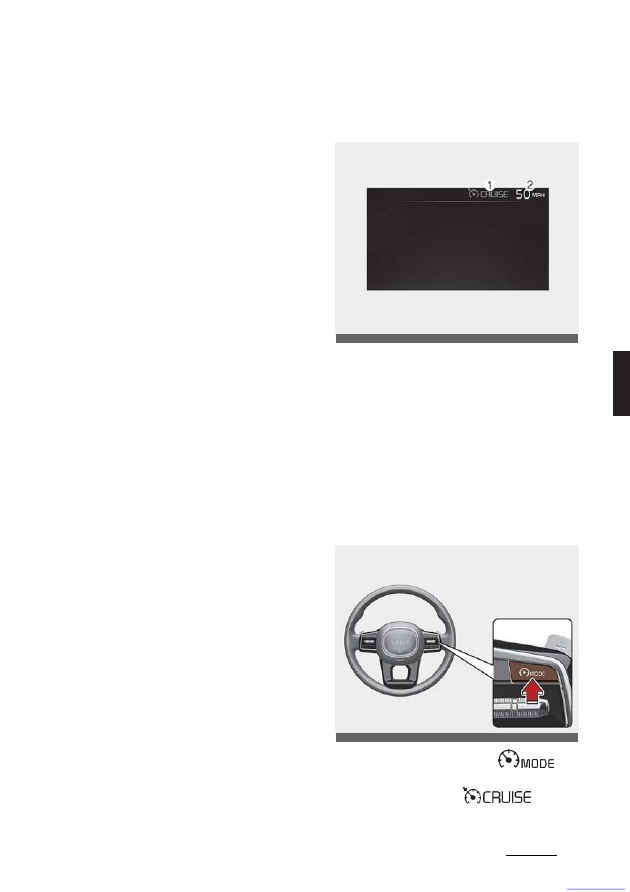
(1) Cruise indicator
(2) Set speed
Cruise Control will allow you to drive at
speeds above 30 km/h (20 mph) without
depressing the accelerator pedal.
Cruise Control Operation
Setting speed
1. Accelerate to the desired speed,
which must be more than 30 km/h
(20 mph).
2. Press the Driving Assist (
)
button at the desired speed. The set
speed and Cruise (
) indica
-
tor will appear on the cluster.
OMQ4AH050127
OMQ4051128L