FANUC Series 0i-MODEL F Plus. CONNECTION MANUAL (FUNCTION) - page 341
17. EMBEDDED ETHERNET FUNCTION
B-64693EN-1/01
- 2682 -
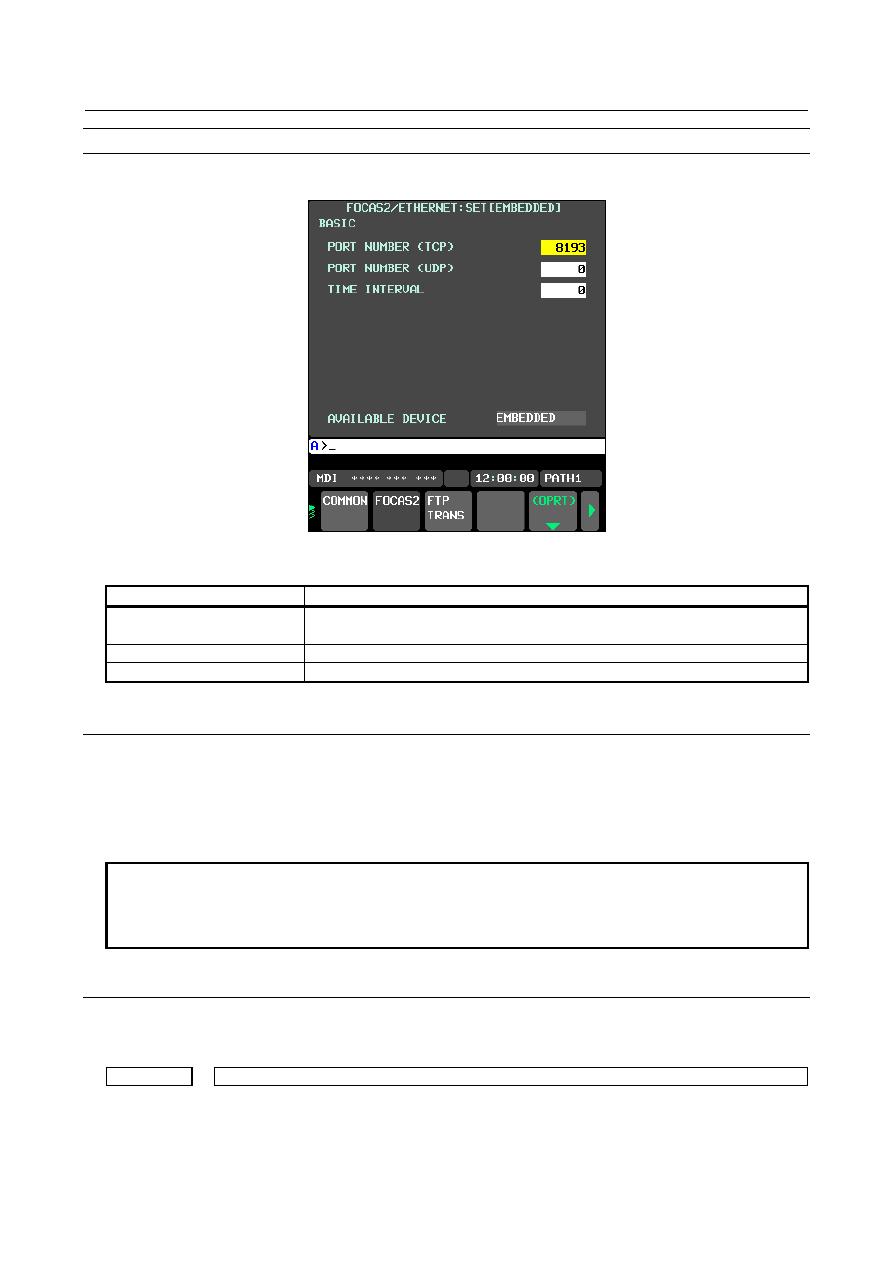
FOCAS2 screen
Press soft key [FOCAS2] to display the FOCAS2 screen.
Fig. 17.2.4.1 (b) FOCAS2 screen
Setting items
Item
Description
PORT NUMBER (TCP)
Specifies the port No. to be used by the CNC screen Display function
(FOCAS2/Ethernet function), within a range of 5001 to 65535.
PORT NUMBER (UDP)
Set this item to 0.
TIME INTERVAL
Set this item to 0.
17.2.5
Setting of the Machine Remote Diagnosis package
Machine Remote Diagnosis package is a tool designed for the machine tool builder to provide remote
support of machines easily. Machine Remote Diagnosis function works on Embedded Ethernet or Fast
Ethernet board in order to communicate with Machine Remote Diagnosis package.
Refer to "Machine Remote Diagnosis Package OPERATOR’S MANUAL (B-63734EN)" for the method
of use.
NOTE
Refer to the notes of “Setting of the CNC Screen Display function” when using
CNC Screen Display function for MRDP (Machine Remote Diagnosis
Package).The notes are applied to this function, too.
17.2.5.1
Related NC parameters
When using Machine Remote Diagnosis package on Embedded Ethernet, the following parameters must
be set.
0024
Setting of communication with the PMC ladder development tool
[Input type] Setting input
[Data type] Word
[Valid data range] 10: The high-speed interface (Ethernet) is used for PMC online editing.