Tractors X60 Series. Manual - part 18
73
Instruments and Programming
4
1.1.6 Work timer menu
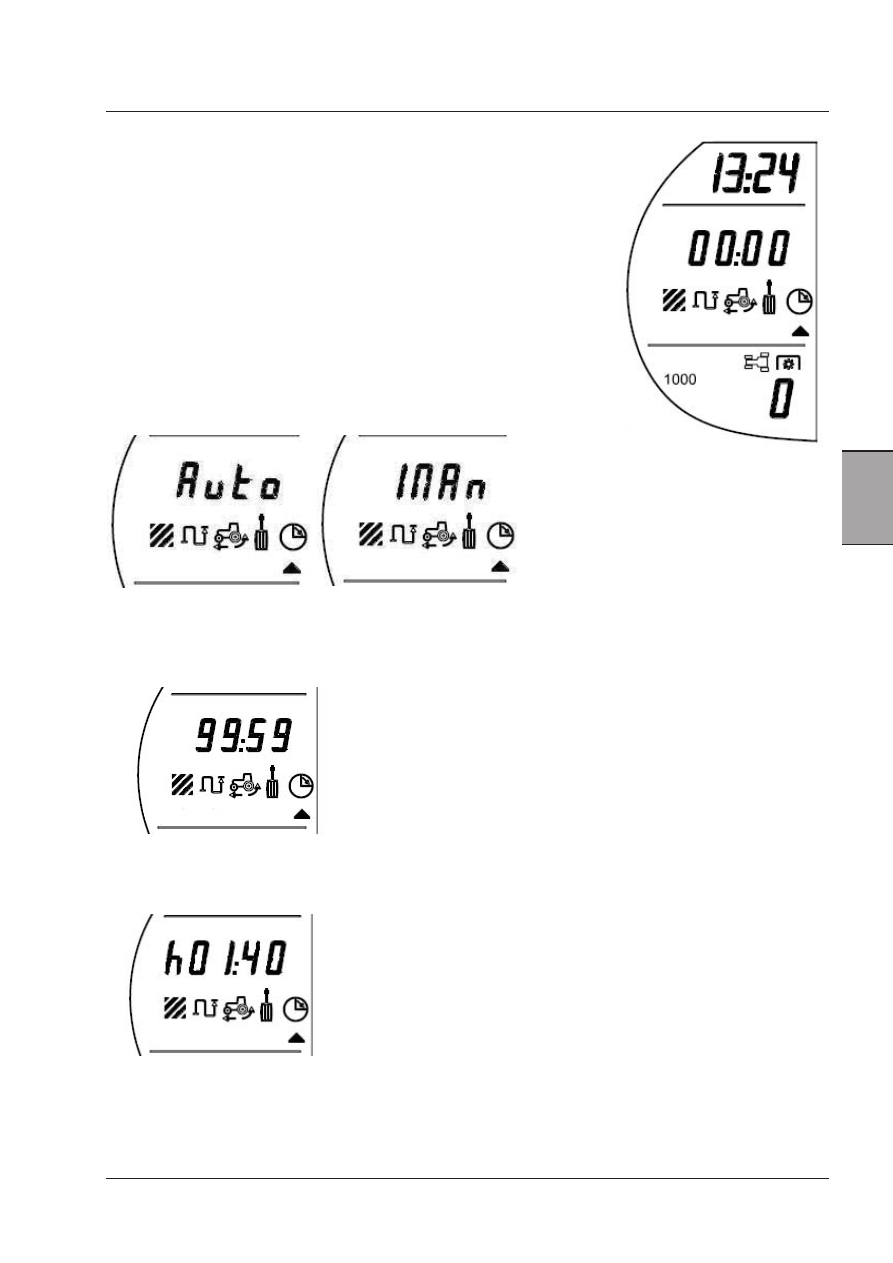
If the down button is pushed again the Work Timer menu is selected:
The screen shows:
Time - 13:24
Work Timer - 0 minutes, 0 seconds
PTO mode currently selected - 1000 Rear
PTO RPM - 0
The arrow indicates the Work Timer menu is active.
Each time the menu is selected, the counter will display "AUTO" or "Man"
(MANUAL) 2 seconds long before displaying the relative value. The operator
is thus informed about the settings actually active.
Use:
- When the Timer menu is first entered the display will show the screen above on the right.
- The timer will show minutes and seconds up to 99 minutes and 59 seconds.
- When the timer reaches 99 minutes and 59 seconds it will automatically change to show hours and minutes, and an ‘h’
will be displayed on the left-hand side.
- If the timer is allowed to run continuously to 99 hours and 59 minutes it will reset to 00:00 and then the count will start
again.