Tractors X60 Series. Manual - part 19
 

  Index      Tractors     Tractors X60 Series - service repair manual 2012 year


Search            


Content   ..  17  18  19  20   ..


Tractors X60 Series. Manual - part 19


77

Instruments and Programming

4

2.1 Accessories Menu

If the ignition is turned to the accessory position the accessory menu is shown.

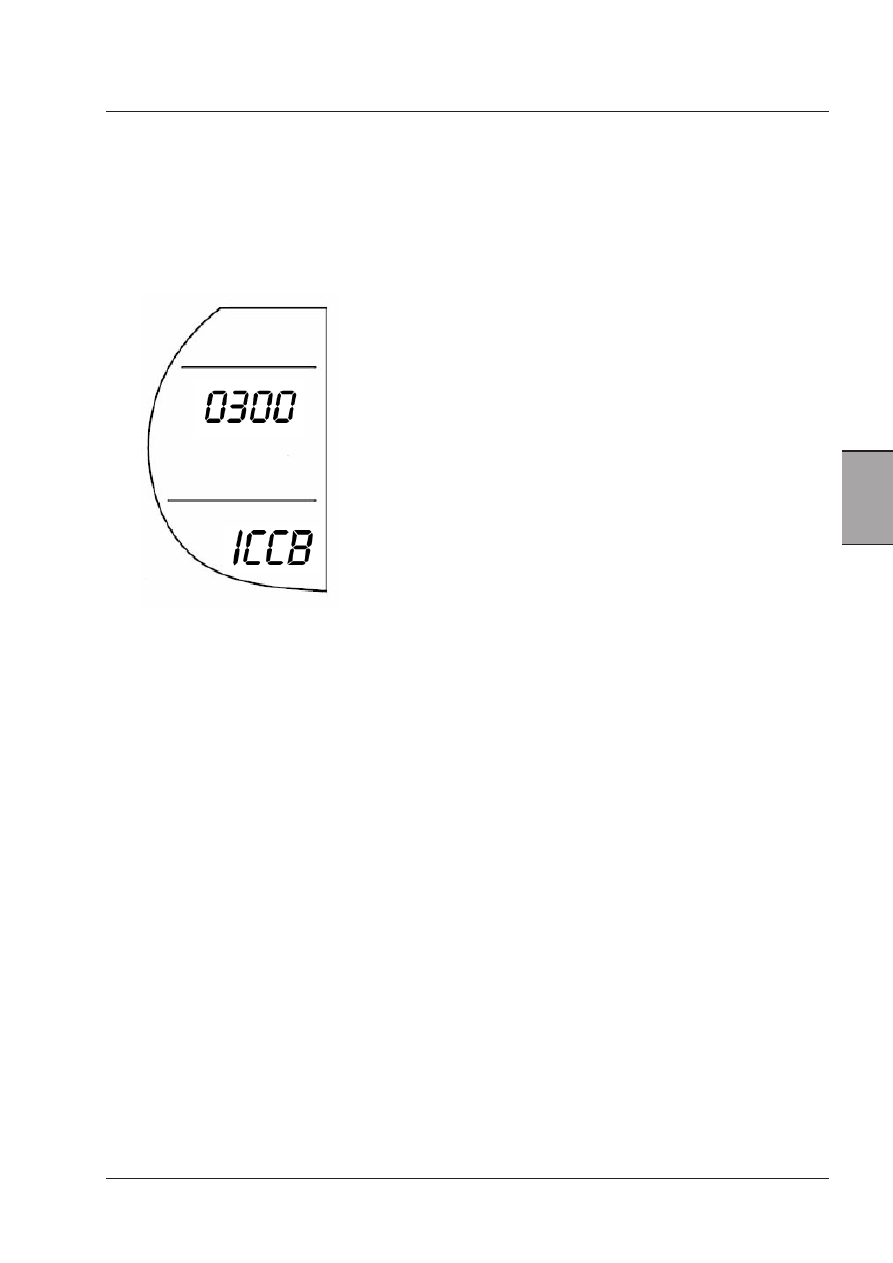
Before the menu is shown, the software version of the tractor is shown for 2 seconds after initialisation of the cluster.
The image below shows the installed software version.

After this the cluster defaults to the first part of the accessory menu.

Key:

IC= Instument Cluster
C= McCormick
B = Model Code
0 300 = installed software version

78

Instruments and Programming

The menu structure for the Accessory menu will be as follows:

To scroll the menu, the operator will push the UP or DOWN button. The diagram shows the menu path when using the
UP button. If DOWN is pushed, the direction is reversed.

* These calibrations are NOT AVAILABLE TO THE OPERATOR. 
Do not enter these menus.
Entering this menus will affect the tractor operation.
Refer to your Dealer for more information.

1) MPH/KPH

2) Acres/Hectars

3) Tyre size

4) Implement width

5) Service timer

6) Engine constant*

7) Rear and front PTO options*

8) Not used

9) Switch detecting gear selector lever in NEUTRAL available*

10) Tractor model code*

11) Previous work hours*

12) Auto functions adjustment*

13) Lighting adjustment

14) Clock setting

79

Instruments and Programming

4

2.1.1  MPH/KPH

The default first part of the accessory menu is used to set the units for Distance Travelled and Vehicle Speed. The units
can be Kilometres or Miles.

The display section usually reserved to the clock shows "AC", to signify the menu is accessed, and then a number to show
the part of the menu currently being viewed.

This first screen shows the units currently selected, in the example above this is Miles.  Both the Mi for the 
distance covered and the MPH for vehicle speed are showing on the display.

To change to metric units:
1- Press the MENU button
2- The MI and MPH will flash
3- Press UP or DOWN to scroll between the options.
4- The KM and KPH will now be flashing.
5- To save this new setting press and hold the MENU button for longer than 2 seconds (the symbols will stop flashing)

and press the UP and DOWN buttons to access other parts of the menu.

-  If the key is turned to the off position before the new value is set the old value is used.
- Any values saved in the Distance Travelled memory will be converted to the new units.

80

Instruments and Programming

2.1.2  Acres/Hectars

Press the UP button to go to the next menu section, that is used to set the units for the Area Worked.
The units can be Acres or Hectares.

This first screen will show the units currently selected, in the example above this is Acres.  The Ac symbol 
is showing on the display.

To change to Hectares:
1- Press the MENU button
2- The code Ac will flash.
3- Press UP or DOWN to scroll between the options.
4- Now the code HA will flash.
5- To save this new setting press and hold the MENU button for longer than 2 seconds (the symbols will stop flashing)

and press the UP and DOWN buttons to access other parts of the menu.

-  If the key is turned to the off position before the new value is set the old value is used.
- Any values saved in the Area Worked memory will be converted to the new units.


Content   ..  17  18  19  20   ..