HNC-8 Numerical Control System Software. Maual of PLC Programming (V1.24) - page 4
4. Basic function module
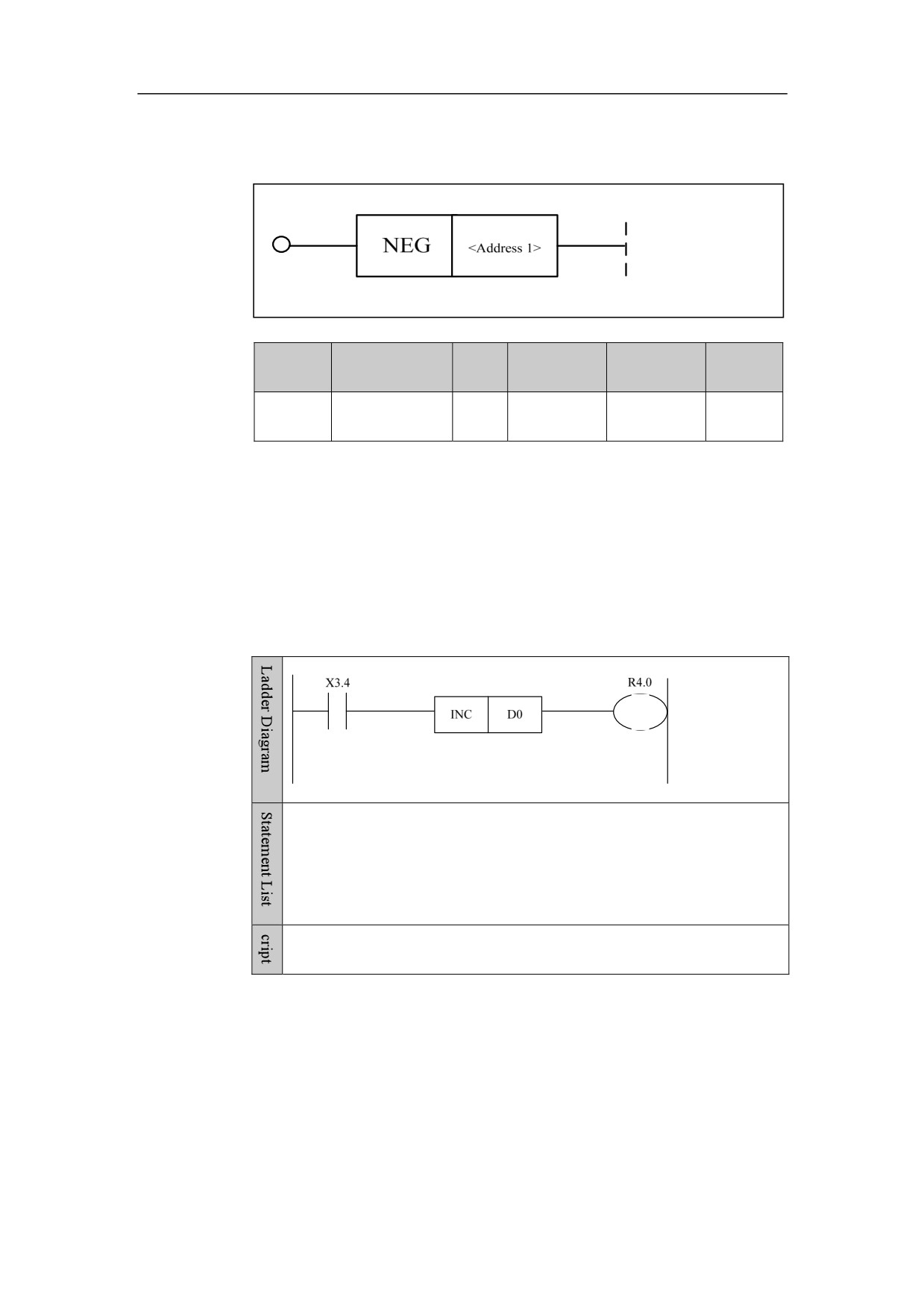
Complement NEG
Format
Paramet
Parameter
Data
Storage
Properti
Explanation
er
form
type
area
es
<Addres
Y, G, R, W,
Pre √
□□□□
INT
s 1>
D, B
Post ○
Function
Perform complement operation.
Parameter
Parameter 1: operand
Example
LD X3.4
NEG D0
OUT R4.0
When X3.4 is turned on, D0=-D0 is implemented.
79
4. Basic function module
Counter
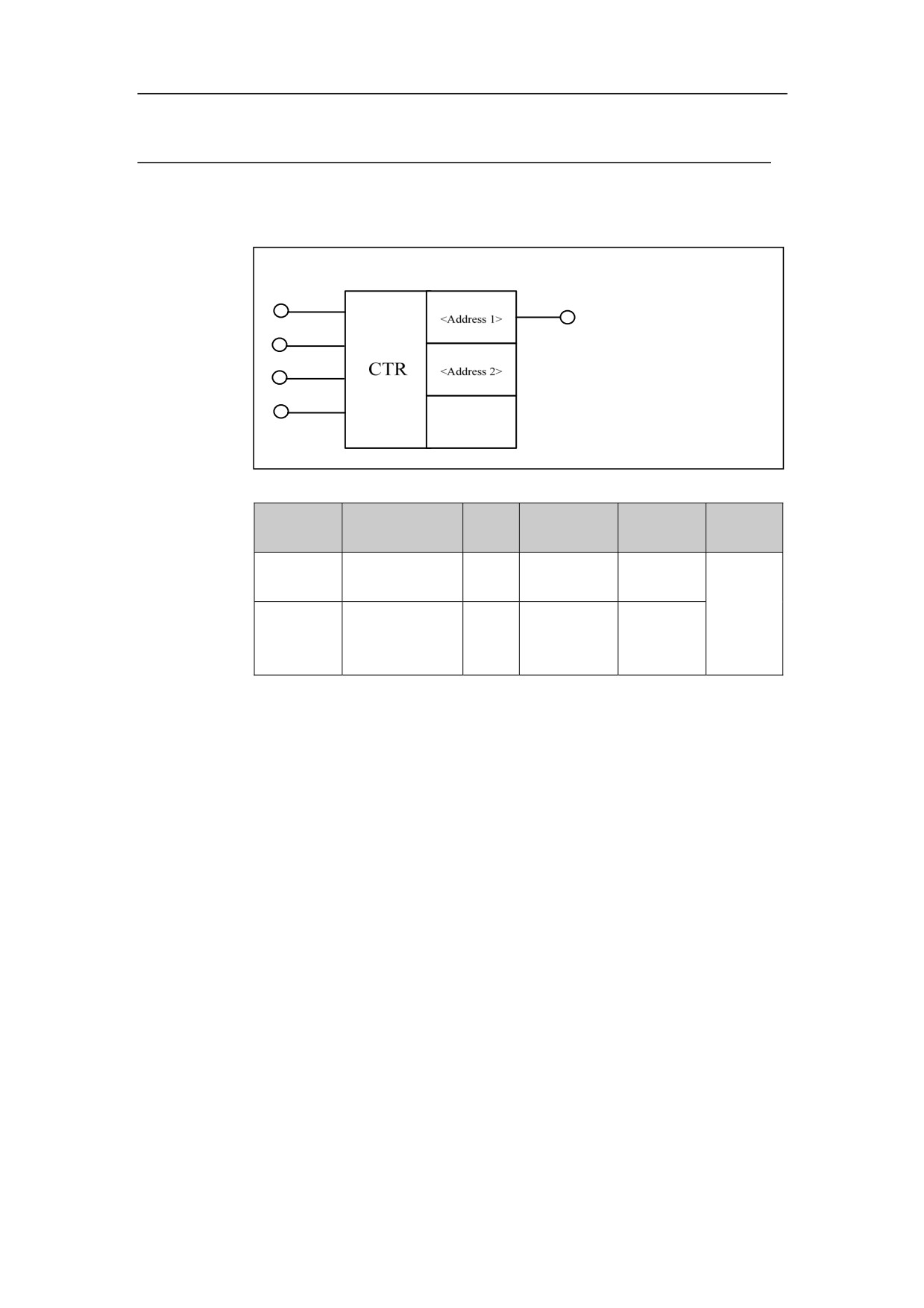
Plus-minus Counter CTR
Format
Parameter
Data
Storage
Explanatio
Properti
Parameter
form
type
area
n
es
<Address
□□□□. □
BOOL
R, W, D, B
1>
Pre √
<Address
INT
Constant, R,
Post √
□□□□
2>
W, D, B, P
Function
Common plus-minus counter.
Parameter
Parameter 1: current value of counter. This function is used to get the current
value of the counter.
Parameter 2: preset value of counter.
Input
Input 1: control input
Input
2: start value after counter is reset. When condition is satisfied, the
counting starts with 1; when condition is not satisfied, the counting starts with 0.
Input
3: plus-minus input. When condition is satisfied, the counter is
incremented; when condition is not satisfied, the counter is decremented.
Input 4: reset input
80
4. Basic function module
Example
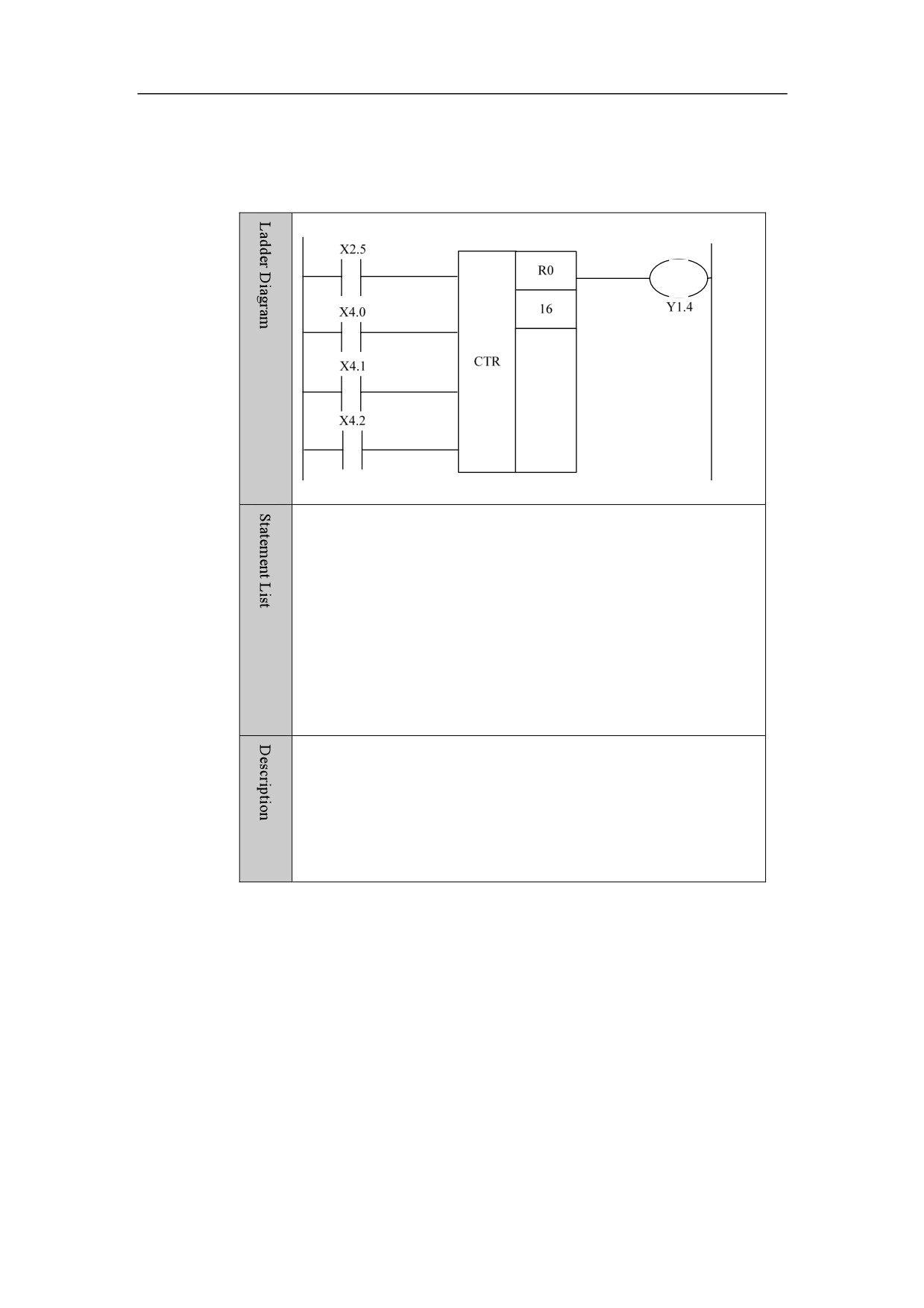
LD X2.5
LD X4.0
LD X4.1
LD X4.2
CTR R0
16
OUT Y1.4
If X4.0 is turned on, the counting will start with 1. If X4.1 is turned
on, the counter will decrease the count. When X2.5 has been turnd on
sixteen times, the output is Y1.4. X4.2 is the reset signal, to clear the
counter output. When X2.5 has been turned on five times, the value
of R0 is 6
81
4. Basic function module
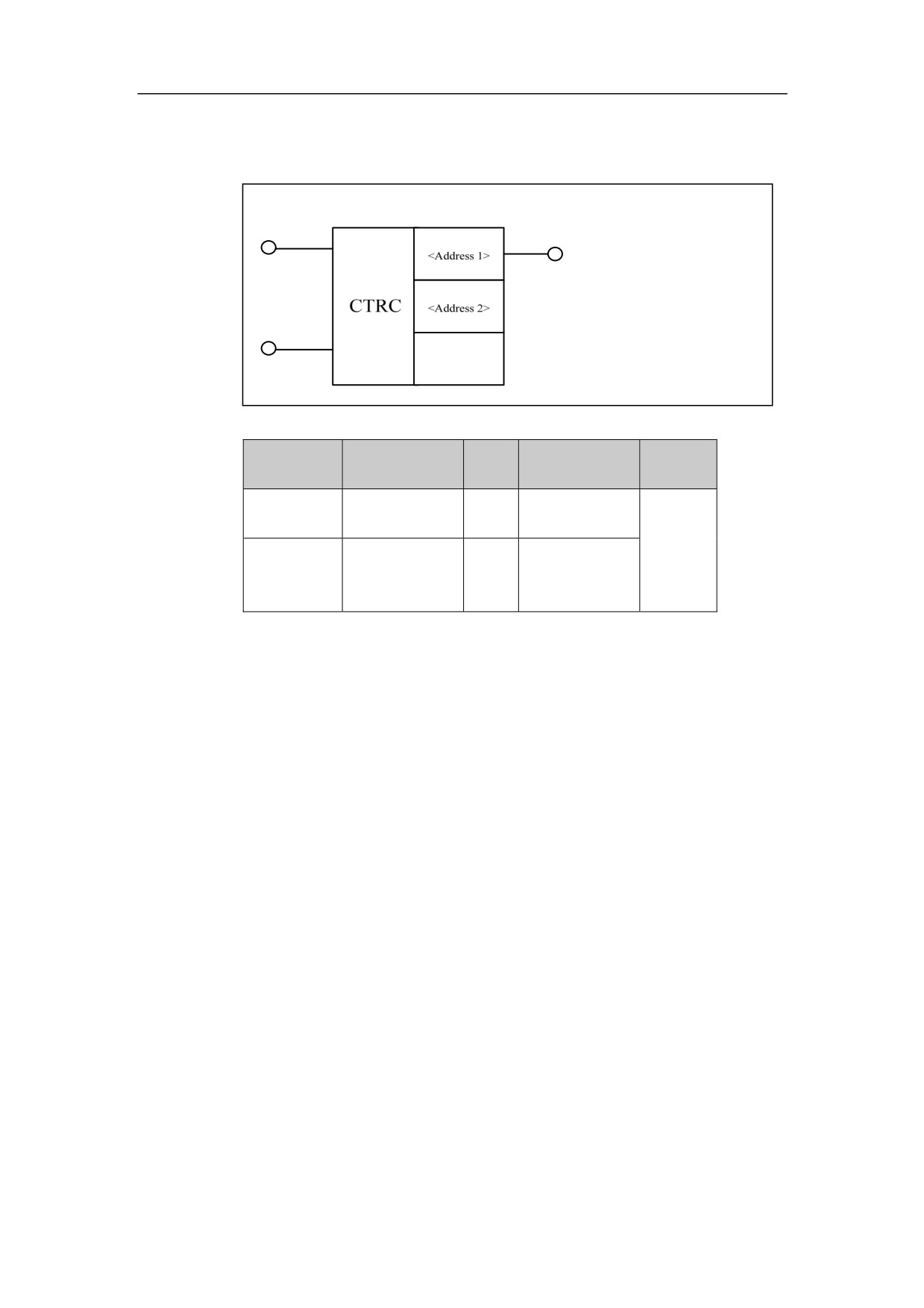
Counter CTRC
Format
Parameter
Data
Properti
Parameter
Storage area
form
type
es
<Address 1>
□□□□
INT
Constant
Pre √
INT
Constant, R, W,
Post √
<Address 2>
□□□□
D, B, P
Function
Fixed counter
Parameter
Parameter 1: number of counter
Parameter 2: preset value of counter
Input
Input 1: control input
Input 2: reset input
Example
82
4. Basic function module
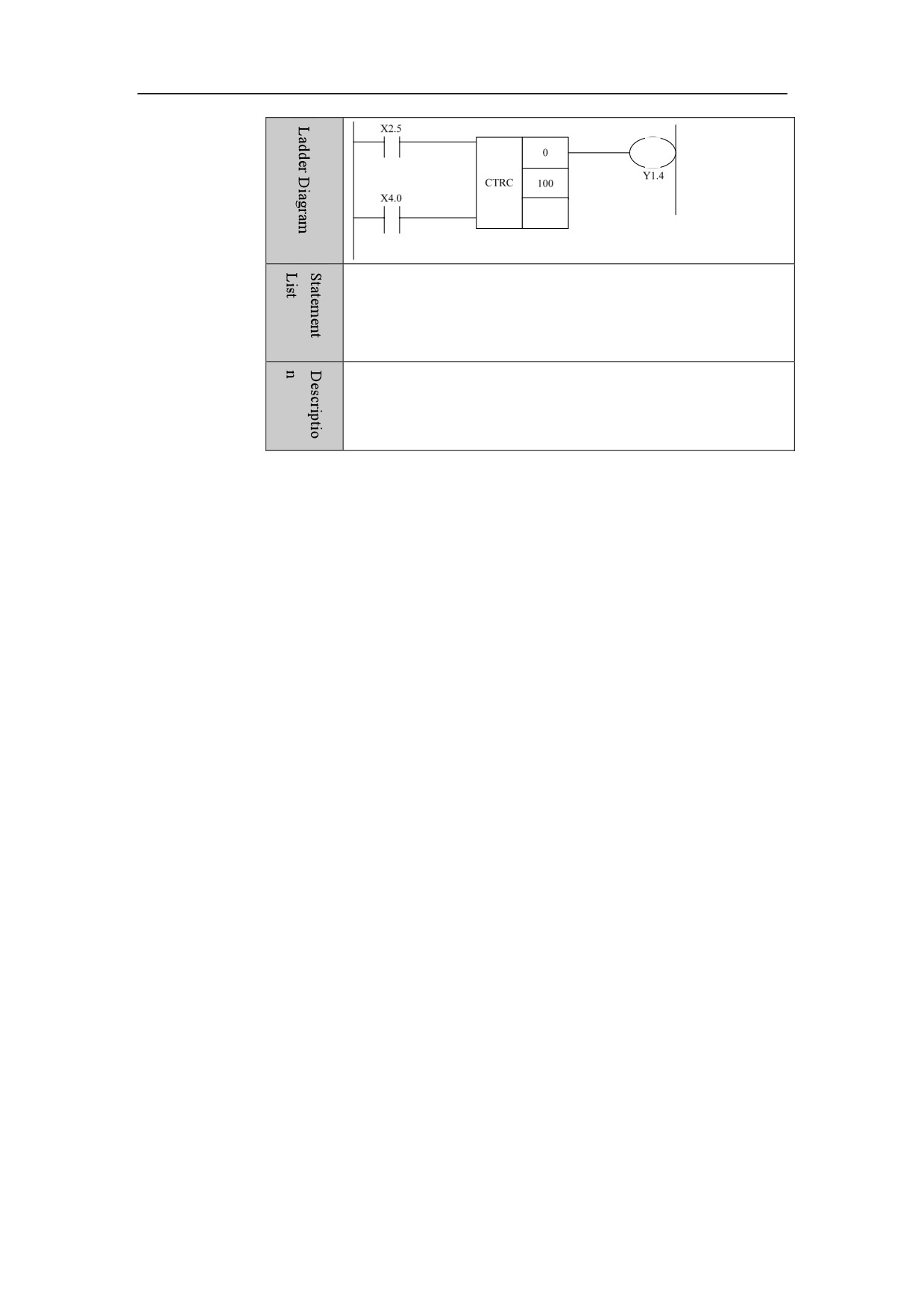
LD X2.5
LD X4.0
CTRC
0
100
OUT Y1.4
When X2.5 is switched on and then off 100 times, the counter is
on. When X4.0 is switched on, the counter is reset, and the signal
is output to Y1.4.
83
4. Basic function module
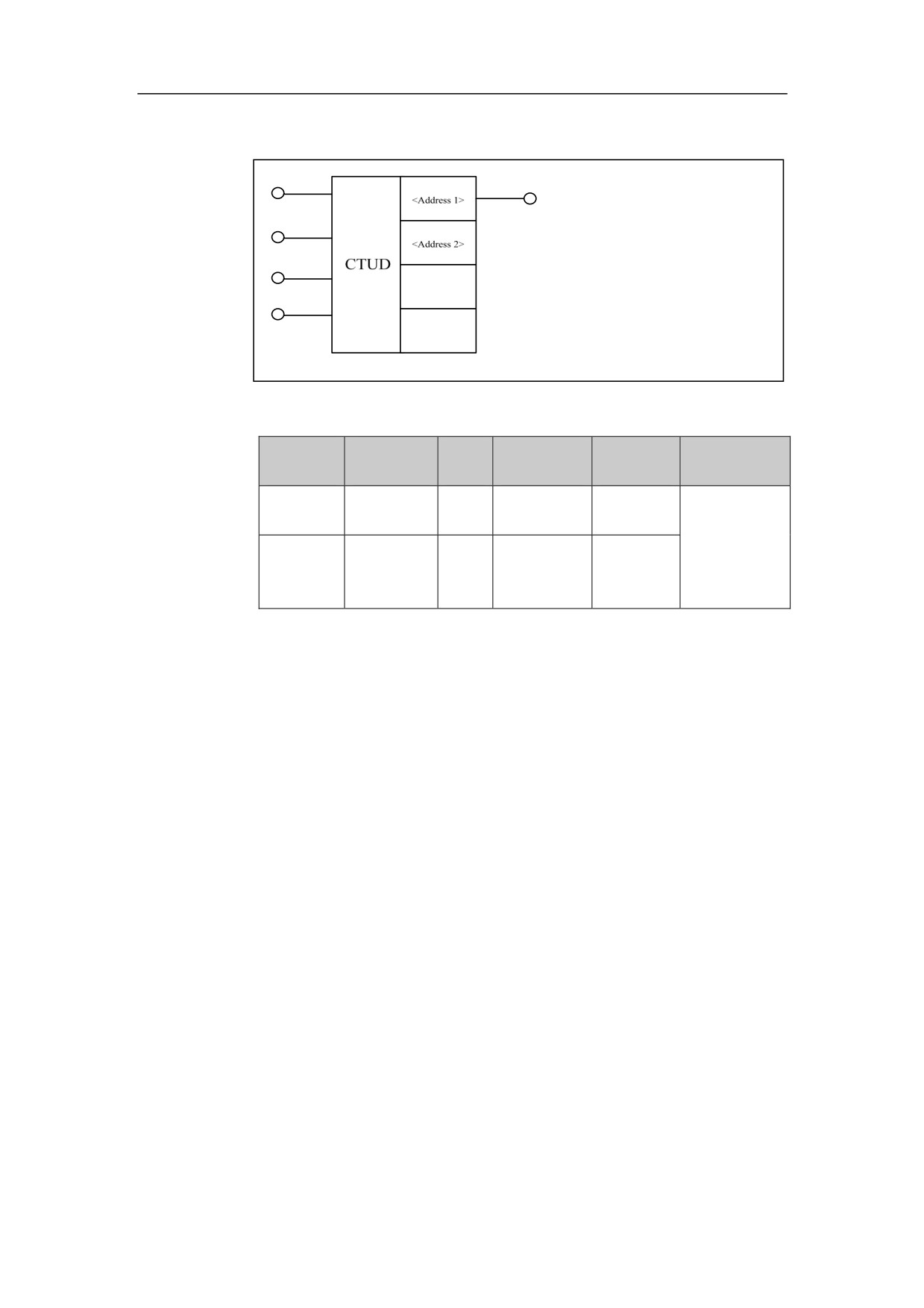
Custom Plus-minus Counter CTUD
Format
Paramete
Parameter
Data
Storage
Explanatio
Properties
r
form
type
area
n
<Address
□□□□
INT
Constant
1>
Pre √
<Address
INT
Constant, R,
Post √
□□□□
2>
W, D, B, P
Function
Plus-minus counter of custom start value.
Parameter
Parameter 1: number of counter
Parameter 2: preset value of counter
Input
Input 1: control input
Input 2: start value after reset. When condition is satisfied, the counting starts
with 1; when condition is not satisfied, the counting starts with 0.
Input
3: plus-minus input. When condition is satisfied, the counter is
incremented; when condition is not satisfied, the counter is decremented.
Input 4: Reset input
84
4. Basic function module
Example
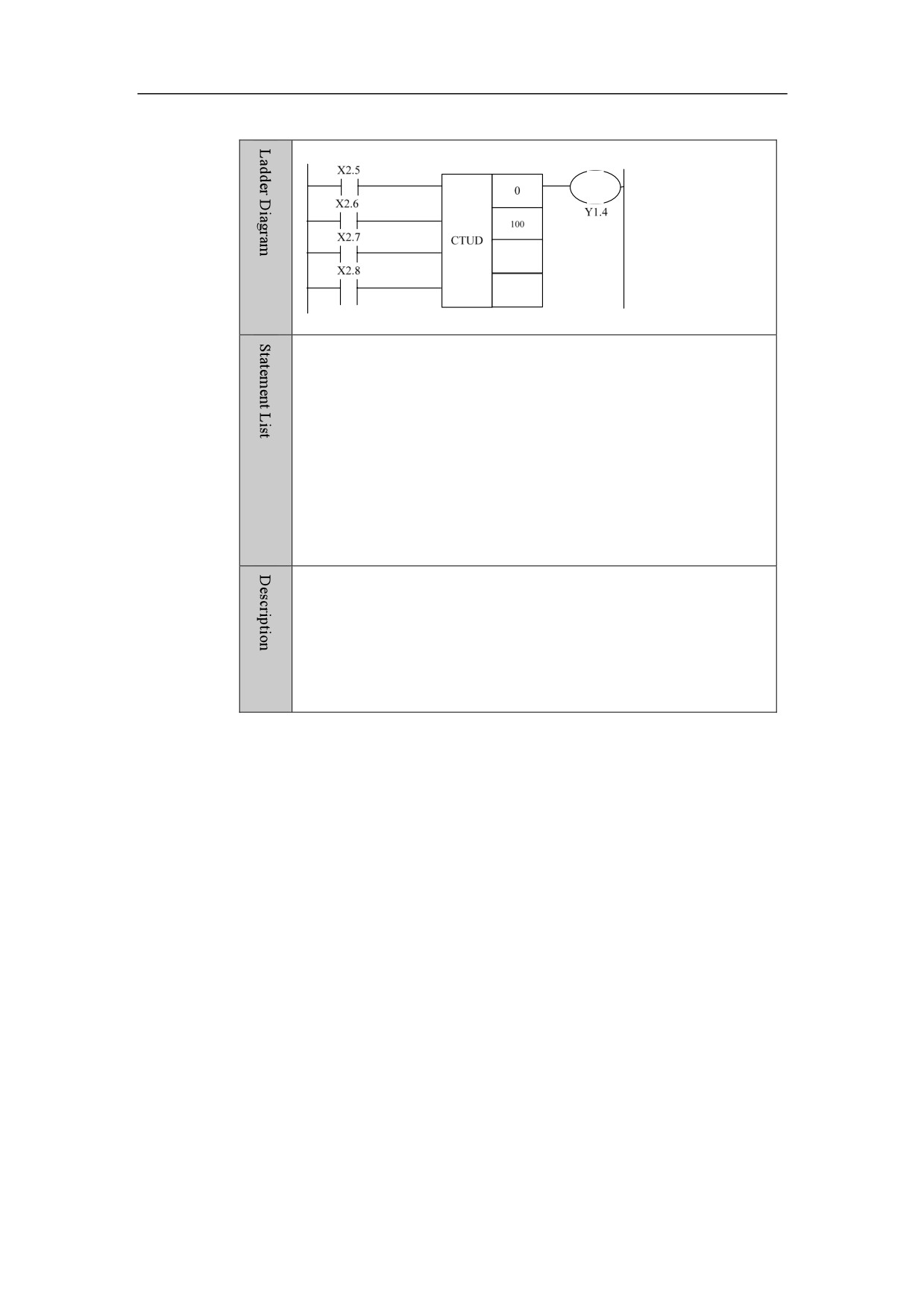
LD X2.5
LD X2.6
LD X2.7
LD X2.8
CTUD
0
100
OUT Y1.4
When X2.5 is switched on and off 100 times, counter 0 is on, and the
signal is output to Y1.4. When X2.6 is switched on, the counter 0
counts with 1 after being reset; otherwise, the counter 0 counts with 0.
When X2.7 is switched off, the count is incremented; otherwise, the
count is decremented. When X2.8 is switched on, the counter 0 is reset.
85
4. Basic function module
Timer
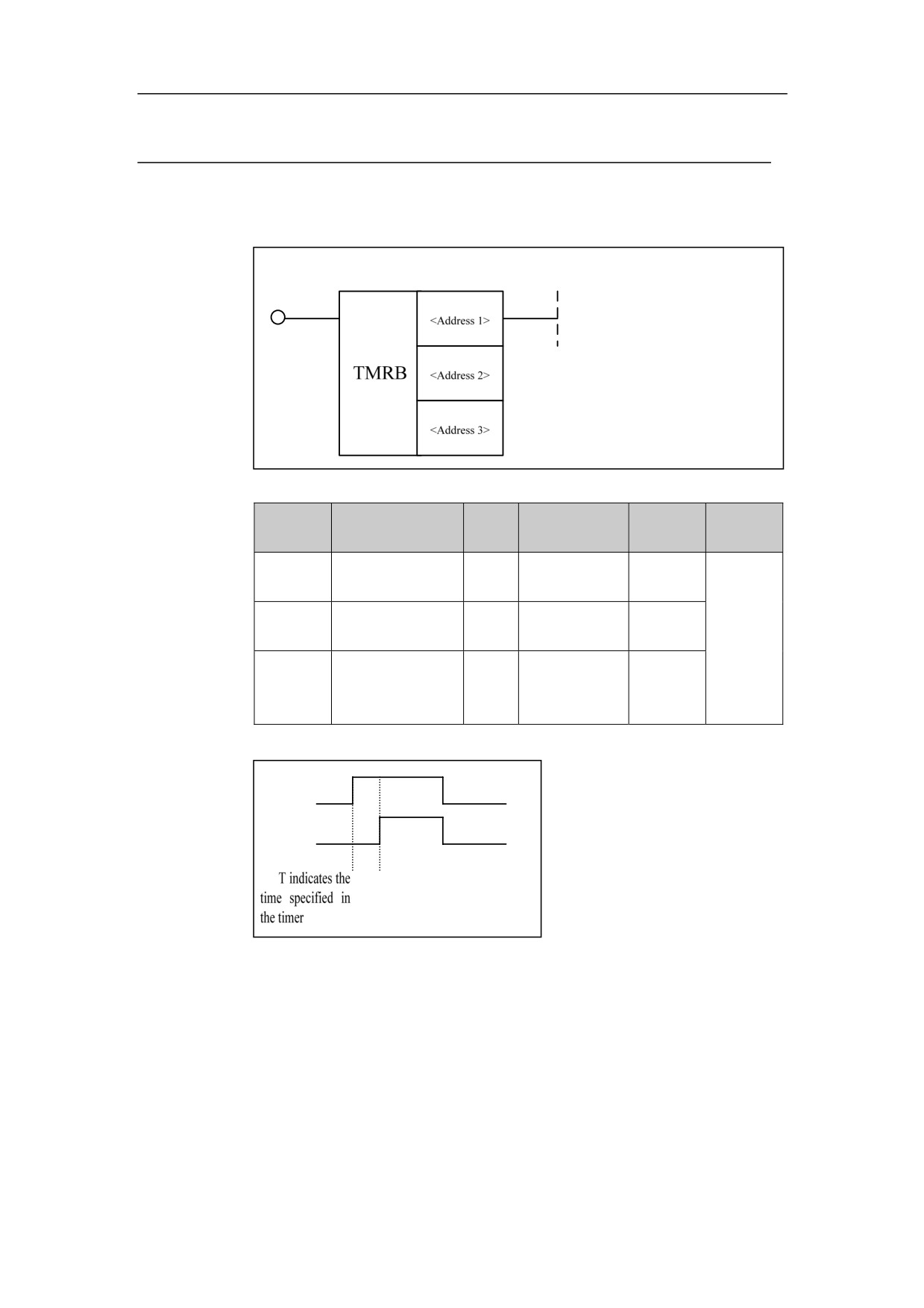
Delay-on Timer TMRB
Format
Paramet
Data
Explanat
Properti
Parameter form
Storage area
er
type
ion
es
<Addres
□□□□
INT
Constant
s 1>
<Addres
□□□□
INT
Constant
Pre √
s 2>
Post ○
<Addres
INT
Constant, R、
□□□□
s 3>
W、D、P
Sequence
diagram
ACT
TMRB
Function
Delay-on timer
86
4. Basic function module
Parameter
Parameter 1: number of timer
Parameter 2: time unit, the details are as following:
Time unit is hour, in the event of the value being 3;
Time unit is minute, in the event of the value being 2;
Time unit is second, in the event of the value being 1;
Time unit is millisecond, in the event of the value being 0.
Parameter 3: Length of timing.
Example
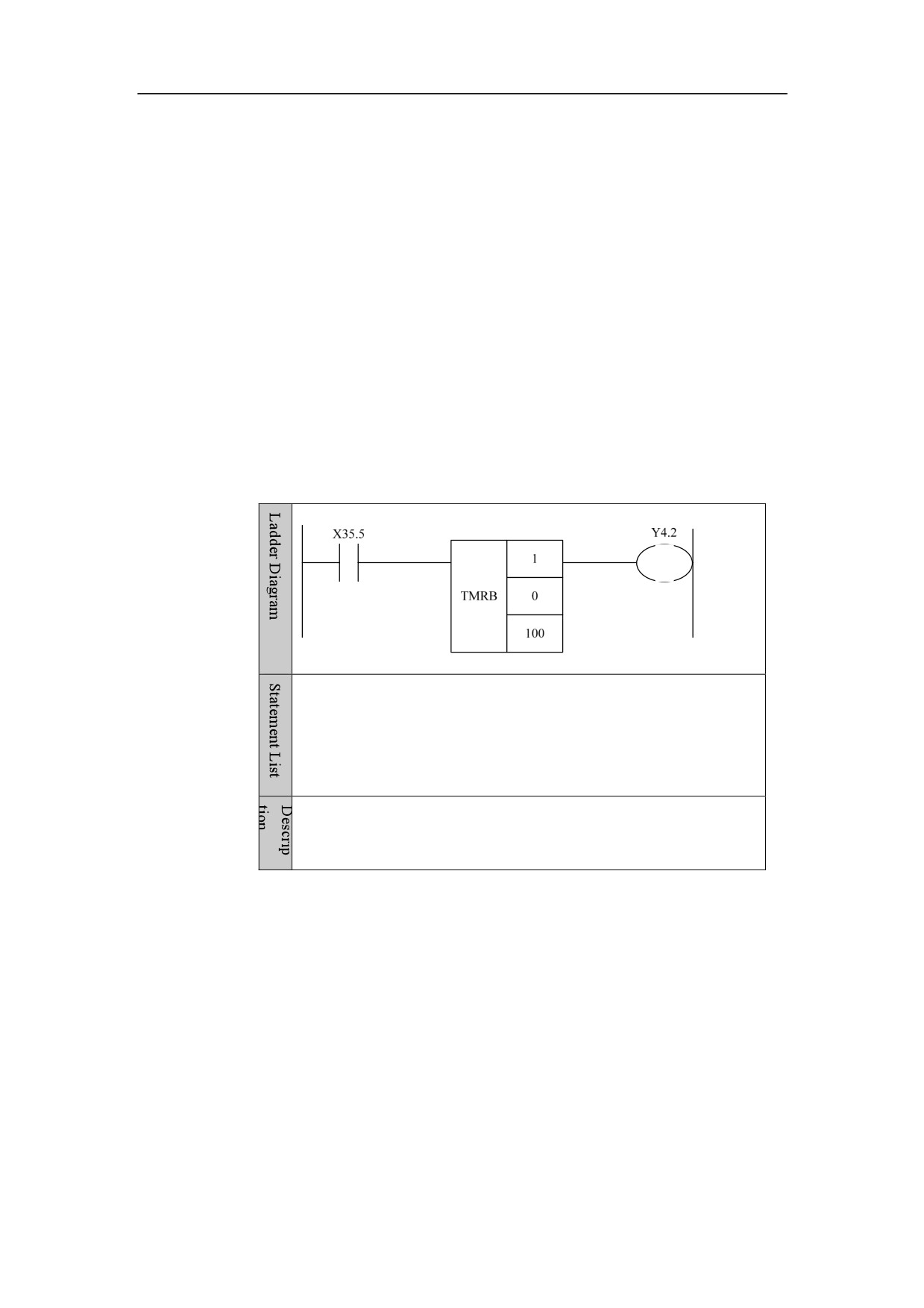
LD X35.5
TMRB
1
0
100
OUT Y4.2
After X35.5 has been on for 100ms, timer 1 in switched on, and the
signal is output to Y4.2.
87
4. Basic function module
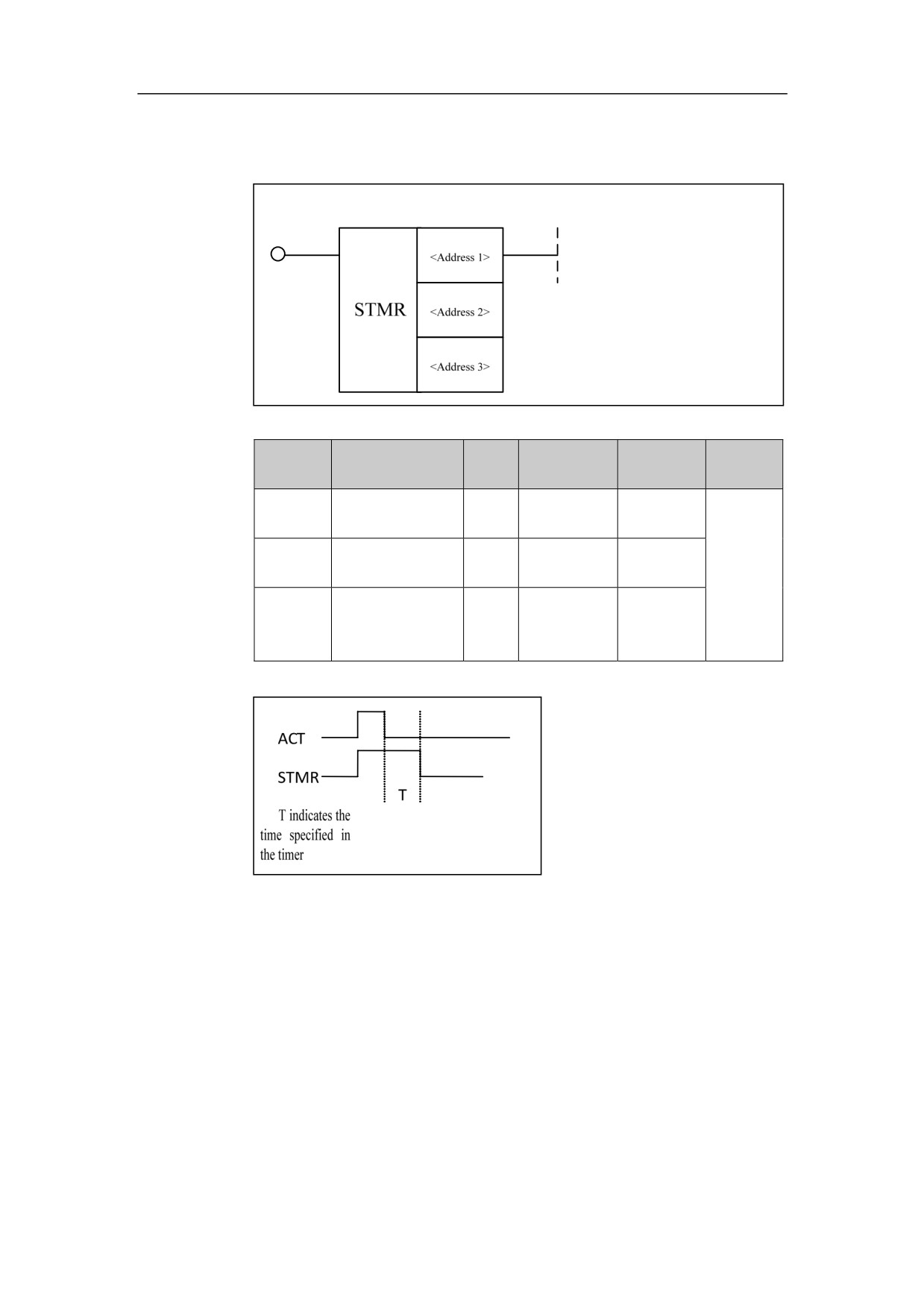
Delay-off Timer STMR
Format
Paramet
Data
Storage
Explanatio
Properti
Parameter form
er
type
area
n
es
<Addres
□□□□
INT
Constant
s1>
<Addres
□□□□
INT
Constant
Pre √
s2>
Post ○
<Addres
INT
Constant, R,
□□□□
s3>
W, D, P
Sequence
diagram
Function
Delay-off timer
88
4. Basic function module
Parameter
Parameter 1: number of timer
Parameter 2: time unit, the details are as following:
Time unit is hour, in the event of the value being 3;
Time unit is minute, in the event of the value being 2;
Time unit is second, in the event of the value being 1;
Time unit is millisecond, in the event of the value being 0.
Parameter 3: Length of timing.
Example
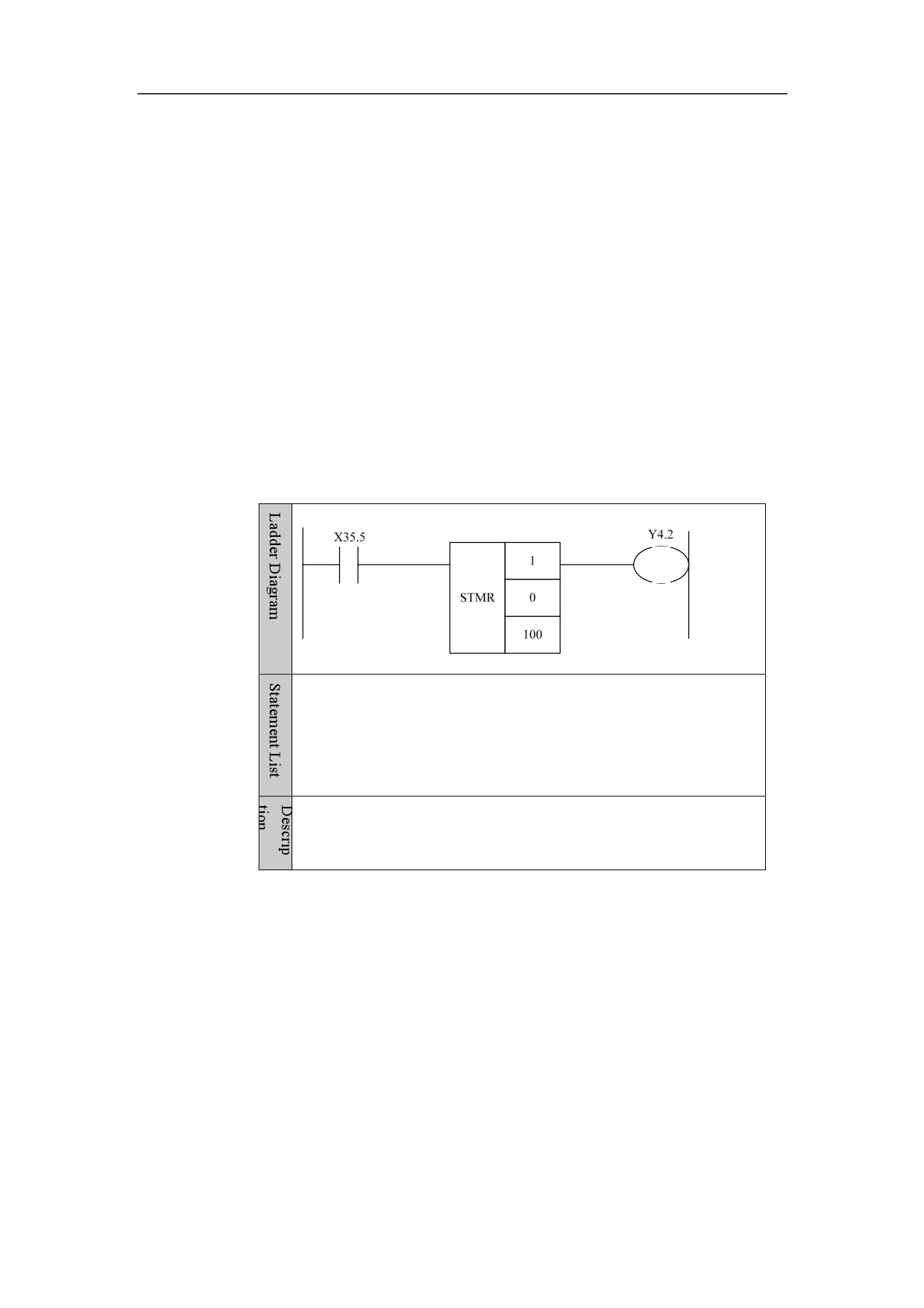
LD X35.5
STMR
1
0
100
OUT Y4.2
After X35.5 has been off for 100ms, timer 1 is off, and the output of
Y4.2 is cut off.
89
4. Basic function module
Process Control
Initialization Module End IEND
Format
Paramet
Parameter
Data
Storage
Properti
Explanation
er
form
type
area
es
Pre ×
None
None
None
None
Post ×
Function
Defining initialization module is ended. Program generally is preceded by
initialization module which is performed only once after the system is turned
on.
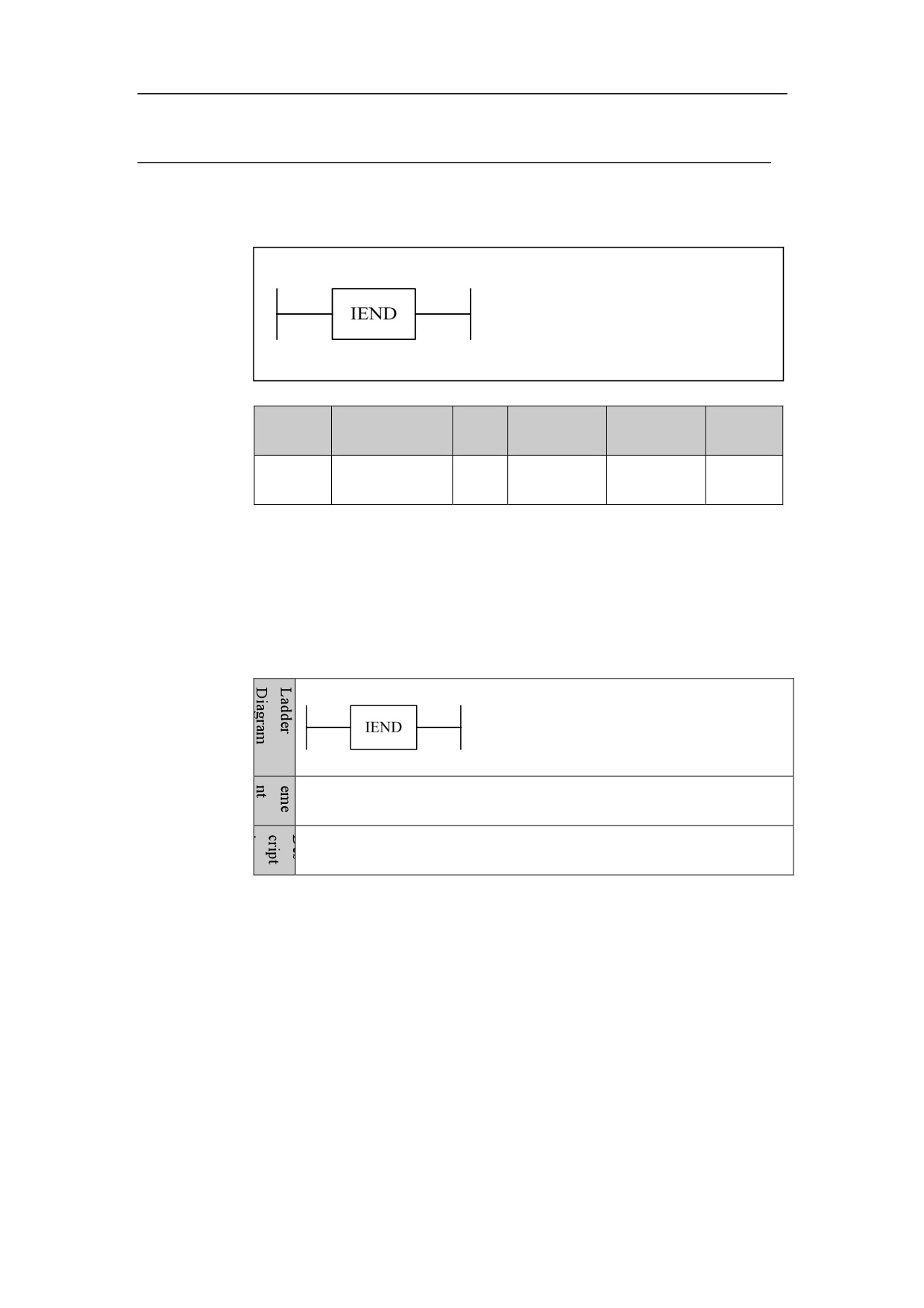
Example
IEND
Initializer is ended.
90
4. Basic function module
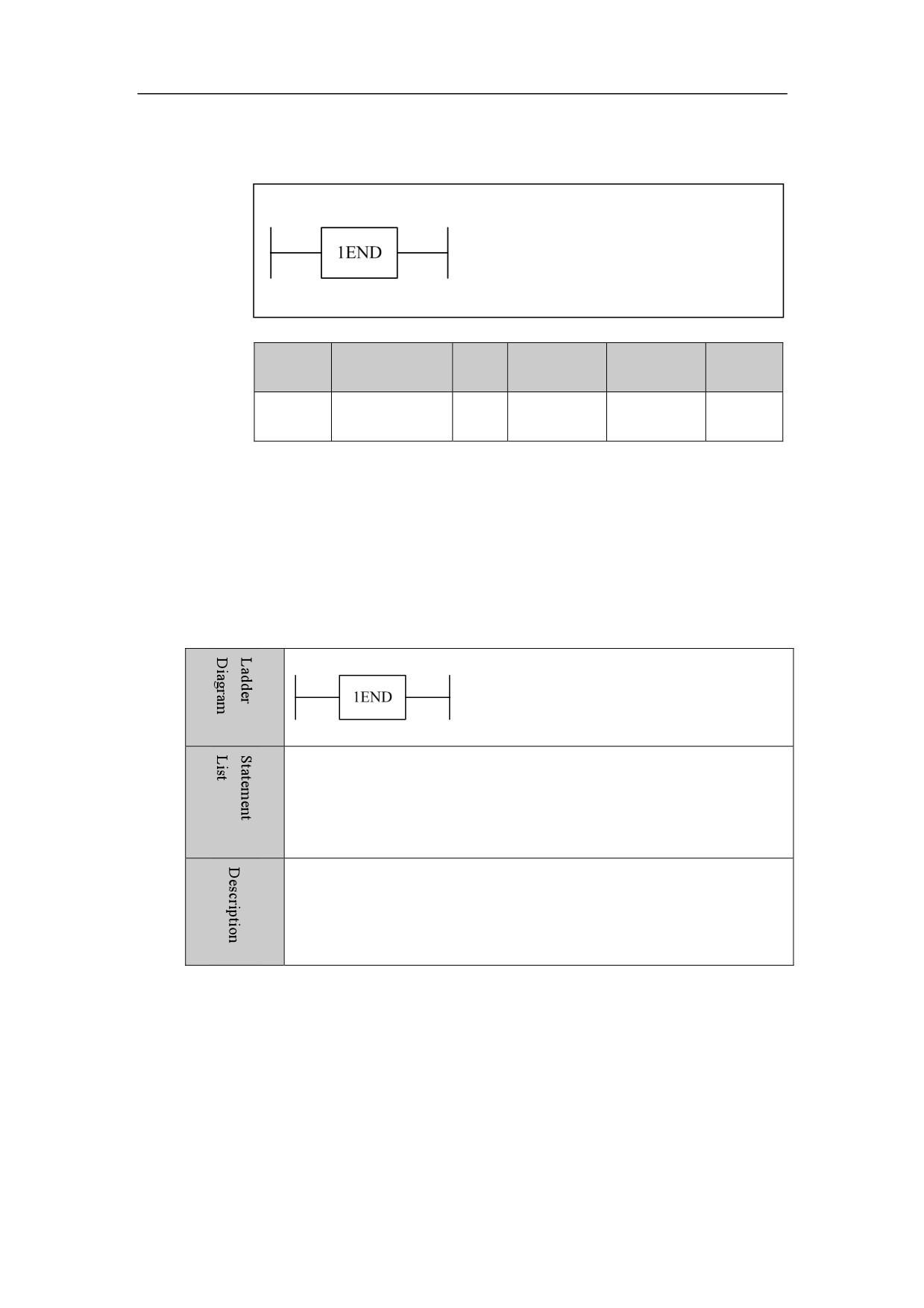
PLC1 Module End 1END
Format
Paramet
Parameter
Data
Storage
Properti
Explanation
er
form
type
area
es
Pre ×
None
None
None
None
Post ×
Function
PLC1 module is finished.
Example
1END
PLC1 program is ended.
91
4. Basic function module
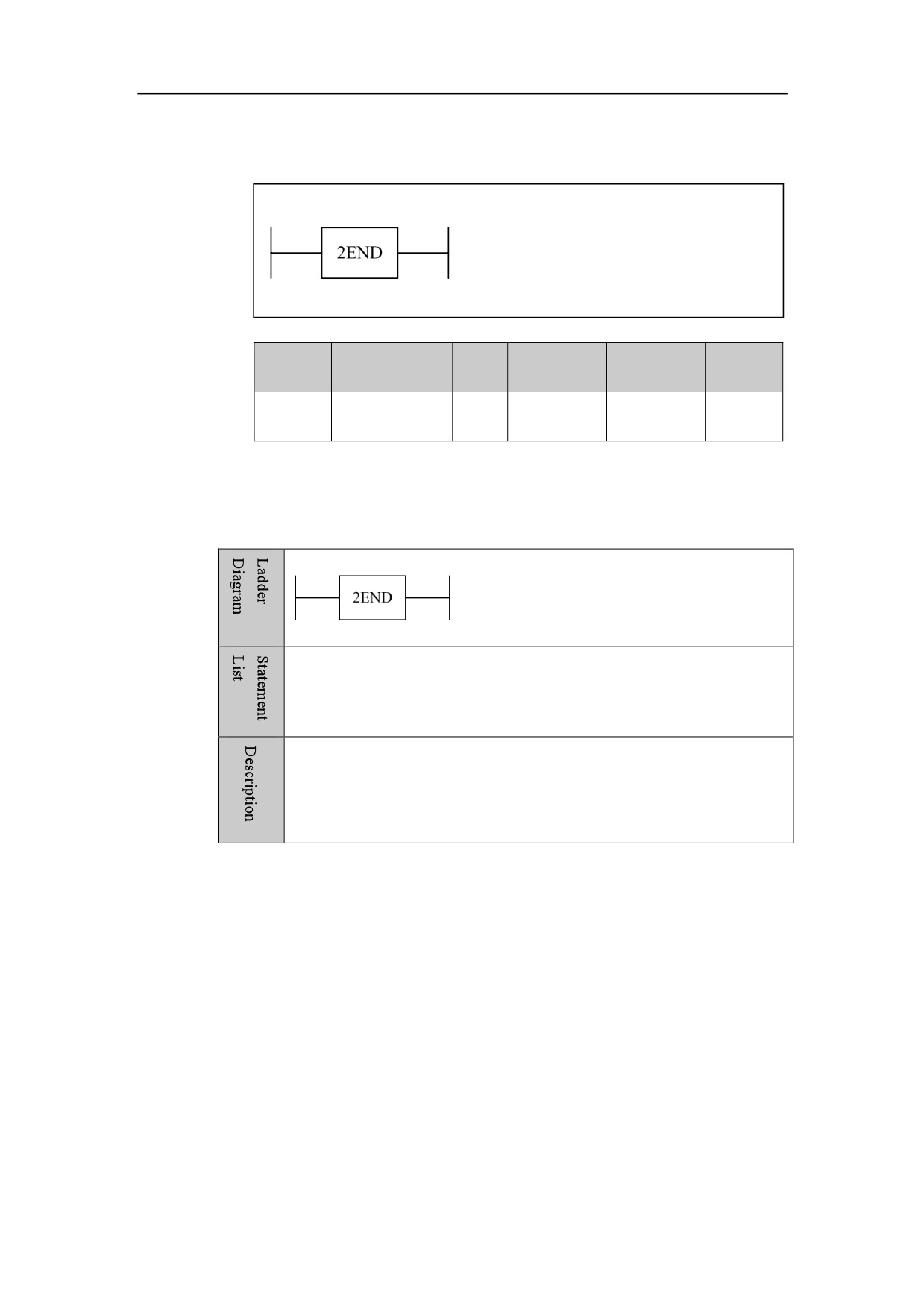
PLC2 Module End 2END
Format
Paramet
Parameter
Data
Storage
Properti
Explanation
er
form
type
area
es
Pre ×
None
None
None
None
Post ×
Function
PLC2 module is finished.
Example
2END
PLC2 program is ended.
92
4. Basic function module
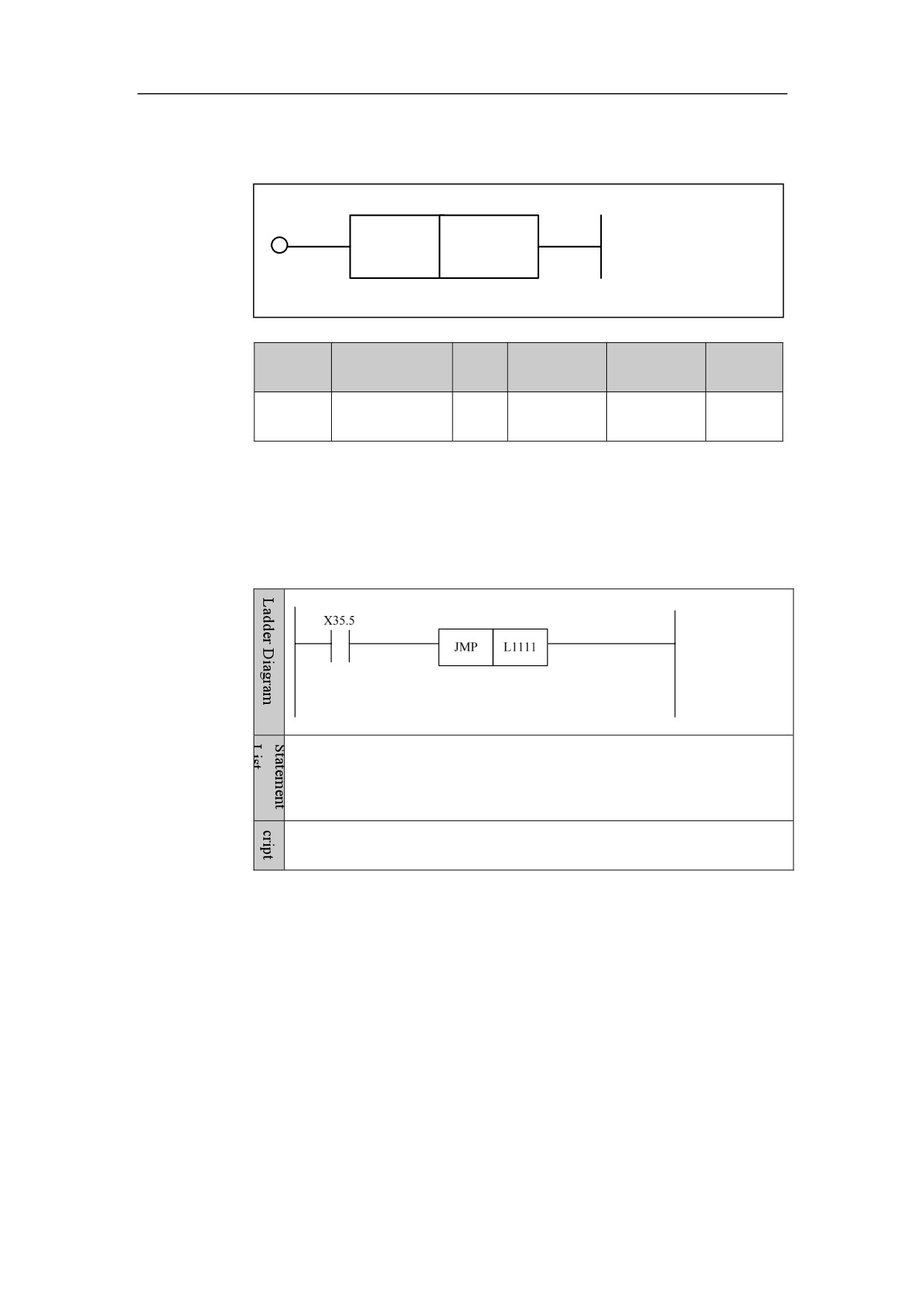
Jump JMP
Format
JMP
<Address 1>
Paramet
Parameter
Data
Storage
Properti
Explanation
er
form
type
area
es
<Addres
Pre √
□□□□
INT
L
s1>
Post ×
Function
Jump by tag.
Example
LD X35.5
JMP L1111
If x35.5 is on, go to the positon labeled L1111 to continue the execution.
93
4. Basic function module
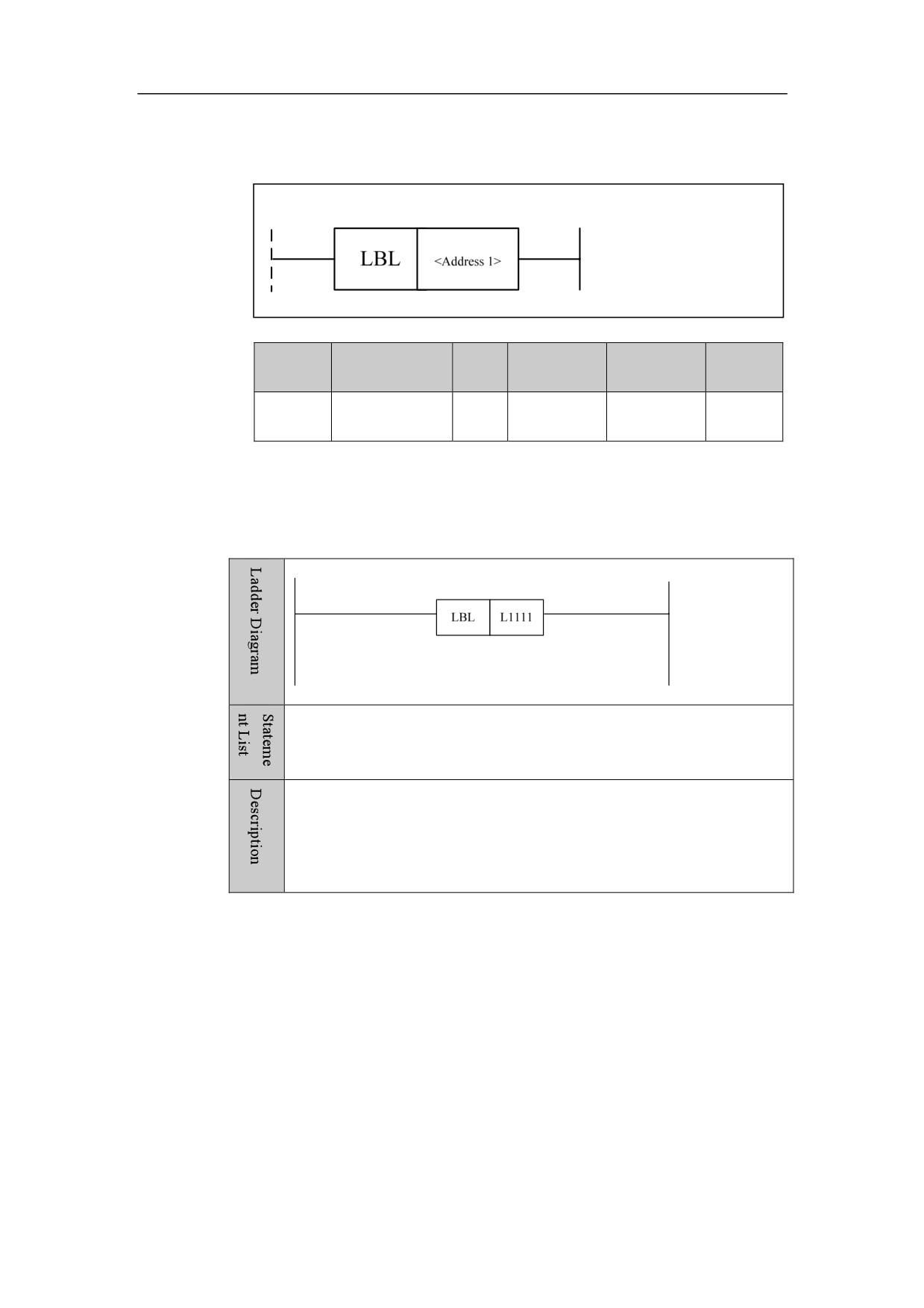
Label LBL
Format
Paramet
Parameter
Data
Storage
Properti
Explanation
er
form
type
area
es
<Addres
Pre ○
□□□□
INT
L
s1>
Post ×
Function
Label, jump by label. It is used with JMP.
Example
LBL L1111
Set label L1111.
94
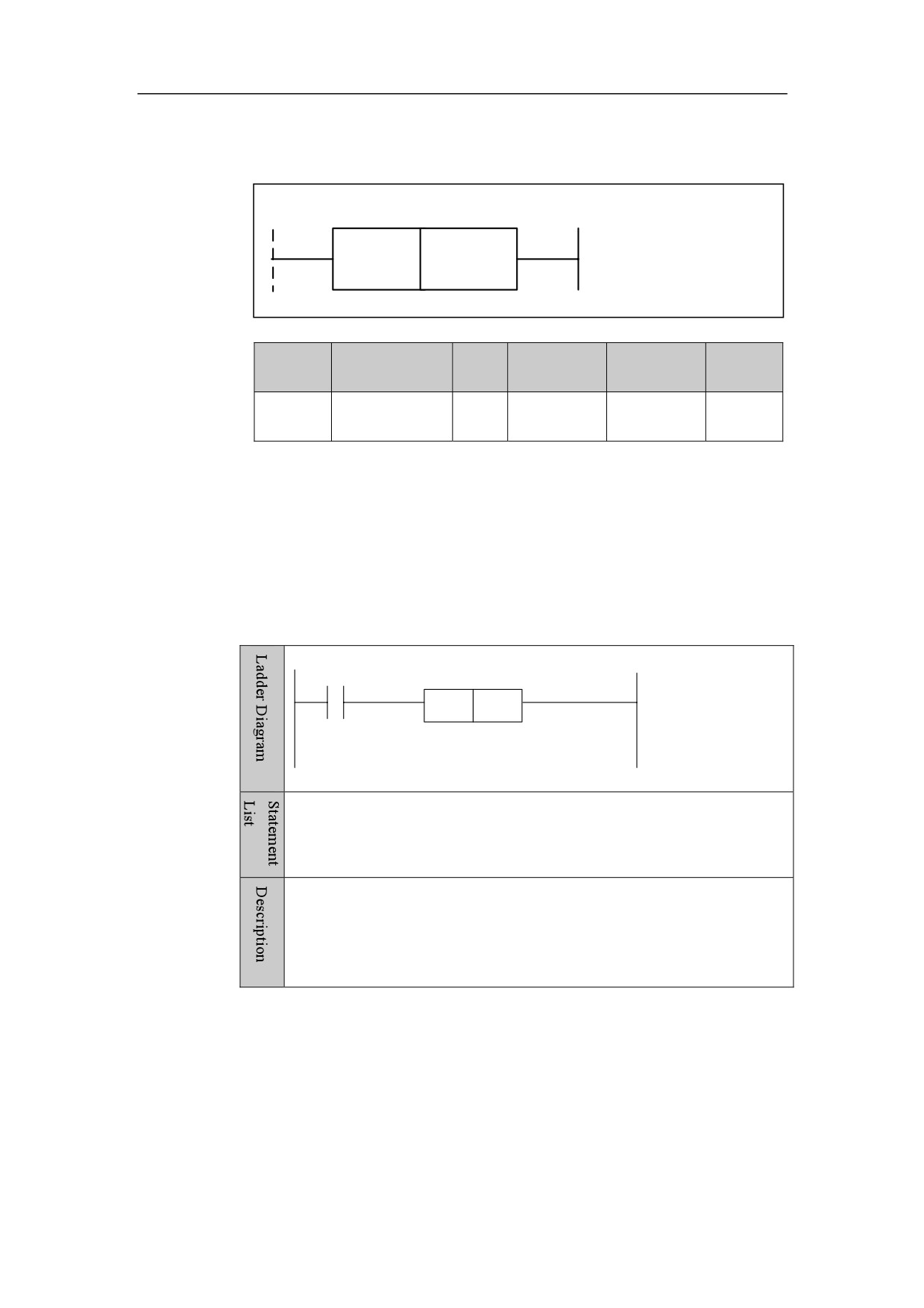
4. Basic function module
Call Subprogram CALL
Format
CALL
<Address 1>
Paramet
Parameter
Data
Storage
Properti
Explanation
er
form
type
area
es
<Addres
Pre ○
□□□□
INT
S
s1>
Post ×
Function
Call subprogram.
Parameter
Subprogram number.
Example
X12.2
CALL
S123
LD X12.2
CALL S123
When X12.2 input is valid, jump to the subprogram of No. S123 to
execute.
95
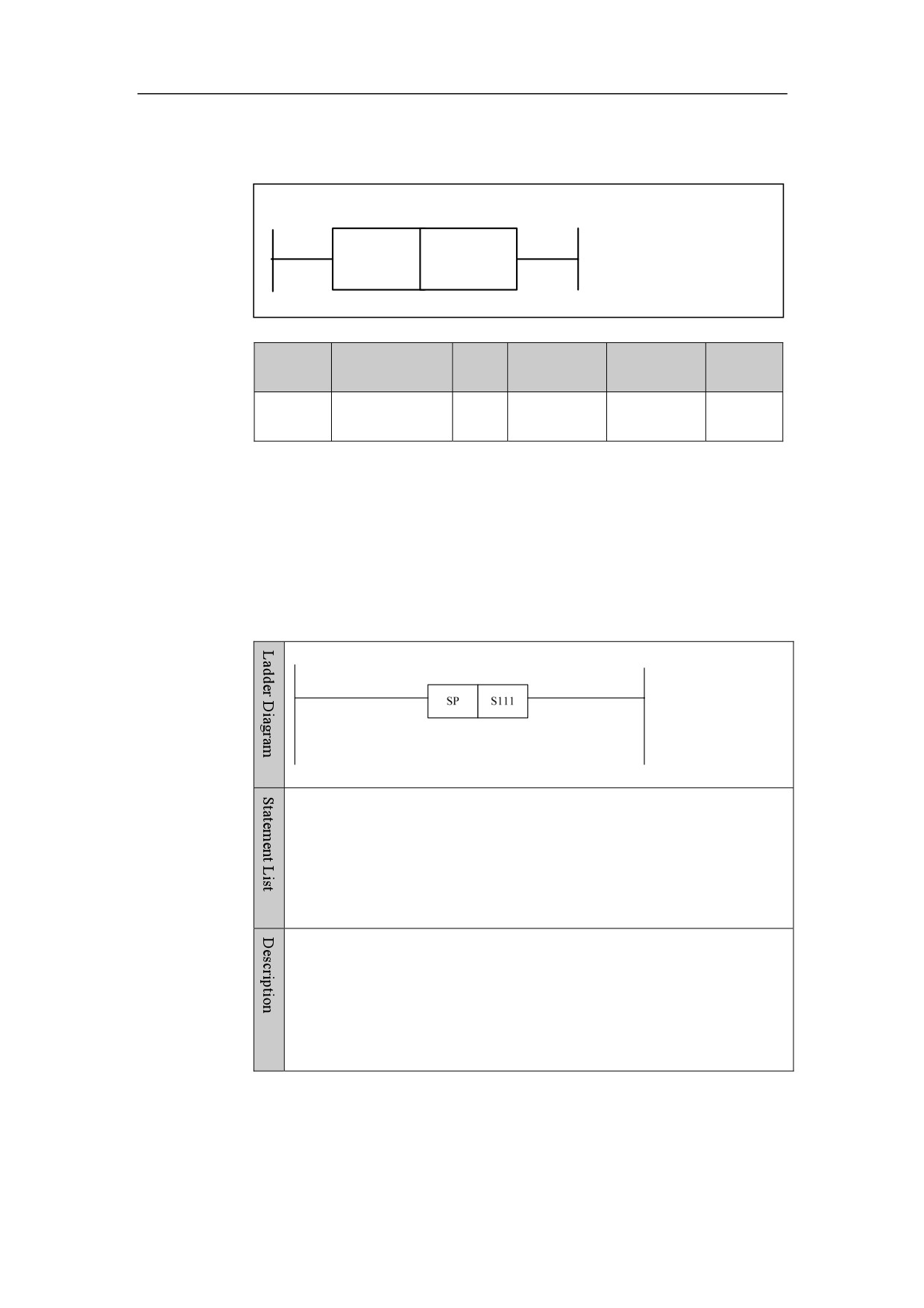
4. Basic function module
Subprogram Start SP
Format
SP
<Address 1>
Paramet
Parameter
Data
Storage
Properti
Explanation
er
form
type
area
es
<Addres
Pre ×
□□□□
INT
S
s1>
Post ×
Function
To start subprogram.
Parameter
Number (support up to 512 numbers of subprogram.
Example
SP S111
Set subprogram number of S111.
96
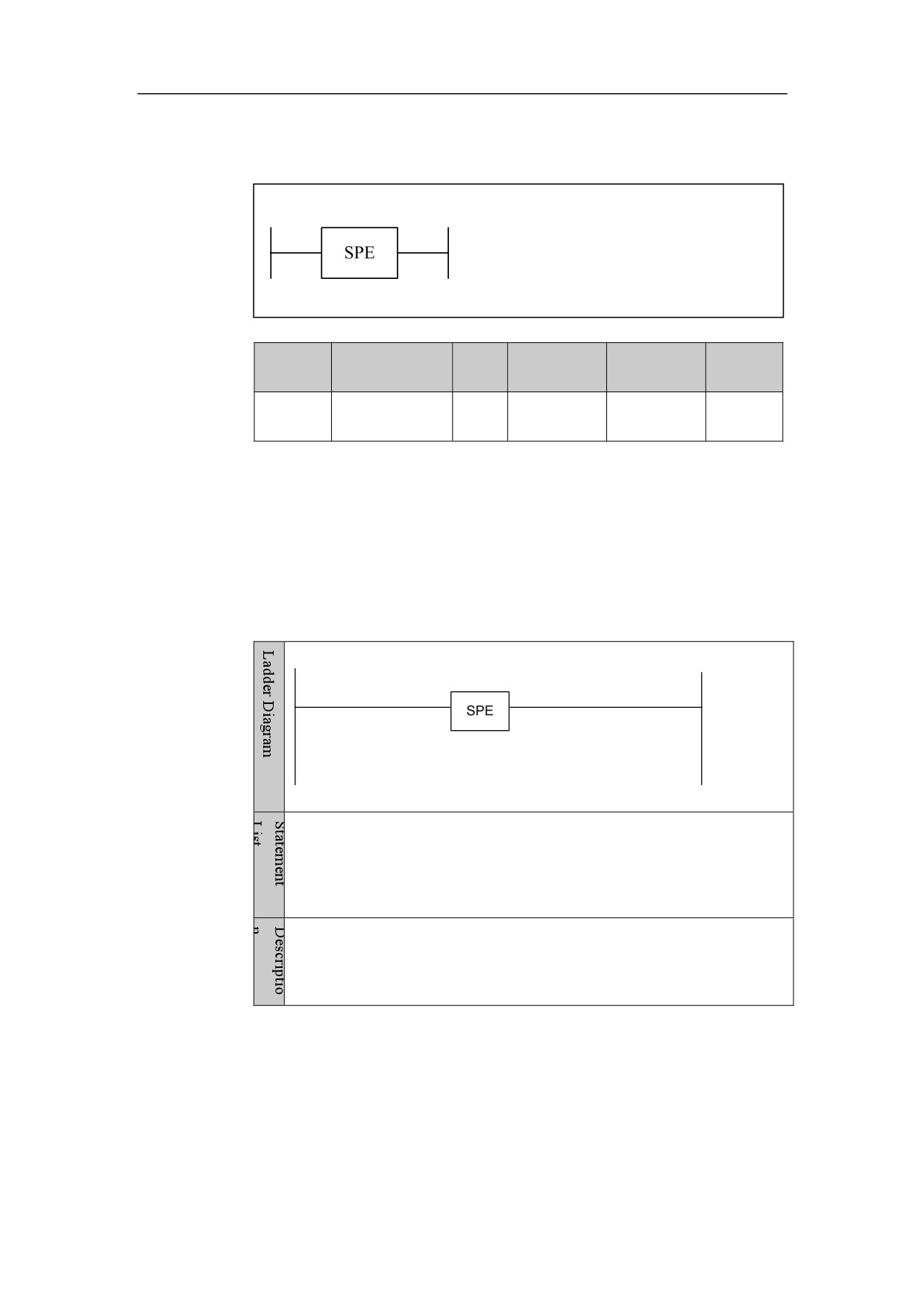
4. Basic function module
Subprogram End SPE
Format
Paramet
Parameter
Data
Storage
Properti
Explanation
er
form
type
area
es
Pre ×
None
None
None
None
Post ×
Function
To end Subprogram.
Parameter
Example
SPE
Subprogram is ended.
97
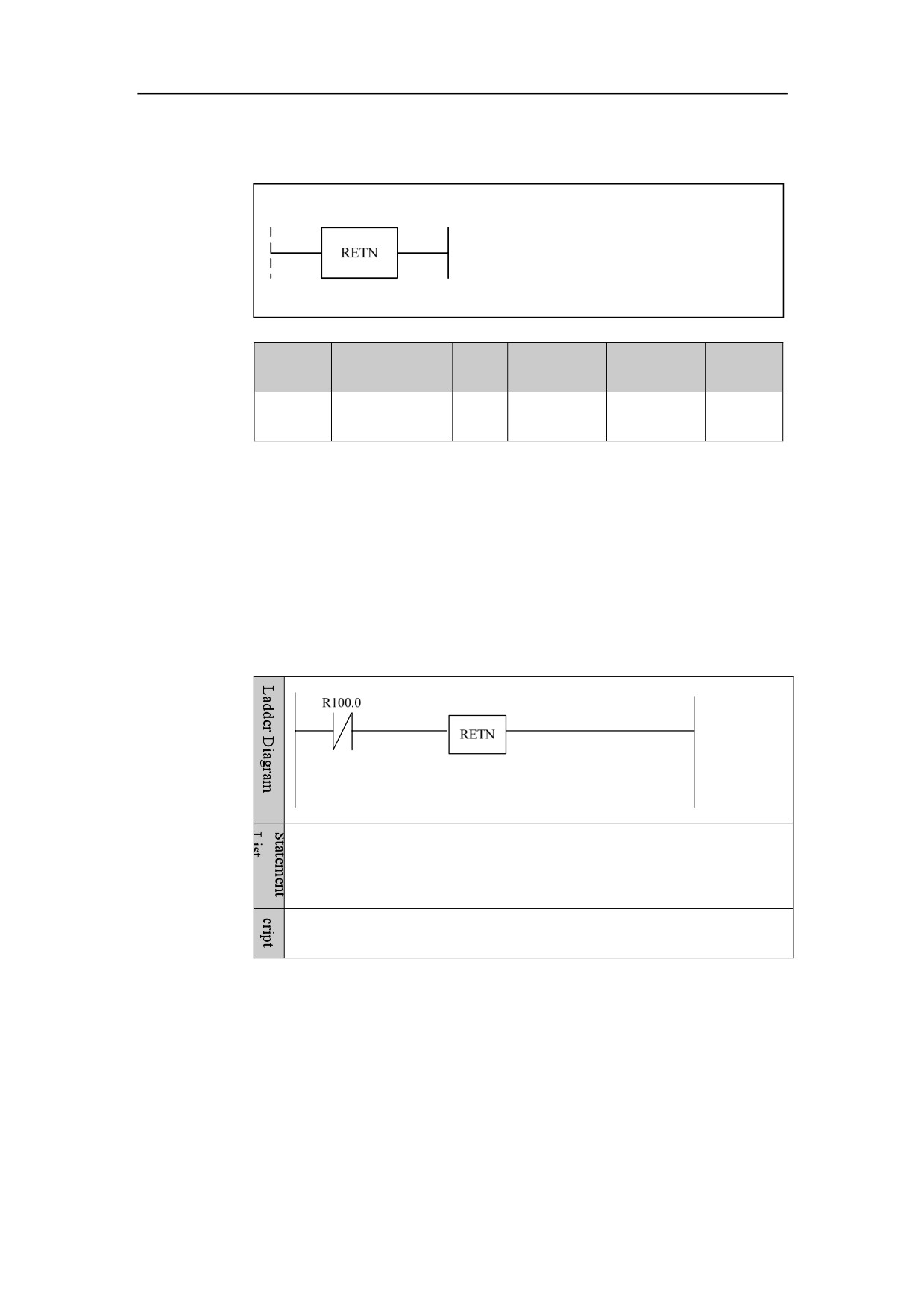
4. Basic function module
Subprogram Return RETN
Format
Paramet
Parameter
Data
Storage
Properti
Explanation
er
form
type
area
es
Pre ○
None
None
None
None
Post ×
Function
Subprogram return. If this instruction is encountered in the subprogram, the
execution will jump out of the subprogram, and continue the rest.
Parameter
Example
LDI R100.0
RETN
If normal-closed point of R100.0 is valid, the subprogram will return.
98
4. Basic function module
Loop LOOP
Format
Paramet
Parameter
Data
Storage
Properti
Explanation
er
form
type
area
es
<Addres
Pre ×
□□□□
INT
Constant
s1>
Post ×
Function
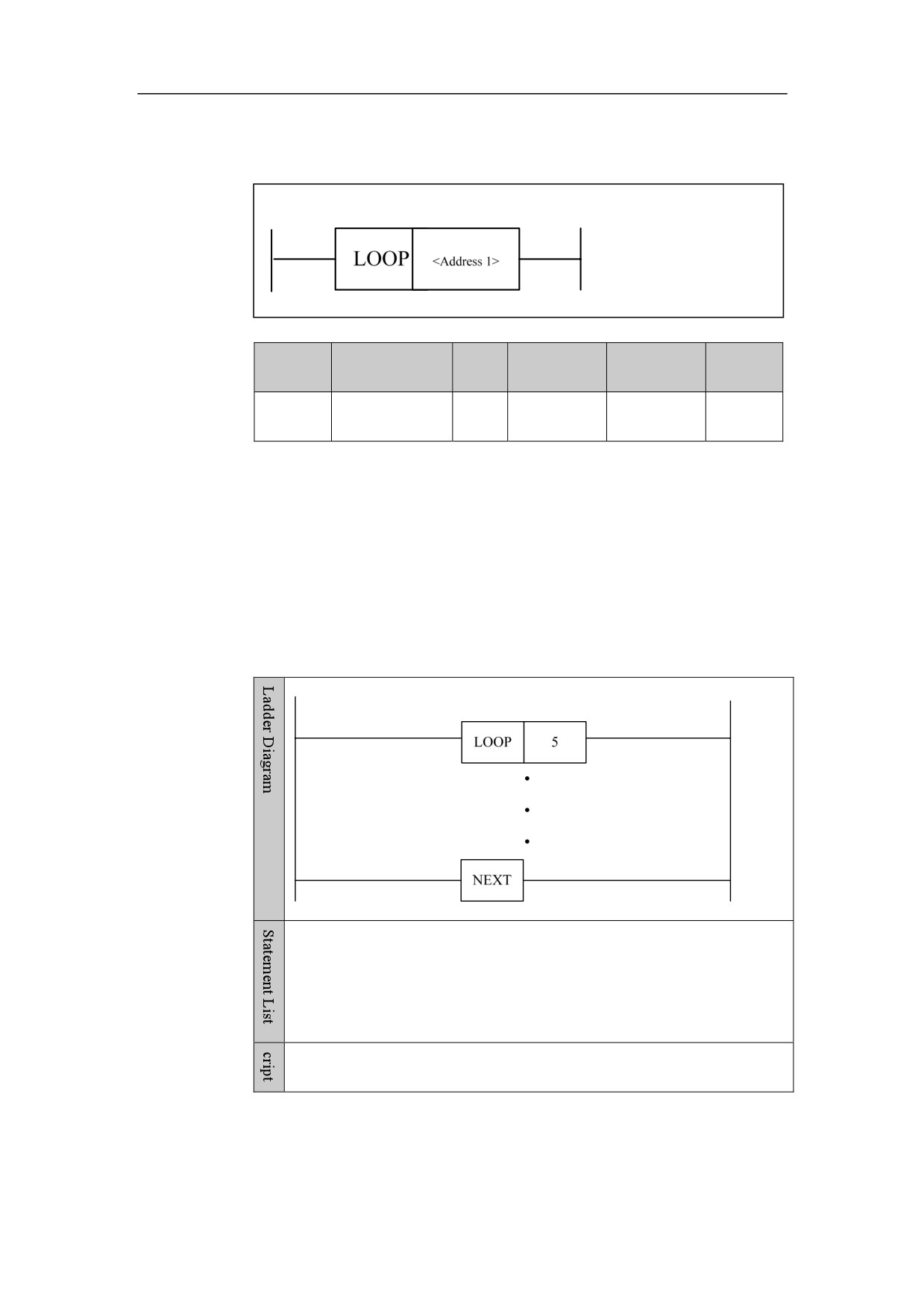
To start the loop. The statement within the body of each loop will be executed.
After all loops are finished, the rest statement will be continued. This instruction
must be used with NEXT instruction.
Parameter
Number of loops, constant and register can be used.
Example
LOOP
5
NEXT
Five times of loops
99
4. Basic function module
Next Loop NEXT
Format
Paramet
Parameter
Data
Storage
Properti
Explanation
er
form
type
area
es
Pre ×
None
None
None
None
Post ×
Function
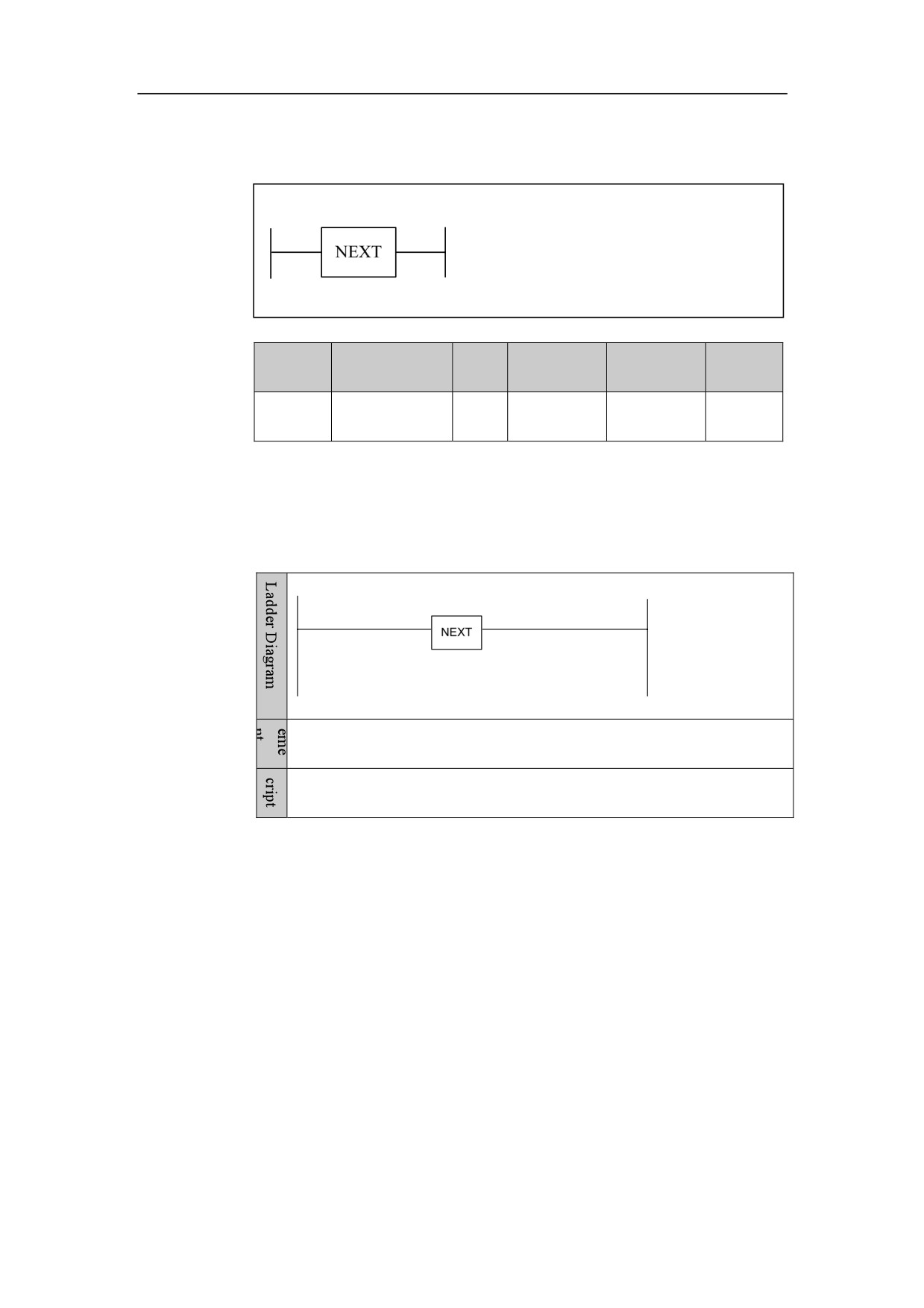
Enter the next loop.
Example
NEXT
Enter the next loop. It is used with the instruction LOOP.
100
4. Basic function module
Comparison
Comparison CMP
Format
Paramet
Parameter
Data
Storage
Properti
Explanation
er
form
type
area
es
Constant,
When the address
<Addres
X, Y, F, G,
1 is larger than
□□□□
INT
s1>
R, W, D, P,
address
2, the
B
output is 0, when
Pre ○
the address
1 is
Post √
Constant,
smaller than or
<Addres
X, Y, F, G,
equal
to
the
□□□□
INT
s2>
R, W, D, P,
address
2, the
B
output is 1.
Function
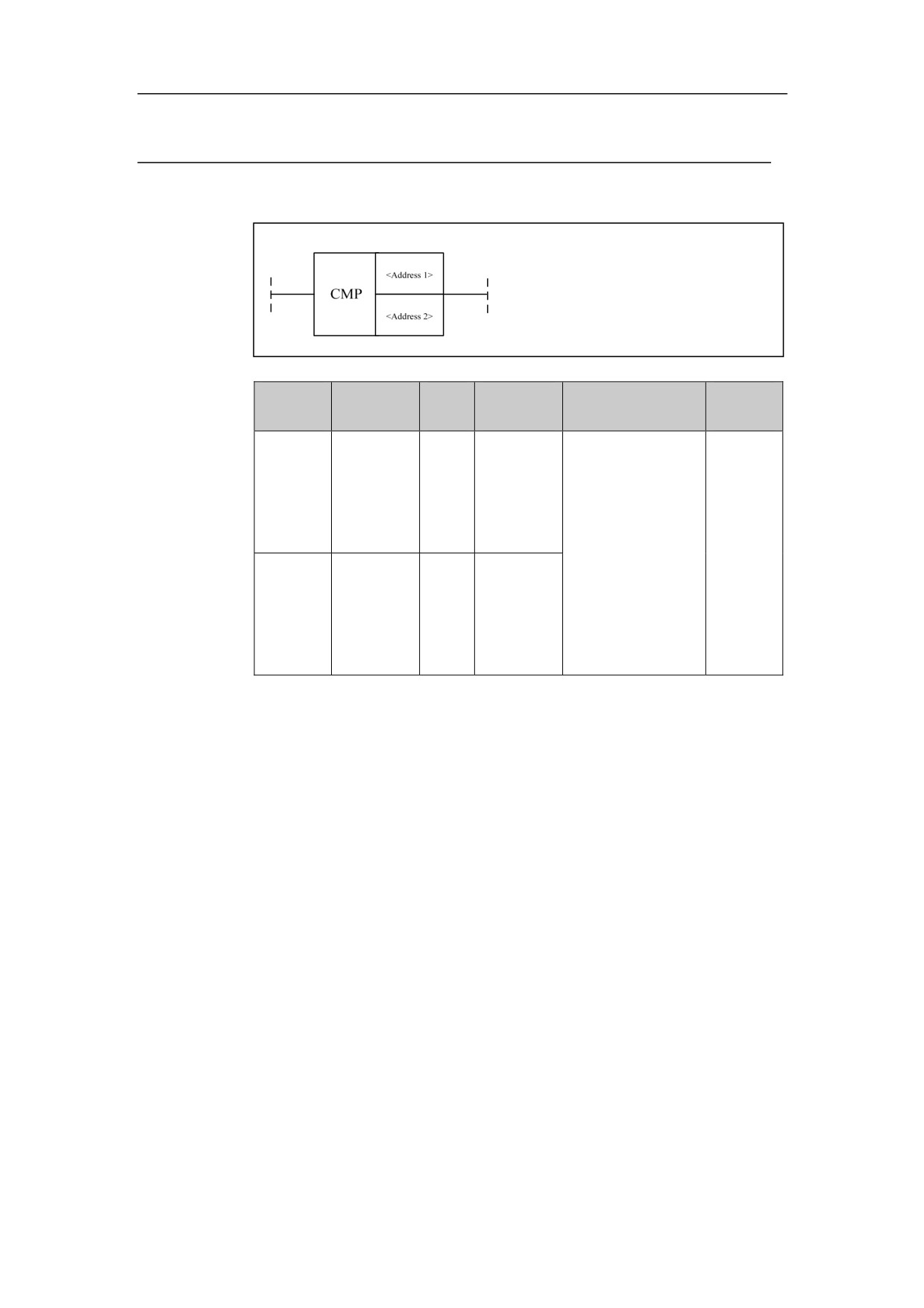
To compare. When the address 1 is larger than address 2, the output is 0, when
the address 1 is lower than or equal to the address 2, the output is 1.
Parameter
Parameter 1: comparing data, can be constant and register.
Parameter 2: data being compared, can be constant and register.
101
4. Basic function module
Example
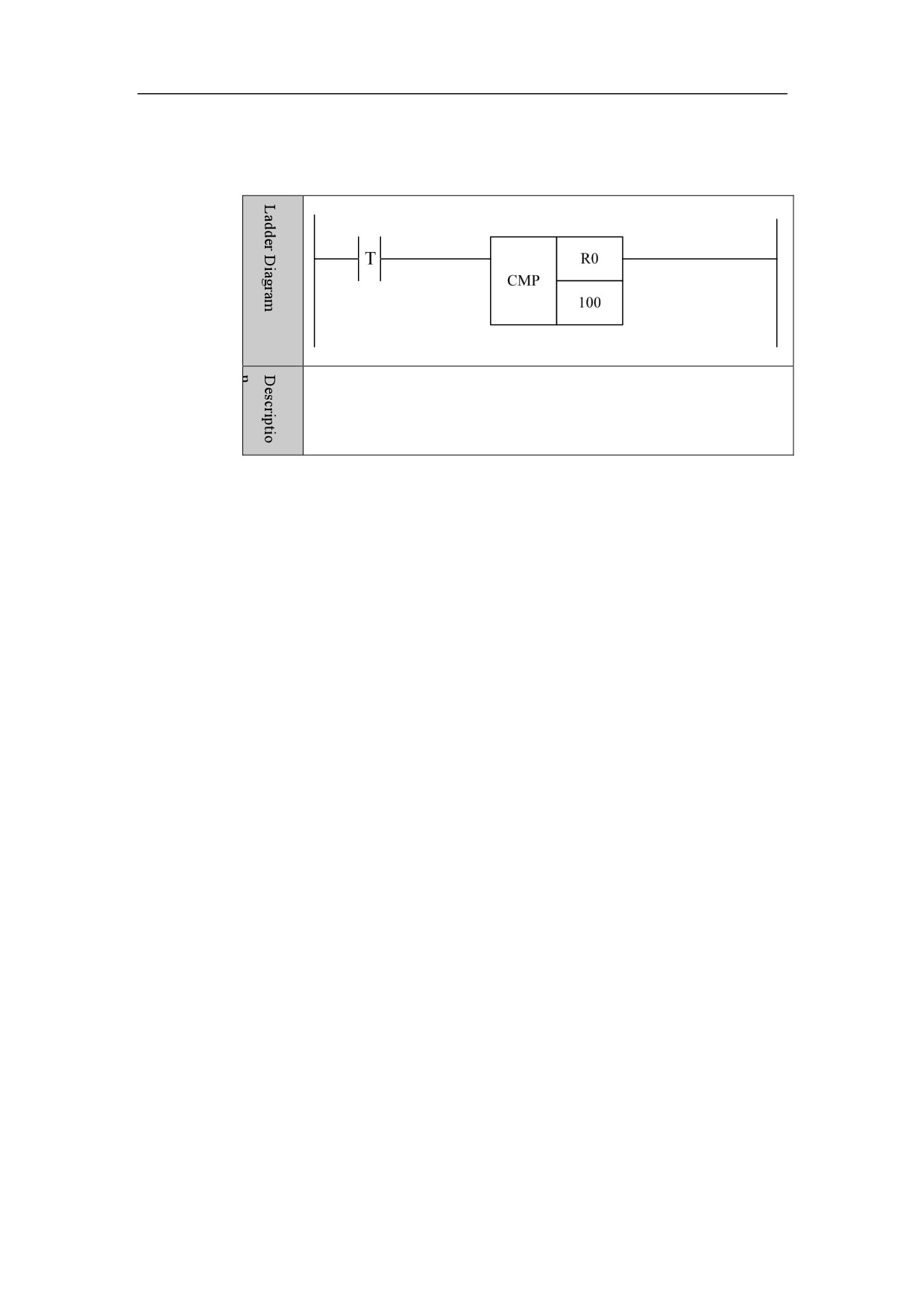
When R0<=100, the condition is satisfied.
102
4. Basic function module
Lower Than LT
Format
Paramet
Parameter
Data
Storage
Properti
Explanation
er
form
type
area
es
Constant
When the address 1
<Addres
, X, Y, F,
□□□□
INT
is larger than or
s1>
G, R, W,
equal to the address
D, P, B
Pre ○
2, the output is
0,
when the address 1
Post √
Constant
is smaller than the
<Addres
, X, Y, F,
□□□□
INT
address
2,
the
s2>
G, R, W,
output is 1.
D, P, B
Function
To compare. When the address 1 is larger than or equal to the address 2, the
output is 0, when the address 1 is smaller than the address 2, the output is 1.
Parameter
Parameter 1: comparing data, can be constant and register.
Parameter 2: data being compared, can be constant and register.
Example
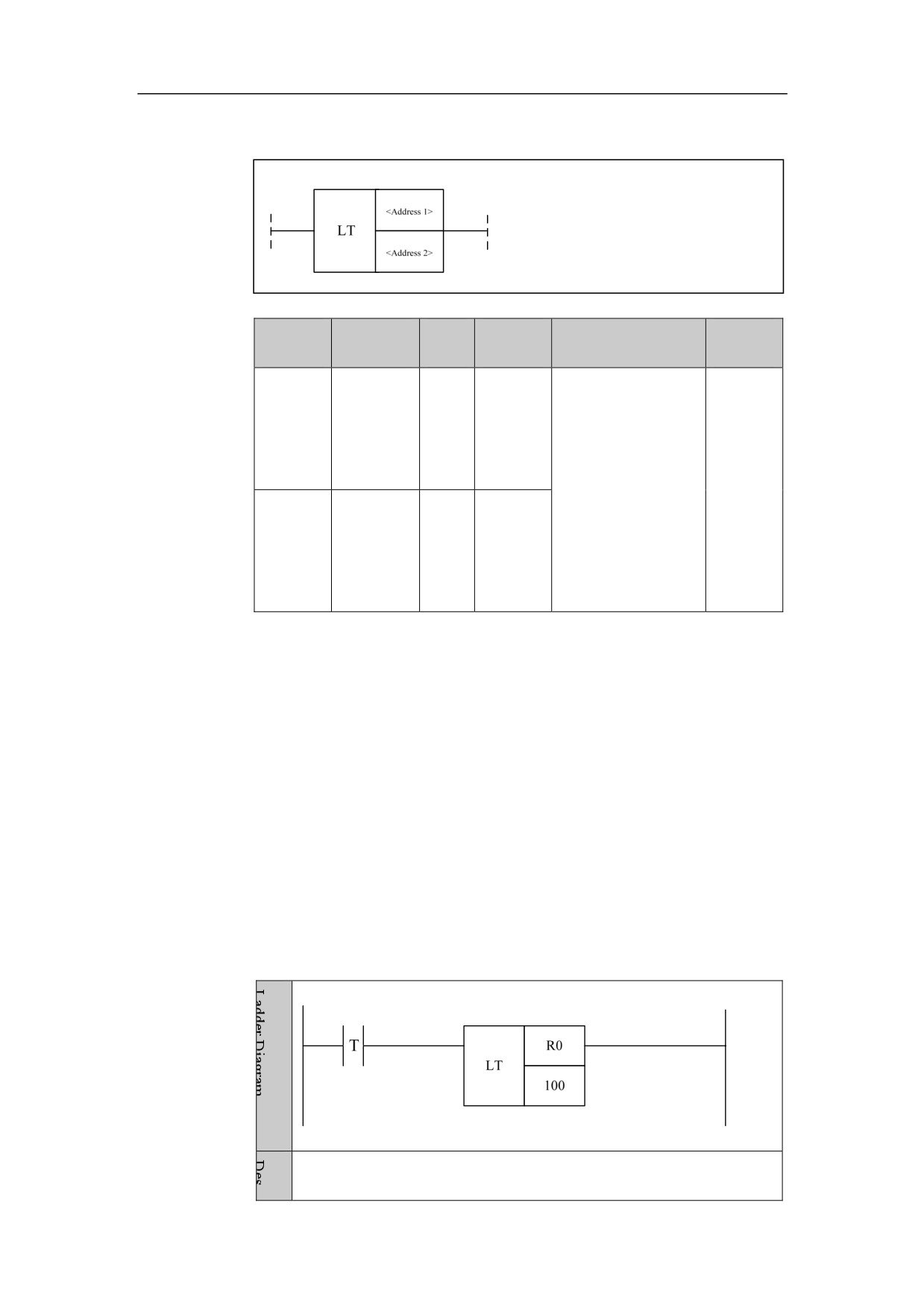
When R0<100, the condition is satisfied.
103
4. Basic function module
Area Comparison ACMP
Format
Paramet
Parameter
Data
Properti
Storage area
Explanation
er
form
type
es
<Addres
Constant, X, Y, F,
When data
□□□□
INT
s1>
G, R, W, D, P, B
of address 3
is
larger
<Addres
Constant, X, Y, F,
than that of
□□□□
INT
Pre ○
s 2>
G, R, W, D, P, B
address
1,
and smaller
Post √
Constant, X, Y, F,
than that of
<Addres
G, R, W, D, P, B
address2,
□□□□
INT
s 3>
the output
is 1.
Function
Area comparison. When data of address 3 is larger than that of address 1, and
smaller than that of address2, the output is 1.
Parameter
Parameter 1: the low end of comparison range, can be constant or register.
Parameter 2: the high end of comparison range, can be constant or register.
Parameter 3: Comparing data, can be constant or register.
Example
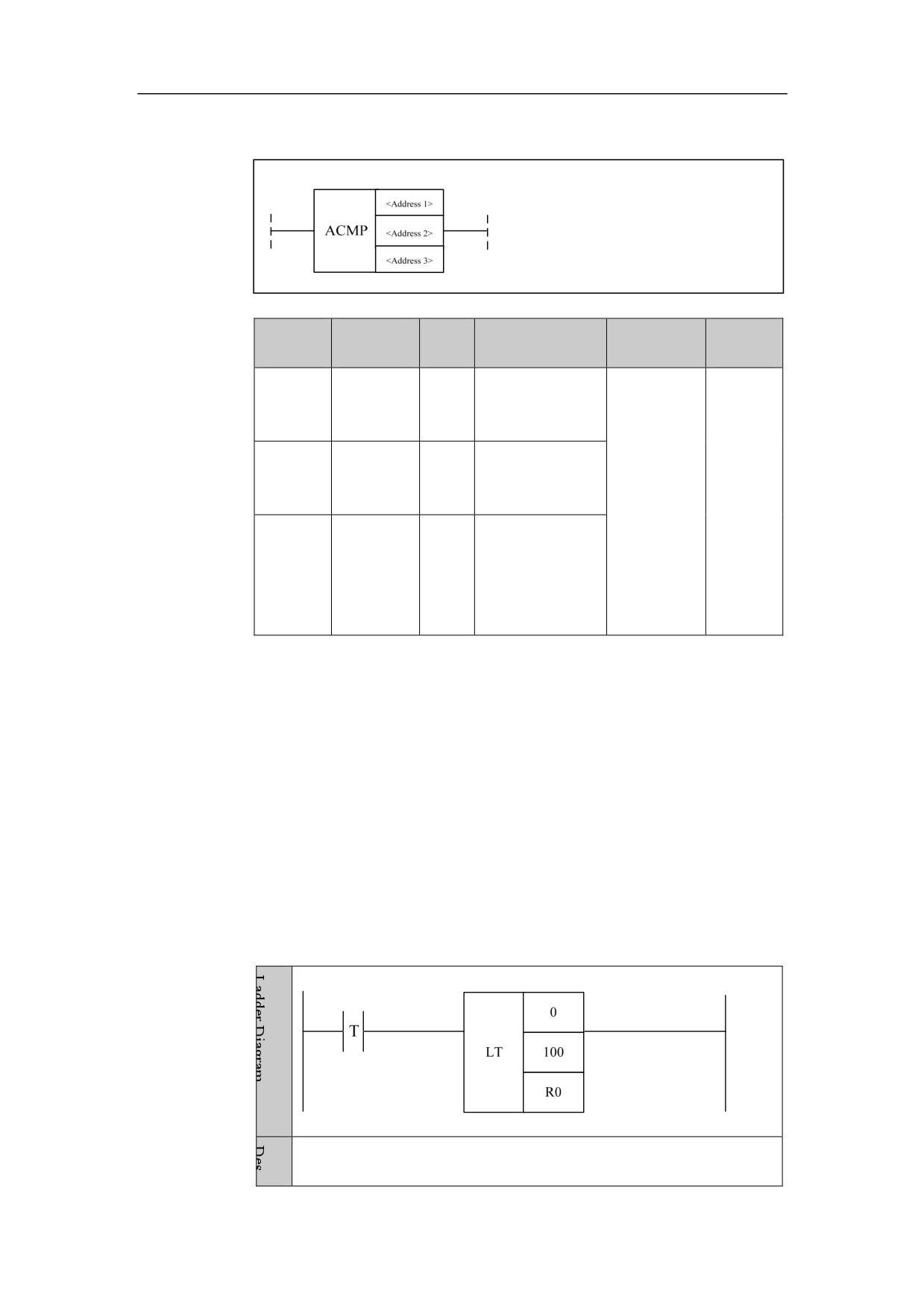
When R0<100 and R0>0, the condition is satisfied.
104
4. Basic function module
Consistency Comparison COIN
Format
Paramet
Parameter
Data
Properti
Storage area
Explanation
er
form
type
es
<Addres
Constant, X, Y, F,
When the data
□□□□
INT
s1>
G, R, W, D, P, B
of address 1 and
address 2 are the
Pre ○
Constant, X, Y, F,
same, the output
<
G, R, W, D, P, B
is
1; when they
Post √
Address
□□□□
INT
are not the
2>
same, the output
is 0.
Function
Consistency comparison, When the data of address 1 and address 2 are the
same, the output is 1; when they are not the same, the output is 0.
Parameter
Parameter 1: benchmark data, can be constant and register.
Parameter 2: comparing data, can be constant and register.
Example
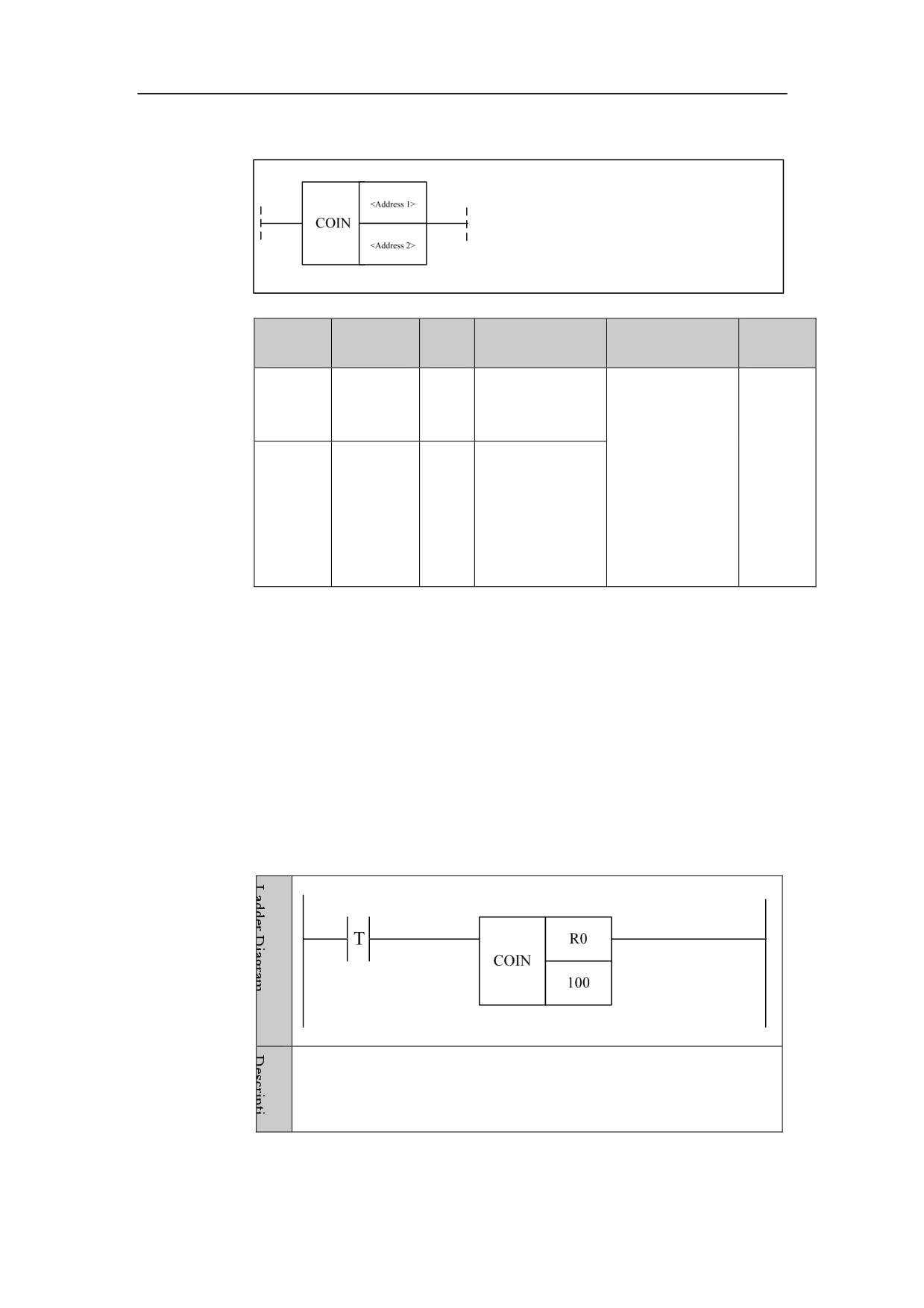
When R0=100, the condition is satisfied.
105
4. Basic function module
Data Manipulation
Moving Data MOV
Format
Paramet
Parameter
Data
Properti
Storage area
Explanation
er
form
type
es
<Addres
Constant, X, Y, F,
□□□□
INT
s1>
G, R, W, D, P, B
Pre ○
Moving
data
Post √
<Addres
Y, G, R, W, D, B
□□□□
INT
s 2>
Function
To move data. To transfer source data to destination address.
Parameter
Parameter 1: source data, can be constant and register.
Parameter 2: destination data, and be constant and register.
Example
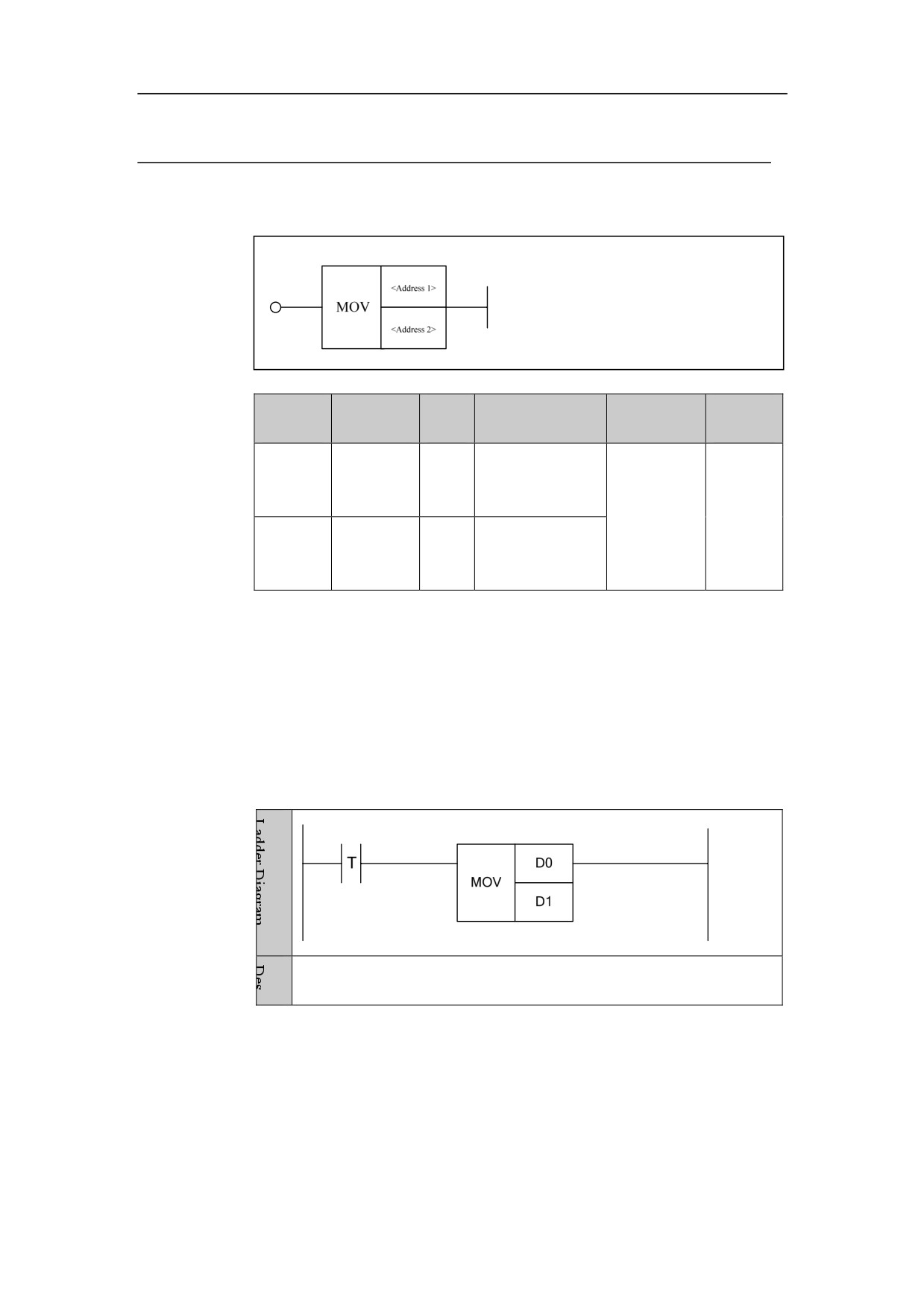
Data in D0 is assigned to data in D1.
106
4. Basic function module
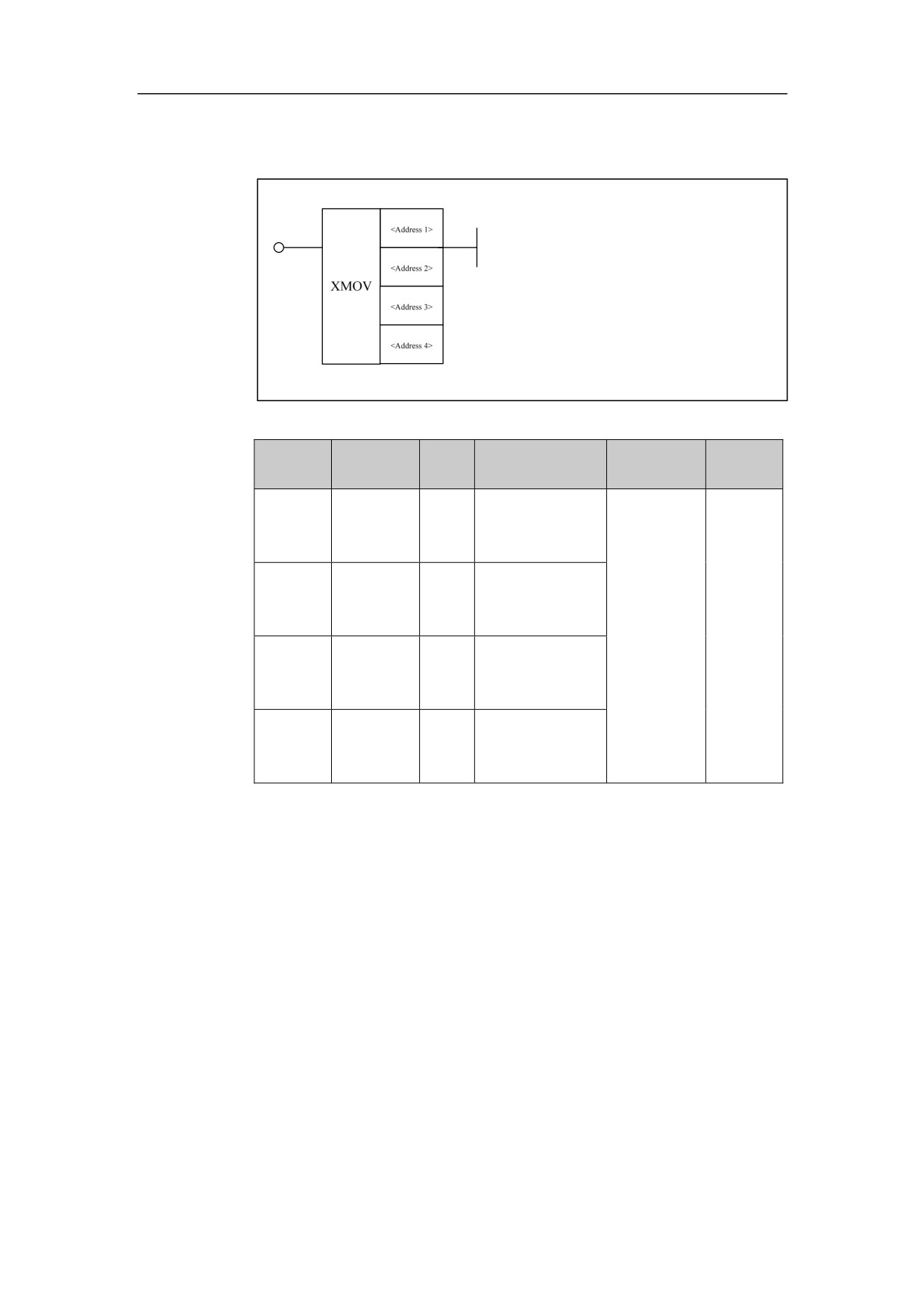
Relative Moving Data XMOV
Format
Paramet
Parameter
Data
Properti
Storage area
Explanation
er
form
type
es
<Addres
INT
Constant
□□□□
s1>
<Addres
INT
G、R、W、D、B
□□□□
s 2>
Relative
Pre ○
moving
Post √
<Addres
INT
Constant
data
□□□□
s 3>
<Addres
INT
G、R、W、D、B
□□□□
s 4>
Function
To move data. To transfer source data to the destination address.
Parameter
Parameter 1: the format of operand 1. 0 represents register, 1 represents
register B, 2 represents register P. For example, the parameter 1 is 0 and the
parameter 2 is R10, which can represent R10 address; the parameter 1 of 1
and the parameter 2 of R10 represent the register B, and the data stored in
R10 group of register B; the parameter 1 of 2 and the parameter 2 of R10
represent the register P, and the data stored in R10 group of register P.
Parameter 2: the address of operand 1.
Parameter 3: the address of operand 2.
Parameter 4: the address of operand 2.
107
4. Basic function module
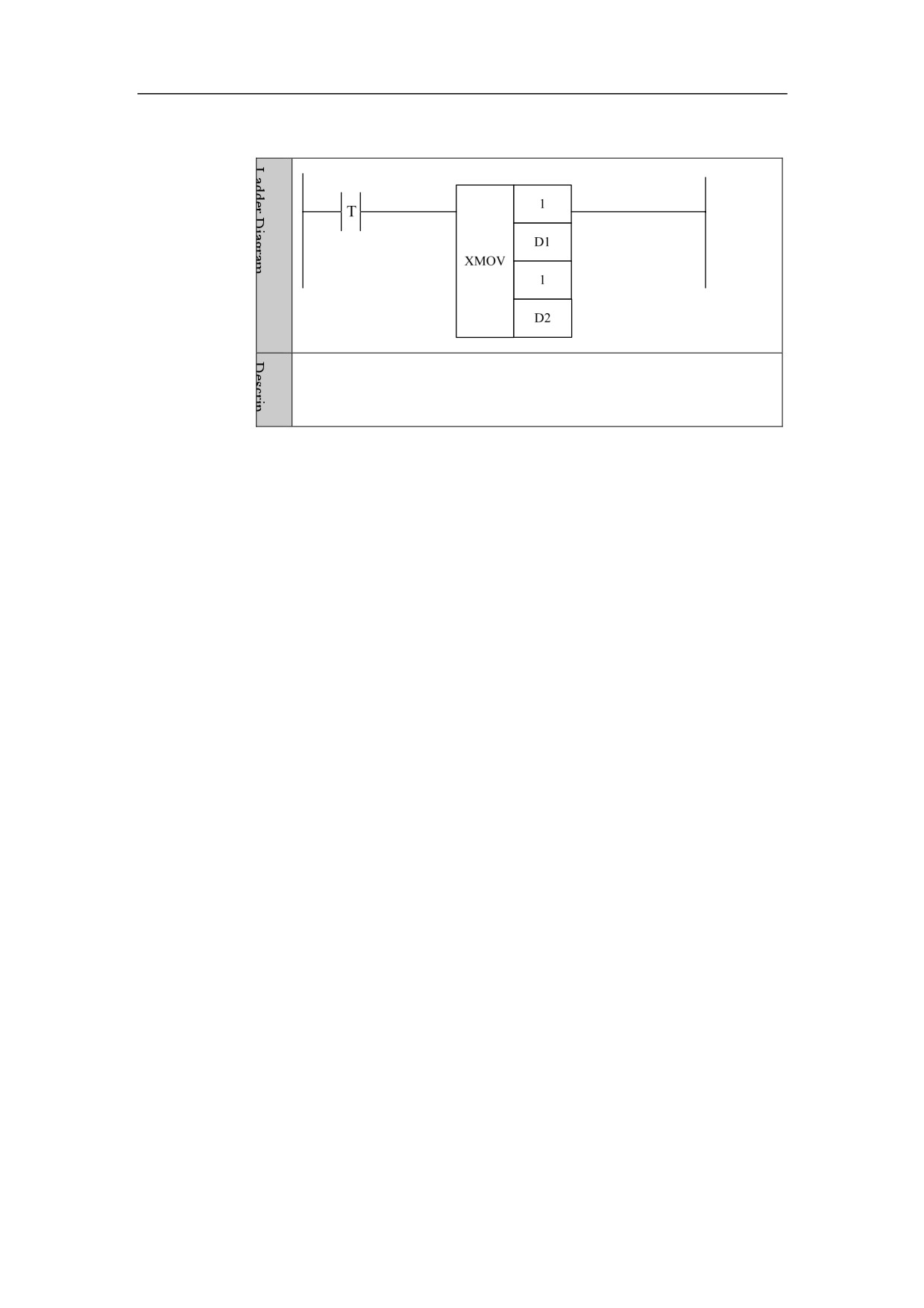
Example
Assign the data shifted to D1 in register B to the position shifted to D2
in register B.
108
4. Basic function module
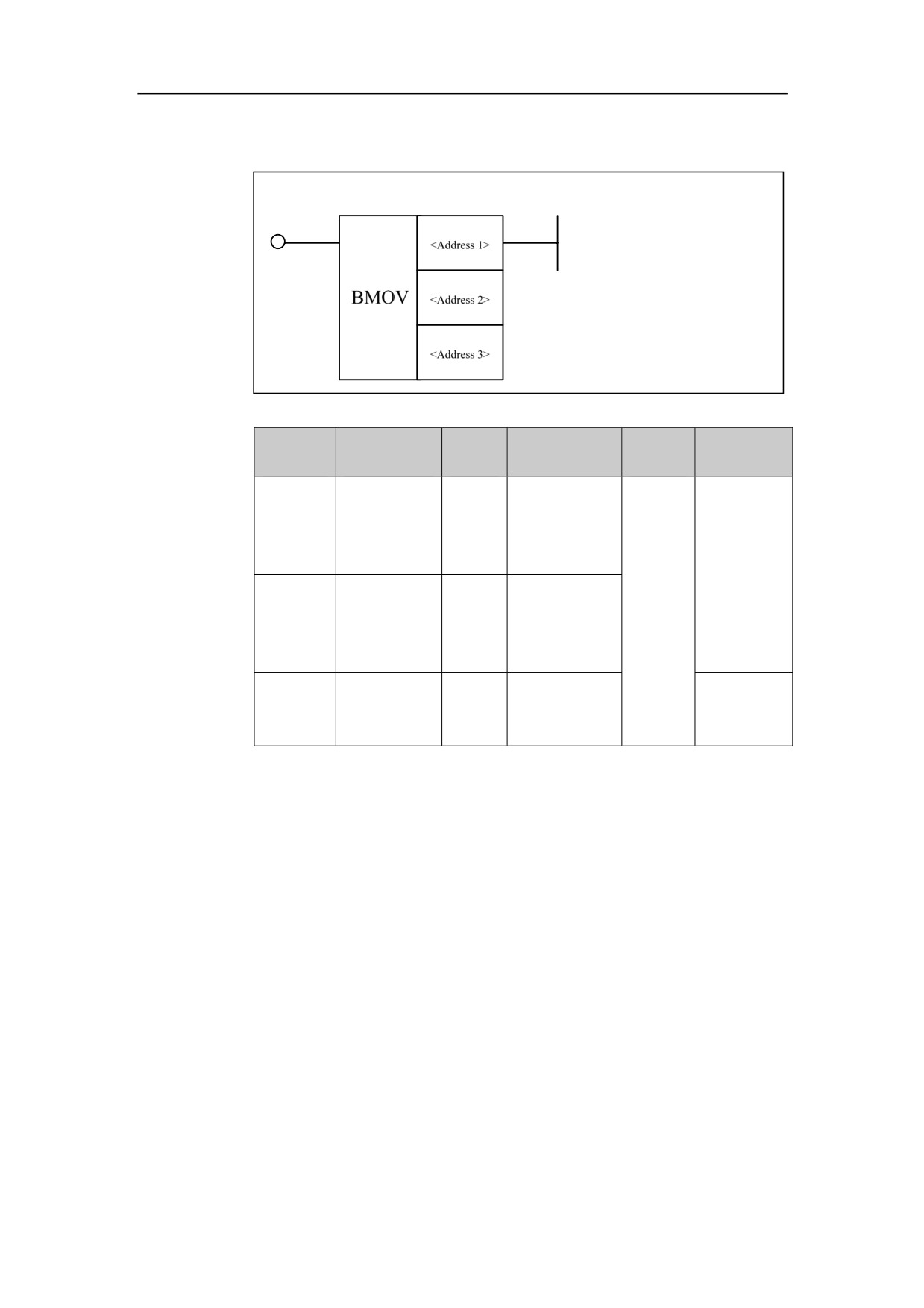
Batch Moving BMOV
Format
Paramete
Parameter
Data
Explana
Storage area
Properties
r
form
type
tion
Constant, X, Y,
<Address
□□□□
INT
F, G, R, W, D,
1>
P, B
Pre ○
Moving
Constant, X, Y,
the data
<Address
□□□□
INT
F, G, R, W, D,
in
2>
P, B
batch.
<Address
□□□□
INT
Constant
Post √
3>
Function
Move data in batch. Multiple data of source starting address is transferred to
starting address of destination.
Parameter
Parameter 1: Starting address of source data
Starting address of destination
Parameter 3: Moving number, can only be constant.
Example
109