Volvo XC40 (2021 year). Manual in english - page 6
||
DISPLAYS AND VOICE CONTROL
110
Returning to Home view from another
view
1. Briefly press the home button below the
center display.
> The most recent Home view mode will
be displayed.
2. Press briefly again.
> All of the Home view's tiles will return
to standard mode.
In Home view's standard mode – short
press on the Home button. An animation
describing access to the various views is
shown on the screen.
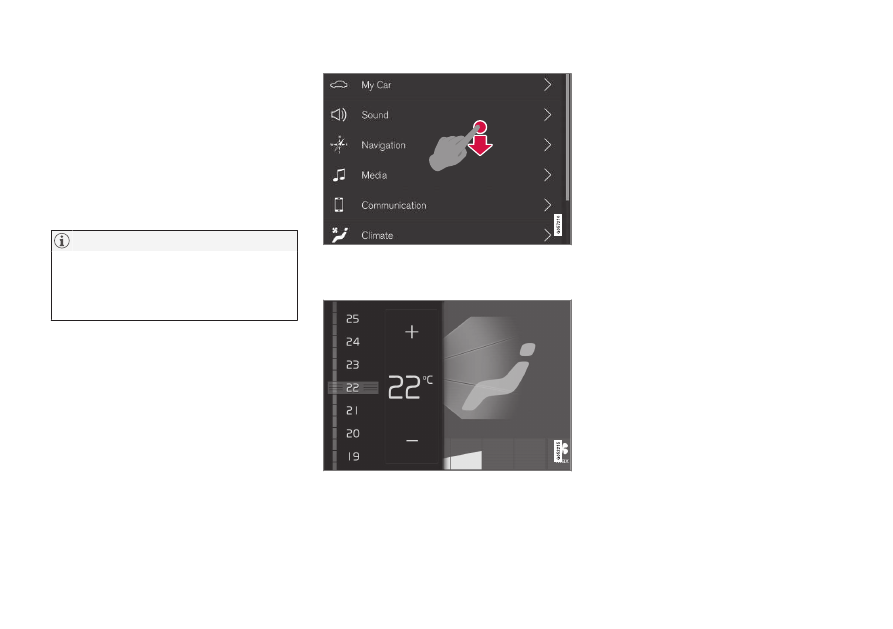
Scrolling in lists, articles or views
A scroll indicator is displayed on the screen
when it is possible to scroll up or down in the
view. Swipe down/up anywhere in the view.
The scroll indicator will be shown in the center dis-
play when it is possible to scroll in the view.
Using the center display controls
Temperature control.
Digital controls are available for many of the
vehicle's functions. For example, to set the
temperature:
•
drag the control to the desired tempera-
ture,
•
tap
+
or
−
to raise or lower the tempera-
ture by degrees, or
•
tap the desired temperature on the con-
trol.
Related information
•
Activating and deactivating the center dis-
play (p. 111)
•
Moving apps and buttons in the center
display (p. 120)
•