Volvo XC90 Twin Engine (2020 year). Manual in english - page 5
DISPLAYS AND VOICE CONTROL
97
Resetting the trip meter
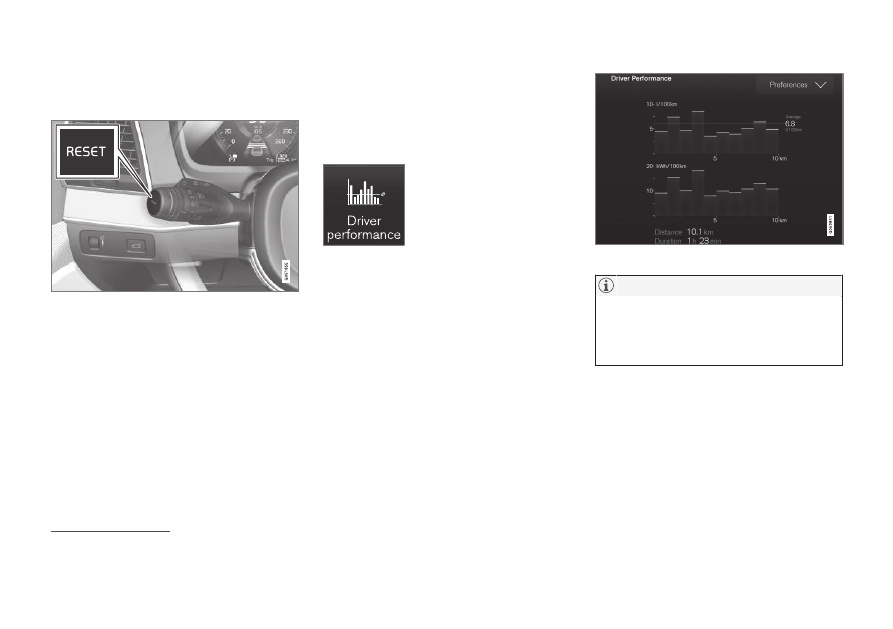
Reset the trip meter using the left-hand stalk
switch.
–
Reset all information in trip meter TM (i.e.
mileage, average consumption, average
speed and driving time) with a long press
on the
RESET
button on the left-hand
stalk switch.
A short press on the
RESET
button resets
only the mileage.
The trip meter TA can only be reset automati-
cally when the car has not been used for four
or more hours.
Related information
•
Show trip statistics in the centre
display
Trip statistics from the trip computer are dis-
played graphically in the centre display and
provide an overview that facilitates more fuel-
efficient driving.
Open the
Driver
performance
app in app
view in order to show the trip
statistics.
Each bar in the diagram sym-
bolises a distance of 1, 10 or
100 km, alternatively miles. The bars are filled
in from the right as driving progresses. The bar
on the far right shows the value for the current
distance.
The average fuel consumption and total driv-
ing time are calculated since the last time the
trip statistics were reset.
Fuel and electricity consumption are shown in
separate graphs. Electricity consumption is
"net" consumption, i.e. energy consumed
minus regenerated energy created during
braking.
Trip statistics from the trip computer
2
.
When driving with electric operation, fuel
consumption can be indicated in the trip
statistics if the additional heater
3
is run-
ning.
Related information
•
Settings for trip statistics (p. 98)
•
2
The figure is schematic - parts may vary depending on car model.
3
Applicable to fuel-driven auxiliary heater.