Volvo XC40 Twin Engine (2020 year). Manual in english - page 5
DISPLAYS AND VOICE CONTROL
95
Messages in the driver display
The driver display can show messages to
inform or assist the driver in the event of dif-
ferent events.
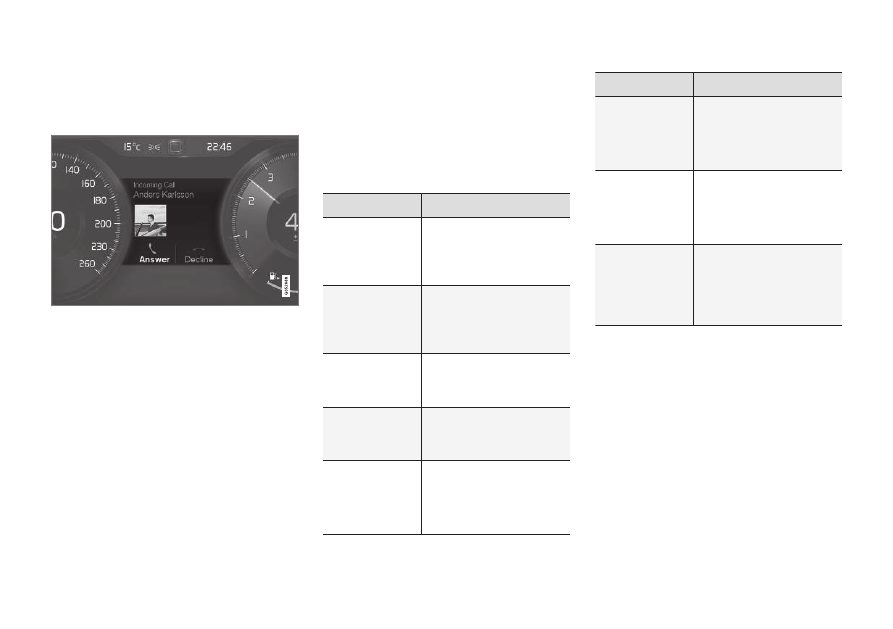
Examples of messages in the driver display. The fig-
ure is schematic - parts may vary depending on car
model.
The driver display shows messages that are of
high priority for the driver.
Messages can be shown in different parts of
the driver display depending on what other
information is currently being displayed. After
a while, or when the message has been
acknowledged/action taken if required, the
message disappears from the driver display. If
a message needs to be saved, it is placed in
the
Car Status
app, which is opened from the
app view in the centre display.
Message composition may vary and they can
be shown together with graphics, symbols or
buttons for acknowledging the message or
accepting a request, for example.
Service messages
Shown below is a selection of important serv-
ice messages and their meanings.
Message
Specification
Stop safely
A
Stop and switch off the
engine. Serious risk of
damage - consult a work-
shop
B
.
Turn off
engine
A
Stop and switch off the
engine. Serious risk of
damage - consult a work-
shop
B
.
Service urgent
Drive to work-
shop
A
Contact a workshop
B
to
check the car immedi-
ately.
Service
required
A
Contact a workshop
B
to
check the car as soon as
possible.
Regular main-
tenance
Book time for
maintenance
Time for regular service -
contact a workshop
B
.
Shown before the next
service date.
Message
Specification
Regular main-
tenance
Time for main-
tenance
Time for regular service -
contact a workshop
B
.
Shown at the next serv-
ice date.
Regular main-
tenance
Maintenance
overdue
Time for regular service -
contact a workshop
B
.
Shown when the service
date has passed.
Temporarily
off
A
A function has been tem-
porarily switched off and
is reset automatically
while driving or after
starting again.
A
Part of message, shown together with information on
where the problem has arisen.
B
An authorised Volvo workshop is recommended.
Related information
•
Managing messages in the driver display
(p. 96)
•
Handling a message saved from the driver
display (p. 96)
•