Volvo V90 Twin Engine (2020 year). Manual in english - page 9
||
LIGHTING
* Option/accessory.
162
the centre display and also precisely adjusted
using the thumbwheel in the instrument panel.
Lighting in storage compartments in
doors
The lighting in the storage compartments in
the doors is switched on when you open the
doors and is switched off when the car is
locked. The brightness can be precisely
adjusted using the thumbwheel in the instru-
ment panel.
Lighting in the tunnel console's front
cup holder
The lighting in the front cup holders is
switched on when the car is unlocked and is
switched off when the car is locked. The
brightness can be precisely adjusted using the
thumbwheel in the instrument panel.
Related information
•
Adjusting interior lighting (p. 162)
•
•
•
Passenger compartment interior (p. 584)
Adjusting interior lighting
The lamps inside the car come on differently
depending on the ignition position used. The
interior lighting can be adjusted with a
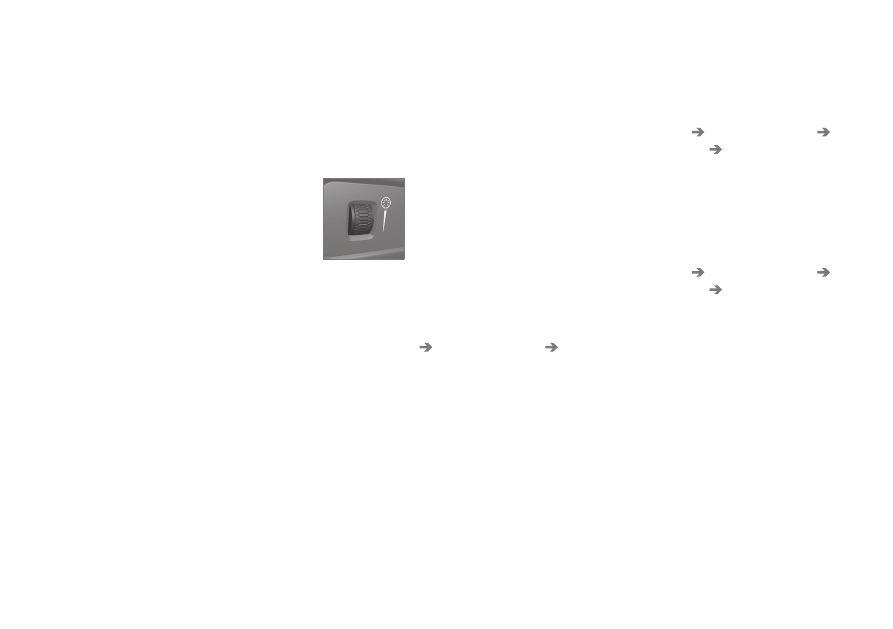
thumbwheel in the instrument panel, and cer-
tain light functions can also be adjusted via
the centre display.
The thumbwheel on the
instrument panel, to the left
of the steering wheel, is used
to adjust the brightness of
the display light, control light,
ambient light and ambience
light
*
Adjusting ambient decor illumination
1. Press
Settings
in the top view in the cen-
tre display.
2. Press
My Car
Lights and Lighting
Interior Lighting
.
3. Choose between the following settings:
•
Under
Ambient Light Intensity
, select
from
Off
,
Low
and
High
.
•
Under
Ambient Light Level
, select
from
Reduced
and
Full
.
Adjusting ambience light
*
The car is equipped with a number of LEDs
that make it possible to change the colour of
the light. These lights are switched on when
the car is running.
Changing the brightness of the lights
1. Press
Settings
in the top view in the cen-
tre display.
2. Press
My Car
Lights and Lighting
Interior Lighting
Interior Mood
Lighting
.
3. Under
Interior Mood Light Intensity
,
select from
Off
,
Low
and
High
.
Changing the colour of the light
1. Press
Settings
in the top view in the cen-
tre display.
2. Press
My Car
Lights and Lighting
Interior Lighting
Interior Mood
Lighting
.
3. Choose between
By Temperature
and
By Colour
in order to change the colour of
the light.
With the
By Temperature
option, the
light changes according to the set passen-
ger compartment temperature.
With the
By Colour
option, the
Theme
Colours
subcategory can be used to
adjust further.