Volvo V90 Twin Engine (2020 year). Manual in english - page 6
DISPLAYS AND VOICE CONTROL
}}
* Option/accessory.
113
Activating and deactivating centre
display
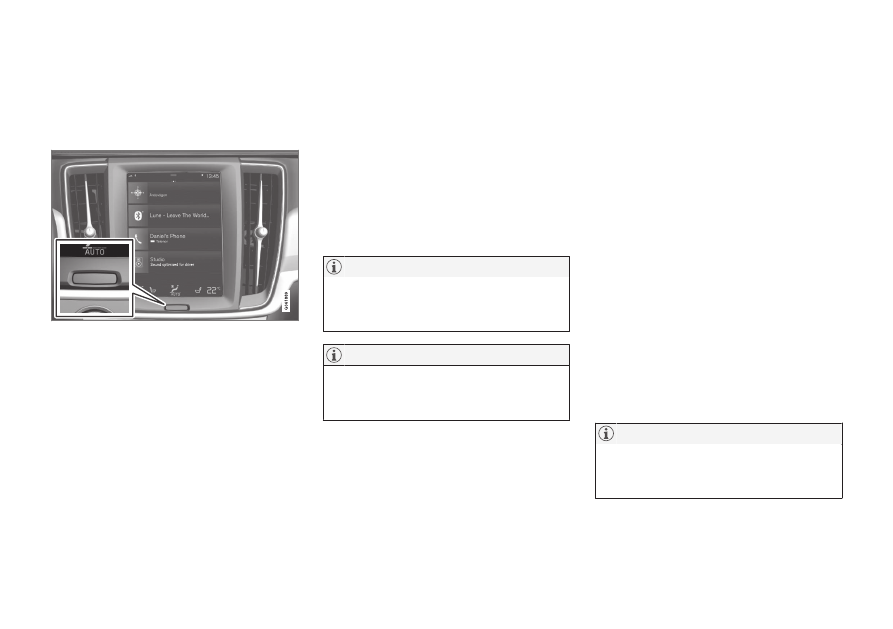
The centre display can be dimmed and reacti-
vated using the home button beneath the
screen.
Home button for the centre display.
The effect of using the home button that the
screen dims and the touchscreen no longer
reacts to touch. The climate row will still be
shown. All functions connected to the screen
are still running, such as climate, audio, guid-
ance
*
and apps. When the centre display is
dimmed, it is a good opportunity to clean the
screen. The dimming function can also be
used to fade the screen so that it does not dis-
turb while driving.
1. Give a long press on the physical home
button below the screen.
> The screen goes dark except for the cli-
mate row, which continues to be
shown. All functions connected to the
screen are still running.
2. Reactivate the screen - briefly tap on the
home button.
> The view that was displayed before the
screen was switched off will be shown
again.
The screen cannot be deactivated when a
prompt to perform an action is shown on
the screen.
The centre display deactivates automati-
cally when the engine is off and the driver's
door is opened.
Related information
•
Cleaning the centre display (p. 645)
•
Changing the appearance in the centre
display (p. 129)
•
Overview of centre display (p. 107)
Navigating in the centre display's
views
There are five different basic views in the cen-
tre display: home view, top view, climate
view, application view (app view) and func-
tion view. The screen is started automatically
when the driver's door is opened.
Home view
Home view is the view that is shown when the
screen is started. It consists of four subviews:
Navigation
,
Media
,
Phone
and an extra sub-
view.
An app or car function selected from the app
or function view starts in the respective sub-
view of the home view. E.g.
FM radio
starts in
the
Media
tile.
The extra tile shows the last used app or car
function that is not associated with any of the
other three areas.
The subviews show brief information about
each different app.
When the car is started, the home view's
various sub-views show information on the
current status of apps.