Volvo V90 Twin Engine (2020 year). Manual in english - page 4
DISPLAYS AND VOICE CONTROL
}}
* Option/accessory.
81
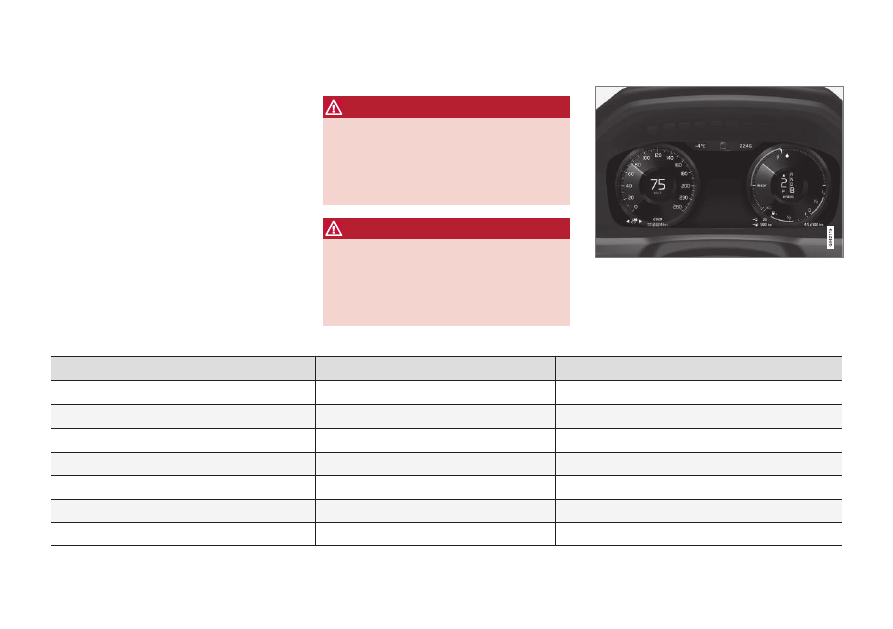
Driver display
The driver display shows information about
the car and driving.
The driver display contains gauges, indicators
and indicator and warning symbols. The con-
tent of the driver display depends on the car's
equipment, settings and which functions are
active at that time.
The driver display is activated as soon as a
door is opened, i.e. in ignition position
0
. The
driver display extinguishes after a while if it is
not used. To reactivate it, proceed with one of
the following:
•
Depress the brake pedal.
•
Activate ignition position
I
.
•
Open one of the doors.
WARNING
If the driver display should extinguish, not
illuminate on activation/start or be fully or
partially illegible, the car must not be used.
You should visit a workshop immediately.
Volvo recommends an authorised Volvo
workshop.
WARNING
In the event of a fault in the driver display
the information on e.g. brakes, airbags or
other safety systems may not be shown. In
which case, the driver cannot check the
status of the car's systems or receive cur-
rent warnings and information.
The figure is schematic - parts may vary depending
on car model.
Location in the driver display:
On the left
In the middle
On the right
Speedometer
Indicator and warning symbols
Tachometer/Hybrid gauge
A
Trip meter
Outside temperature gauge
Gear shift indicator
Odometer
B
Clock
Drive mode
Cruise control and speed limiter information
Messages, in some cases with graphics
Fuel gauge
Road Sign Information
*
Door and seatbelt information
Hybrid battery gauge
–
Charging status
Distance to empty tank
–
Media player
Distance to empty battery