Volvo S90 Twin Engine (2019 year). Instruction - part 29
AUDIO, MEDIA AND INTERNET
}}
* Option/accessory.
493
•
•
Connecting a device via the USB port
(p. 507)
Settings for SiriusXM
®
Satellite
radio*
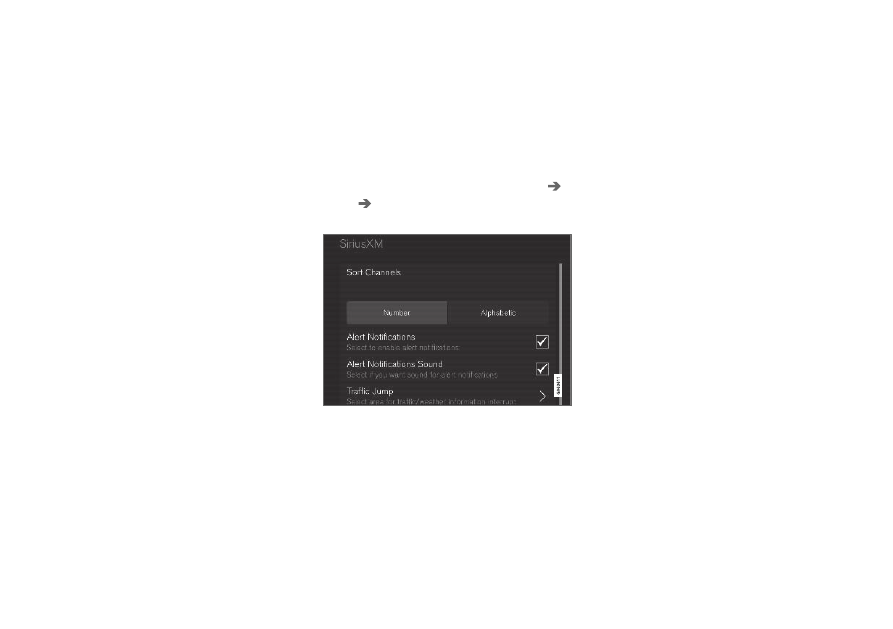
There are numerous settings that can be made
to enhance your SiriusXM
®
Satellite radio listen-
ing experience.
Settings
Drag down the top view and tap on
Settings
Media
SiriusXM
. The following alternatives
will be displayed:
Traffic Jump
Tap to display a list of cities from which you can
choose to get traffic/weather information (or
Traffic jump off
to deactivate the feature). Tap
to select a city (
JUMP
will be displayed on the
Home screen next to
Library
). Tap
Back
to
return to the list of settings or
Close
to return to
the Home screen.
From the Home screen, tap
JUMP
to activate the
function. When traffic/weather information is
available from the selected city, the radio will
automatically tune to the channel providing the
information. When the information/announce-
ment is finished, the radio will automatically
return to the channel that you were previously lis-
tening to.
During an announcement, tap
JUMP
to interrupt
the message and return to the station that you
were currently listening to.
Alert Notifications
Tap the box to activate/deactivate. When acti-
vated, you will be notified if a song, artist, etc. that
you have selected is playing. You will be asked if
you want to listen.
Alert Notifications Sound
Opt to receive an audible alert when one of your
selected choices is being played.
Sort Channels
Select how to sort your channels list.
iTunes Tagging
Tap to display a menu with the options:
iTunes
Tagging
and
Tags List
. With this feature acti-
vated, songs can be tagged for later purchase
from the iTunes store.