Toyota Tundra Hybrid (2023 year). Manual in english - page 20
320
4-5. Using the driving support systems
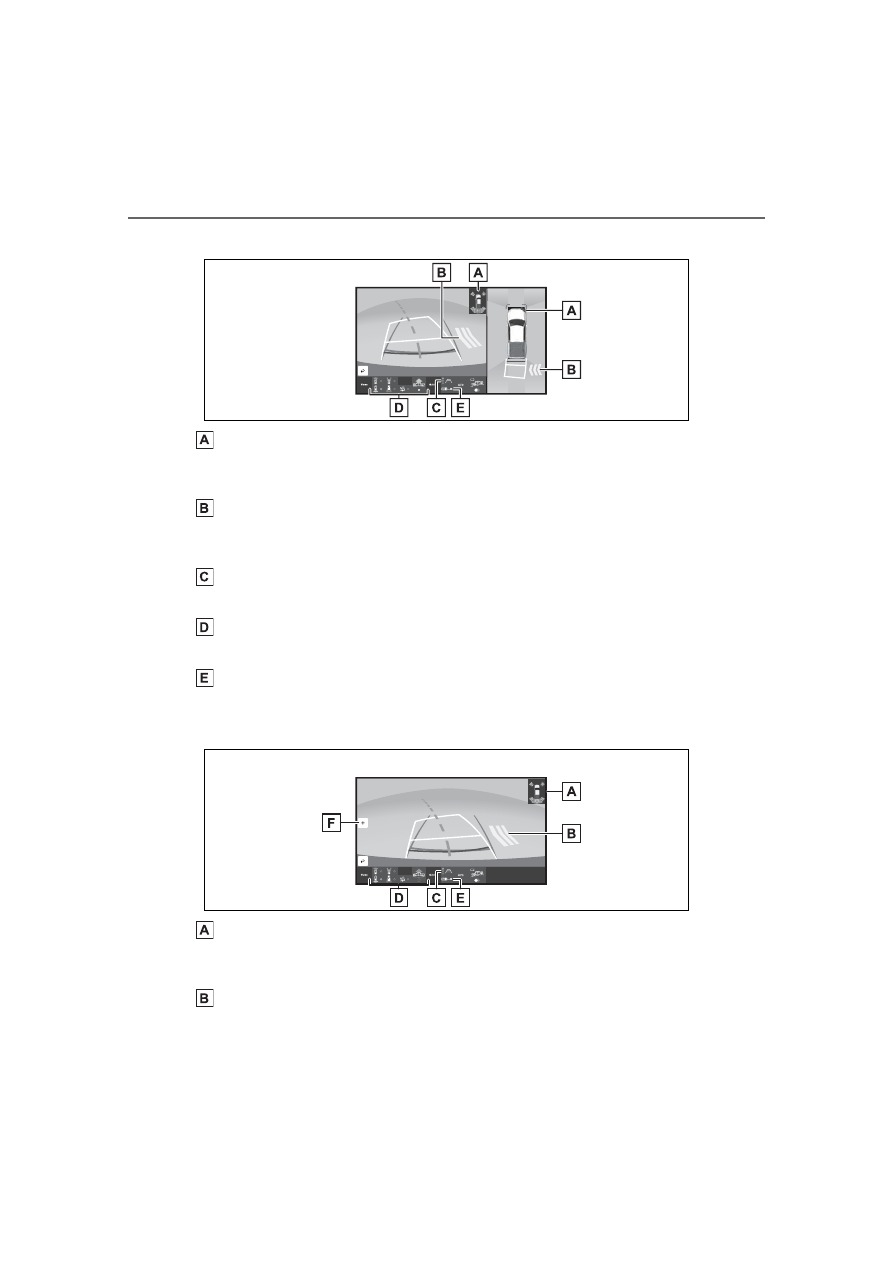
Panoramic view & rear view
Intuitive parking assist
When a sensor detects an obstacle, the direction of and the approximate
distance to the obstacle are displayed and the buzzer sounds.
Rear Cross Traffic Alert
When a sensor detects an obstacle, the direction of obstacle is displayed
and the buzzer sounds.
Guide line switching button
Select to switch the guide line mode. (
Display mode switching buttons
The display can be changed to various screens from button combinations.
Center guide line on/off button
Select to on/off the center guide line. (
Wide rear view
Intuitive parking assist
When a sensor detects an obstacle, the direction of and the approximate
distance to the obstacle are displayed and the buzzer sounds.
Rear Cross Traffic Alert
When a sensor detects an obstacle, the direction of obstacle is displayed