Toyota Tundra (2023 year). Manual in english - page 28
449
5-4. Using the other interior features
5
Interior
featur
es
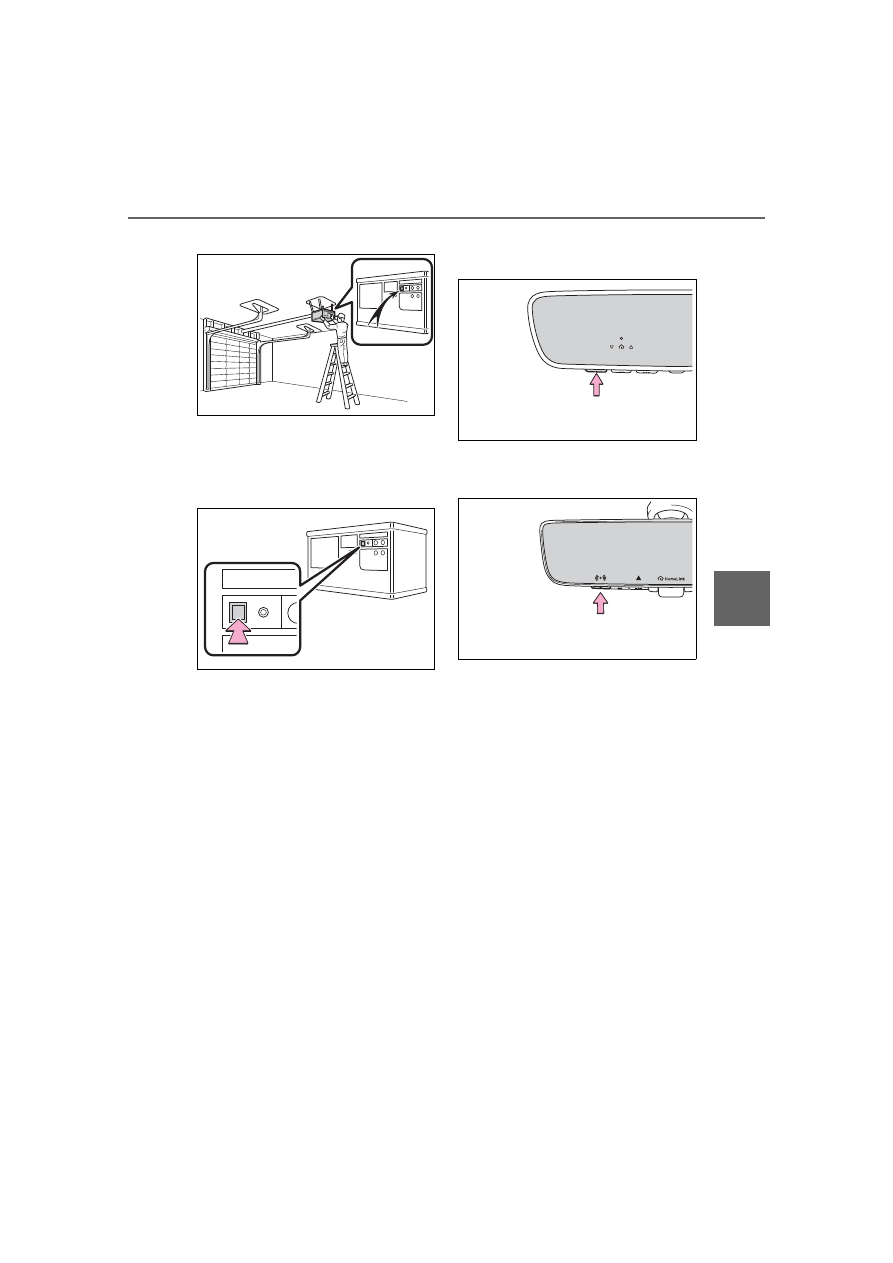
door opener motor for details.
2
Press and release the
“Learn” or “Smart” button.
Perform
3
within 30 seconds after
performing
2
.
3
Press and hold the desired
HomeLink
®
button (inside the
vehicle) for 2 seconds and
release it. Repeat this
sequence
(press/hold/release) up to 3
times to complete program-
ming.
If the garage door opener
motor operates when the
HomeLink
®
button is
pressed, the garage door
opener motor recognizes the
HomeLink
®
signal.
Vehicles with auto anti-glare
inside rear view mirror
Vehicles with Digital Rear-
view Mirror
■
Enabling 2-way communi-
cation with a garage door
(only available for compati-
ble devices)
When enabled, 2-way communi-
cation allows you to check the
status of the opening and clos-
ing of a garage door through
indicators in your vehicle.
2-way communication is only
available if the garage door
opener motor used is a compati-
ble device. (To check device
compatibility, refer to
www.homelink.com.)
1
Within 5 seconds after pro-
gramming the garage door
opener has been completed,