Toyota GR Corolla (2023 year). Manual in english - page 7
111
3-5. Opening and closing the windows
3
Before driv
ing
3-5.Opening and closing the windows
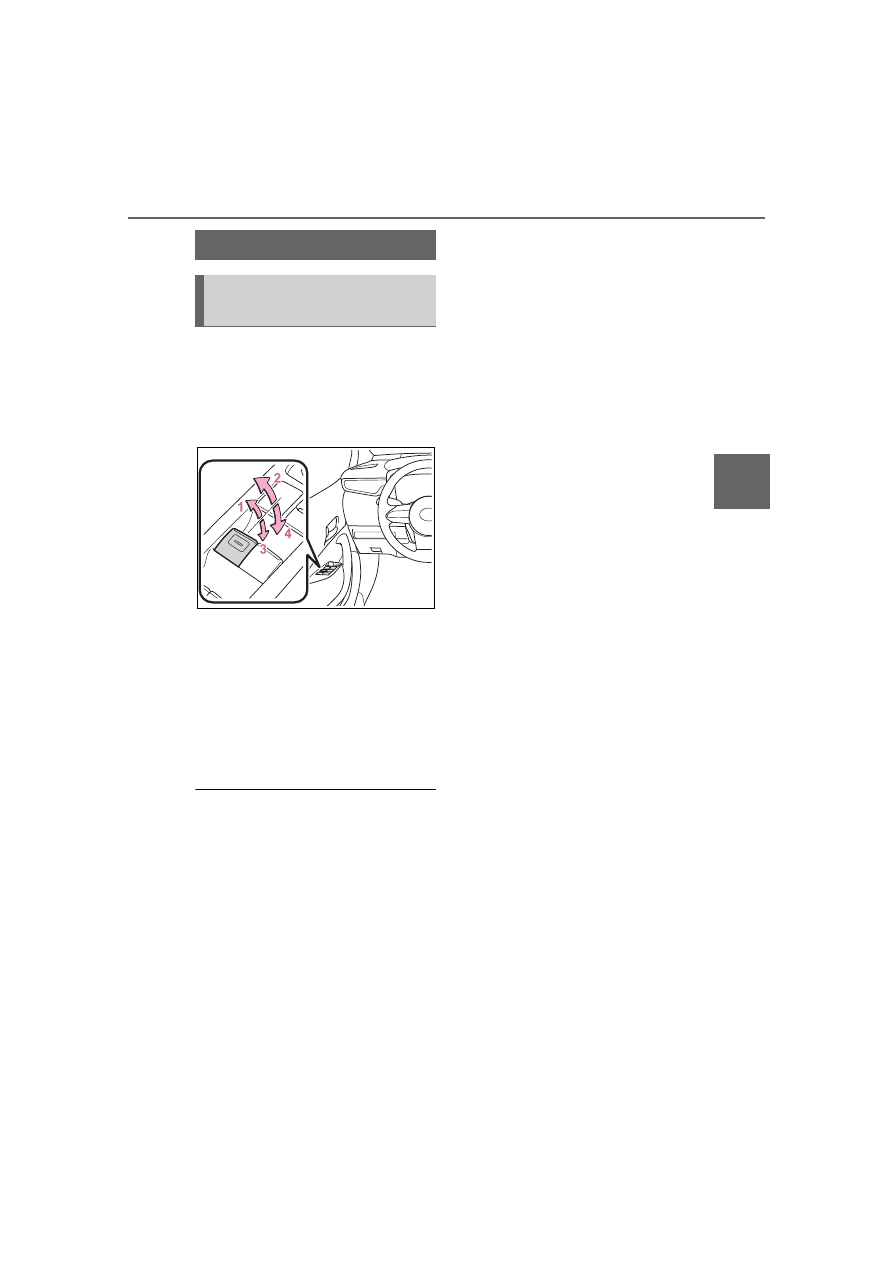
The power windows can be
opened and closed using the
switches.
Operating the switch moves the
windows as follows:
1
Closing
2
One-touch closing
*
3
Opening
4
One-touch opening
*
*
: To stop the window partway,
operate the switch in the opposite
direction.
■
The power windows can be
operated when
The engine switch is in ON.
■
Operating the power windows
after turning the engine off
The power windows can be oper-
ated for approximately 45 seconds
after the engine switch is turned to
ACC or OFF. They cannot, however,
be operated once either front door is
opened.
■
Jam protection function
If an object becomes jammed
between the window and the win-
dow frame while the window is clos-
ing, window movement is stopped
and the window is opened slightly.
■
Catch protection function
If an object becomes caught
between the door and window while
the window is opening, window
movement is stopped.
■
When the window cannot be
opened or closed
When the jam protection function or
catch protection function operates
unusually and the door window can-
not be opened or closed, perform
the following operations with the
power window switch of that door.
●
Stop the vehicle. With the engine
switch in ON, within 4 seconds of
the jam protection function or
catch protection function activat-
ing, continuously operate the
power window switch in the
one-touch closing direction or
one-touch opening direction so
that the door window can be
opened and closed.
●
If the door window cannot be
opened and closed even when
performing the above operations,
perform the following procedure
for function initialization.
1
Turn the engine switch to ON.
2
Pull and hold the power window
switch in the one-touch closing
direction and completely close
the door window.
3
Release the power window
switch for a moment, resume
pulling the switch in the
one-touch closing direction, and
hold it there for approximately 6
seconds or more.
4
Press and hold the power win-
dow switch in the one-touch
opening direction. After the door
window is completely opened,
continue holding the switch for
an additional 1 second or more.
5
Release the power window
switch for a moment, resume
Power windows
Opening and closing the
power windows