Toyota Highlander Hybrid (2022 year). Manual in english - page 8
125
2-1. Instrument cluster
2
Vehicle
statu
s information an
d in
dicator
s
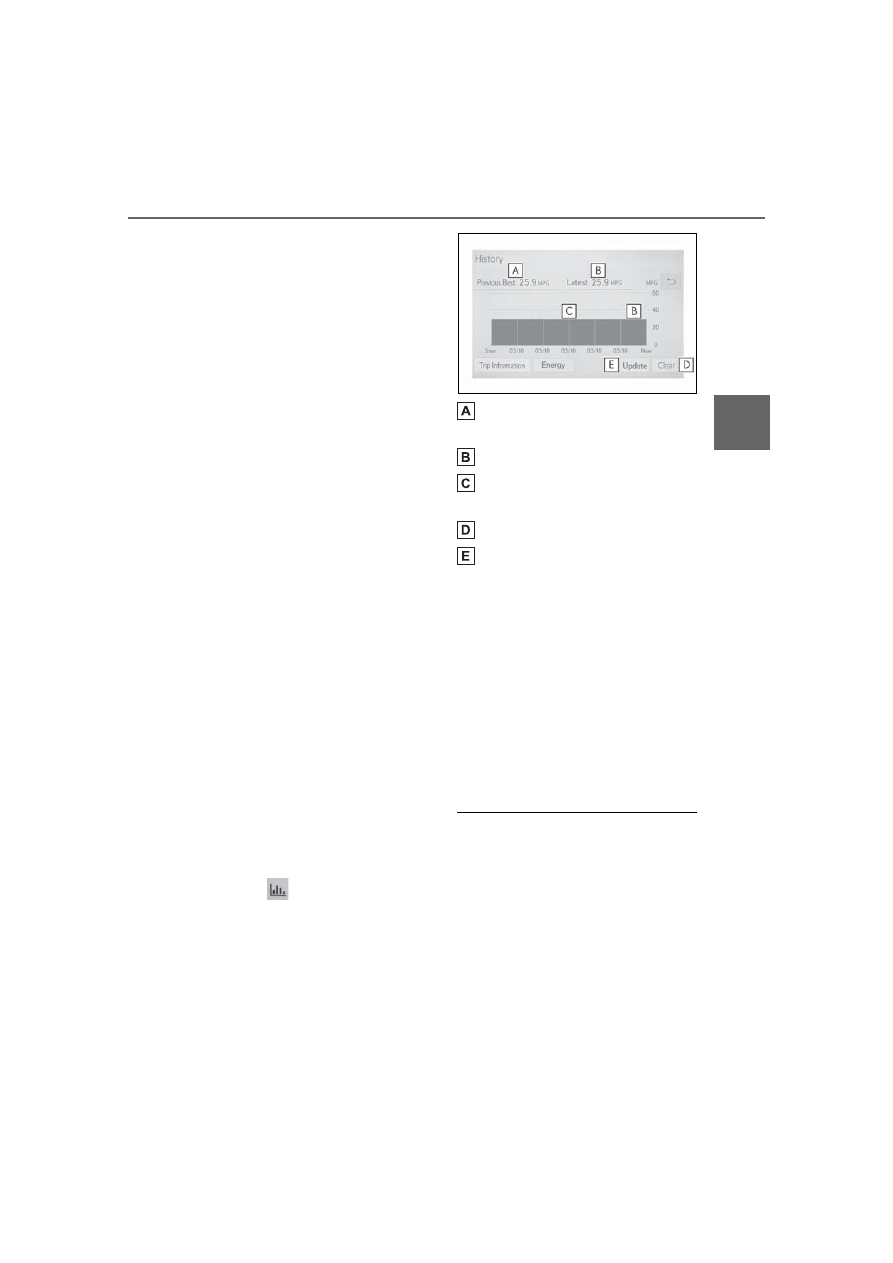
The average fuel consumption
history is divided by color into
past averages and the average
fuel consumption since the last
updated. Use the displayed
average fuel consumption as a
reference.
The image is an example only, and
may vary slightly from actual condi-
tions.
■
History
Audio or Audio Plus (vehicles
without Data Communication
Module)
1
Press the “MENU” button.
2
Select “Info” on the “Menu”
screen.
If a screen other than “History” is
displayed, select “History”.
Audio Plus (vehicles with
Data Communication Mod-
ule) or Premium Audio
1
Press the “MENU” button.
2
Select “Info” on the “Menu”
screen.
3
Select “ECO” on the “Infor-
mation” screen.
If a screen other than “History” is
displayed, select “History”.
12.3-inch display
1
Select
Toyota multi-oper-
ation touch (
2
Select “History”.
The screen position can also be
changed by select a desired infor-
mation in full screen.
Best recorded fuel consump-
tion
Latest fuel consumption
Previous fuel consumption
record
Resetting the history data
Updating the latest fuel con-
sumption data
The average fuel consumption
history is divided by color into
past averages and the average
fuel consumption since the last
updated. Use the displayed
average fuel consumption as a
reference.
The image is an example only, and
may vary slightly from actual condi-
tions.
■
Updating the history data
Update the latest fuel consumption
by selecting “Update” to measure
the current fuel consumption again.
■
Resetting the data
The fuel consumption data can be
deleted by selecting “Clear”.
■
Cruising range
Displays the estimated maximum
distance that can be driven with the
quantity of fuel remaining.
This distance is computed based on