Subaru Outback (2023 year). Manual in english - page 16
(251,1)
!
How to select items on the screen
!
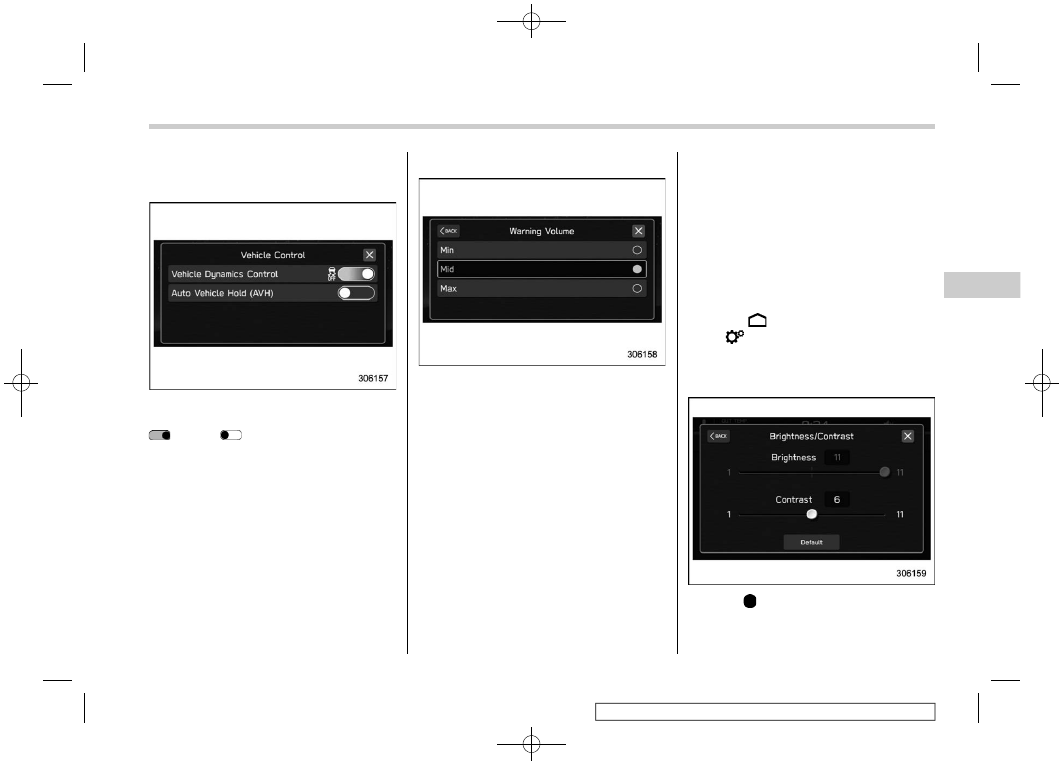
ON/OFF setting
Example
Touch the changing menu and select ON
or OFF
.
!
Selecting
Example
Touch the preferred setting.
!
How to set items on the screen
!
Brightness/Contrast
Set and adjust the brightness and contrast
of the center information display.
NOTE
“Brightness” can only be adjusted
when “Brightness Dial” is off. Refer to
“General settings”
1. Touch
(HOME).
2.
?
(Settings)
3.
?
“General”
4.
?
“Display”
5.
?
“Brightness/Contrast”
6. Drag
to adjust the brightness and
contrast.
– CONTINUED –
Center Information Display (CID)
249
3
Instruments
and
Controls