Subaru Outback (2023 year). Manual in english - page 14
(219,1)
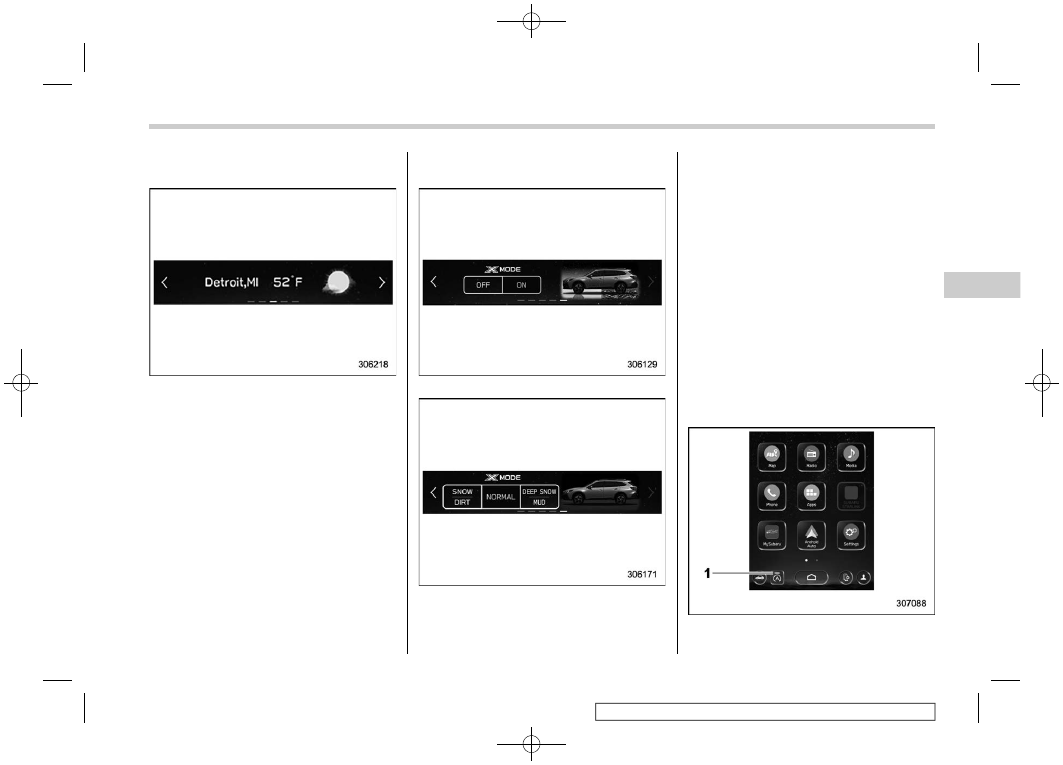
W e a t h e r i n f o r m a t i o n s c r e e n ( i f
equipped):
NOTE
.
When all of the following conditions
are satisfied, weather information is
displayed.
– The vehicle is equipped with an
audio and navigation system for
SiriusXM satellite radio.
– The SiriusXM satellite radio sub-
scription is active.
.
The weather forecast for the set
destination remains displayed until a
new destination is set or until the
destination is reached.
.
Depending on the reception timing
of XM, the weather information may be
delayed.
X-MODE screen (Outback/Subaru
Outback Wilderness):
Models with 1 mode
Models with 2 modes
X-MODE information is displayed on the
screen.
Also, X-MODE can be switched to a
different mode on the screen.
!
Main screen
For details about the following menu, refer
to the separate navigation/audio Owner’s
Manual.
.
Radio
.
Media
.
Phone
.
Map
.
Apps
.
My Subaru
.
SUBARU STARLINK
.
Add Shortcut
!
Auto Start Stop ON/OFF icon
1)
Auto Start Stop indicator (green)
– CONTINUED –
Center Information Display (CID)
217
3
Instruments
and
Controls