Seat Ateca (2022 year). Manual in english - page 4
 

  Index      Manuals     Seat Ateca (2022 year). Manual in english


Search            copyright infringement  


Content      ..     2      3      4      5     ..


Seat Ateca (2022 year). Manual in english - page 4


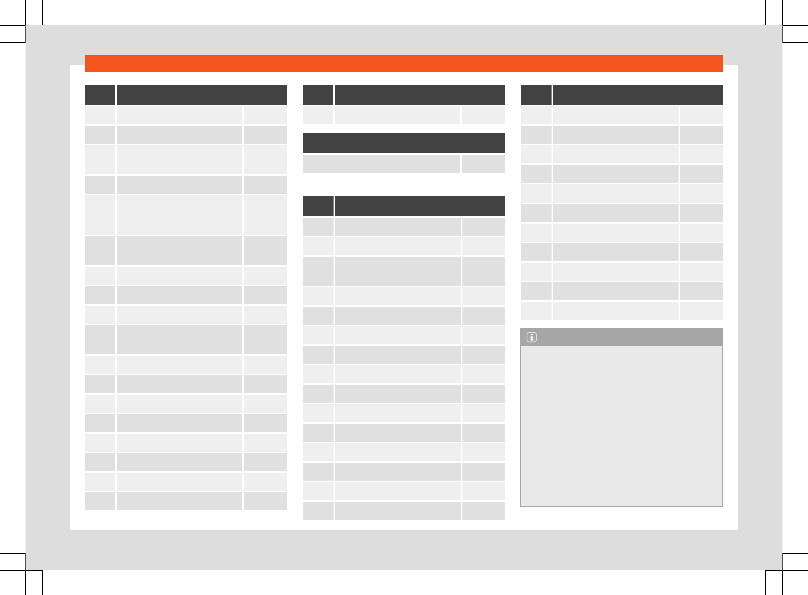
Emergencies

No.

Consumers/Amps

28

Trailer

25

31

Rear lid control unit

30

32

Control unit for parking aid,
front camera and radar

7.5/10

33

Airbag

7.5

34

Reverse switch, climate sensor,
electrochromic mirror, rear

power sockets (USB)

7.5

35

Diagnosis, headlight control

unit, headlight adjuster

7.5

38

Trailer

25

39

Right door

30

40

12V socket

20

41

Driver and passenger seat belt

pre-tensioner

25

42

Central locking

40

43

Beats Audio CAN and MOST.

40

44

Trailer

15

45

Electric driver's seat

15

46

USB socket

7.5

47

Rear window wiper

15

49

Starter motor; clutch sensor

7.5

52

Driving mode.

15

No.

Consumers/Amps

53

Heated rear window

30

In-line fuse/Amps

230 V rear power sockets

30

Fuse arrangement in engine compartment

No.

Consumers/Amps

1

ESP control unit

25

2

ESP control unit

40/60

3

Engine control unit (diesel/pet-
rol)

30/15

4

Engine sensors

7.5/10

5

Engine sensors

10

6

Brake light sensor

7.5

7

Engine power supply

10

8

Lambda probe

10

9

Engine

20

10

Fuel pump control unit

15/20

11

PTC

40

12

PTC

40

13

Gearbox pump

15/30

14

Heated windscreen

50

15

Horn

15

No.

Consumers/Amps

16

Petrol pump

20

17

Engine control unit

7.5

18

Terminal 30 (positive reference)

7.5

19

Front windscreen washer

30

21

Automatic gearbox control unit

15/30

22

Engine control unit

7.5

23

Starter motor

30

24

PTC

40

36

Left LED headlight

15

37

Parking heating

20

38

Right LED headlight

15

Note

In the vehicle, there are more fuses than

those indicated in this chapter. These
should only be changed by a specialised
workshop.

Positions not containing a fuse do not ap-

pear in the following tables.

Some of the equipment listed in the ta-

bles below pertain only to certain versions
of the model or are optional extras.

Please note that the above lists, while

correct at the time of printing, are subject
to change.

60

Fuses and bulbs

Bulbs

Changing bulbs

Full-LED headlights

Full-LED headlights handle all light functions
(daylight, side light, turn signal, dipped beam
and route light) with light emitting diodes
(LEDs) as a light source.

Full-LED headlights are designed to last the
lifetime of the car and light bulbs cannot be
replaced. In case of headlight failure, go to an
authorised workshop to have it replaced.

Fog lights, rear lights, license plate light,
side turn signals and additional brake light

Taking into account that they use LED bulbs,
they should be replaced at a technical serv-
ice centre.

61

Operation

Fig. 53 

Instruments and controls.

62

Controls and displays

Operation

Controls and displays

Interior view

Overview

Door handle
Central locking switch

 . . . . . . . . . . . . . . .

96

Control for the electric adjustment
of the exterior mirrors

 . . . . . . . . . . . . . . . .

125

Air vents

 . . . . . . . . . . . . . . . . . . . . . . . . . . . . . .

152

Control lever for:

Turn signals and main beam
headlights

 . . . . . . . . . . . . . . . . . . . . . . . . . .

116

Cruise control system (GRA) and
speed limiter

 . . . . . . . . . . . . . . . . . . . . . . .

234, 235

Driver assistance systems

 . . . . . . . . .

82

Steering wheel with horn and

Driver airbag

 . . . . . . . . . . . . . . . . . . . . . . .

26

On-board computer controls

 . . . . .

81

Controls for radio, telephone,
navigation and speech dialogue
system

 . . . . . . . . . . . . . . . . . . . . . . . . . . . . . .

185

Paddle levers for tiptronic gear-
shift (automatic gearbox)

 . . . . . . . . .

217

Instrument panel

 . . . . . . . . . . . . . . . . . . . . .

65

1

2

3

4

5

6

7

Control lever for:

Windscreen wipers and washer

 . . .

122

Wipe and wash system

 . . . . . . . . . . . .

122

On-board computer

 . . . . . . . . . . . . . . .

70

Infotainment system

 . . . . . . . . . . . . . . . . .

185

Depending on the equipment, but-
tons for:

Start-Stop system

 . . . . . . . . . . . . . . . . .

212

Park assist system

 . . . . . . . . . . . . . . . . .

274

Hazard warning lights

 . . . . . . . . . . . . .

120

Tyre pressure switch

 . . . . . . . . . . . . . . .

329

Airbag off display

 . . . . . . . . . . . . . . . . . .

27

Glove compartment

 . . . . . . . . . . . . . . . . .

144

Front passenger airbag

 . . . . . . . . . . . . . .

26

Front passenger airbag switch

 . . . . . .

27

Front passenger seat heating con-
trol

 . . . . . . . . . . . . . . . . . . . . . . . . . . . . . . . . . . . .

153

Depending on the equipment, con-
trols for:

Heating and ventilation system or
manual air conditioner

 . . . . . . . . . . . .

151

Automatic air conditioner

 . . . . . . . . .

149

Depending on the equipment:

USB type-C port

 . . . . . . . . . . . . . . . . . . .

206

Lighter/power socket

 . . . . . . . . . . . . . .

146

Connectivity Box

 . . . . . . . . . . . . . . . . . . .

205

Storage compartment

 . . . . . . . . . . . . .

143

8

9

10

11

12

13

14

15

16

Gear lever for:

Manual gearbox

 . . . . . . . . . . . . . . . . . . .

214

Automatic gearbox

 . . . . . . . . . . . . . . . .

215

Rotating control (Driving Experience
button) for driving profiles

 . . . . . . . . . . .

225

Auto Hold switch

 . . . . . . . . . . . . . . . . . . . . .

262

Electronic parking brake switch

 . . . . .

260

Start-up push button (Keyless Ac-
cess closing and start-up sys-
tem)

 . . . . . . . . . . . . . . . . . . . . . . . . . . . . . . . . . . .

208

Driver's seat heating control

 . . . . . . . .

153

Steering column adjustment lev-
er

 . . . . . . . . . . . . . . . . . . . . . . . . . . . . . . . . . . . . .

15

Knee airbag

 . . . . . . . . . . . . . . . . . . . . . . . . . .

28

Bonnet lock release

 . . . . . . . . . . . . . . . . . .

308

Headlight range control

 . . . . . . . . . . . . .

121

Headlight switch

 . . . . . . . . . . . . . . . . . . . . .

114

Electric windows

 . . . . . . . . . . . . . . . . . . . . .

109

Note

Some of the equipment listed in this sec-

tion is only fitted on certain models or are
optional extras.

The arrangement of controls on right-

hand drive models may be slightly different
from the layout shown in 

››› 

page 62

. How-

ever, the symbols used to identify the con-
trols are the same.

17

18

19

20

21

22

23

24

25

26

27

28

63

Operation

Instruments and warn-
ing/control lamps

Instrument panel

Introduction

The vehicle can be fitted with a instrument
panel digital lap timer or one Digital (SEAT
Cockpit).

After switching the engine on with a 12-volt
battery that is heavily discharged or newly
changed some system settings (such as the
time, the date, the personalised comfort set-
tings and the programming) might be altered
or deleted. Check and correct these settings
once the battery is sufficiently charged.

WARNING

Any distraction may lead to an accident,
with the risk of injury.

Do not operate the instrument panel con-

trols when driving.

To reduce the risk of accident and injury,

only make adjustments to the instructions
on the screen of the instrument panel and
to the instructions on the screen of the Info-
tainment system when the vehicle is sta-
tionary.

64

Instruments and warning/control lamps

Analogue instrument panel

Fig. 54 

Instrument panel, on dash panel.

Details of the instruments 

››› 

Fig. 54

:

Revolution counter

 (with the engine run-

ning, in hundreds of revolutions per mi-
nute) 

››› 

page 77

.

Engine coolant temperature indicator

››› 

page 79

.

Displays on the screen


››› 

page 67

.

Adjuster button and display.
Speedometer.
Fuel gauge


››› 

page 78

.

1

2

3

4

5

6


65

Operation

Digital dashboard (SEAT Digital Cockpit)

Fig. 55 

SEAT Digital Cockpit on the instrument

panel (classic view).

Details of the instruments:

Engine coolant temperature display

››› 

page 79

Revolution counter

. Revolutions per mi-

nute the engine is running 

››› 

page 77

.

Gear engaged or position of the selec-
tor lever currently selected
Screen display


››› 

page 67

Speedometer
Digital speed display
Fuel gauge


››› 

page 78

.

Information Profile


››› 

page 66

.

1

2

3

4

5

6

7

8

The Digital SEAT Cockpit is an instrument
panel digital with monochrome screen in col-
our high resolution. It has a 3 views accessi-
ble using the button 



 of the multifunction

steering wheel. By selecting different infor-
mation profiles, indications other than the
classic circular instruments can be displayed,
such as navigation data, multimedia informa-
tion or travel data.

The 3 views are:

Classic

Dynamic

Navigation

All views will display information on the
screen about audio, phone, travel data, vehi-
cle status, navigation

1)

 and driving aids

1)

.

In all views the information displayed in 

Infor-

mation profiles

 can be customised

››› 

Fig. 55 

8

.

Information profiles

Using the 

INSTRUMENT CLUSTER

 option, you

can choose between the different options for
displaying the information to be displayed in
the SEAT Digital Cockpit (select 

 > View >

Instrument cluster


OR:


 > Interior

1)

Depending on the version.

66

Instruments and warning/control lamps

settings > Infotainment > Instrument
cluster

).

Classic View

The revolutions per minute and speedometer
needles appear along the entire length

››› 

Fig. 55

.

View 1, 2, 3 or AUTOMATIC

1)

Personalisation of the information that ap-
pears in the Digital SEAT Cockpit. Only 2 of
these items of information can be displayed
at the same time, but the user chooses which
to display, and in what order, by moving the
finger vertically over the dials.

Depending on the version, the Views can be
memorised by exiting the menu or keeping
the 

View

 button pressed.

Consumption

. Graphic representation of

the current consumption and digital display
of the average consumption.

Audio

. Digital display of the current audio

playback.

Altitude

. Digital display of the current alti-

tude above sea level.

Compass

. Digital display of the compass.

Information about the final destination

.

Digital display of the remaining travelling
time, distance to the destination and the esti-
mated time of arrival.

Operating range

. Digital display of the re-

maining range.

Travel time

.

Route guidance

.

Journey

. Digital display of the distance

travelled.

Assist systems

. Graphic representation of

different assistance systems.

Traffic signs

. Display of traffic signs detec-

ted.

Navigation

. Graphical representation of

the navigation with arrows.

It may vary based on the features, the num-
ber and the contents of the selectable infor-
mation profiles.

Navigation map in the SEAT Digital
Cockpit

Depending on the features, the SEAT Digital
Cockpit can display a detailed map. To do

this, select the 

Navigation

 option in the

menu on the instrument panel 

››› 

page 69

.

Depending on the features or the navigation
map, it can be shown in the SEAT Digital
Cockpit or on the infotainment system or on
both at the same time. If it is displayed only in
the infotainment system, the SEAT Digital
Cockpit will only display the arrows for ma-
noeuvres.

Transfer of navigation map

The map is transferred from the infotainment
system to the SEAT Digital Cockpit and vice
versa using the map transfer button.

Using the right thumbwheel of the multifunc-
tion steering wheel, in the 

Navigation

 menu,

you can transfer the map back to the info-
tainment system.

Status display

Possible indications on the instrument
panel display

Different pieces of information can be dis-
played on the screen of the instrument panel,
depending on the features of the vehicle.

Doors, bonnet and rear lid open

»

1)

Pre-set information depending on the selected

“Driving mode”.

67

Operation

Warning and information messages

Odometer

Time 

››› 

page 77

Indications of the radio and navigation sys-

tem

Indications of the phone

Outside temperature

Indications of the compass

Selector lever positions

Gear-change recommendation

››› 

page 223

Display of travel data (multifunction dis-

play) and menus for different settings

››› 

page 69

Service interval display 

››› 

page 79

Speed warning 

››› 

page 70

Speed warning for winter tyres

Start-Stop system status display

››› 

page 212

Signs detected by the traffic signal detec-

tion system 

››› 

page 73

Active cylinder management (ACT®) status

indication 

››› 

page 228

Low consumption driving 

Identifying letters on engine (LDM)

Driver assistance system display

››› 

page 230

Copyright

Doors, bonnet and rear lid open

When the vehicle is unlocked and while driv-
ing, the instrument panel display shows if any
of the doors, the bonnet or rear lid are
opened and, in some cases, it is also indica-
ted by an audible warning. The display may
vary according to the type of instrument pan-
el fitted.

Selector lever positions (DSG® dual clutch
gearbox)

The current position of the selector lever is
shown on the side of the lever and on the in-
strument panel display. When the lever is in
the 

D/S

 position or in the Tiptronic position, in

some cases, the gear engaged in each case
is shown on the instrument panel display .

Outside temperature indicator

If the outside temperature is lower than ap-
proximately +4 °C (+39 °F), the “ice crystal
symbol” 

 on the outside temperature dis-

play also lights up. This symbol remains lit un-
til the outside temperature exceeds +6 °C
(+43 °F) 

››› 

.

When the vehicle is stationary, when the aux-
iliary heater is switched on or when driving at
very low speeds, the outside temperature in-
dicated may be higher than the actual tem-
perature due to the heat produced by the en-
gine.

The margin of measurement ranges from
-45 °C (-49 °F) to +76 °C (+169 °F).

Gear-change recommendation

While driving, the instrument panel of certain
vehicles may indicate a gear recommenda-
tion for saving fuel 

››› 

page 223

.

Odometer

The 

odometer

 registers the total distance

travelled by the car.

The 

partial odometer

 (

trip

) shows the dis-

tance travelled since the last time it was reset
to zero.

Vehicles with analogue instrument panel:

Briefly press the button 




››› 

Fig. 54


4

to reset the trip recorder to 0.

Keep the button 




4

 pressed for

about 3 seconds and the previous value will
be displayed.

Vehicles with digital instrument panel:

Set the odometer to zero via the Infotain-

ment system or the multifunction steering
wheel 

››› 

page 70

.

Speed warning for winter tyres

If the maximum speed set is exceeded, this is
displayed on the instrument panel

››› 

page 69

.

68

Instruments and warning/control lamps

The speed warning can be set in the infotain-
ment system using the infotainment button 

> Settings > Tyres

OR


 > Exterior

settings > tyres


››› 

page 89

.

Indications of the compass

Depending on the equipment, when the igni-
tion is on, the instrument panel display indi-
cates the direction in which you are driving
with a symbol, e.g. NW for Northwest.

When the Infotainment system is on and there
is no route guidance active, the graphic rep-
resentation of a compass is also shown.

Low consumption driving 

Depending on the equipment, when the vehi-
cle is moving 

 is displayed on the instru-

ment cluster display when the vehicle is in an
economical consumption status due to active
cylinder management (ACT®) 

››› 

page 228

.

Identifying letters on engine (LDM)

Vehicles with analogue instrument panel:

Switch the ignition on, but do not start the

engine.

Hold the button 




››› 

Fig. 54 

4

 down

for more than 15 seconds to display the iden-
tifying letters of the vehicle engine (MKB).

Copyright

Legal text about the property rights and
copyrights of the instrument cluster.

WARNING

Even when the outside temperature is high-
er than freezing temperature, some roads
and bridges could be frozen.

The “ice crystal symbol” indicates that

there may be a risk of freezing.

At outside temperatures above +4 °C

(+39 °F), there may be ice even when the
“ice crystal symbol” is not on.

The outside temperature sensor takes a

guideline measurement.

Note

There are different instrument panels and

therefore the versions and instructions on
the display may vary. In the case of dis-
plays without warning or information texts,
faults are indicated exclusively by the con-
trol warning lamps.

Some indications on the instrument panel

screen may be concealed by a sudden
event, e.g. an incoming call.

Depending on the equipment, some set-

tings and instructions can be carried out or
displayed on the infotainment system as
well.

If there are several warnings at the same

time, the symbols will be displayed one af-

ter the other for a few seconds. The sym-
bols will stay on until you remove the
cause.

If when switching on the ignition warnings

are shown about existing faults, it might not
be possible to change the settings or show
the information as described. In this case,
go to a specialised workshop and request a
repair.

Instrument panel menus

The number of menus and information items
available will depend on the vehicle’s elec-
tronics and features.

A specialised workshop can programme or
modify additional functions, according to the
vehicle equipment. SEAT recommends visiting
a SEAT dealership for this.

Some menu options can only be read when
the vehicle is stationary.

Driving data


››› 

page 70

Assist systems.

Front Assist On/Off 

››› 

page 237

ACC (only display) 

››› 

page 240

Lane Assist On/Off 

››› 

page 248

Side Assist On/Off 

››› 

page 254

Navigation.

Audio.

Telephone.

»

69

Operation

Vehicle status.


››› 

page 72

Service Menu

3

 Applies to vehicles with Active Info Display

(Digital SEAT Cockpit)

In the Service menu various settings can be
adjusted depending on the features.

Open the Service menu

To open up the 

Service

 menu, select the

Range

 information profile while in the 

Driv-

ing data

 menu, and keep the 



 key press-

ed on the multifunction steering wheel for ap-
proximately 4 seconds. When it is released,
the 

Service

 menu will be displayed. Now

you can browse through the menu using the
keys on the multifunction steering wheel as
usual.

Restart the service interval display

Select the 

Service

 menu and follow the in-

structions on the screen of the instrument
panel.

Restart the oil service

Select the 

Restore Oil service

 menu and

follow the instructions on the instrument pan-
el display.

Reset driving data

Select the 

Reset trip

 menu and follow the

instructions on the instrument panel display
to reset the value.

Identifying letters on engine (LDM)

Select the menu 

Engine code

. The identify-

ing letters of the engine will be shown on the
instrument cluster display at the bottom left.

Setting the clock

Select the 

Time

 menu and set the correct

time by turning the right thumbwheel of the
multifunction steering wheel.

Driving data indicator (multifunc-
tion display)

The display of the travel data (multifunction
display) shows different values about the
journey and the consumption.

Change from one display to another

Vehicles without multifunction steering wheel:

Press the rocker switch 



 on the wiper lev-

er 

››› 

page 82

.

Vehicles with multifunction steering wheel:

Turn the right thumbwheel of the multifunc-

tion steering wheel 

››› 

page 81

.

Changing memory

Vehicles with analogue instrument panel:

Press the 



 button on the windscreen

wiper lever or the 



 button of the multifunc-

tion steering wheel.

Vehicles with digital instrument panel:

While in 

Travel data > General infor-

mation

 press 



 on the multi-function steer-

ing wheel to switch between the 3 memo-
ries

1)

:

Since start:

 The memory is deleted if

the journey is interrupted for more than 2
hours.

Since refuelling:

 Display and stor-

age of the journey data and the con-
sumption values collected. When refuel-
ling, the memory is deleted.

1)

This will show all data on the display at the

same time: distance travelled, average con-
sumption, average speed and autonomy.

70

Instruments and warning/control lamps

Long-term:

 This memory contains trav-

el data up to a maximum of 19 hours and
59 minutes or 99 hours and 59 minutes,
or up to a maximum of 1999.9 km or
9999.9 km. When one of these values is
exceeded (varies depending on the ver-
sion of the instrument panel), the memo-
ry is deleted.

Delete journey data presets

Select the memory that you wish to erase.

Hold the 



 button of the multifunction

steering wheel or the 



 button of the multi-

function wheel pressed down for about 2
seconds.

Select the instructions

In the Infotainment system, in the menu Vehi-
cle settings, you can display different travel
data 

››› 

page 89

.

Current consumption:

 The current

fuel consumption display operates
throughout the journey, in litres/100 km;
and with the engine running and the ve-
hicle stopped, in litres/hour.

Average consumption:

 The average

fuel consumption is displayed after driv-
ing for approximately 300 metres.

Travelling time:

 This indicates the

hours (h) and minutes (min) since the ig-
nition was switched on.

Range:

 Approximate distance in km that

can still be travelled if the same driving
style is maintained.

AdBlue range or 

:

 Approximate

distance in km that can still be travelled
with the current level of the AdBlue®
tank with the same driving style. The in-
dication appears from a range of less
than 2,400 km and cannot be deactiva-
ted.

1)

Distance:

 Distance covered in km (m)

after switching on the ignition.

Average speed:

 The average speed

will be shown after driving for approxi-
mately 100 metres.

Digital speed display:

 Current

speed displayed in digital format.

Eco tips:

 Recommendations messag-

es are shown to reduce consumption
through good driving practices, e.g. 

Air

conditioning on: close the win-
dow.

Setting a speed warning

Select the display 

Warning at ---


km/h

or 

Speed warning at ---


mph

.

Press the button 



 on the windscreen

wiper lever or the button 



 on the multifunc-

tion steering wheel to store the current speed
and activate the warning.

Activate:

 adjust to the desired speed within

5 seconds using the rocker switch 



 on the

windscreen wiper lever or by turning the
thumbwheel on the multifunction steering
wheel. Next, press the button 



 or 



again or wait several seconds. The speed is
stored and the warning activated.

Deactivate:

 press button 



 or button



. The stored speed is deleted.

The warning can be adjusted for speeds be-
tween 30 km/h (18 mph) and 250 km/h
(155 mph).

Display 

Oil temperature

The engine reaches its operating tempera-
ture when, under normal driving conditions,
the oil temperature is between 

80°C

 (176°F)

and 

120°C

 (248°F). If a great effort is required

from the engine and the outside temperature
is high, the engine oil temperature may in-
crease. This does not present any problem as
long as the warning lamps 

 or 

››› 

page 312

 do not appear on the display.

1)

Not available in all countries.

71

Operation

Warning and information messages
(Vehicle status)

The system runs a check on certain compo-
nents and functions when the ignition is
switched on and while the vehicle is moving.
Faults are displayed on the instrument cluster
display as red and yellow warning symbols
accompanied by messages and, depending
on the case, even an audible warning

››› 

page 83

. The representation of the mes-

sages and symbols may vary depending on
the version of the instrument panel.

Existing faults can also be checked manually.
To do so, open the menu 

Vehicle status

 or

Vehicle


››› 

page 69

.

Priority 1 warning (red)

The symbol lights up or flashes (in part ac-
companied by audible warnings). 


Stop

driving!

 Danger! Check the fault and elimi-

nate the cause. If necessary, seek professio-
nal assistance.

Priority 2 warning (yellow)

The symbol lights up or flashes (in part ac-
companied by audible warnings). Operating
faults or the lack of operating fluids can
cause damage to the vehicle or a fault.
Check the faulty function as soon as possible.
If necessary, seek professional assistance.

Information message

It provides information about processes in the
vehicle.

Driver alert system (break recom-
mendation)

Fig. 56 

On the instrument panel display: driver

alert system symbol.

The Fatigue detection informs the driver when
their driving behaviour shows signs of fatigue.

Function and operation

Fatigue detection determines the driving be-
haviour of the driver when starting a journey,
making a calculation of tiredness. This is con-
stantly compared with the current driving be-
haviour. If the system detects that the driver is
tired, an audible warning is given with a
sound and an optic warning is shown with a
symbol and complementary message on the

instrument panel display 

››› 

Fig. 56

. The mes-

sage on the instrument panel display is
shown for approximately 5 seconds, and de-
pending on the case, is repeated. The system
stores the last message displayed.

The message on the instrument panel display
can be switched off by pressing the 



 button

on the multi-function steering wheel

››› 

page 81

.

The message can be recalled to the instru-
ment panel display using the multifunction
display 

››› 

page 70

.

Conditions of operation

Driving behaviour is only calculated on
speeds above about 65 km/h (40 mph) up to
around 200 km/h (125 mph).

Switching on and off

Fatigue detection can be activated or deacti-
vated in the infotainment system using the
function button 

 > Driver assistance > Fa-

tigue detector


››› 

page 89

. A mark indi-

cates that the adjustment has been activa-
ted.

System limitations

The Fatigue detection has certain limitations
inherent to the system. The following condi-
tions can limit the Fatigue detection or pre-
vent it from functioning.

72

Instruments and warning/control lamps

At speeds below 65 km/h (40 mph)

At speeds above 200 km/h (125 mph)

When cornering

On roads in poor condition

In unfavourable weather conditions

When a sporty driving style is employed

In the event of a serious distraction to the

driver

Fatigue detection will be restored when the
vehicle is stopped for more than 15 minutes,
when the ignition is switched off or when the
driver has unbuckled their seat belt and
opened the door.

In the event of slow driving during a long peri-
od of time (below 65 km/h, 40 mph) the sys-
tem automatically re-establishes the tired-
ness calculation. When driving at a faster
speed the driving behaviour will be recalcula-
ted.

WARNING

Do not let the comfort afforded by the Fati-
gue detection system tempt you into taking
any risks when driving. Take regular breaks,
sufficient in length when making long jour-
neys.

The driver always assumes the responsi-

bility of driving to their full capacity.

Never drive if you are tired.

The system does not detect the tiredness

of the driver in all circumstances. Consult
the information in the section 

››› 

page 72,

System limitations

.

In some situations, the system may incor-

rectly interpret an intended driving ma-
noeuvre as driver tiredness.

No warning is given in the event of the ef-

fect called microsleep!

Please observe the indications on the in-

strument panel and act as is necessary.

Note

Fatigue detection has been developed

for driving on motorways and well paved
roads only.

If there is a fault in the system, have it

checked by a specialised workshop.

Road signs detection system

1)

Fig. 57 

On the instrument panel display: ex-

amples of speed limits or overtaking prohibi-

tions with their respective additional signs.

The traffic sign detection system records the
standard traffic signs in front of the vehicle
with a camera located on the base of the in-
terior mirror and provides information about
speed limits and overtaking prohibitions.

»

1)

System available depending on the country.

73

Operation

Within its limitations, the system also displays
additional signals, such as time-specific pro-
hibitions, signs for vehicles towing trailers

››› 

page 289

 or limitations that only apply in

the event of rain. Even on journeys without
signs, the system may display any applicable
speed limits.

The traffic sign detection system does not
work in all countries. Keep this in mind when
travelling abroad.

Shown on the display

In Germany, on motorways and vehicle
roads, besides speed limits and overtaking
provisions the system also displays the end of
prohibition signs. The valid speed limit at the
time in other countries is always shown.

The traffic signs detected by the system are
displayed on the dash panel display

››› 

Fig. 57

 and, depending on the navigation

system fitted in the vehicle, on the infotain-
ment system as well 

››› 

page 85

.

Road sign detection system messages:

There are no traffic signs available

The system is in its start-up phase.

OR:

 the camera has not recognized any

mandatory or prohibitive sign.

Error: Dynamic Road Sign Display

There is a fault in the system. Have the sys-

tem checked by a specialised workshop.

Speed warning currently unavailable

The speed warning function of the road

sign detection system is faulty. Have the sys-
tem checked by a specialised workshop.

Dynamic Road Sign Display: please
clean the windscreen.

The windscreen is dirty in the camera area.

Clean the windscreen.

Dynamic Road Sign Display currently
restricted.

The navigation system is not transmitting

data. Check if the navigation system has up-
dated maps.

OR:

 the vehicle is in a region not included

on the navigation system's map.

No data available

The traffic sign detection system does not

work in the current country.

Activate and deactivate the road sign dis-
play on the instrument panel

The permanent traffic sign view on the instru-
ment cluster can be switched on or off in the
infotainment system using the function button

 > Settings > Driver assistance

.

Display of traffic signs

When the traffic sign detection system is con-
nected, a camera located on the base of the
interior rear-view mirror records the traffic

signs in front of the vehicle. After checking
and evaluating the information from the cam-
era, the navigation system and the current
vehicle data, up to three valid road signs are
displayed, 

››› 

Fig. 57


 with their additional

signs.

The sign that is currently valid for the

driver is shown in the left side of the
screen For example, a maximum speed
limit of 

130


km/h

 (

100


mph

››› 

Fig. 57


A

.

A sign valid only in certain circum-

stances, e.g. 

100


km/h

 (

60


mph

) is shown

second, together with the additional rain
sign.

The supplementary panel

will display the circumstances (rain,
times of day, fog, etc.) under which the
displayed speed limit is in force.

Thirdly, a sign prohibiting overtaking is

partially displayed. If there is no condi-
tional speed limit and overtaking is pro-
hibited, the latter sign will be displayed
in second place 

››› 

Fig. 57


C

.

Speed warning

If the system detects that the permitted
speed is exceeded, it may warn the driver
with a “gong” and visually with a message on
the dash panel display.

The speed warning can be set or completely
switched off in the infotainment system using
the function button 

 > Settings >

First:

Second:

Additional sign:

Third:

74

Instruments and warning/control lamps

Driver assistance


››› 

page 85

. The

warning can be set to 0 km/h (0 mph), 5 km/h
(3 mph) or 10 km/h (5 mph) above the maxi-
mum permitted speed.

Trailer mode

In vehicles equipped with a towing bracket
device from the factory and a trailer that is
electrically connected to the vehicle, it is
possible to activate or deactivate the display
of specific traffic signs for vehicles with trailer,
such as speed limits or overtaking prohibi-
tions. It is switched on or off in the infotain-
ment system, using the function button 

 >

Settings > Driver assistance

››› 

page 85

.

For trailer mode, the display of speed limits
applicable to the type of trailer or to the legal
provisions can be adjusted. The speed is ad-
justed in steps of 10 km/h (5 mph) within a
range of between 60 km/h (40 mph) and
130 km/h (80 mph). If it is adjusted to a speed
greater than that which is permitted in the
country in question for driving with a trailer,
the system automatically displays the usual
speed limits, e.g. in Germany 80 km/h
(50 mph).

If the speed warning for the trailer is deacti-
vated, the system displays the speed limits as
if there were no trailer hitched.

Limited operation

The traffic sign detection system has certain
limitations. The following cases may lead the
system to operate with limitations or not at
all:

In the case of poor visibility, e.g. in snow,

rain, fog or intense mist.

In cases of dazzling, e.g. caused by head-

on traffic or by the sun.

When driving at high speeds.

If the camera is covered or dirty.

If the traffic signs are out of the camera's

field of vision.

If the traffic signs are partially or totally

covered, e.g. by trees, snow, dirt or other vehi-
cles.

In the case of traffic signs that do not fulfil

the regulations.

In the case of damaged or bent traffic

signs.

In the case of variable messages on over-

head or gantry signs (LED-based variable
traffic signs or other lighting units).

If the maps on the navigation system are

not up-to-date.

In the case of adhesives affixed to vehicles

that depict traffic signs, e.g. speed limits on
lorries.

WARNING

The technology in the traffic sign detection
system cannot change the limits imposed
by the laws of physics and only works with-
in the system's limits. Do not let the extra
convenience afforded by the traffic sign
detection system tempt you into taking any
risks when driving. The system is not a re-
placement for driver awareness.

Adapt your speed and driving style to suit

visibility, weather, road and traffic condi-
tions.

Poor visibility, darkness, snow, rain and

fog may lead to the system failing to dis-
play traffic signs or not displaying them
correctly.

If the camera's field of vision is dirty, cov-

ered or damaged, system operation may
be impaired.

WARNING

The driving recommendations and traffic
indications shown on the traffic sign detec-
tion system may differ from the actual cur-
rent traffic situation.

The system may not detect or correctly

show all the traffic signs.

Traffic signs and traffic regulations have

priority over the recommendations and dis-
plays provided by the system.

»

75


Content      ..     2      3      4      5     ..