Lexus CT (2021 year). Manual in english - page 20
446
5-11. Basic Operations (Lexus Display Audio System)
Lexus Display Audio System
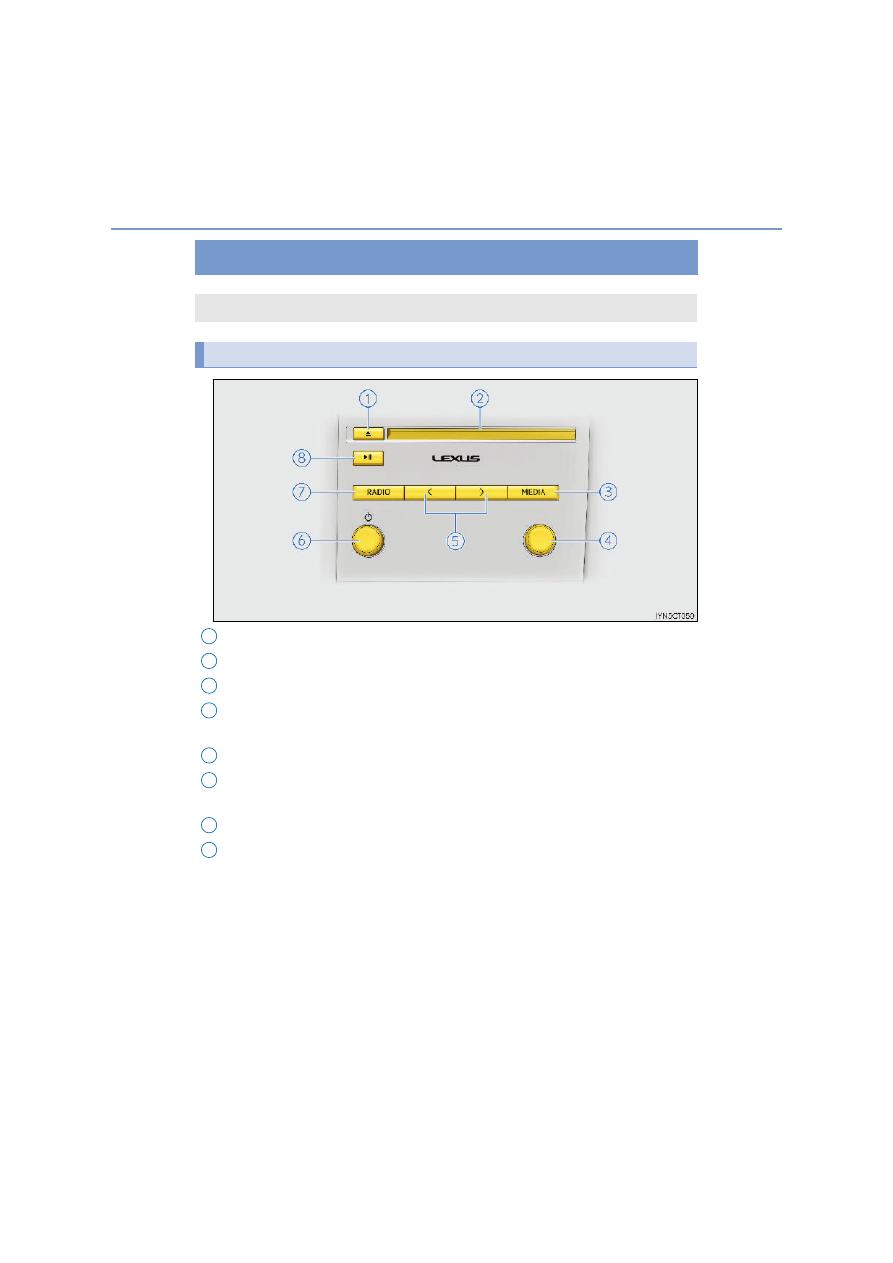
Eject a disc.
Disc slot
Display the media top screen.
“TUNE•SCROLL” knob
Select a radio station band, track or file.
Select preset radio stations, or access a desired track or file.
“POWER•VOLUME” knob
Press to turn the audio system on/off, and turn to adjust the volume.
Display the radio top screen.
Except radio and A/V mode: Pause or resume playing a track or file.
Radio and A/V mode: Turn mute on/off.
: If equipped
Use the following buttons to start listening to the audio system.
Lexus Display Audio operation buttons
1
2
3
4
5
6
7
8