Jeep Grand Cherokee (2023 year). Manual in english - page 10
156
STARTING AND OPERATING
NOTE:
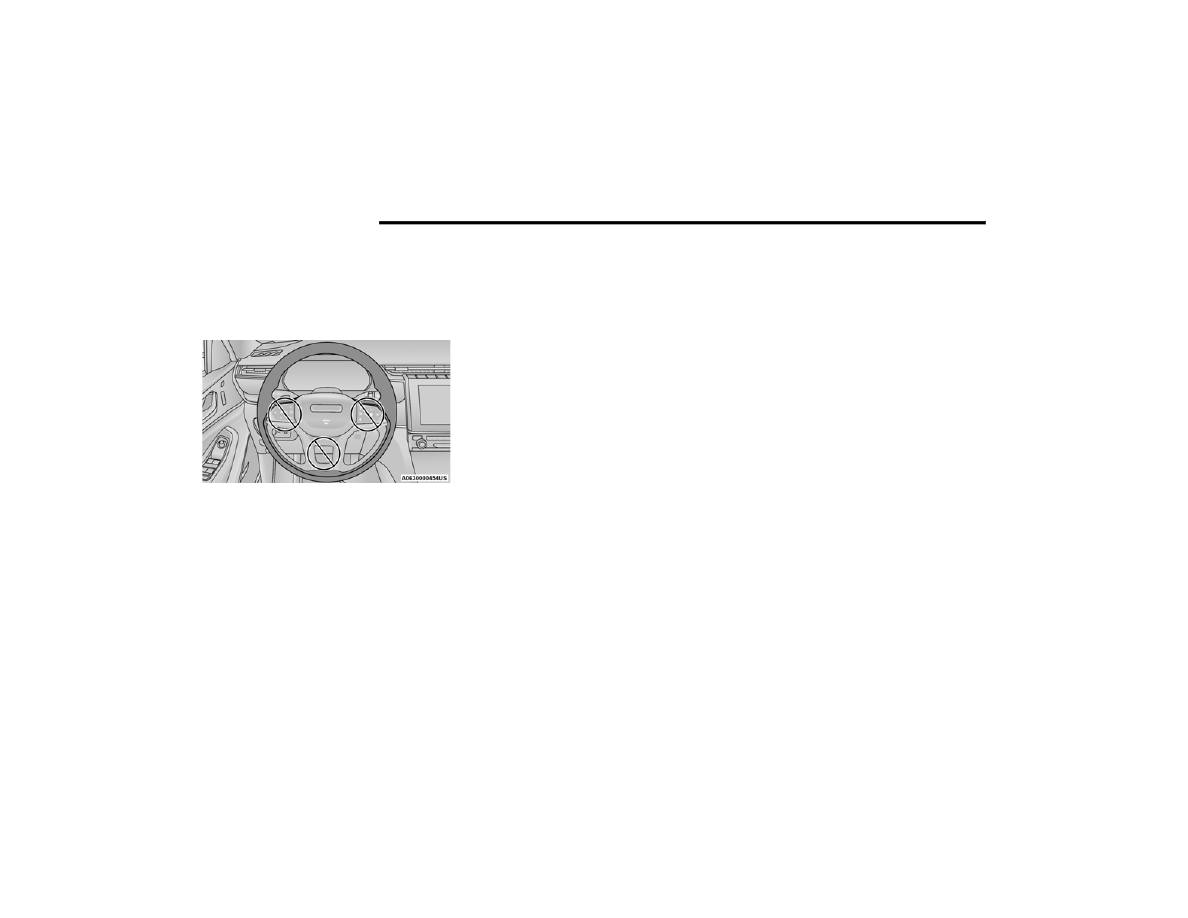
For the system to detect the driver’s hands on the
steering wheel, the wheel must be gripped on the
outside. Gripping the inside areas of the steering
wheel will not satisfy the hands-on condition to
engage the system.
Do Not Grip Inside Of Steering Wheel
System Deactivation
The system will be deactivated in any of the
following situations:
If the system has detected driver inattentive
-
ness, and has gone through all escalation warn
-
ings:
Base ADA: Hands no longer detected on the
steering wheel
Hands-Free ADA: Driver no longer attentive
If lane markings are no longer detected or poor
road conditions are experienced
If the brake pedal is pressed or ACC system is
deactivated
If a turn signal is used when equipped with Base
ADA (unless a target is in the blind spot zone on
the same side the turn signal is being applied)
If the driver performs an evasive maneuver,
applying high torque to the steering wheel for a
short duration
If the driver’s seat belt is unbuckled
If the vehicle speed exceeds 90 mph
(145 km/h)
If the Active Driving Assist on/off button is
pushed again (ADA will turn off)
If the driver steers out of the lane and crosses a
lane marking
If the Forward Collision Warning (FCW) system
becomes active and is providing warnings/
braking
NOTE:
ADA will not enable if the system detects a
trailer is connected to the vehicle.
Pushing the Active Driving Assist on/off button
or deactivating ACC will turn the system off. All
other deactivation conditions will place the
system back into the “enabled” state with the
steering wheel indicator displayed in white until
all engagement conditions are met again.
When the system is deactivated, the system
status indicator lights will turn off, Active Lane
Management will return to its previous state,
and ACC will disable or remain engaged pending
system conditions.
Hands-Free System Deactivation (If Equipped)
In addition to the deactivation conditions listed
above, the Hands-Free ADA system will also
deactivate in the following situations:
The system initiates a Stop-In-Lane maneuver to
stop the vehicle due to driver inattentiveness.
The Stop-In-Lane maneuver can be overridden
by placing hands on the steering wheel and
applying the accelerator or brake pedal. Refer to
“Indications On The Display” in the next section
for further information.
The vehicle is not receiving a clear cellular
signal for an extended period of time.
The subscription for the Hands-Free system is
expired.
The vehicle leaves a supported roadway.
I
NDICATIONS
O
N
T
HE
D
ISPLAY
The Active Driving Assist system status can always
be viewed in the instrument cluster display, and
status changes are shown by changes in color of
the system’s indicator lights.