Hyundai Kona (2024 year). Manual in english - page 14
7
7-101
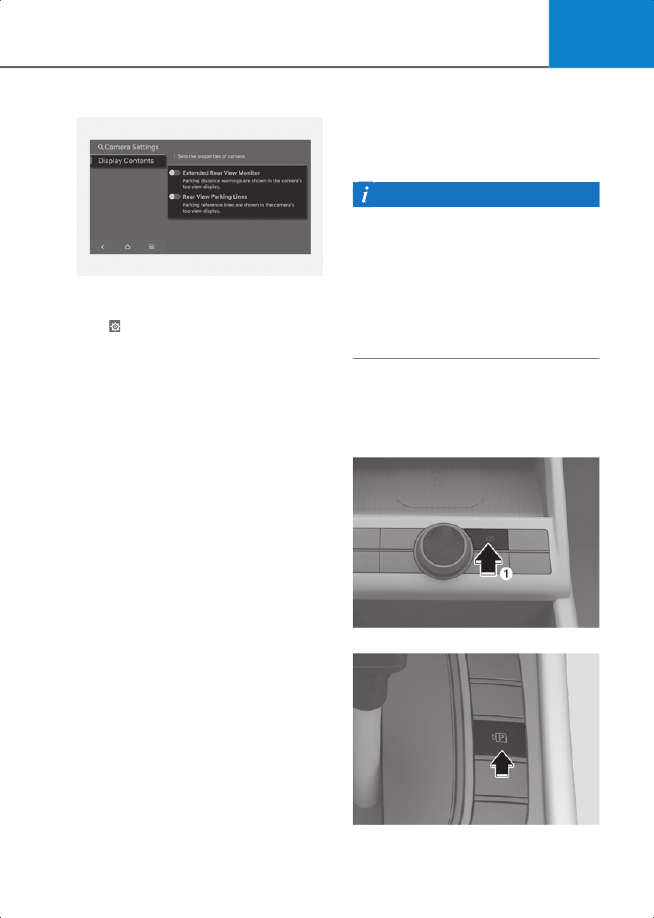
Camera Settings
2C_RVMParkingDistanceWarningInfo
You can change Rear View Monitor
Display Contents
by touching the setup
icon ( ) on the screen while Rear View
Monitor is operating, or selecting
Setup
>
Vehicle
>
Driver Assistance
>
Parking
Safety
>
Camera Settings
from the
Settings menu in the infotainment system
while the engine is on.
In the
Display Contents
, you can change
settings for
Extended Rear View Monitor
and
Rear View Parking Lines
.
Extended Rear View Monitor
Keeps displaying the rear view when
shifting from R (Reverse) to N (Neutral) or
D (Drive). When exceeding a certain
speed, the rear view stops displaying.
Rear View Parking Lines
If
Rear View Parking Lines
is selected, the
rear view parking guide lines and rear top
view guide lines will be displayed at the
left side of the infotainment system .
Information
• The horizontal guideline of the Rear
View Parking Guidance shows the
distance of 1.6 ft. (0.5 m), 3.3 ft. (1 m)
and 7.6 ft. (2.3 m) from the vehicle.
• The horizontal guideline of the Rear Top
View Parking Guidance shows the
liftgate opening distance and the
distance of 4.9 ft. (1.5 m) from the
vehicle.
Rear View Monitor operation
Parking/View button
Type A
2C_ParkingViewButton
Type B
2C_ParkingViewButton_2