Honda CR-V (2022 year). Manual in english - page 36
 

  Index      Manuals     Honda CR-V (2022 year). Manual in english


Search            copyright infringement  


Content      ..     34      35      36      37     ..


Honda CR-V (2022 year). Manual in english - page 36


uu

Honda Sensing

u

Adaptive Cruise Control (ACC) with Low Speed Follow (LSF)

574

Driving

There is no vehicle ahead

Your vehicle maintains the set speed without 
having to keep your foot on the brake or 
accelerator pedal.
If there previously was a vehicle detected 
ahead that kept your vehicle from travelling at 
the set speed, ACC with LSF accelerates your 
vehicle to the set speed, and then maintains it.

When you depress the accelerator pedal

You can temporarily increase the vehicle speed. In this case, there is no audible or 
visual alert even if a vehicle is in the ACC with LSF range.
ACC with LSF stays on unless you cancel it. Once you release the accelerator pedal, 
the system resumes an appropriate speed for keeping the following-interval while a 
vehicle ahead is within the ACC with LSF range.

1

When in Operation

Even if the interval between your vehicle and the 
vehicle detected ahead is short, ACC with LSF may 
start accelerating your vehicle under the following 
circumstances:

The vehicle ahead of you is going at almost the 
same speed as, or faster than, your vehicle.

A vehicle that cuts in front of you is going faster 
than your vehicle, gradually increasing the interval 
between the vehicles.

You can also set the system to beep when a vehicle 
detected in front of you comes in and goes out of the 
ACC with LSF detecting range. Change the 

ACC 

Vehicle Ahead Detected Beep

 setting.

2

Customized Features

 P. 157, 408

Limitations

You may need to use the brake to maintain a safe 
interval when using ACC with LSF. Additionally, ACC 
with LSF may not work properly under certain 
conditions.

2

ACC with LSF Conditions and Limitations


P. 576

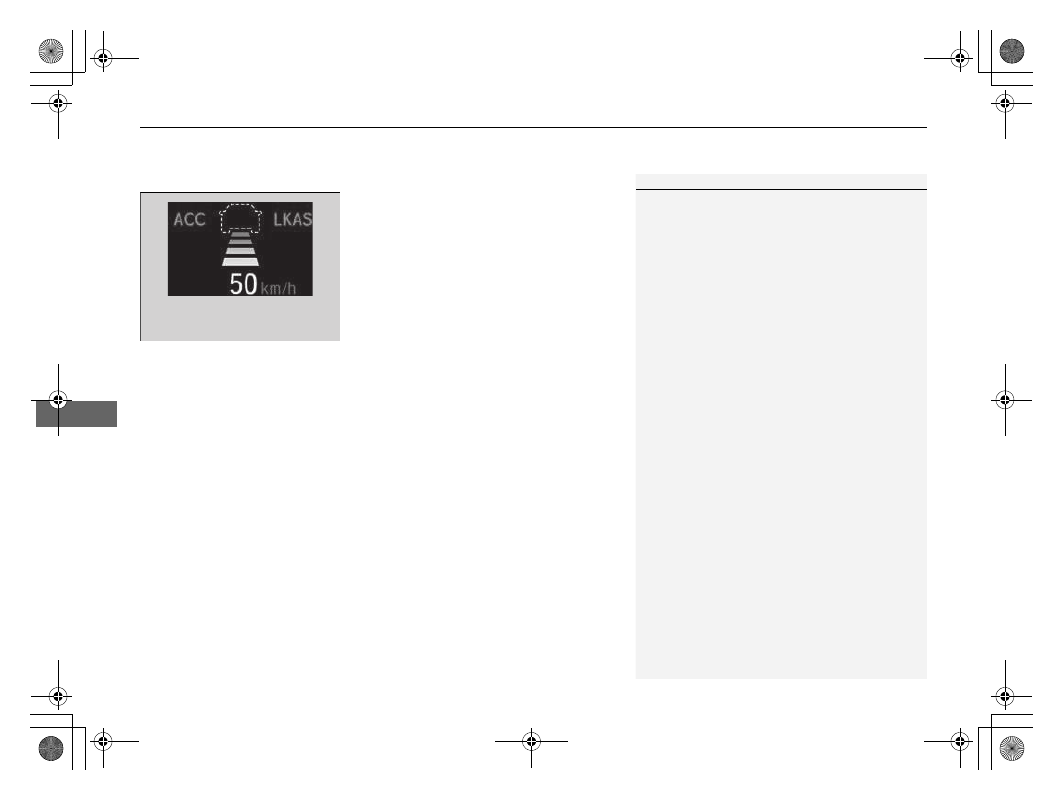
A vehicle icon with dotted-line 
contour appears on the driver 
information interface

Continued

575

uu

Honda Sensing

u

Adaptive Cruise Control (ACC) with Low Speed Follow (LSF)

Driving

A vehicle detected ahead is within ACC with LSF range and slows to a stop

Your vehicle also stops, automatically. The 

 message appears on the driver 

information interface.
When the vehicle ahead of you starts again, 
the vehicle icon on the driver information 
interface blinks. If you press the 

RES/+

 or 

–/SET

 button, or depress the accelerator 

pedal, ACC with LSF operates again within the 
prior set speed.
If no vehicle is ahead of you before you 
resume driving, depress the accelerator pedal 
and ACC with LSF will operate again within 
the prior set speed.

1

A vehicle detected ahead is within ACC with LSF range and slows 
to a stop

3

WARNING

Exiting a vehicle that has been stopped 
while the ACC with LSF system is operating 
can result in the vehicle moving without 
operator control.

A vehicle that moves without operator 
control can cause a crash, resulting in 
serious injury or death.

Never exit a vehicle when the vehicle is 
stopped by ACC with LSF.

uu

Honda Sensing

u

Adaptive Cruise Control (ACC) with Low Speed Follow (LSF)

576

Driving

The system may automatically shut off and the 

ACC

 indicator will come on under 

certain conditions. Some examples of these conditions are listed below. Other 
conditions may reduce some of the ACC functions.

2

Front Sensor Camera

 P. 623

Environmental conditions

Driving in bad weather (rain, fog, snow, etc.).

Roadway conditions

Driving on a snowy or wet roadway (obscured lane marking, vehicle tracks, reflected 
lights, road spray, high contrast).

Vehicle conditions

The outside of the windscreen is blocked by dirt, mud, leaves, wet snow, etc.

An abnormal tyre or wheel condition (Wrong sized, varied size or construction, 
improperly inflated, compact spare tyre, etc.).

The camera temperature gets too high.

The parking brake is applied.

When the front grille is dirty.

The vehicle is tilted due to a heavy load or suspension modifications. 

When tyre chains are installed.

ACC with LSF Conditions and Limitations

1

ACC with LSF Conditions and Limitations

If you need the radar sensor to be repaired, or 
removed, or the radar sensor cover is strongly 
impacted, turn off the system by pressing the 

MAIN


button and take your vehicle to a dealer.

Have your vehicle checked by a dealer if you find any 
unusual behaviour of the system (e.g., the warning 
message appears too frequently).

577

uu

Honda Sensing

u

Adaptive Cruise Control (ACC) with Low Speed Follow (LSF)

Continued

Driving

Detection limitations

A vehicle suddenly crosses in front of you.

The interval between your vehicle and the vehicle ahead of you is too short.

A vehicle cuts in front of you at a slow speed, and it brakes suddenly.

When you accelerate rapidly and approach the vehicle ahead of you at high 
speed.

The vehicle ahead of you is a motorcycle, bicycle, mobility scooter, or other small 
vehicle.

When there are animals in front of your vehicle.

When you drive on a curved or winding or undulating road that makes it difficult 
for the sensor to properly detect a vehicle in front of you.

The speed difference between your vehicle and a vehicle in front of you is 
significantly large.

An oncoming vehicle suddenly comes in front of you.

Your vehicle abruptly crosses over in front of an oncoming vehicle.

578

uu

Honda Sensing

u

Adaptive Cruise Control (ACC) with Low Speed Follow (LSF)

Driving

When driving through a narrow iron bridge.

When the vehicle ahead of you brakes suddenly.

When the vehicle ahead of you has a unique shape.

When your vehicle or the vehicle ahead of you is driving on one edge of the lane.

Radar detects upper section of 
an empty carrier lorry.

Panel lorry, 
tanker lorry, 
etc.

Continued

579

uu

Honda Sensing

u

Adaptive Cruise Control (ACC) with Low Speed Follow (LSF)

Driving

Increase or decrease the vehicle speed using the 

RES/+

 or 

–/SET

 button on the 

steering wheel.

Each time you press the 

RES/+

 or 

–/SET

 button, the vehicle speed is increased or 

decreased by about 1 km/h or 1 mph accordingly.

If you press and hold the 

RES/+

 or 

–/SET

 button, the vehicle speed increases or 

decreases by about 10 km/h or 10 mph accordingly.

To Adjust the Vehicle Speed

1

To Adjust the Vehicle Speed

If a vehicle detected ahead is going at a speed slower 
than your increased set speed, ACC with LSF may not 
accelerate your vehicle. This is to maintain the set 
interval between your vehicle and the vehicle ahead.

When you depress the accelerator pedal and then 
push and release the 

–/SET

 button, the current speed 

of the vehicle is set.

To increase speed

To decrease speed

580

uu

Honda Sensing

u

Adaptive Cruise Control (ACC) with Low Speed Follow (LSF)

Driving

Press the   (interval) button to change the 
ACC with LSF following-interval.
Each time you press the button, the following-
interval (the interval behind a vehicle detected 
ahead of you) setting cycles through short, 
middle, long and extra long following-
intervals.

Determine the most appropriate following-
interval setting based on your specific driving 
conditions. Be sure to adhere to any 
following-interval requirements set by local 
regulation.

To Set or Change Following-interval

Interval Button

Continued

581

uu

Honda Sensing

u

Adaptive Cruise Control (ACC) with Low Speed Follow (LSF)

Driving

The higher your vehicle’s following-speed is, the longer the short, middle, long or 
extra long following-interval becomes. See the following examples for your 
reference.

When your vehicle stops automatically because a vehicle detected ahead of you has 
stopped, the interval between the two vehicles will vary based on the ACC with LSF 
interval setting.

Following-interval

When the Set Speed is:

80 km/h (50 mph)

104 km/h (65 mph)

Short

24.7 metres

81.0 feet

1.1 sec

31.5 metres

103.3 feet

1.1 sec

Middle

34.2 metres

112.2 feet

1.5 sec

43.4 metres

142.4 feet

1.5 sec

Long

46.8 metres

153.5 feet

2.1 sec

60.8 metres

199.4 feet

2.1 sec

Extra 
Long

63.5 metres

208.3 feet

2.9 sec

83.4 metres

273.6 feet

2.9 sec

1

To Set or Change Following-interval

The driver must in all circumstances preserve a 
sufficient braking interval from the vehicle which 
precedes it and be aware that minimum intervals or 
times of spacing can be provided by the provisions of 
the Motorway Code locally applicable and that it is 
the driver’s responsibility to respect those laws.

uu

Honda Sensing

u

Adaptive Cruise Control (ACC) with Low Speed Follow (LSF)

582

Driving

To cancel ACC with LSF, do any of the 
following:

Press the 

CANCEL

 button.

Press the 

MAIN

 button.

u

ACC with LSF indicator (green) goes off.

Press the 

LIM

 button.

Depress the brake pedal while the vehicle is 
moving forward.

To Cancel

1

To Cancel

Resuming the prior set speed: After you have 
cancelled ACC with LSF, you can resume the prior set 
speed while it is still displayed. Press the 

RES/+


button.

The set speed cannot be set or resumed when ACC 
with LSF has been turned off using the 

MAIN

 button. 

Press the 

MAIN

 button to activate the system, then 

set the desired speed.

MAIN

 Button

LIM

 Button

CANCEL

 Button

Continued

583

uu

Honda Sensing

u

Adaptive Cruise Control (ACC) with Low Speed Follow (LSF)

Driving

Automatic cancellation

The beeper sounds and a message appears on the driver information interface when 
ACC with LSF is automatically cancelled. Any of these conditions may cause the ACC 
with LSF to automatically cancel:

Bad weather (rain, fog, snow, etc.)

When the radar sensor in the front grille gets dirty.

The vehicle ahead of you cannot be detected.

An abnormal tyre condition is detected, or the tyres are skidding.

Driving on a mountainous road, or driving off road for extended periods.

Abrupt steering wheel movement.

When the ABS, VSA or CMBS is activated.

When the ABS or VSA system indicator comes on.

When the vehicle is stopped on a very steep slope.

When you manually apply the parking brake.

When the detected vehicle within the ACC with LSF range is too close to your 
vehicle.

The camera behind the rearview mirror, or the area around the camera, including 
the windscreen, gets dirty.

When the Maximum Load Limit is exceeded.

When passing through an enclosed space, such as tunnel.

The ACC with LSF automatic cancellation can be also triggered by the following 
causes. In these cases, the parking brake will be automatically applied.

The driver’s seat belt is unfastened when the vehicle is stationary.

The vehicle stops for more than 10 minutes.

The engine is turned off.

1

Automatic cancellation

Even though ACC with LSF has been automatically 
cancelled, you can still resume the prior set speed. 
Wait until the condition that caused ACC with LSF to 
cancel improves, then press the 

–/SET

 button.

584

uu

Honda Sensing

u

Adaptive Cruise Control (ACC) with Low Speed Follow (LSF)

Driving

Provides an early prediction for a cut-in situation. The system detects that a vehicle 
running in the adjacent slower lane has an intention to cut in front of you and 
adjusts the speed of your vehicle in advance while ACC with LSF is activated.

How the system works

Intelligent Adaptive Cruise Control Function

The radar sensor in the front grille detects 
vehicles ahead of you including those in the 
adjacent lane, and the camera behind the 
rearview mirror detects the lane markings.

This system improves ACC with LSF’s 
following/tracking property; it adjusts your 
vehicle speed in advance predicting a 
situation that a vehicle running in the 
adjacent slower lane catches up with a slower 
vehicle ahead of it and changes the lane to cut 
in front of you early.
When such a cut-in situation is predicted, your 
vehicle speed decreases a little. When 
detected, your vehicle speed decreases 
according to the vehicle cutting in front of 
you.

As the speed is adjusted by the system, the cut 
in vehicle icon appears on the driver 
information interface to indicate that the 
system is activated.

Slow 
Vehicle

Cut-in 
Vehicle

Your 
Vehicle

Left-hand drive type is shown.

585

uu

Honda Sensing

u

Adaptive Cruise Control (ACC) with Low Speed Follow (LSF)

Driving

How the system activates

When a vehicle cuts in front of you is going faster than the vehicle ahead of it, and 
your vehicle is going faster than the cut-in vehicle (i.e., when you need to slow 
down), ACC with LSF predicts the cutting-in and adjust your vehicle speed.

The system activates when all the following conditions are met:

When ACC with LSF is activated.

When you are driving on a multi-lane road.

When your vehicle speed is between about 80 km/h (50 mph) and about 180 
km/h (112 mph).

The vehicle is on a straight or slightly curved road.

The turn signals are off.

The brake pedal is not depressed.

When a vehicle cuts in from a slower lane.

Intelligent adaptive cruise control on and off

You can turn the system on and off using the driver information interface.

2

Customized Features

 P. 157, 408

1

Intelligent Adaptive Cruise Control Function

When traffic changes from right hand side to left 
hand side, driving on a road where there is oncoming 
traffic for some distance automatically switches the 
lane to be detected from right to left.

Intelligent adaptive cruise control may not activate 
under the following conditions:

When the speed difference between the cut-in 
vehicle and the vehicle ahead of it in the adjacent 
lane is small

When the speed difference between the cut-in 
vehicle and your vehicle is small (i.e., when speed 
adjustment is not required)

When a vehicle simply cuts in front of your vehicle 
with no vehicle ahead in the adjacent lane

When a vehicle cuts in from a faster lane

586

uu

Honda Sensing

u

Adaptive Cruise Control (ACC)

Driving

Adaptive Cruise Control (ACC)

Helps to maintain a constant vehicle speed and a set following-interval behind a 
vehicle detected ahead of yours, without you having to keep your foot on the brake 
or the accelerator.
When ACC slows your vehicle by applying the brakes, your vehicle’s brake lights will 
illuminate.

Manual transmission models

1

Adaptive Cruise Control (ACC)

Important Reminder

As with any system, there are limits to ACC. Use the 
brake pedal whenever necessary, and always keep a 
safe interval between your vehicle and other vehicles.

When the engine speed slows down, try to 
downshift.
When the engine speed goes up, try to upshift.
You can maintain the set speed if you change gear 
within five seconds.

3

WARNING

Improper use of ACC can lead to a crash.

Use ACC only when driving on motorways 
and in good weather conditions.

3

WARNING

ACC has limited braking capability. When 
your vehicle speed drops below 25 km/h (15 
mph), ACC will automatically cancel and no 
longer will apply your vehicle’s brakes.
Always be prepared to apply the brake 
pedal when conditions require.

Vehicle speed for adaptive cruise control: Desired speed in a range above roughly 

30 km/h (18 mph) ~

Shift position for ACC: in 

(

2

 or higher position

The radar sensor is 
inside the front grille.

When to use

The camera is 
located behind 
the rearview 
mirror.

Continued

587

uu

Honda Sensing

u

Adaptive Cruise Control (ACC)

Driving

How to activate the system

1

Adaptive Cruise Control (ACC)

ACC may not work properly under certain conditions.

2

ACC Conditions and Limitations

 P. 591

When not using ACC: Turn off adaptive cruise by 
pressing the 

MAIN

 button. This also will turn off the 

Lane Keeping Assist System (LKAS).

When the 

MAIN

 button is pressed, both ACC and 

the Lane Keeping Assist System (LKAS) are either 
turned on or off.

Do not use the ACC under the following conditions:

On roads with heavy traffic or while driving in 
continuous stop and go traffic.

On roads with sharp turns.

On roads with steep downhill sections, as the set 
vehicle speed can be exceeded by coasting. In such 
cases, ACC will not apply the brakes to maintain 
the set speed.

On roads with toll collection facilities or other 
objects between lanes of traffic, or in parking 
areas, or facilities with drive through access.

Press the 

MAIN

 button 

on the steering wheel.

ACC (green) is on in 
the instrument panel.

ACC is ready to use.

How to use

If a different instrument panel is displayed, 
press the 

LIM

 button to change it to ACC.

LIM

 Button

MAIN


Button

uu

Honda Sensing

u

Adaptive Cruise Control (ACC)

588

Driving

Take your foot off the pedal and press the 

–/SET

 button when you reach the desired 

speed.

The moment you release the 

–/SET

 button, 

the set speed is fixed, and ACC begins.

When ACC starts operating, the vehicle icon, 
interval bars and set speed appear on the 
driver information interface.

When you use ACC, Straight Driving Assist (a 
feature of the Electric Power Steering system) 
is activated.
By enabling the steering system to 
automatically compensate for natural steering 
pull, Straight Driving Assist makes it easier for 
you to keep your vehicle in a straight line.

To Set the Vehicle Speed

1

Adaptive Cruise Control (ACC)

It may take more time to accelerate in ECON mode.

You cannot use the ACC and the adjustable speed 
limiter or intelligent speed limiter at the same time.

The adaptive cruise control (ACC), road departure 
mitigation, vehicle stability assist (VSA) system, 
vehicle stability assist (VSA) OFF, low tyre pressure/
deflation warning system, collision mitigation braking 
system (CMBS), and parking brake and brake system 
(amber) indicators may come on in amber along with 
a message in the driver information interface when 
you turn the ignition switch to ON 

(

w

*1

 after 

reconnecting the battery. Drive a short distance at 
more than 20 km/h (12 mph). Each indicator should 
go off. If any do not, have your vehicle checked by a 
dealer.

1

To Set the Vehicle Speed

You can switch the displayed set speed 
measurements on the driver information interface or 
audio/information screen between km/h and mph.

2

Speedometer

 P. 146

2

Customized Features

 P. 157, 408

*1: Models with the keyless access system have an 

ENGINE START/STOP

 button instead of an ignition 

switch.

On when adaptive 
cruise control begins

Press and release

−/SET

 Button

Set Vehicle Speed

Set Vehicle Interval

Continued

589

uu

Honda Sensing

u

Adaptive Cruise Control (ACC)

Driving

There is a vehicle ahead

ACC monitors if a vehicle ahead of you enters the ACC range. If a vehicle is detected 
doing so, the ACC system maintains or decelerates your vehicle’s set speed in order 
to keep the vehicle’s set following-interval from the vehicle ahead.

2

To Set or Change Following-interval

 P. 595

When a vehicle whose speed is slower than 
your set speed is detected in front of you, your 
vehicle starts to slow down.

When in Operation

1

When in Operation

If the vehicle ahead of you slows down abruptly, or if 
another vehicle cuts in front of you, the beeper 
sounds and a message appears on the driver 
information interface, and the head-up warning 
lights* flash.

Depress the brake pedal, and keep an appropriate 
interval from the vehicle ahead.

Beep

Head-up 
Warning 
Lights

*

ACC Range: 120 m (394 ft.)

A vehicle icon appears on the 
driver information interface

* Not available on all models


Content      ..     34      35      36      37     ..