Honda e (2021 year). Manual in english - page 10
 

  Index      Manuals     Honda e (2021 year). Manual in english


Search            copyright infringement  


Content      ..     8      9      10      11     ..


Honda e (2021 year). Manual in english - page 10


146

uu

Indicators

u

Driver Information Interface Warning and Information Messages

In

strum

e

nt Pa

nel

Message

Condition

Explanation

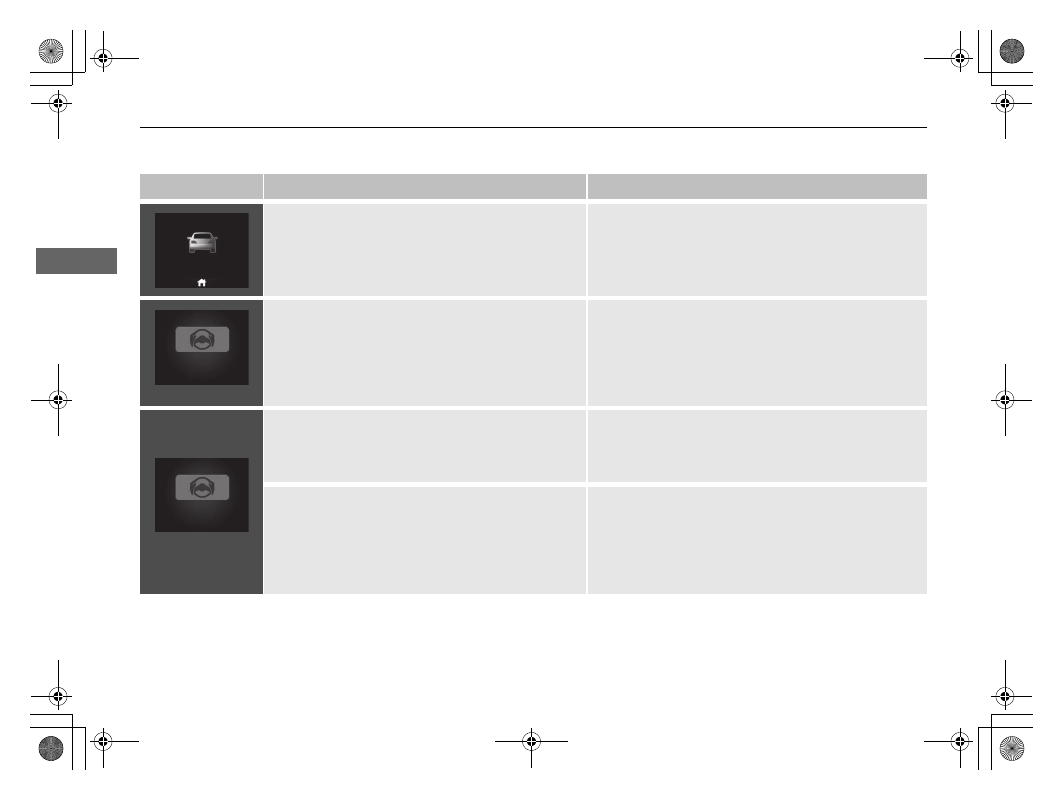
Appears when Lead Car Departure Notification 
System is on.

2

Lead Car Departure Notification System

 P. 484

(Amber)

Appears if the vehicle is about to veer out of the 
detected lane.

Take direct control of the steering and keep the vehicle 
in the centre of the lane. The message will disappear 
after a while.

2

Lane Keeping Assist System (LKAS)

 P. 467

2

Road Departure Mitigation System

 P. 478

(Red)

Appears if the driver is merely resting his or her 
hands on the steering wheel or is not holding the 
steering wheel at all and the vehicle is about to veer 
out of the detected lane. A beeper will also sound.

Take direct control of the steering and keep the vehicle 
in the centre of the lane. The message will disappear 
after a while.

2

Lane Keeping Assist System (LKAS)

 P. 467

Blinks if the driver is merely resting his or her hands 
on the steering wheel or is not holding the steering 
wheel at all. A beeper will also sound. If the driver 
continues to drive in this manner, the beeper will 
turn to a single long beep and LKAS will be 
deactivated.

Take direct control of the steering; the message will 
disappear.

2

Lane Keeping Assist System (LKAS)

 P. 467

147

uu

Indicators

u

Driver Information Interface Warning and Information Messages

Continued

In

strum

e

nt Pa

nel

Message

Condition

Explanation

(White)

Appears when the vehicle is likely to drive out of a 
detected lane.
The Road Departure Mitigation system also steers 
the vehicle to help you remain within your driving 
lane.

Take direct control of the steering and keep the vehicle 
in the centre of the lane. The message will disappear 
after a while.

2

Road Departure Mitigation System

 P. 478

Appears when the LKAS is in operation, or the LKAS 
button is pressed, but there is a problem with a 
system related to the LKAS. The LKAS cancels 
automatically. The beeper sounds simultaneously.

If any other system indicators come on, such as the 
VSA, ABS and brake system, take appropriate action.

2

Indicators

 P. 106

Appears when the 

SET/−

RES/+

CANCEL

, interval 

or 

LIM

 button is pressed while ACC, adjustable 

speed limiter or intelligent speed limiter is off.

After pressing the 

 button, press the 

SET/−

RES/+

CANCEL

, interval or 

LIM

 button.

2

Adjustable Speed Limiter

 P. 405

2

Intelligent Speed Limiter

 P. 410

2

Adaptive Cruise Control (ACC) with Low Speed 
Follow

 P. 447

Appears when the interval button is pressed in 
adjustable speed limiter/intelligent speed limiter 
mode.

After switching to ACC, press the interval button.

2

Adjustable Speed Limiter

 P. 405

2

Intelligent Speed Limiter

 P. 410

2

Adaptive Cruise Control (ACC) with Low Speed 
Follow

 P. 447

148

uu

Indicators

u

Driver Information Interface Warning and Information Messages

In

strum

e

nt Pa

nel

Message

Condition

Explanation

Appears when Auto Power OFF is disabled.

2

POWER Button

 P. 197

Appears when the charging connector has failed.

Disconnect the charging connector using the release 
cord.

2

If You Cannot Disengage the Charging Connector


P. 673

Appears when the charging connector is connected 
to the inlet.

The vehicle does not move while the charging 
connector is plugged into the inlet.

Appears after you set the power mode to VEHICLE 
OFF without connecting the charging connector 
while the ambient temperature is low.

Connecting the charging connector improves cold 
startability.

(Amber)

(White)

149

uu

Indicators

u

Driver Information Interface Warning and Information Messages

Continued

In

strum

e

nt Pa

nel

Message

Condition

Explanation

Appears when charging is not available due to high 
power consumption.

Turn up/down the air conditioning if you wish to charge 
the High Voltage battery.

Appears when charging is not available due to high 
power consumption.

Reduce the power consumption of AC outlet if you 
wish to charge the High Voltage battery.

Appears when charging is not available due to high 
power consumption.

Turn up/down the air conditioning or reduce the power 
consumption of the AC outlet if you wish to charge the 
High Voltage battery.

Appears when charging is not available due to high 
power consumption.

Reduce the power consumption of the vehicle if you 
wish to charge the High Voltage battery.

150

uu

Indicators

u

Driver Information Interface Warning and Information Messages

In

strum

e

nt Pa

nel

Message

Condition

Explanation

Appears when the single pedal control system is 
temporarily unable to be used.

Wait awhile, then turn on the single pedal control 
system.

Appears when the single pedal control system 
cannot be used because the Honda parking pilot is 
activated.

Turn off the Honda parking pilot, then turn on the 
single pedal control system.

Appears when the single pedal control button is 
pressed while the driver's seat belt is unfastened.

Fasten the seat belt, then press the single pedal control 
button.

Appears when the single pedal control button is 
pressed without depressing the brake pedal.

Depress the brake pedal then press the single pedal 
control button.

Appears when the single pedal control system 
operation is automatically cancelled.

Wait awhile, then turn the single pedal control system 
on.

Appears when the single pedal control system is 
automatically turned off when ACC is set.

Appears when the single pedal control system is 
automatically turned off when the Honda parking 
pilot is activated.

151

uu

Indicators

u

Driver Information Interface Warning and Information Messages

Continued

In

strum

e

nt Pa

nel

Message

Condition

Explanation

Appears when the automatic brake hold is changed 
to single pedal control.

Appears when deceleration has decreased.

2

Single Pedal Control

 P. 398

Appears when the automatic brake hold system 
cannot be used because the single pedal control is 
activated.

Appears when there is a problem with the digital key 
system.

Have your vehicle checked by a dealer.

152

uu

Indicators

u

Driver Information Interface Warning and Information Messages

In

strum

e

nt Pa

nel

Message

Condition

Explanation

Appears when the driver's door is opened when the 
power mode is in ON.

Set the power mode to OFF and carry the key when 
getting off the vehicle.

Appears before exiting the vehicle, if a rear door was 
opened shortly before the vehicle was turned on, to 
remind you to check for any passengers or items 
present in the rear seats when you leave the vehicle.

Check the rear seat for passengers or items before 
exiting the vehicle.

2

Rear Seat Reminder

 P. 230

Message

Condition

Explanation

Appears when there is a problem with the Honda 
Parking Pilot System.

Have your vehicle checked by a dealer.

Models with Honda Parking Pilot

153

uu

Indicators

u

Driver Information Interface Warning and Information Messages

In

strum

e

nt Pa

nel

Message

Condition

Explanation

Appears when any of the service items is required in 
less than 30 days.

The remaining days will be counted down per day.

2

Service Reminder System

*

 P. 582

Appears when any of the service items is required in 
less than 10 days.

Have the indicated service performed as soon as 
possible.

2

Service Reminder System

*

 P. 582

Appears when the indicated maintenance service is 
still not done after the remaining time reaches 0.

Your vehicle has passed the service required point. 
Immediately have the service performed and make sure 
to reset the service reminder.

2

Service Reminder System

*

 P. 582

Models with service reminder system

* Not available on all models

154

In

strum

e

nt Pa

nel

Gauges and Displays

Gauges

Gauges include the speedometer, High Voltage battery charge level gauge, 

POWER

/

CHARGE

 gauge, and related indicators. They are displayed when the 

power mode is in ON.

Displays your driving speed in km/h or mph.

Shows the remaining High Voltage battery charge level.

Electric motor

The degree to which the electric motor is being powered is displayed by the readings 
on the 

POWER

 side.

Battery charge in progress

The degree to which the High Voltage battery is being charged is displayed by the 
readings on the 

CHARGE

 side.

Shows the total number of kilometres or miles that your vehicle has accumulated.

Speedometer

High Voltage Battery Charge Level Gauge

POWER/CHARGE Gauge

Odometer

1

Speedometer

You can set the speedometer and the displayed 
measurements to read in either km/h and mph.

2

Unit Change

 P. 168

1

High Voltage Battery Charge Level Gauge

The High Voltage battery charge level may decrease 
under the following conditions:

When the 12-volt battery has been replaced.

When the 12-volt battery has been disconnected.

When the High Voltage battery control system 
corrects its reading.

The charge level reading will be corrected 
automatically while driving.

Changes in the temperature of the High Voltage 
battery can increase or decrease the battery’s 
charging capacity. If temperature changes cause the 
battery’s capacity to change, the number of 
indicators in the battery charge level gauge may also 
change, even if the amount of charging remains the 
same.

155

uu

Gauges and Displays

u

Gauges

In

strum

e

nt Pa

nel

Shows the outside temperature in Celsius.

If the outside temperature has been below 3°C at the time you set the power mode 
to ON, the outside temperature blinks for 10 seconds.

Adjusting the outside temperature display

Adjust the temperature reading by up to ±3°C if the temperature reading seems 
incorrect.

Shows traffic signs while driving.
The indicator blinks when the maximum speed of the traffic sign detected by the 
Traffic Sign Recognition System is exceeded.

Shows the current mode for ACC with Low Speed Follow and the LKAS.

2

Adaptive Cruise Control (ACC) with Low Speed Follow

 P. 447

2

Lane Keeping Assist System (LKAS)

 P. 467

Outside Temperature

Traffic Sign Recognition System

Current Mode for ACC with Low Speed Follow and the LKAS

1

Outside Temperature

The temperature sensor is in the front bumper.
Road heat and exhaust from another vehicle can 
affect the temperature reading when your vehicle 
speed is less than 30 km/h (19 mph).

It may take several minutes for the display to be 
updated after the temperature reading has stabilised.

You can adjust the temperature reading.

2

Customized Features

 P. 327

1

Traffic Sign Recognition System

You can turn the Traffic Sign Recognition System 
Over Speed Warning on and off.

2

Customized Features

 P. 327

156

uu

Gauges and Displays

u

Driver Information Interface

In

strum

e

nt Pa

nel

Driver Information Interface

The driver information interface shows information such as the estimated travelable 
distance and energy economy of the vehicle. It also displays messages such as 
warnings and other helpful information.

Accessing contents in the display

Press the 

 (home) button, then roll the left selector wheel to scroll to the content 

you want to see. Press the left selector wheel to see detailed information.

Switching the Display

1

Switching the Display

To go back to the previous screen, press the 


(back) button.

You can add or delete the meter contents.

2

Customize Display

 P. 167

157

uu

Gauges and Displays

u

Driver Information Interface

Continued

In

strum

e

nt Pa

nel

a

Left Selector Wheel

h

Speed Alarm 

2

 P. 163

b

 (home) Button

i

Seat Belts 

2

 P. 164

c

Range & Energy 

2

 P. 158

j

Maintenance

*


2

 P. 164

d

Speed & Time 

2

 P. 160

k

Safety Support 

2

 P. 165

e

Audio 

2

 P. 161

l

Customize Display 

2

 P. 167

f

Phone 

2

 P. 161

m

No Content/Unit Change 

2

 P. 168

g

Navigation 

2

 P. 162

n

Information 

2

 P. 168

* Not available on all models

158

uu

Gauges and Displays

u

Driver Information Interface

In

strum

e

nt Pa

nel

Roll the left selector wheel to switch between trip meter A and trip meter B.

Range / Energy Consumption / Trip Meter

a

Average Energy Consumption

b

Range

c

Instant Energy Consumption

d

Trip Meter A

e

Trip Meter B

Continued

159

uu

Gauges and Displays

u

Driver Information Interface

In

strum

e

nt Pa

nel

Trip meter

Shows the total number of kilometres or miles driven since the last reset. Meters A 
and B can be used to measure two separate trips.

Resetting a trip meter

To reset the trip meter, display it, press the left selector wheel and then select 

Reset

The trip meter is reset to 

0.0

.

Average energy consumption

Shows the estimated average energy consumption of each trip meter in kWh/100km 
or miles/kWh. The display is updated at set intervals. When a trip meter is reset, the 
average energy consumption is also reset.

Instant energy consumption

Shows the instant energy consumption as a bar graph in kWh/100km or miles/kWh.

Range

Shows the estimated distance you can travel on the remaining power. This estimate 
is based on the energy consumption of your previous trips and the remaining charge 
of the High Voltage battery.

1

Trip meter

Switch between trip meter A and trip meter B by 
rolling the left selector wheel.

1

Average energy consumption

You can change when to reset the average energy 
consumption.

2

Customized Features

 P. 327

1

Range

The driving range displayed is only an estimate and 
may differ to the actual distance the vehicle can 
travel.

160

uu

Gauges and Displays

u

Driver Information Interface

In

strum

e

nt Pa

nel

Roll the left selector wheel to switch between trip meter A and trip meter B.

Speed & Time

a

Average Speed

b

Elapsed Time

c

Trip meter A

d

Trip meter B

Continued

161

uu

Gauges and Displays

u

Driver Information Interface

In

strum

e

nt Pa

nel

Trip meter

2

Trip meter

 P. 159

Elapsed time

Shows the time elapsed since Trip A or Trip B was reset.

Average speed

Shows the average speed in km/h or mph since Trip A or Trip B was reset.

Shows the current audio information.

2

Basic Operation

 P. 257

Shows the current phone information.

2

Hands-Free Telephone System

 P. 344

Audio

Phone

1

Elapsed time

You can change when to reset the elapsed time.

2

Customized Features

 P. 327

1

Average speed

You can change when to reset the average speed.

2

Customized Features

 P. 327


Content      ..     8      9      10      11     ..