Ford Focus Electric (2018 year). Manual - part 23
 

  Index      Ford     Ford Focus Electric - service manual 2018 year in english


Search            


Content   ..  21  22  23  24   ..


Ford Focus Electric (2018 year). Manual - part 23


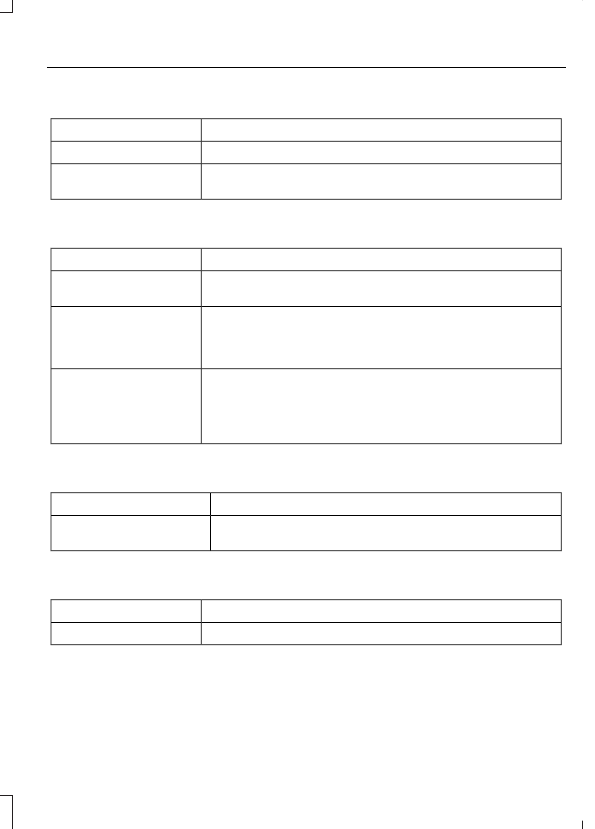
Remote Start

Action

Message

Displayed when the remote start system is active.

Remote Start Active

Displays when you start your vehicle as a reminder to fully
press the brake pedal.

To Drive: Press Brake
and Gear Shift Button

Tire Pressure Monitoring System

Action

Message

One or more tires on your vehicle has low tire pressure.  See
Tire Pressure Monitoring System (page 212).

Low Tire Pressure

The tire pressure monitoring system is malfunctioning. If the
warning stays on or continues to come on, contact an
authorized dealer.  See Tire Pressure Monitoring System
(page 212).

Tire Pressure Monitor
Fault

A tire pressure sensor is malfunctioning, or your spare tire is
in use. For more information on how the system operates
under these conditions. See Tire Pressure Monitoring
System (page 212).  If the w
arning stays on or continues to
come on, contact an authorized dealer as soon as possible.

Tire Pressure Sensor
Fault

Traction Control

Action

Message

Displays when you switch the system off.
See Using Traction Control (page 123).

Traction control Off

Transmission

Action

Message

A reminder to shift into park (P).

Transmission Not in Park

AUTOMATIC CLIMATE CONTROL

E190322

AUTO: Press the button to switch on automatic operation. Adjust to select the
desired temperature. Fan speed, air distribution, air conditioning operation, and
outside or recirculated air are automatically adjusted to heat or cool the vehicle
to maintain the desired temperature. You can also switch off dual zone mode
by pressing and holding the button for more than two seconds.

A

Fan speed control: Adjusts the volume of air circulated in the vehicle.

B

Air distribution control: Adjust the control to turn airflow from the windshield,
instrument panel, or footwell vents on or off. You can distribute air through any
combination of these vents.

C

Climate control display: The display shows the set temperatures and the fan
speed.

D

Heated rear window: Press the button to switch the heated rear window on
and off.  See Heated Windows and Mirrors (page 96).

E

A/C: Press the button to switch the air conditioning on or off. Air conditioning
cools your vehicle using outside air. To improve the time to reach a comfortable
temperature in hot weather, drive with the windows open until you feel cold air
through the air vents.

F

Recirculated air: Press the button to switch between outside air and
recirculated air. The air currently in the passenger compartment recirculates.
This can reduce the time needed to cool the interior and reduce unwanted odors
from entering your vehicle.

G

Heated seats (if equipped): Press the button to switch the heated seats on
and off.  See Heated Seats (page 104).

H

MAX A/C: Press the button for maximum cooling. Recirculated air flows through
the instrument panel vents, air conditioning automatically turns on and the fan
automatically adjusts to the highest speed.

I

MAX Defrost: Press the button to switch on defrost. Outside air flows through
the windshield vents, air conditioning automatically turns on, and fan
automatically adjusts to the highest speed. You can also use this setting to
defrost and clear the windshield of a thin covering of ice. The heated rear window
also automatically turns on when you select maximum defrost.

J

Power: Press the button to switch the system on and off. When the system is
off, it prevents outside air from entering the vehicle.

K

Temperature Control

E183686

You can set a temperature between 60°F
(15.5°C) and 85°F (29.5°C). If you select
LO, the system is set to permanent cooling.
If you select HI, the system is set to
permanent heating.

Note: If you select LO or HI, the system
does not maintain a stable temperature.

Single Zone Temperature Control

In this mode, the climate control system
links the temperature settings for both the
driver’s side and passenger’s side. If you
adjust the setting using the rotary control
on the driver’s side, the system adjusts the
temperature to the same setting on the
passenger’s side.

To switch back to single zone control from
dual zone, press and hold AUTO for a few
seconds. The passenger’s side temperature
switches to the driver’s side temperature
setting.

Dual Zone Temperature Control

Select a temperature for the passenger’s
side using the rotary control on the
passenger’s side. Single zone temperature
control automatically switches off. The
temperature on the driver’s side remains
unchanged. You can now adjust the driver’s
side and passenger’s side temperatures
independently. The display shows the
temperature settings for each side.

HINTS ON CONTROLLING THE
INTERIOR CLIMATE

General Hints

Note: Prolonged use of recirculated air may
cause the windows to fog up.

Note: To reduce humidity build-up inside
your vehicle, do not drive with the system
switched off or with recirculated air always
switched on.

Note: Do not place objects under the front
seats as this may interfere with the airflow
to the rear seats.

Note: Remove any snow, ice, or leaves from
the air intake area at the base of the
windshield.

Note: To improve air conditioning when
starting your vehicle, drive with the windows
slightly open for two to three minutes.

Recommended Settings for
Cooling

1.

Press the AUTO button.

2. Adjust the temperature control to the

desired setting.

Side Window Defogging in Cold
Weather

1.

Select air distribution through the floor
vent.

2. Select air distribution through the panel

vent.

3. Select A/C.
4. Adjust the temperature control to the

desired setting.

5. Adjust the outer panel vents toward

the side windows.

Note: To increase airflow to the outer panel
vents, close the vents in the middle of the
instrument panel.

Improving Vehicle Drive Range

Your vehicle is equipped with a high
voltage electric compressor and a high
voltage electric heater. You can increase
your driving range by minimizing the
amount of energy expended to cool or heat
the interior during the drive.

Pre-condition the interior temperature
during vehicle charging reduces the battery
energy use on the interior comfort and
improves range.

Note: Your vehicle may not always reach
the set cabin temperature due to charging
and ambient temperature conditions.

Hot and cold temperatures make your
vehicle use more energy to achieve and
maintain a comfortable interior
temperature. Park the vehicle in the shade
or in a parking structure when hot, and in
a garage when cold.

Consider partially opening a window (or
windows) to let fresh air circulate, if
weather conditions permit. You can
achieve maximum energy savings by
switching the climate system off. Do this
only if conditions exist for safe vehicle
operation.

Reduce fan speed.

Set the AUTO temperature a couple
degrees cooler than you normally do on
cold days and a couple degrees higher on
hot days. Use the heated seats on cold
days to increase interior comfort.

Switch the air conditioning off in mild
temperatures or low humidity conditions.

Defrost mode automatically turns the air
conditioning on to dehumidify the air, and
cannot be switched off. If defogging or
defrosting is not necessary, select a
non-defrost mode and disengage air
conditioning to extend vehicle range.

Air conditioning and heating functions are
automatically switched off (unless in
defrost mode) when driving distance to
empty is zero miles (zero km). The interior
fan will continue to operate.

HEATED WINDOWS AND
MIRRORS

Heated Rear Window

Note: Make sure the vehicle is running
before operating the heated windows.


Content   ..  21  22  23  24   ..