Ford Focus Electric (2018 year). Manual - part 21
 

  Index      Ford     Ford Focus Electric - service manual 2018 year in english


Search            


Content   ..  19  20  21  22   ..


Ford Focus Electric (2018 year). Manual - part 21


Information

Displays the associated driver alert graphic.

Driver Alert

Displays the number of warnings that need immediate attention in
red. You can only view the warnings from the System Check menu.
View them immediately by pressing OK and then OK again to enter
system check. Use the up and down arrows to scroll through the
warnings.

XX Warnings

All active warnings will display first if applicable. The system check
menu may appear different based upon equipment options and
current vehicle status. Use the up/down arrow buttons to scroll
through the list.

System Check

Settings

E100023

In this mode, you can configure
different driver setting choices.

Note: Some items are optional and may not appear.

Note: Some MyKey items will only appear if a MyKey is set.

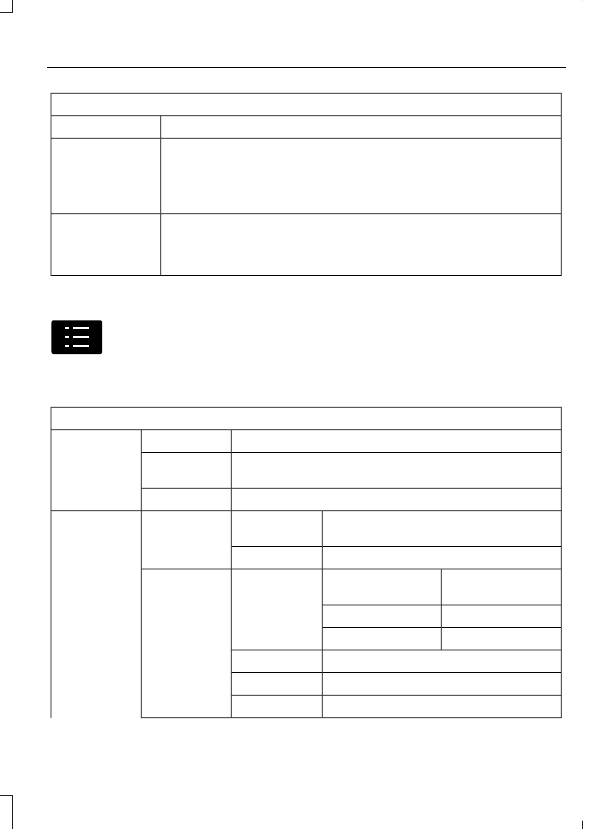
Settings

On or Off

Traction Ctrl

Driver Assist

On or Off

Home Range
warn

On or Off

Rear Park Aid

On or Off

Auto Light
Rain

Lighting

Vehicle

Manual or select time interval

Home Light

Auto or Last
Settings

Heater - A/C

Climate
Control

Remote Start

Auto or Off

Front Defrost

Auto or Off

Rear Defrost

5, 10 or 15 minutes

Duration

On or Off

Quiet Start

Enable or Disable

System

Settings

Select number of years

Tire Mobility
Kit

Hold OK to Create MyKey

Create MyKey

MyKey

Always On or User Selectable

Traction
Control

Choose desired speed or off

Max Speed

Choose desired speed or off

Speed Minder

On or Off

Volume
Limiter

Hold OK to Clear All MyKeys

Clear MyKeys

Select the desired language

Language

Display

Miles or km

Distance

Units

Fahrenheit (°F) or Celsius (°C)

Temperature

On or Off

Brake Coach

On or Off

Regen Display

Hold OK to Reset

Lifetime
Summary

Right Information Display Controls

E179398

Press the up and down arrow buttons
to scroll through and highlight the
options within a menu.

Press the right arrow button to enter a
sub-menu.

Press the left arrow button to exit a
menu.

Press the OK button to choose and
confirm settings or messages.

Main menu

From the main menu bar on the right side
of the information display, you can choose
from the following categories:

E142611

Entertainment

Phone

E220613

Navigation or Compass

E220614

Surplus

Entertainment

See your SYNC information.

Phone

See your SYNC information.

Navigation or Compass

See your SYNC information.

Surplus

In Surplus mode, either butterflies or a
gauge represent surplus or status. The
number of butterflies matches the current
surplus or status distance up to a
maximum of sixteen butterflies. If you
entered your next charge destination in the
navigation system and you see butterflies
on your screen, then you should be able to
make your destination (you have a
Surplus). If you see butterflies but did not
enter your next charge destination, then

you should be able to achieve the range
estimate shown at the start of your drive
(you have a positive Status). See Display
Mode under Left Information Display
Controls in this chapter for more
information.

INFORMATION MESSAGES

E130248

Press the OK button to acknowledge and
remove some messages from the
information display.  You need to confirm
certain messages before you can access
the menus.  The information display will
automatically remove other messages
after a short period of time.

Note: Certain messages may be
abbreviated or shortened depending upon
which cluster type you have.

AdvanceTrac®

Action

Message

The system has detected a condition that requires service.
Contact an authorized dealer as soon as possible.

Service AdvanceTrac

Alarm System

Action

Message

Alarm triggered due to unauthorized entry.  See Passive Anti-
Theft System (page 58).

Vehicle Alarm To Stop
Alarm, Start Vehicle.

Battery and Charging System (High Voltage)

Action

Message

Your vehicle needs confirmation it is unplugged before
allowing to power on. You must make sure your vehicle is
unplugged and you respond to the message prompt before
powering on your vehicle.

Vehicle Plugged In ? Yes
No

Your vehicle is ready to drive.

Ready to Drive

Your vehicle detects it is still plugged in and you attempt to
start it.

Unplug Prior to Starting
Vehicle

Stop your vehicle as soon as it is safe to do so and power it
off. Contact an authorized dealer.

Elec system overvoltage
Stop safely

Warning of a low 12–volt battery condition. Turn off all
unneeded electrical accessories. Contact an authorized dealer.

Battery low See manual

The estimated range is 10 mi (16 km) or 15 mi (24 km) for
MyKey. Your vehicle needs to be charged soon.

Low Battery

The estimated range is 10 mi (16 km) or 15 mi (24 km) for
MyKey and the climate system is in use. Turn off unneeded
climate system operation to increase your vehicle range.

Low Battery Reduce
Climate use for more
range

The estimated range is 0 mi (0 km). Stop your vehicle in a
safe place. Your vehicle must be charged.

Depleted Battery Stop
safely now

High climate usage may make it difficult to stay within your
energy budget.

Reduce Climate Use for
More Range

Cold battery temperatures is affecting your vehicle perform-
ance.

Limited Performance
Due to cold battery

Your vehicle performance is severely affected by cold battery
temperatures. Drive with caution. Keep your vehicle plugged
in when not in use to maintain proper battery temperature.

Severely Limited
Performance Due to cold
battery

Hot battery temperature is affecting your vehicle performance.

Limited Performance
Due to hot battery


Content   ..  19  20  21  22   ..