Ford Focus Electric (2018 year). Manual - part 19
 

  Index      Ford     Ford Focus Electric - service manual 2018 year in english


Search            


Content   ..  17  18  19  20   ..


Ford Focus Electric (2018 year). Manual - part 19


Charging Status Screen

When you enter or switch off the vehicle,
on your right information display you have
the opportunity to view charging status,
charge start and end times as well as the
charging mode. You can also switch your
charging mode between Value Charge and
Charge Now. See Electric Vehicle
Information in your SYNC information.

WARNING LAMPS AND
INDICATORS

The following warning lamps and
indicators alert you to a vehicle condition
that may become serious.  Some lamps
illuminate when you start your vehicle to
make sure they work.  If any lamps remain
on after starting your vehicle, refer to the
respective system warning lamp for further
information.

Note: Some warning indicators appear in
the information display and operate the
same as a warning lamp but do not
illuminate when you start your vehicle

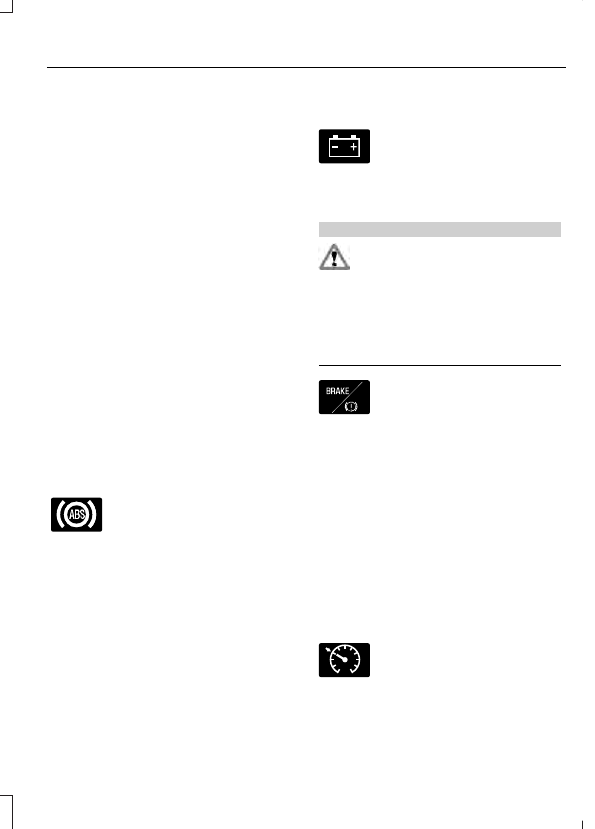
Anti-Lock Braking System Warning
Lamp

If it illuminates when you are
driving, this indicates a
malfunction.  You will continue

to have the normal braking system
(without anti-lock braking system) unless
the brake system warning lamp is also
illuminated.  Have your vehicle checked by
an authorized dealer.

It also momentarily illuminates when you
switch the ignition on to confirm the lamp
is functional. If it does not illuminate when
you switch the ignition on, or begins to
flash at any time, have the system checked
by an authorized dealer.

Battery Charging Condition
Warning Lamp

If it illuminates when driving, this
indicates a malfunction.  Have
your vehicle checked by an

authorized dealer immediately.

Brake System Warning Lamp

WARNING

Driving your vehicle with the warning
lamp on is dangerous. A significant
decrease in braking performance

may occur. It may take you longer to stop
your vehicle. Have your vehicle checked as
soon as possible. Driving extended
distances with the parking brake engaged
can cause brake failure and the risk of
personal injury.

E138644

It will illuminate when you
engage the parking brake with
the vehicle on.

If it illuminates when you are driving, check
that the parking brake is not engaged. If
the parking brake is not engaged, this
indicates low brake fluid level or a brake
system malfunction. Have your vehicle
checked by an authorized dealer
immediately.

It also momentarily illuminates when you
switch the ignition on to confirm the lamp
is functional. If it does not illuminate when
you switch the ignition on, or begins to
flash at any time, have the system checked
by an authorized dealer.

Cruise Control Indicator

E71340

It will illuminate when you switch
this feature on.

Direction Indicator

It illuminates when you switch a
direction indicator or the hazard
flashers on.  Flashes during

operation.  An increase in the rate of
flashing warns of a failed indicator bulb.

Door Ajar

Displays when the vehicle is on
and any door is not completely
closed.

Motor Coolant Temperature

Lights when the motor coolant
temperature is high. Stop your
vehicle as soon as possible,

power it down and let it cool.

Fasten Safety Belt Warning Lamp

E71880

It will illuminate and a chime will
sound to remind you to fasten
your safety belt.  See Seatbelt

Reminder (page 31).

Front Airbag Warning Lamp

E67017

If the warning lamp does not
illuminate during start up,
remains on or flashes, the

system may be disabled.  Have your vehicle
checked by an authorized dealer.

High Beam Indicator

It will illuminate when you switch
the high beam headlamps on. It
will flash when you use the

headlamp flasher.

Liftgate Ajar

E162453

Lights when the liftgate is not
completely closed.

Limited Performance

E144690

Amber: Indicates limited vehicle
performance due to a cold or hot
battery. A corresponding

message displays.

Red: Indicates severely limited vehicle
performance due to a cold or hot battery.
This is accompanied by a corresponding
message. Drive with caution. Keep your
vehicle plugged in when not in use to
maintain battery temperature.

Low Battery

E144691

Lights when the battery level is
low. You may also see a
message suggesting you reduce

your usage of the climate system.

Low Tire Pressure Warning

Lights when your tire pressure is
low. If the lamp remains on at
start up or when driving, check

your tire pressure as soon as possible.

It also lights momentarily when you switch
on your vehicle to confirm the lamp is
functional. If it does not light when you
switch on your vehicle, or begins to flash
at any time, have the system checked by
an authorized dealer.

Low Washer Fluid

E132353

Lights when the windshield
washer fluid is low.

Headlamp and Parking Lamp
Indicator

It will illuminate when you switch
the headlamps or parking lamps
on.

Powertrain Fault

Lights when the system detects
a powertrain or high-voltage
charge system fault. If the

indicator stays on or continues to come on,
contact an authorized dealer as soon as
possible.

Ready to Drive

E144692

Lights after you power your
vehicle on and it is ready to drive.
A corresponding message may

display stating ready to drive.

Stability Control Warning Lamp

E138639

Lights when the system is
active.  If it remains on or does
not light when you power your

vehicle on, this indicates a malfunction.
During a malfunction, the system turns off.
Have the system checked by an authorized
dealer immediately.  See Using Stability
Control (page 125).

Stability Control Off Indicator

E130458

Lights when you switch the
system off. It goes out when you
switch the system back on or

when you power off your vehicle. See
Using Stability Control (page 125).

Stop Safely

E144693

Indicates an electrical
component fault or failure that
causes your vehicle to shutdown

or enter into a limited operating mode. A
message may also display.

Vehicle Plugged in

E144694

Lights after you plug in your
vehicle. A corresponding
message may display after

attempting to power on your vehicle.

AUDIBLE WARNINGS AND
INDICATORS

Keyless Warning Alert

The horn will sound twice when you exit
your vehicle with the intelligent access key
and your vehicle is in RUN, indicating your
vehicle is still on.

Headlamps On Warning Chime

Sounds when you remove the key from the
ignition and open the driver's door and you
have left the headlamps or parking lamps
on.

Parking Brake On Warning Chime

Sounds when you have left the parking
brake on and drive your vehicle. If the
warning chime remains on after you have
released the parking brake, have the
system checked by your authorized dealer
immediately.

GENERAL INFORMATION

WARNING

Driving while distracted can result in
loss of vehicle control, crash and
injury. We strongly recommend that

you use extreme caution when using any
device that may take your focus off the
road. Your primary responsibility is the safe
operation of your vehicle. We recommend
against the use of any hand-held device
while driving and encourage the use of
voice-operated systems when possible.
Make sure you are aware of all applicable
local laws that may affect the use of
electronic devices while driving.

You can control various systems on your
vehicle using the information display
controls on the steering wheel.

The information display shows the
corresponding information.

Left Information Display Controls

E162394

Press the up and down arrow buttons
to scroll through and highlight the
options within a menu.

Press the right arrow button to enter a
sub-menu.

Press the left arrow button to exit a
menu.

Press and hold the left arrow button at
any time to return to the main menu
display (escape button).

Press the OK button to choose and
confirm settings or messages.

Main menu

From the main menu bar on the left side
of the information display, you can choose
from the following categories:

E144639

Display Mode

E138660

Trip 1 and 2

E220615

Energy

E144642

Information

E100023

Settings

Display Mode

E144639

Use the up or down arrow
buttons to choose between the
following display options.

Note: The cluster will remember the menu
level 2 state when you change the power
button state from the RUN to the OFF
position.


Content   ..  17  18  19  20   ..