Fiat Ulysse (2022 year). Manual in english - page 19
 

  Index      Manuals     Fiat Ulysse (2022 year). Manual in english


Search            copyright infringement  


Content      ..     17      18      19     


Fiat Ulysse (2022 year). Manual in english - page 19


292

Connect Nav

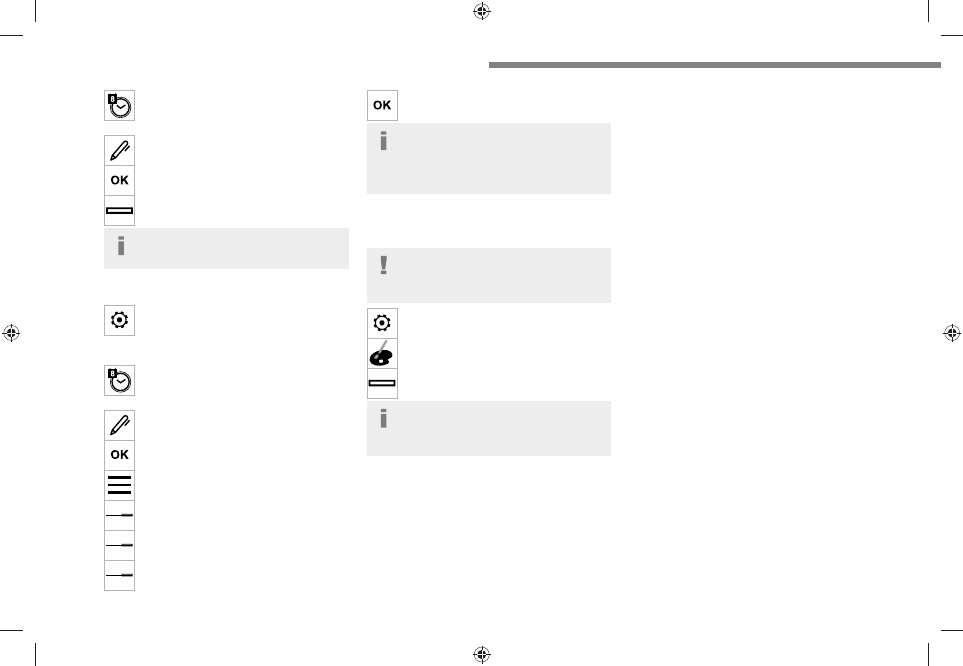
Select "

Setting the time-date

". 

Select "

Date

".

Press this button to set the date. 

Press "

OK

" to confirm.


Select the display format for the date. 

Time and date setting is only available if 
"GPS synchronisation" is deactivated.

Setting the time

Press 

Settings

 to display the main page. 

Press the "

OPTIONS

" button to access the 

secondary page.

Select "

Setting the time-date

". 

Select "

Time

".

Press this button to set the time using the 
virtual keypad.
Press "

OK

" to confirm.


Press this button to set the time zone. 

Select the display format for the time 
(12h/24h).

Activate or deactivate summer time (+1 

hour).

Activate or deactivate GPS 

synchronisation (UTC).

Press "

OK

" to confirm.


The system may not automatically 
manage the change between winter and 

summer time (depending on the country of 
sale).

Colour schemes

Depending on equipment/Depending on version.

As a safety measure, the procedure for 

changing the colour scheme is only 

possible when the 

vehicle is stationary

.

Press 

Settings

 to display the main page. 

Select "

Color schemes

". 

Select a colour scheme in the list then 
press "

OK

" to confirm.

Whenever the colour scheme is 
changed, the system restarts, temporarily 

displaying a black screen.

Frequently asked 
questions

The following information groups together the 
answers to the most frequently asked questions 
concerning the system.

Navigation

I cannot enter the navigation address.

The address is not recognised.

►  Use the "intuitive method" by pressing 

the "Search…" button at the bottom of the 
"Navigation” page.

The route calculation is not successful.

The route settings may conflict with the current 

location (for example, if toll roads are excluded 
but the vehicle is on a toll road).

►  Check the route settings in the "Navigation" 

menu.

I am not receiving "Danger zone" alerts.

You have not subscribed to the online services 
option.

►  If you have subscribed to the option:

- a few days may elapse before the service is 
activated,
- services may not be selected in the system 
menu,
- online services are not active ("TOMTOM 
TRAFFIC" not shown on the map).

The POIs do not appear.

The POIs have not been selected.

►  Set the zoom level to 200 metres (656 ft), or 

select POIs from the POI list.

The "Danger zone" audible warning feature is 

not working.

The audible warning is not active or the volume 
is too low.

14/02/2022   15:34:25

-------------------------------------------------------------------------------------------------------------------------------------------------------------

293

Connect Nav

12

►  Activate the audible warning in the 

"Navigation" menu and check the voice volume 
in the sound settings.

The system does not suggest a detour 

around an incident on the route.

The route settings do not take account of TMC 
messages.

►  Configure the "Traffic info" function in the 

route settings list (None, Manual or Automatic).

I am receiving a "Danger zone" alert which is 

not on my route.

As well as providing guided navigation, the 
system announces all "Danger areas" positioned 
in a cone located in front of the vehicle. It may 
provide an alert for "Danger areas" located on 
nearby or parallel roads.

►  Zoom the map to show the exact location 

of the "Danger area". You can select "On the 
route" to stop receiving warnings or decrease the 
warning duration.

Certain traffic jams along the route are not 

indicated in real time.

On starting, a few minutes may elapse before 

the system begins to receive traffic information.

►  Wait until traffic information is being received 

correctly (traffic information icons shown on the 

map).
In certain countries, only major routes 

(motorways, etc.) are listed for the traffic 

information.
This is perfectly normal. The system is 

dependent on the traffic information available.

The altitude is not displayed.

On starting, GPS initialisation may take up to 
3 minutes to receive more than 4 satellites 
correctly.

►  Wait until the system has started up 

completely so that there is GPS coverage by at 
least 4 satellites.
Depending on the geographical environment 
(tunnel, etc.) or the weather, the conditions of 
reception of the GPS signal may vary.
This behaviour is normal. The system is 
dependent on the GPS signal reception 
conditions.

My navigation is no longer connected.

During start-up and in certain geographical 
areas, the connection may be unavailable.

►  Check that the online services are activated 

(settings, contract).

Radio

The reception quality of the radio station 

being listened to gradually deteriorates or 

the station presets are not working (e.g. no 

sound, "87.5" MHz is displayed).

The vehicle is too far from the selected station’s 
transmitter, or no transmitter is present in the 
geographical area.

►  Activate the "RDS" function by means of the 

short-cut menu to enable the system to check 
whether there is a more powerful transmitter in 
the geographical area.
The aerial is missing or damaged (e.g. when 
going through a car wash or in an underground 
car park).

►  Have the aerial checked by a dealer.

The surrounding area (e.g. hill, building, tunnel, 
underground car park, etc.) is blocking reception, 
including in RDS tracking mode.
This is a perfectly normal phenomenon, and is 
not indicative of an audio system malfunction.

I cannot find some radio stations in the list of 

stations received.

The name of the radio station changes.

The station is no longer received or its name has 
changed in the list.
Some radio stations send other information 
in place of their name (the title of the song for 
example).
The system interprets these details as the station 
name.

►  Press "Update list" in the "Radio stations" 

secondary menu.

Media

Playback of my USB memory stick starts only 

after a very long wait (around 2 to 3 minutes).

Some files supplied with the memory stick may 

greatly slow down access to reading the memory 
stick (multiplication by 10 of the cataloguing 
time).

►  Delete the files supplied with the memory 

stick and limit the number of sub-folders in the 

file structure on the memory stick.

There may be an extended pause after 

inserting a USB stick.

14/02/2022   15:34:25

-------------------------------------------------------------------------------------------------------------------------------------------------------------

294

Connect Nav

The system reads a variety of data (folder, title, 
artist, etc.). This can take from a few seconds to 
a few minutes.
This is perfectly normal.

Some characters in information about the 

currently playing media may not be displayed 

correctly.

The audio system is unable to process certain 
types of character.

►  Use standard characters to name tracks and 

folders.

Playback of streaming files does not start.

The connected device does not automatically 
launch playback.

►  Start playback from the device.

Track names and playing times are not 

displayed on the audio streaming screen.

The Bluetooth profile does not allow the transfer 

of this information.

Telephone

I am unable to connect my Bluetooth 

telephone.

The telephone's Bluetooth function may be 

switched off or the device may not be visible.

►  Check that the telephone has Bluetooth 

switched on.

►  Check in the telephone settings that it is 

"visible to all".

►  Deactivate then reactivate the telephone’s 

Bluetooth function.
The Bluetooth telephone is not compatible with 
the system.

►  You can check the compatibility of the 

telephone on the Brand's website (services).

Android Auto and/or CarPlay do not work.

Android Auto and CarPlay may not activate if the 
USB cables are of poor quality.

►  Use genuine USB cables to ensure 

compatibility.

Android Auto and/or CarPlay do not work.

Android Auto and CarPlay are not available in all 
countries.

►  Check the list of supported countries via 

these websites: Google Android Auto or Apple.

The volume of the telephone connected via 

Bluetooth is too low.

The volume depends on both the system and the 
telephone.

►  Increase the volume of the audio system, to 

maximum if required, and increase the volume of 
the telephone if necessary.

Ambient noise affects the quality of the 

telephone call.

►  Reduce ambient noise (e.g. close the 

windows, reduce ventilation, slow down).

Some contacts are duplicated in the list.

The options for synchronising contacts are: 
synchronise the contacts on the SIM card, the 
contacts on the telephone, or both. When both 
synchronisations are selected, some contacts 
may be duplicated.

►  Select "Display SIM card contacts" or 

"Display telephone contacts".

The contacts are not listed in alphabetical 

order.

Some telephones offer display options. 

Depending on the settings chosen, contacts can 

be transferred in a specific order.

►  Modify the telephone directory display 

settings.

The system is not receiving SMS text 

messages.

Bluetooth mode does not allow SMS text 
messages to be sent to the system.

Settings

When the treble and bass settings are 

changed, the ambience is deselected.

When the ambience is changed, the treble 

and bass settings are reset.

Selecting an ambience imposes the treble and 
bass settings, and vice versa.

►  Modify the treble and bass or ambience 

settings to obtain the desired musical ambience.

When the balance settings are changed, the 

distribution is deselected.

When the distribution setting is changed, the 

balance settings are deselected.

Selecting a distribution setting imposes the 
balance settings, and vice versa.

►  Modify the balance setting or the distribution 

setting to obtain the desired sound quality.

There is a difference in sound quality 

between audio sources.

To allow for optimal listening quality, the sound 

settings can be tailored to different audio 

sources, which can generate audible differences 

when changing source.

14/02/2022   15:34:25

-------------------------------------------------------------------------------------------------------------------------------------------------------------

295

Connect Nav

12

►  Check that the sound settings are appropriate 

to the sources listened to. We recommend 
setting the sound functions (Bass, Treble, 
Balance) to the middle position, setting the 
musical ambience to "None", setting loudness 
correction to "Active" in USB mode and "Inactive" 
in Radio mode.

►  In all cases, after applying sound settings, 

adjust the volume level on the portable device (to 

a high level) first. Then adjust the volume level 

on the audio system.

When the engine is off, the system switches 

off after several minutes of use.

When the engine is switched off, the system's 

operating time depends on the state of charge of 
the battery.

The switch-off is normal: the system 

automatically goes into energy economy mode 

and switches off to maintain an adequate charge 

in the battery.

►  Start the vehicle’s engine to increase the 

charge of the battery.

The date and time cannot be set.

Date and time settings are only available if 
satellite synchronisation is deactivated.

►  Settings menu/Options/Date-Time Setting. 

Select the "Time" tab and deactivate "GPS 
synchronisation" (UTC).

14/02/2022   15:34:25

-------------------------------------------------------------------------------------------------------------------------------------------------------------

296

Event data recorders

Recording event data

Electronic control units are installed in your 
vehicle. These control units process data 
received from the vehicle's sensors, for example, 
or data they generate themselves or exchange 
with each other. Some of these control units are 
required for the correct operation of your vehicle, 
some others assist you while driving (driving or 
manoeuvring aids), while others provide comfort 
or infotainment functions.
The following contains general information about 
how data is processed within the vehicle.

You will find additional information about the 

specific data which is downloaded, stored 

and transmitted to third parties and what it is 
used for in your vehicle under the keyword 
"Data protection". This information is directly 
associated with the references for the functions 
in question contained in the corresponding 
vehicle handbook, or in the general terms and 
conditions of sale.
This information is also available online.

Vehicle operating data

The control units process the data used for the 
operation of the vehicle. 
This data includes, for example: 
–  Information about the state of the vehicle 
(e.g. speed, travel time, lateral acceleration, 
wheel rotation rate, fastened seat belts display). 
–  Environmental conditions (e.g. temperature, 
rain sensor, distance sensor). 

As a general rule, this data is temporary, is 
not stored for longer than one operating cycle 
and is only used within the vehicle itself. The 
control units often record this data (including the 
vehicle's key). This function allows either the 
temporary or permanent storage of information 
about the state of the vehicle, stresses on 
components, servicing requirements, as well as 
events and technical errors. 
Depending on the vehicle's equipment level, the 
data stored is as follows: 
–  Operating state of system components 

(e.g. filling level, tyre pressures, battery charge 

status). 
–  Faults and malfunctions in important system 
components (e.g. lamps, brakes). 

–  System reactions in specific driving situations 

(e.g. deployment of an airbag, triggering of 
stability control and braking systems). 
–  Information about events which have 
damaged the vehicle. 
–  For electric and rechargeable hybrid vehicles, 
the traction battery charge level and the 
estimated driving range. 
In particular circumstances (e.g. if the vehicle 
has detected a malfunction), it may be necessary 
to record data which would otherwise simply not 
be stored. 
When taking your vehicle in for servicing 
(e.g. repairs, maintenance), the stored operating 
data may be read along with the vehicle's 

identification number and used if necessary. 

The personnel working for the servicing network 

(e.g. garages, manufacturers) or third parties 
(e.g. roadside assistance agents) may read 
the vehicle's data. This also applies to work 
carried out under warranty and quality assurance 
measures. 
This data is generally read via the OBD 

(On-Board Diagnostics) port fitted by law to 

the vehicle. It is used to report on the technical 
state of the vehicle or its components and 
facilitates the diagnosis of malfunctions, in 
compliance with warranty obligations and for 
quality improvement. This data, in particular the 
information relating to stress on components, 
technical events, operator errors and other 
malfunctions, is sent to the Manufacturer, if 

necessary, along with the vehicle's identification 

number. The Manufacturer's liability may also be 
engaged. The Manufacturer may also use the 
operating data taken from the vehicle for product 
recalls. This data may also be used to check the 
customer's warranty and any claims made under 
warranty. 
Any malfunctions stored in the vehicle may be 
reset by an after-sales service company during 
servicing or repair work, or at your request. 

Comfort and infotainment 

functions

Comfort settings and personalised settings 

may be saved in the vehicle and modified or 

reinitialised at any time. 

14/02/2022   15:34:25

-------------------------------------------------------------------------------------------------------------------------------------------------------------

297

Event data recorders

13

Depending on the vehicle's equipment level, this 
may include: 
–  Seat and steering wheel position settings. 
–  Chassis and air conditioning settings. 
–  Personalised settings such as the interior 
lighting. 
You can enter your own data into the functions 
of your vehicle's audio and telematic system, as 
part of the selected functionalities. 
Depending on the vehicle's equipment level, this 
may include: 
–  Multimedia data such as music, videos or 
photos to be read by an integrated multimedia 
system. 
–  Address book data to be used with an 
integrated hands-free system or with an 
integrated navigation system. 
–  Entered destinations. 
–  Data regarding the use of online services. 
This data for the comfort and infotainment 
functions may be stored locally in the vehicle 
or saved to a device that you have connected 
to the vehicle (e.g. smartphone, USB memory 
stick or MP3 player). Data that you have entered 
yourself may be deleted at any time. 
This data may also be transmitted outside the 
vehicle at your request, particularly when using 
online services in line with the settings that you 
have selected. 

Smartphone integration 

(e.g. Android Auto

®

 or 

Apple

®

CarPlay

®

)

If your vehicle is equipped accordingly, you can 
connect your smartphone or another mobile 
device to the vehicle in order to operate it using 
the vehicle's integrated controls. Images and 
sounds from the smartphone can be transmitted 
through the audio and telematics system. 

Specific information is simultaneously sent 

to your smartphone. Depending on the type 
of integration, this includes data such as location, 
day/night mode and other general information 
about the vehicle. For more information, please 
refer to the user instructions for the vehicle or the 
audio and telematics system.
Integrating a smartphone allows you to use 
its applications, such as a navigation app or 
music player. No other integration between 
the smartphone and the vehicle is possible, in 
particular active access to vehicle data. How the 
data is processed subsequently is determined 
by the supplier of the application being used. 
The ability the change settings depends on the 
application in question and on the operating 
system installed on your smartphone. 

Online services

If your vehicle is connected to a wireless 
network, data can be exchanged between 
your vehicle and other systems. Connection 
to a wireless network is made possible via a 

transmitter located in your vehicle or a mobile 
device that you have provided (e.g. smartphone). 
The online services can be used via this wireless 
connection. These include online services and 
applications (apps) provided to you by the 
Manufacturer or other suppliers. 

Exclusive services

As regards the Manufacturer's online services, 
the corresponding functions are described by 
the Manufacturer in an appropriate medium 
(e.g. handbook, Manufacturer's website) and the 
information about data protection is provided. 
Personal data may be used for online services. 
The exchange of data for this purpose takes 
place over a secure connection, using for 
example the Manufacturer's dedicated computer 
systems. The collection, processing and use of 
personal data for the development of services 
are carried out solely on the basis of a legal 
authorisation, for example in the case of a 
legal emergency call system or a contractual 
agreement or else under a consent agreement. 
You can activate or deactivate the services and 
functions (some may be chargeable) and, in 
some cases, the vehicle's entire connection to 
the wireless network. This does not include the 
statutory functions and services such as the 
emergency or assistance call system. 

Third-party services

If you use online services provided by other 
(third-party) suppliers, these services are subject 

14/02/2022   15:34:25

-------------------------------------------------------------------------------------------------------------------------------------------------------------

298

Event data recorders

to the responsibility, the data protection and 
the terms and conditions of use of the supplier 
in question. The Manufacturer often has no 

influence over the content exchanged in this 

regard. 
Please therefore ensure that you are aware of 
the nature, extent and purpose of the collection 
and use of personal data as part of the third-
party services provided by the service provider 
in question. 

14/02/2022   15:34:25

-------------------------------------------------------------------------------------------------------------------------------------------------------------


Content      ..     17      18      19