Citroen Jumpy Multispace (2014 year). Instruction - part 12
9.13
05
JUMPY-ATLANTE-VP_EN_CHAP09B_RT6-2-7_ED01-2014
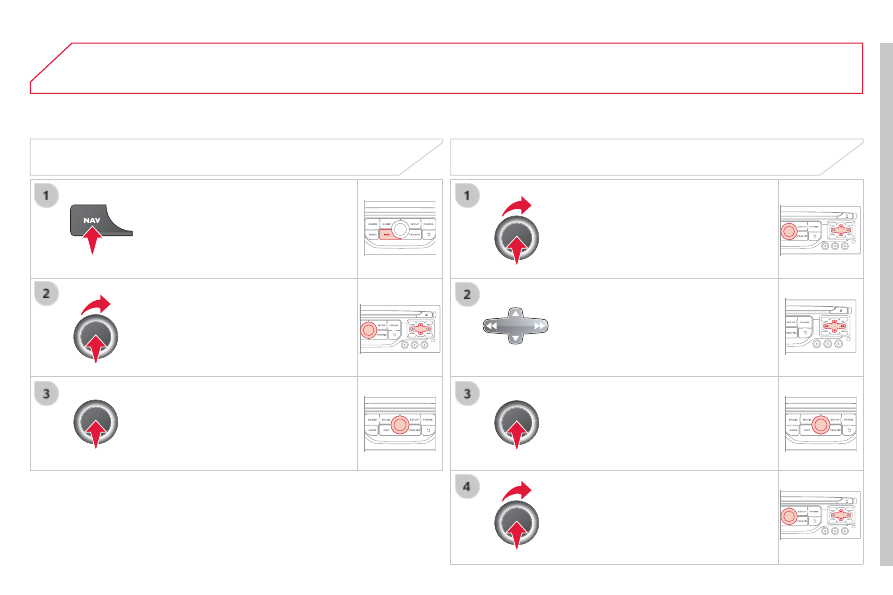
Select "
Select destination " and
confi rm, then select "
GPS coordinates "
and confi rm.
Enter the GPS coordinates and confi rm
"
OK " to start the guidance.
Press
NAV to display the
"
Navigation - guidance " menu.
NAVIGATION - GUIDANCE
TOWARDS GPS COORDINATES
TOWARDS A POINT ON THE MAP
With the map displayed, press
OK to
display the contextual menu. Select
"
Move the map " and confi rm.
Press
OK to display the contextual
menu for "
Move the map " mode.
Select "
Select as destination " or
"
Select as stage " and confi rm.
Move the cursor using the control to
identify the desired destination.