Citroen DS4 (2017 year). Instruction - part 13
 

  Index      Citroen     Citroen DS4 - instruction 2017 year in english


Search            


Content   ..  11  12  13  14   ..


Citroen DS4 (2017 year). Instruction - part 13


06

191

Driving

DS4_en_Chap06_conduite_ed01-2016

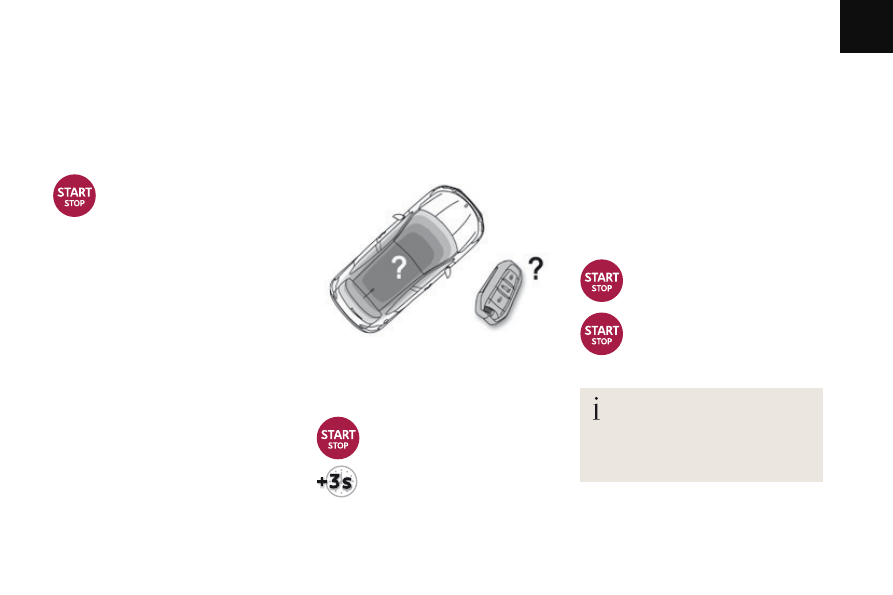
Emergency switch-off

In the event of an emergency only, 
the engine can be switched of without 
conditions. To do this, press and hold 
the "START/STOP" button for about 
3 seconds.

In this case the steering column locks as soon 
as the vehicle stops.

Electronic key not recognised

If the electronic key is no longer in the 
recognition zone when driving or when you 
(later) request switching off the engine, a 
message is displayed.

F

  Press and hold the "START/

STOP" button for about 
3 seconds if you want to force 
switching off the engine (note 
that restarting will not be 
possible without the key)

.

Ignition on position

(without starting)

With the Keyless Entry and Starting key inside 
the vehicle, pressing the "START/STOP
button, with no action on the pedals, allows 
the ignition to be switched on.

F  Press the "START/STOP" button, 

the instrument panel comes on 
but the engine does not start.

F

  Press the button again to switch 

off the ignition and so allow the 
vehicle to be locked.

With the ignition on, the system 
automatically goes into energy 
economy mode when required to 
maintain the state of charge of the 
battery.

06

192

Driving

DS4_en_Chap06_conduite_ed01-2016

Manual parking brake

Applying

Releasing

F

  Pull the parking brake lever up gently, 

press the release button then lower the 
lever fully.

When parking on a slope, direct your 
wheels against the kerb, apply the 
parking brake, engage a gear and 
switch off the ignition.

When the vehicle is being driven, 
if this warning lamp and the STOP 
warning lamp come on, accompanied 
by an audible signal and a message 
in the multifunction screen, this 
indicates that the parking brake is still 
on or has not been properly released.

F

  Pull the parking brake lever fully up to 

immobilise your vehicle.

06

193

Driving

DS4_en_Chap06_conduite_ed01-2016

Electric parking brake

The electric parking brake has two operating 
modes:

Automatic application / release 


Application is automatic when the engine 
stops, release is automatic on use of the 
accelerator (activated by default),

Manual application / release 


The parking brake can be applied / 
released manually by pulling control 
lever A

.

Do not place any object (packet of 
cigarettes, telephone...) between the 
gear lever and the electric parking 
brake control lever.

It is recommended that you do not 
apply the parking brake in very cold 
conditions (ice) and during towing 
(breakdown, caravan...). Deactivate the 
automatic functions and release the 
parking brake manually.

If this warning lamp comes on in 
the instrument panel, the automatic 
mode is deactivated.

Programming the mode

Depending on the country of sale of the vehicle, 
the automatic application when the engine is 
switched off and the automatic release when 
you press the accelerator can be deactivated.

Activation / deactivation is done 
using the vehicle configuration 
menu; refer to the section covering 
the configuration of your vehicle's 
systems.

The parking brake is then applied and released 
manually. When the driver's door is opened, 
there is an audible signal and a message is 
displayed if the parking brake is not applied.

06

194

Driving

DS4_en_Chap06_conduite_ed01-2016

With the ignition on or the engine running, to 
release the parking brake, press on the brake 
pedal or the accelerator, pull then release 
control A

.

Manual release

Before leaving the vehicle, ensure 
that parking brake warning lamp in the 
instrument panel is on fixed, not flashing.

Manual application

With the vehicle stationary, to apply the parking 
brake whether the engine is running or off, pull 
control lever A

.

The application of the parking brake is 
confirmed by:

-  illumination of the braking warning 

lamp and of the P warning lamp in 
the control lever A,

-  display of the message "Parking 

brake on".

When the driver’s door is opened with the 
engine running, a message is displayed 
accompanied by an audible signal if the parking 
brake has not been applied.
With an automatic gearbox, the audible signal 
and the message will not appear if the gear 
selector is at position P

.

The full application of the parking brake is 
confirmed by:

-  the braking warning lamp and 

the P

 warning lamp in the control 

lever A

 going off,

-  display of the message "Parking 

brake off".

If you pull control lever A without 
pressing the brake pedal, the parking 
brake will not be released and a 
warning lamp will come on in the 
instrument panel.

Maximum application

If necessary, you can make a maximum 
application

 of the parking brake. This is 

obtained by means of a long pull on the control 
lever A

, until you see the message "Parking 

brake on maximum" and a beep is heard.
Maximum application is essential:
-  in the case of a vehicle towing a caravan 

or a trailer, if the automatic functions are 
activated but you are applying the parking 
brake manually,

-  when the gradient you are parked on may 

vary (e.g. on a ferry, on a lorry, during 
towing),

In the case of towing, a loaded vehicle 
or parking on a gradient, make a 
maximum application of the parking 
brake then turn the front wheels 
towards the pavement and engage a 
gear when you park.
After a maximum application, the 
release time will be longer.

06

195

Driving

DS4_en_Chap06_conduite_ed01-2016

With the vehicle stationary, the parking brake 
is automatically applied when the engine is 
switched off

.

Automatic application, 

engine off

In the case of towing, a loaded vehicle 
or parking on a gradient, turn the front 
wheels towards the pavement and 
engage a gear when you park.

Before leaving the vehicle, ensure 
that parking brake warning lamp in 
the instrument panel is on fixed (not 
flashing).
Never leave a child alone inside the 
vehicle with the ignition on, as they 
could release the parking brake.

-  illumination of the braking warning 

lamp and of the P warning lamp in 
the control lever A,

-  display of the message "Parking 

brake on".

The application of the parking brake is 
confirmed by:

Automatic release

The electric parking brake releases 
automatically and progressively
 when you 
press the accelerator:
F

  With a manual gearbox: press down fully 

on the clutch pedal, engage first gear or 
reverse, press on the accelerator pedal 
and move off.

F

  With an automatic gearbox: select 

position DM or R then press the 
accelerator pedal.

When stationary, with the engine running, do 
not press the accelerator pedal unnecessarily, 
as you may release the parking brake.

Full release of the parking brake is 
confirmed by:

-  the braking warning lamp and 

the P

 warning lamp in the control 

lever A

 going off,

-  display of the message "Parking 

brake off".

06

196

Driving

DS4_en_Chap06_conduite_ed01-2016

With the engine running and the vehicle 
stationary, in order to immobilise the vehicle 
it is essential to manually

 apply the parking 

brake by pulling control lever A.

Immobilising the vehicle, 

engine running

The emergency braking must only be 
used in exceptional circumstances.

Before leaving the vehicle, ensure 
that parking brake warning lamp in the 
instrument panel is on fixed, not flashing.

The application of the parking brake is 
confirmed by:

-  illumination of the braking 

warning lamp and the P warning 
lamp in the control lever A,

-  display of the message "Parking 

brake on".

When the driver’s door is opened, a message is 
displayed accompanied by an audible signal, if 
the parking brake has not been applied.
With an automatic gearbox, the audible signal 
and the message will not appear if the gear 
selector is at position P

.

Particular situations

In certain situations (e.g. starting the engine), 
the parking brake can automatically alter its 
force. This is normal operation.
To advance your vehicle a few centimetres 
without starting the engine, but with the ignition 
on, press on the brake pedal and release the 
parking brake by pulling then releasing the 
control lever A

. The full release of the parking 

brake is confirmed by the warning lamps in 
the control lever A

 and in the instrument panel 

going off and display of the message "Parking 
brake off".

Emergency braking

In the event of failure of the electronic 
stability control system, signalled by 
the illumination of this warning lamp, 
braking stability is then not guaranteed.

In the event of a failure of the main service 
brake or in an exceptional situation (e.g. driver 
taken ill, under instruction, etc) a continuous 
pull on the control lever A

 will stop the vehicle.

The electronic stability control provides stability 
during emergency braking.
If the emergency braking malfunctions, 
the message "Parking brake faulty" will be 
displayed.

In this event, stability must be assured by the 
driver by repeating alternate "pull-release" 
actions on the control lever A

.

06

197

Driving

DS4_en_Chap06_conduite_ed01-2016

6-speed manual gearbox

F

  Raise the ring under the knob and move 

the gear lever to the left then forwards.

Engaging reverse gear

As a safety precaution and to facilitate 
starting of the engine:

always select neutral,

-  press the clutch pedal.

Only engage reverse gear when the 
vehicle is stationary with the engine at idle.

Engaging 5

th

 or 6

th

 gear

F

  Move the lever fully to the right to 

engage 5

th

 or 6

th

 gear.

Failure to observe this procedure 
may cause permanent damage to the 
gearbox (engaging 3

rd

 or 4

th

 gear by 

mistake).

06

198

Driving

DS4_en_Chap06_conduite_ed01-2016

Automatic gearbox

Gear selection gate

Six speed automatic gearbox which offers a 
choice between the comfort of fully automatic 
operation, enhanced by sport and snow 
programmes, and the pleasure of manual gear 
changing.
Two driving modes are offered:

automatic operation for electronic 
management of the gears by the gearbox, 
with a sport

 programme for a more 

dynamic style of driving and a snow 
programme to improve driving when 
traction is poor,

manual

 operation for sequential changing 

of the gears by the driver.

1.

  Gear selector.

2.

  Button "T" (snow).

3.

  Button "S(sport).

4.

  Position markings for the gear selector.

Gear selector positions

P.

 Park.

-  Immobilisation of the vehicle, parking brake 

on or off.

-  Starting the engine.
R.

 Reverse.

-  Reversing manoeuvres, vehicle stationary, 

engine at idle.

N.

 Neutral.

-  Immobilisation of the vehicle, parking brake 

on.

-  Starting the engine.
D.

 Automatic operation.

M.+ / -  Manual operation with sequential 

changing of the six gears.

F

  Push forwards to change up through the 

gears.

or
F

  Pull backwards to change down through 

the gears.

Displays in the instrument panel

When you move the selector in the gate to 
select a position, the corresponding indicator 
comes on in the instrument panel.
P

   Park

R   Reverse
N

   Neutral

D

   Drive (automatic driving)

S 

Sport

 programme

T  Snow

 programme

1 to 6

  Gear engaged during manual operation

-

   Invalid value during manual operation

06

199

Driving

DS4_en_Chap06_conduite_ed01-2016

Moving off

F

  With your foot on the brake, select 

position P or N

.

F

  Start the engine.

If this procedure is not followed, an audible 
signal is heard, accompanied by a message in 
the instrument panel screen.
F

  With the engine running, press the brake 

pedal.

F  Select position RD or M

.

If the parking brake does not release 
automatically, check that the front 
doors are fully closed.

When the engine is running at idle, with 
the brakes released, if position RD or 
M

 is selected, the vehicle moves even 

without the accelerator being pressed.
Never leave children unsupervised in 
the vehicle when the engine is running.
When carrying out maintenance with 
the engine running, apply the parking 
brake and select position P.

Automatic operation

F  Select position D for automatic

 changing 

of the six gears.

The gearbox then operates in auto-adaptive 
mode, without any intervention on the part 
of the driver. It continuously selects the most 
suitable gear according to the style of driving, 
the profile of the road and the load in the 
vehicle.
For maximum acceleration without touching 
the selector, press the accelerator pedal down 
fully (kick down). The gearbox changes down 
automatically or maintains the gear selected 
until the maximum engine speed is reached.
On braking, the gearbox changes down 
automatically to provide effective engine 
braking.
If you release the accelerator sharply, the 
gearbox will not change to a higher gear for 
safety reasons.

Never select position N while the 
vehicle is moving.
Never select positions P or R unless 
the vehicle is completely stationary.

If position N

 is engaged inadvertently 

while driving, allow the engine to 
return to idle then engage position D to 
accelerate.

If you do not press the brake pedal when 
trying to move the gear selector out 
of position P

, this warning lamp or this 

symbol appears in the instrument panel accompanied 
by a message, flashing of the P symbol, the display of 
a message and an audible signal.

F

  Check that the display in the instrument 

panel agrees with the position engaged.

F

  Gradually release the brake pedal.

The parking brake is released manually, the 
vehicle moves off.
If the parking brake is on and automatic mode 
is activated, accelerate progressively.

06

200

Driving

DS4_en_Chap06_conduite_ed01-2016

Manual operation

F  Select position M for sequential

 changing 

of the six gears.

F

  Push the selector towards the + sign to 

change up a gear.

F

  Pull the selector towards the - sign to 

change down a gear.

It is only possible to change from one gear to 
another if the vehicle speed and engine speed 
permit; otherwise, the gearbox will operate 
temporarily in automatic mode.

D

 disappears and the gears engaged 

appear in succession on the 
instrument panel.

If the engine speed is too low or too high, the 
gear selected flashes for a few seconds, then 
the actual gear engaged is displayed.
When the vehicle is stationary or moving 
very slowly, the gearbox selects gear 1 
automatically.
It is not necessary to release the accelerator 
when changing gear.
It is possible to change from position D 
(automatic) to position M (manual) at any time.
The sport and snow programmes do not 
operate in manual mode.

Sport and snow programmes

Sport programme "S"

F  Press button "S"

, after starting the engine.

The gearbox automatically favours a dynamic 
style of driving.

S

 appears in the instrument panel.

Snow programme "T"

F  Press button "T

", after starting the engine.

The gearbox adapts to driving on slippery 
roads.
This programme improves starting and drive 
when traction is poor.

T

 appears in the instrument panel.

Return to auto-adaptive mode

F

  At any time, press the button selected 

again to leave the special programme 
engaged and return to auto-adaptive mode.

These two special programmes supplement the 
automatic operation in very specific conditions 
of use.

06

201

Driving

DS4_en_Chap06_conduite_ed01-2016

Invalid value during manual 

operation

This symbol is displayed if a gear 
is not engaged correctly (selector 
between two positions).

Stopping the vehicle

Before switching off the engine, put the selector 
in position P or N

 to place the gearbox in 

neutral.
In both cases, apply the parking brake to 
immobilise the vehicle, unless it is programmed 
to automatic mode.

If the selector is not in position P
when the driver's door is opened or 
approximately 45 seconds after the 
ignition is switched off, there is an 
audible signal and a message appears.
F  Return the selector to position P

the audible signal stops and the 
message disappears.

Operating fault

When the ignition is on, a message appears 
in the instrument panel screen to indicate a 
gearbox fault.
In this case, the gearbox switches to back-up 
mode and is locked in 3rd gear. You may feel 
a substantial knock when changing from P 
to R

 and from N to R. This will not cause any 

damage to the gearbox.
Do not exceed 60 mph (100 km/h), local speed 
restrictions permitting.
Have it checked by a CITROËN dealer or a 
qualified workshop.

You risk damaging the gearbox:
-  if you press the accelerator and 

brake pedals at the same time,

-  if you force the selector from 

position P to another position when 
the battery is flat.

To reduce fuel consumption when 
stationary for long periods with the 
engine running (traffic jam...), position 
the gear selector at N and apply the 
parking brake, unless it is programmed 
in automatic mode.

06

202

Driving

DS4_en_Chap06_conduite_ed01-2016

System which keeps your vehicle immobilised 
temporarily (approximately 2 seconds) when 
starting on a gradient, the time it takes to 
move your foot from the brake pedal to the 
accelerator pedal.
This function is only active when:
-  the vehicle is completely stationary, with 

your foot on the brake pedal,

-  when certain conditions of gradient are 

met,

-  with the driver’s door closed.
The hill start assist function cannot be 
deactivated.

Hill start assist

On an ascending slope, with the vehicle 
stationary, the vehicle is held for a brief 
moment when you release the brake pedal.
-  With a manual gearbox, if you are in first 

gear or neutral.

-  With an automatic gearbox, if you are in 

position D or M

.

Operation

Do not leave the vehicle while it is 
being held in the hill start assist phase.
If you need to leave the vehicle while 
the engine is running, apply the parking 
brake manually then ensure that the 
parking brake warning lamp is on (not 
flashing) in the instrument panel.

On a descending slope, with the vehicle 
stationary and reverse gear engaged, the 
vehicle is held for a brief moment when you 
release the brake pedal.

Operating fault

If a fault occurs with the system, these warning 
lamps come on. Contact a CITROËN dealer 
or a qualified workshop to have the system 
checked.

06

203

Driving

DS4_en_Chap06_conduite_ed01-2016

Gear efficiency indicator*

On vehicle fitted with a manual 
gearbox, the arrow may be 
accompanied by the gear 
recommended.

With an automatic gearbox, the system 
is only active in manual mode.

* Depending on engine.

System which reduces fuel consumption by recommending the most appropriate gear.

Operation

Depending on the driving situation and your 
vehicle's equipment, the system may advise 
you to skip one (or more) gear(s). You can 
follow this instruction without engaging the 
intermediate gears.
The gear engagement recommendations must 
not be considered compulsory. Indeed, the 
configuration of the road, the amount of traffic 
and safety remain determining factors when 
choosing the best gear. Therefore, the driver 
remains responsible for deciding whether or not 
to follow the advice given by the system.
This function cannot be deactivated.

Example:
-  You are in third gear.
-  You press the accelerator pedal.

The information appears in the instrument 
panel in the form of an arrow.

The system adapts its gear change 
recommendation according to the 
driving conditions (slope, load, etc.) 
and the demands of the driver (power, 
acceleration, braking, etc.).
The system never suggests:
-  engaging first gear,
-  engaging reverse gear,
-  changing down.

-  The system may suggest that you engage 

a higher gear.

06

204

Driving

DS4_en_Chap06_conduite_ed01-2016

Tyre under-inflation detection

System which automatically checks the 
pressures of the tyres while driving.
The system continuously monitors the 
pressures of the four tyres, as soon as the 
vehicle is moving.

Driving with under-inflated tyres 
increases fuel consumption.

The tyre pressures for your vehicle can 
be found on the tyre pressure label.
The tyre pressures must be checked 
when the tyres are cold (vehicle 
stopped for 1 hour or after driving for 
less then 6 miles (10 km) at moderate 
speed). Otherwise, add 0.3 bar to the 
values indicated on the label.
For more information on Identification 
markings

, including the tyre pressure 

label, refer to the corresponding 
section.

This system does not avoid the need 
to check the tyre pressures regularly 
(including the spare wheel) and before 
a long journey.
Driving with under-inflated tyres 
adversely affects road holding, 
extends braking distances and causes 
premature tyre wear, particularly under 
arduous conditions (vehicle loaded, 
high speed, long journey).

The tyre under-inflation detection system is an 
aid to driving which does not replace the need 
for vigilance on the part of the driver.

Pressure sensors are located in the valve of 
each tyre (except the spare wheel).
The system triggers an alert if a drop in 
pressure is detected in one or more tyres.

06

205

Driving

DS4_en_Chap06_conduite_ed01-2016

Under-inflation alert

The loss of pressure detected does not 
always lead to visible deformation of 
the tyre.
Do not rely on just a visual check.

This alert is also displayed when one or 
more wheels is not fitted with a sensor 
(e.g. a space-saver or steel spare 
wheel).

The alert is maintained until the tyre or 
tyres concerned is reinflated, repaired 
or replaced.
The spare wheel (space-saver type or 
a steel rim) does not have a sensor.

The alert is given by the fixed 

illumination of this warning lamp, 

accompanied by an audible signal, 

and depending on equipment, the 

display of a message.

In the event of a problem on one of the tyres, 
the symbol or the message appears, depending 
on equipment, to identify it.

F

  Reduce speed immediately, avoid sudden 

steering movements or harsh brake 
applications.

F

  Stop as soon as it is safe to do so.

Operating fault

The flashing and then fixed 
illumination of the under-inflation 
warning lamp accompanied by the 
illumination of the service warning 
lamp indicates a fault with the system.

Go to a CITROËN dealer or a qualified 
workshop to have the system checked or, 
following the repair of a puncture, to have the 
original wheel, equipped with a sensor, refitted.

F

  If you have a compressor (e.g. the one in 

the temporary puncture repair kit), check 
the four tyre pressures when cold.


If it is not possible to check the tyre 
pressures at the time, drive carefully at 
reduced speed.

 or
F  In the event of a puncture, use the 

temporary puncture repair kit or the spare 
wheel (depending on equipment).

Any tyre repair or replacement on a wheel 
fitted with this system must be carried out by a 
CITROËN dealer or a qualified workshop.
If after changing a tyre, a wheel is not detected 
by your vehicle (e.g. fitting snow tyres), 
you must have the system reinitialised by a 
CITROËN dealer or a qualified workshop.

In this case, monitoring of the tyre pressures is 
not assured.

06

206

Driving

DS4_en_Chap06_conduite_ed01-2016

Stop & Start

Operation

Going into engine STOP mode

STOP mode does not affect the 
functionality of the vehicle, such as 
braking, power steering, for example.
Never refuel with the engine in STOP 
mode; you must switch off the ignition 
with the key or the "START/STOP" 
button.

With a manual gearbox, at a 
speed below 12 mph (20 km/h), 

If your vehicle is fitted with the 
system, a time counter calculates 
the sum of the periods in STOP 

STOP mode is not invoked when:

the vehicle is on a steep slope (up or 
down),

-  the driver's door is open,
-  the driver's seat belt is not fastened,
-  the vehicle has not exceeded 6 mph 

(10 km/h) since the last engine start (using 
the key or the "START/STOP" button),

-  the electric parking brake is applied or 

being applied,

-  the engine is needed to maintain a 

comfortable temperature in the passenger 
compartment,

-  demisting is active,
-  some special conditions (battery charge, 

engine temperature, braking assistance, 
ambient temperature...) where the engine is 
needed to assure control of a system.

Special cases: STOP mode 

unavailable

In this case, the "ECO"

 warning lamp 

flashes for a few seconds, then goes 
off.

This operation is perfectly normal.

With an automatic gearbox, when 
the vehicle is stationary, this warning 

mode during a journey. It resets itself to zero 
every time the ignition is switched on with the 
key or the "START/STOP" button.

The Stop & Start system puts the engine temporarily into standby - STOP mode - during stops in 
the traffic (red lights, traffic jams, or other...). The engine restarts automatically - START mode - as 
soon as you want to move off. The restart takes place instantly, quickly and silently.
Perfect for urban use, the Stop & Start system reduces fuel consumption and exhaust emissions as 
well as the noise level when stationary.

or when the vehicle is stationary with the 
PureTech 130 petrol and BlueHDi Diesel 115 
and 120 versions, this warning lamp comes on 
in the instrument panel and the engine switches 
to standby automatically when you place the 
gear lever in neutral and release the clutch 
pedal.

lamp comes on in the instrument panel and the 
engine switches to standby automatically when 
you press the brake pedal or place the gear 
selector at position N

.


Content   ..  11  12  13  14   ..