RAM 1500 (2022 year). Manual in english - page 13
STARTING AND OPERATING
203
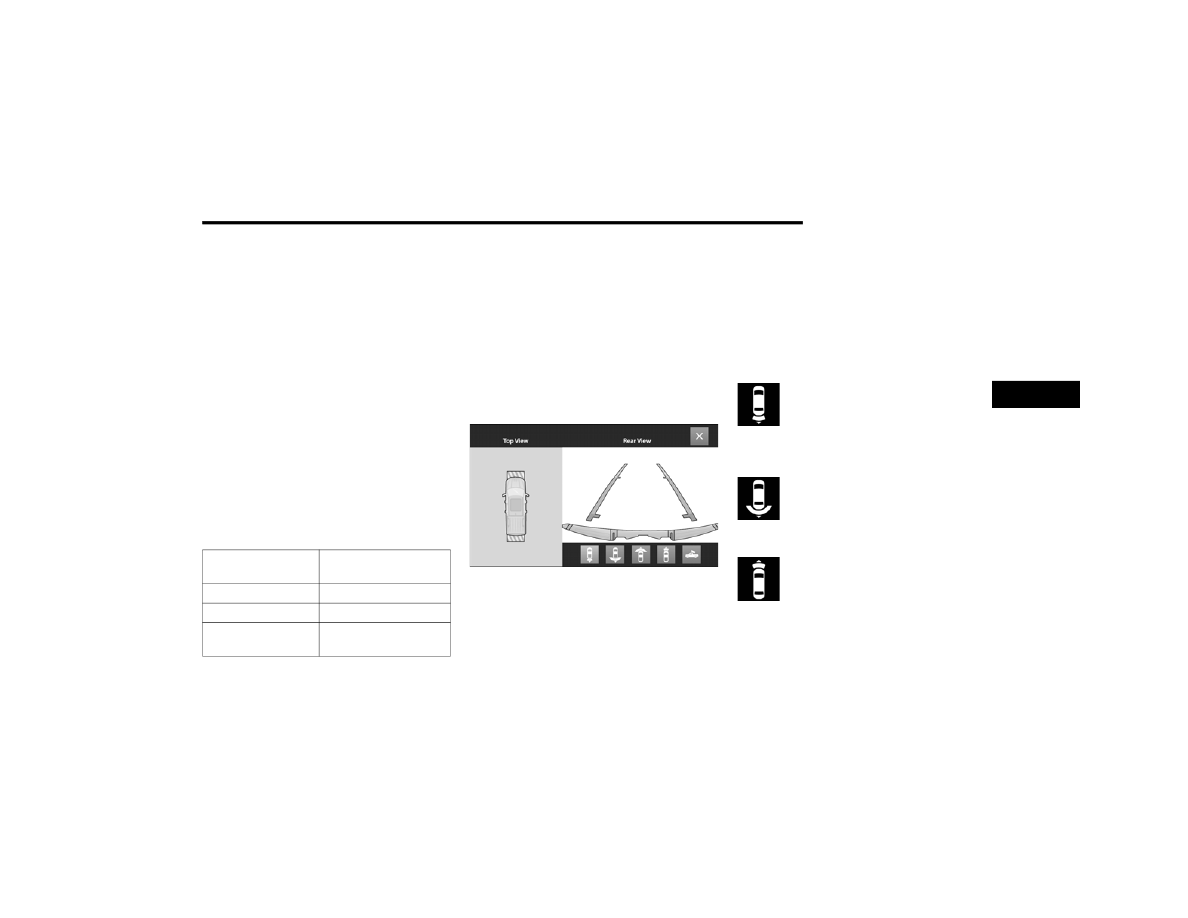
When the vehicle is shifted into REVERSE, the Rear
View and Top View is the default view of the system.
If the camera delay is turned on, the camera image
will display for up to 10 seconds after shifting out of
REVERSE. The camera image will stop displaying,
close, and display the previous screen if the vehicle
speed exceeds 8 mph (13 km/h), the vehicle is
shifted into PARK, or the ignition is placed in the OFF
position. The X button on the touchscreen disables
the display of the camera image.
If the camera delay is turned off, the camera image
will close and display the previous screen after
shifting out of REVERSE.
If active guidelines are enabled, the lines are overlaid
on the image in the Rear View and Top View to
illustrate the width of the vehicle and its projected
path based on steering wheel position.
The guidelines have different colored zones to
indicate the distance an object in the view is from the
rear of the vehicle. Refer to the chart below:
Modes Of Operation
Standard Rear View can be manually activated by
selecting “Back Up Camera” through the Controls
menu within the Uconnect system.
Top View
The Top View will show in the Uconnect system with
Rear View or Front View in a split screen display.
There are integrated ParkSense arcs in the image
at the front and rear of the vehicle. The arcs will
change color from yellow to red corresponding the
distance zones to the oncoming object.
Surround View Camera View
NOTE:
Front tires will be seen in the image when the
tires are turned.
Due to wide angle cameras in the mirrors, the
image will appear distorted.
The Top View will show which doors are open.
Open front doors will block the outside image.
Top View Plus Rear View
This is the default view of the system in
REVERSE and is always paired with the
Top View of the vehicle with optional
active guidelines for the projected path
when enabled.
Rear Cross Path View
Pressing the Rear Cross Path soft key will
give the driver a wider angle view of the
rear camera system. The Top View will be
disabled when this is selected.
Top View Plus Front View
The Front View will show you what is
immediately in front of the vehicle and is
always paired with the Top View of the
vehicle.
Zone
Distance To The Rear Of
The Vehicle
Red
0 - 1 ft (0 - 30 cm)
Yellow
1 ft - 6.5 ft (30 cm - 2 m)
Green
6.5 ft or greater
(2 m or greater)
4