FANUC Series 30i/300i/300is-MODEL A. Machining Center System. User's manual - page 219
12.SETTING AND DISPLAYING DATA
OPERATION
B-63944EN/03
- 1708 -
12.3.28.2
Tool life management (group editing screen) (15-inch display
unit)
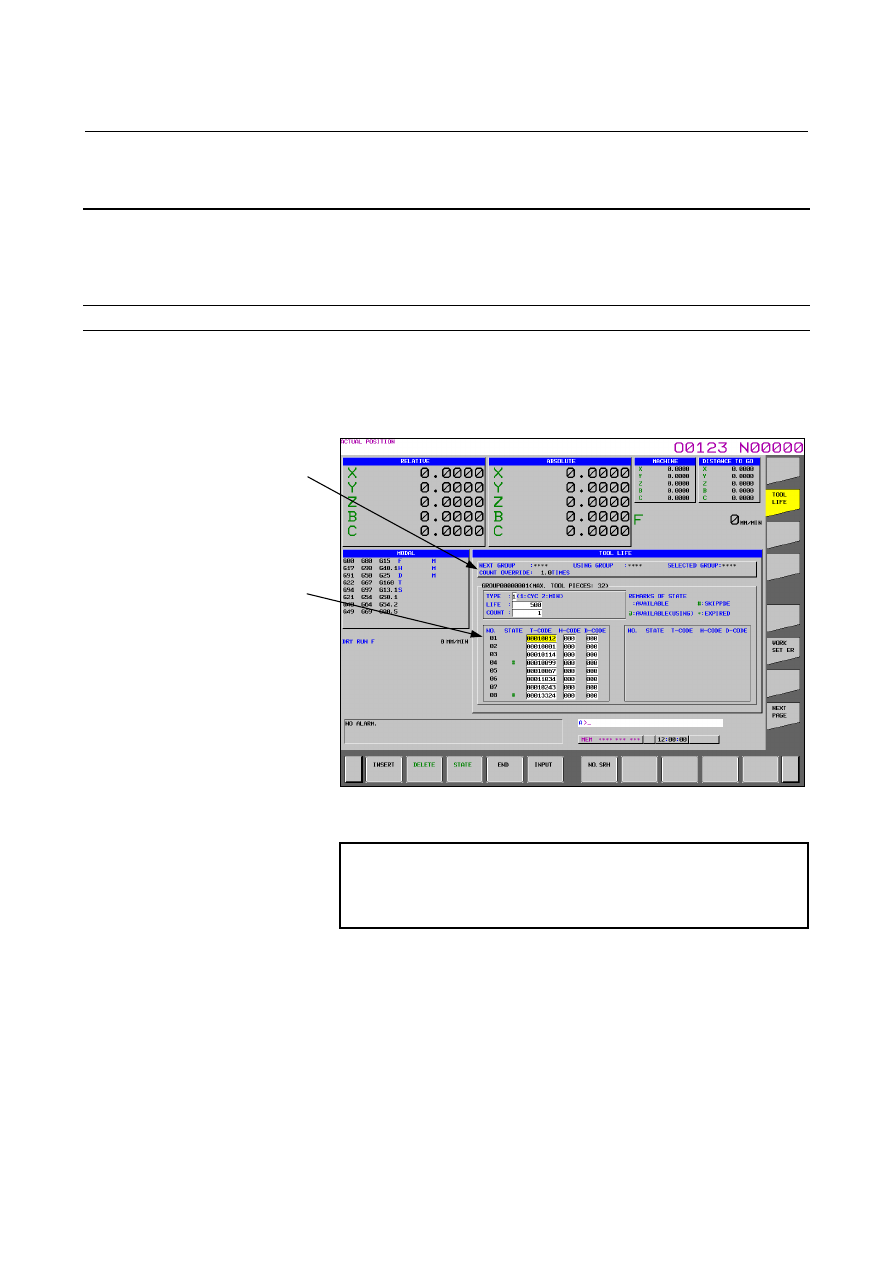
On this screen, it is possible to edit tool life management data (such as
tool life value, tool life counter, and tool data) for the tool group of
interest.
Displaying the group editing screen
Procedure
1.
Place the cursor on the tool group you want to edit from the list
screen.
2.
Press horizontal soft key [EDIT].
Fig. 12.3.28.2 (a) Displaying tool life management (group editing screen)
(15-inch)
NOTE
If no tool is registered with a tool group, none of a
life count type, a life value, and a tool life counter
value is displayed for the tool group.
- Contents of (A)
Like the counterpart of the list screen, (A) of the editing screen
displays the next tool group number and override value. If there is
no appropriate tool group, **** is displayed instead.
NEXT GROUP:
Tool group for which life counting is started by the next M06
command.
USING GROUP:
Tool group number for which life counting is currently under
way.
(A)
(B)