FANUC Series 30i/300i/300is-MODEL A. Machining Center System. User's manual - page 198
12.SETTING AND DISPLAYING DATA
OPERATION
B-63944EN/03
- 1540 -
12.2.17
Stamping the Machining Time (15-inch Display Unit)
The execution times of the most recently executed ten programs can
be displayed in hours, minutes, and seconds.
The calculated machining time can be inserted as a comment of the
program to check the machining time on the program folder screen.
Procedure for stamping the machining time
Procedure
- Displaying the machining time
1
Press function key
.
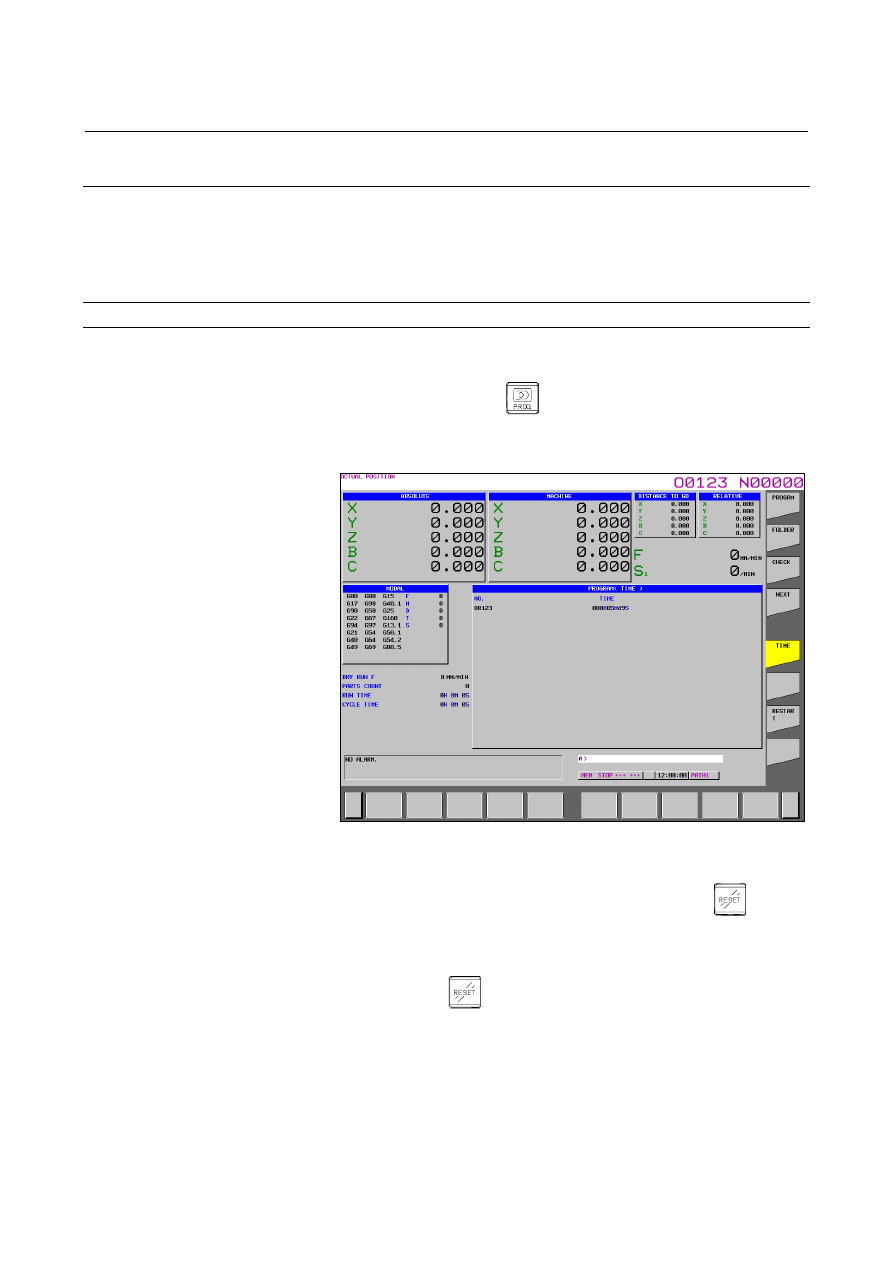
2 Press vertical soft key [TIME]. The machining time display
screen appears.
Fig. 12.2.17 (a) Machining time display screen (15-inch)
- Calculating the machining time
1
Select the memory operation mode, then press the
key.
2 Select the program screen, then select a program of which
machining time you want to calculate.
3
Execute the program to perform actual machining.
4 When
the
key is pressed or, M02 or M30 is executed, the
machining time count operation stops. When the machining
time display screen is selected, the program number of the
stopped main program and its machining time are displayed.
5
The following figure shows the screen when the machining times
of the ten main programs O0020, O0040, …, and O0200 are
displayed and the screen when the machining time of O0220 is
newly calculated after that.