Volvo XC60 Recharge Plug-in Hybrid (2021 year). Manual in english - page 29
AUDIO, MEDIA AND INTERNET
492
Changing waveband and radio
station
Instructions for changing wavebands, wave-
band lists and radio stations in the selected
list are provided here.
Changing wavebands
Swipe from App view on the center display
and select the desired waveband (e.g.
FM
) or
open the App menu in the instrument panel
with the right-side steering wheel keypad and
make your selection there.
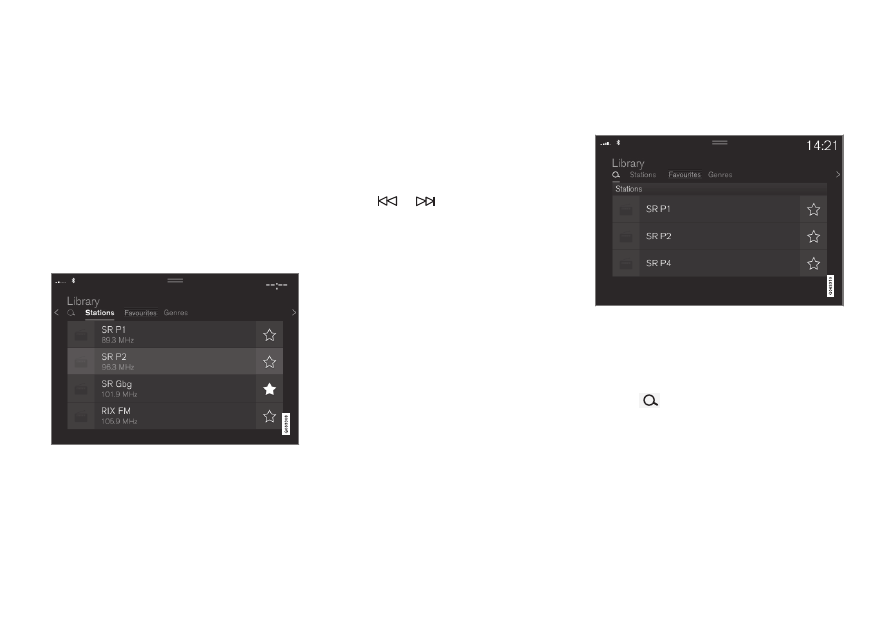
Changing a list in a waveband
1. Tap
Library
.
2. Select playback from
Stations
,
Favorites
or
Genres
.
3. Tap the desired station in the list.
Favorites
– only plays selected favorite chan-
nels.
Genres
- only plays channels broadcasting the
selected genre or program type, e.g. pop, clas-
sical, etc.
Changing radio stations in a selected
list
–
Press
or
under the center display
or on the right-side steering wheel key-
pad.
> Move step-by-step through the
selected list.
It is also possible to change radio station in
the selected list via the center display.
Related information
•
•
Searching for a radio station (p. 492)
•
Voice control for radio and media (p. 153)
•
Storing radio channels in the Radio favor-
ites app (p. 493)
•
•
App menu in instrument panel (p. 108)
Searching for a radio station
The radio automatically compiles a list of the
radio stations that are sending out the stron-
gest signals in the vehicle's current location.
Searching is performed in different ways
depending on the waveband selected:
•
FM, stations, genres and frequency.
1. Tap
Library
.
2. Tap
.
> Search view will displayed and the key-
board will open.
3. Enter a search word/phrase.
> The search will start and change as
characters are entered. Search results
will be displayed by category.