Volvo V90 Cross Country (2021 year). Manual in english - page 28
AUDIO, MEDIA AND INTERNET
}}
* Option/accessory.
475
2. Open the settings menu for SiriusXM
®
Satellite radio.
3. Tap
Unsubscribed Services
.
4. To call SiriusXM
®
, enter the phone num-
ber. They will activate the subscription of
your choice. This may take several
minutes.
When the subscription has been activated, tap
the SiriusXM
®
Satellite radio icon to start the
function and display the channel list included
in your subscription.
Related information
•
•
•
•
Using SiriusXM
®
Satellite radio
*
SiriusXM
®
Satellite radio offers several fea-
tures for finding and listening to music, news,
sporting events, etc. being broadcast on sat-
ellite radio stations.
SiriusXM
®
Satellite radio functions
With SiriusXM
®
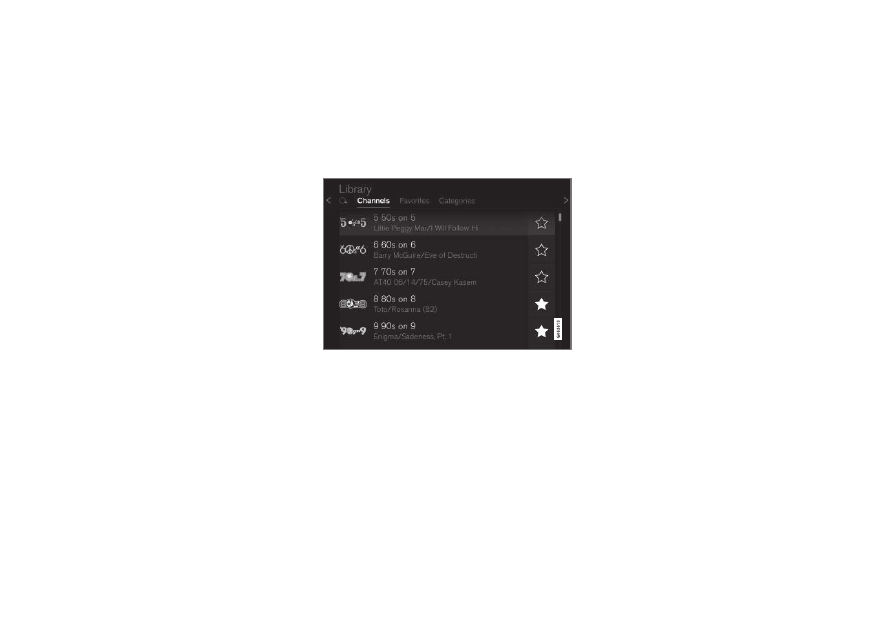
Satellite radio activated, tap
Library
to display a screen offering the follow-
ing functions:
•
Search
(the magnifying glass icon)
•
Channels
•
Favorites
•
Categories
If you have used this view previously, you will
be returned to the most recently used one.
Search
Tap the magnifying glass to display a screen
where you can enter text using the center dis-
play's keyboard or by writing in the free-text
field to search for e.g., a station number, an
artist, song title, etc.
Channels
Tap to display a complete list of the channels
included in your subscription. Tap a channel
name to listen. If a subscription to a channel
has expired, its name will be grayed-out on the
screen.
For quick access to a channel that you often
listen to, tap the star to the right of the chan-
nel's name. It will then be added to your list of
favorites.
Favorites
Tap to display the channels that you have
added to this list. Tap a channel name to lis-
ten.